School & Tuition Centre Management Software Singapore | AOne

Consult your needs with us and let’s discuss how we can help you
Build a seamless experience for parents while keeping student record
organized from day one. Less time processing, more time teaching.
Simple • Fast • Customizable
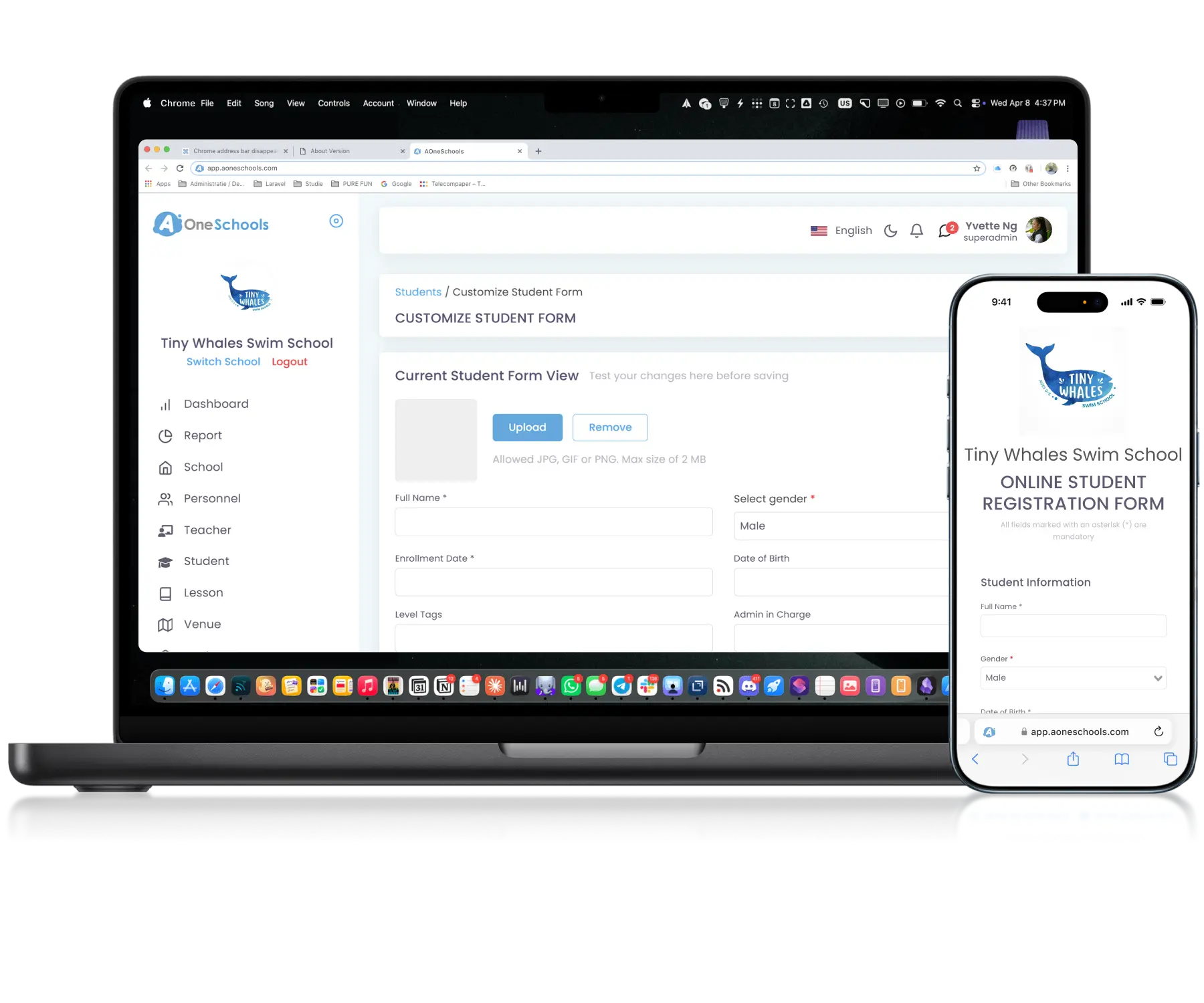
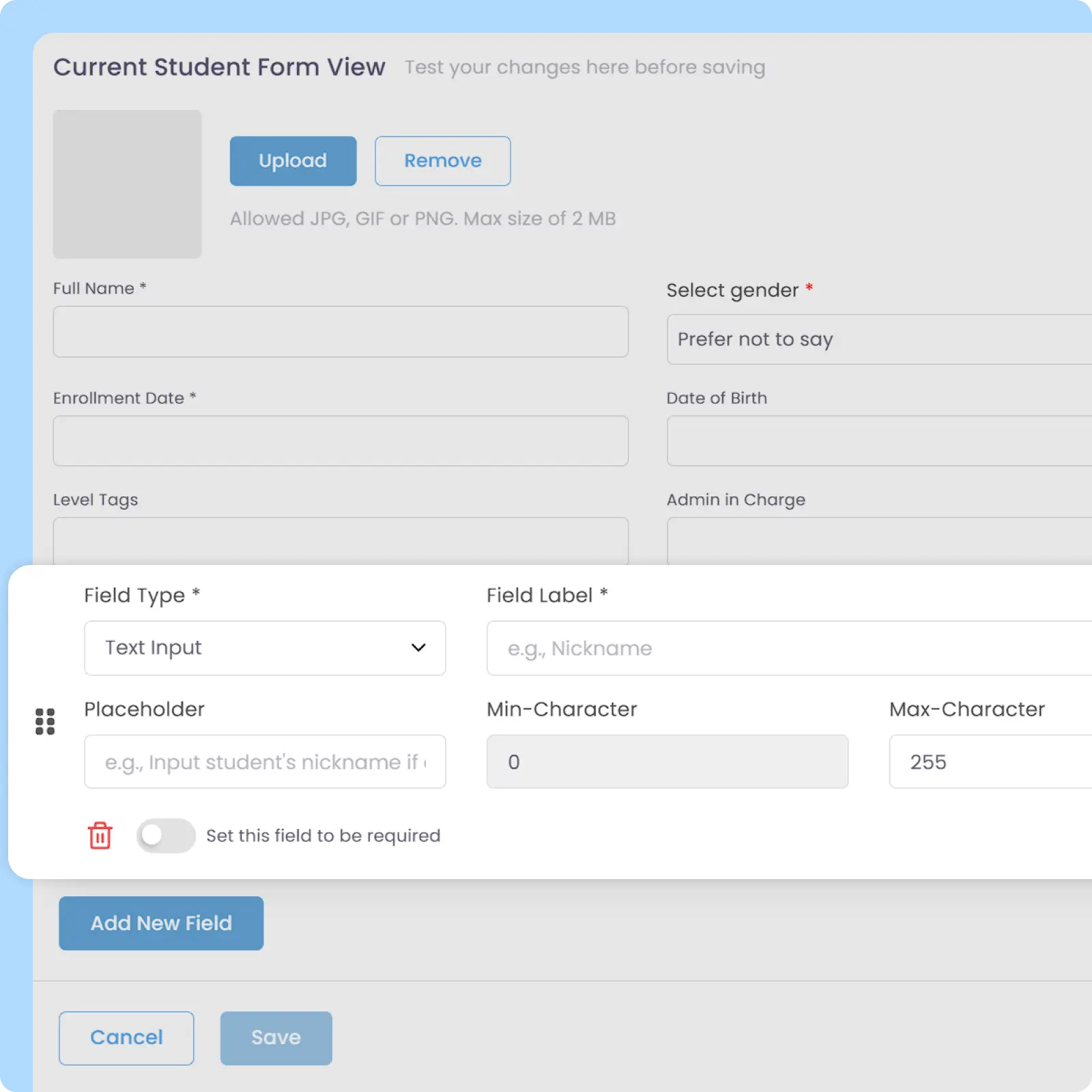
Build and configure registration forms with custom fields, checkboxes, document uploads, and flexible field requirements based on your operational and data collection needs. Fields can also be marked as mandatory to prevent parents from skipping important sections such as terms and conditions agreements.
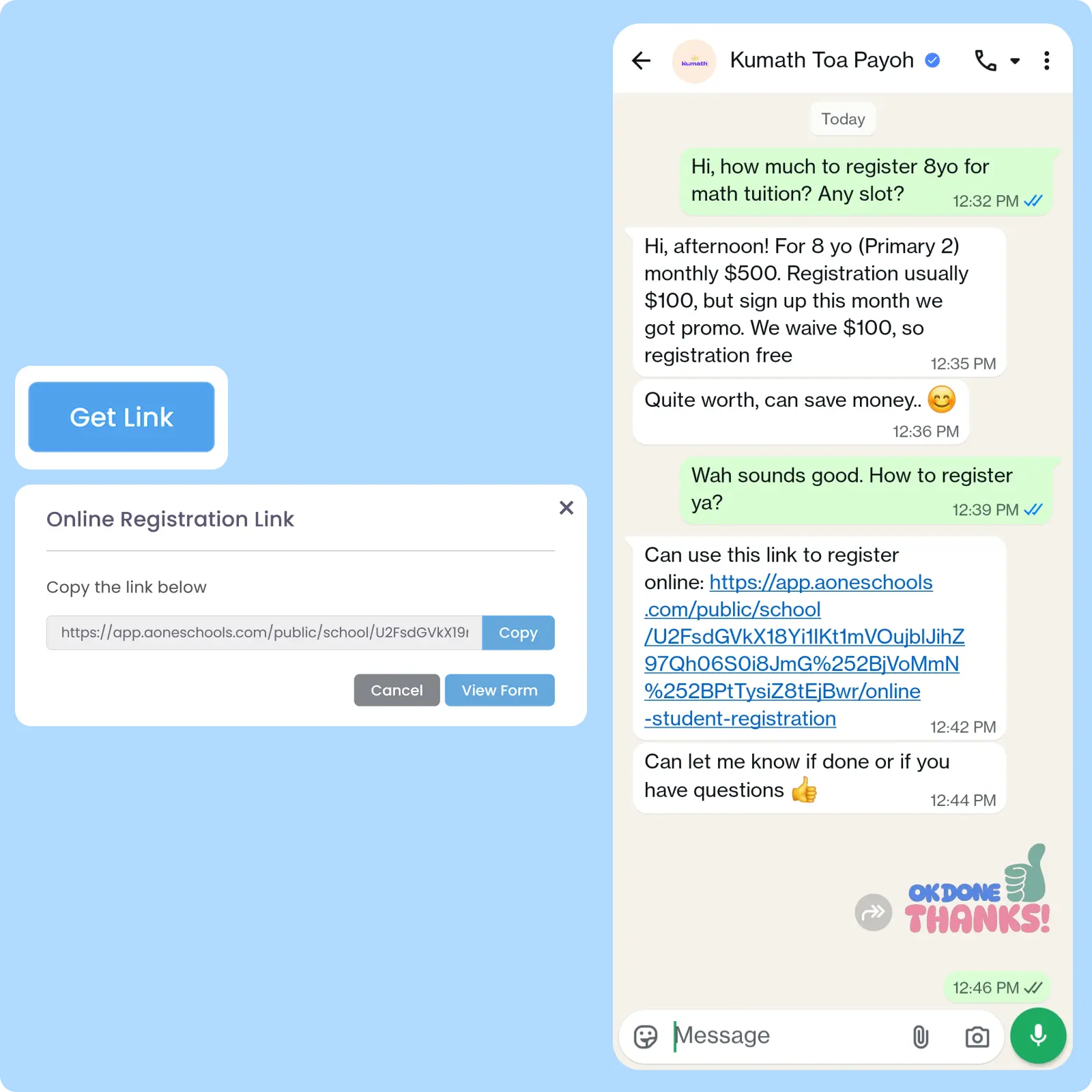
Registration form can be shared into a link that you can embed on your website or social media, and share on WhatsApp or other messaging apps. Submitted registration data automatically populates the student database without requiring parents or students to install the app or create an account.
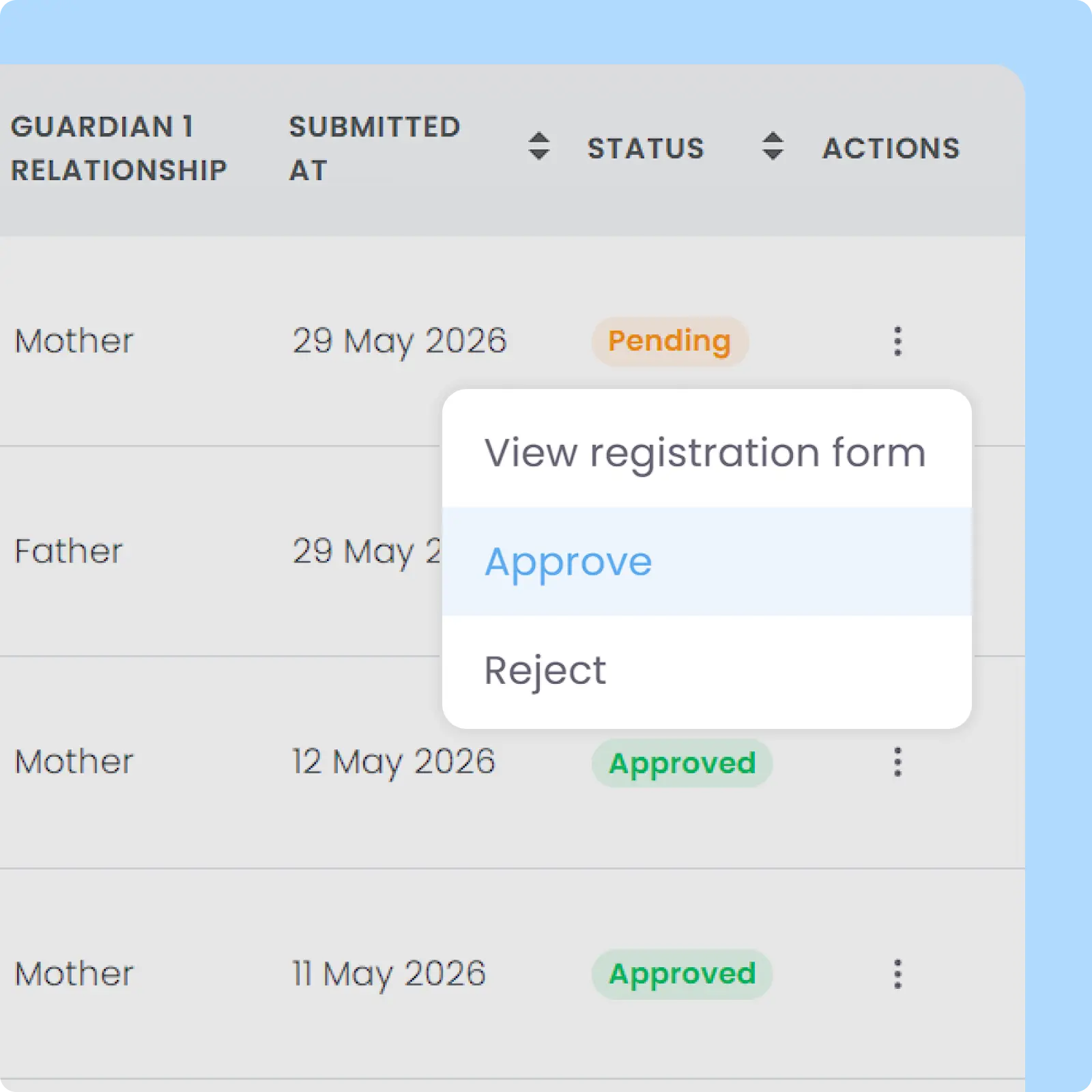
Student registrations can be assessed operationally before enrollment confirmation and lesson placement occur. Designed to help centres manage lesson capacity, student suitability, and placement decisions more effectively before activation.
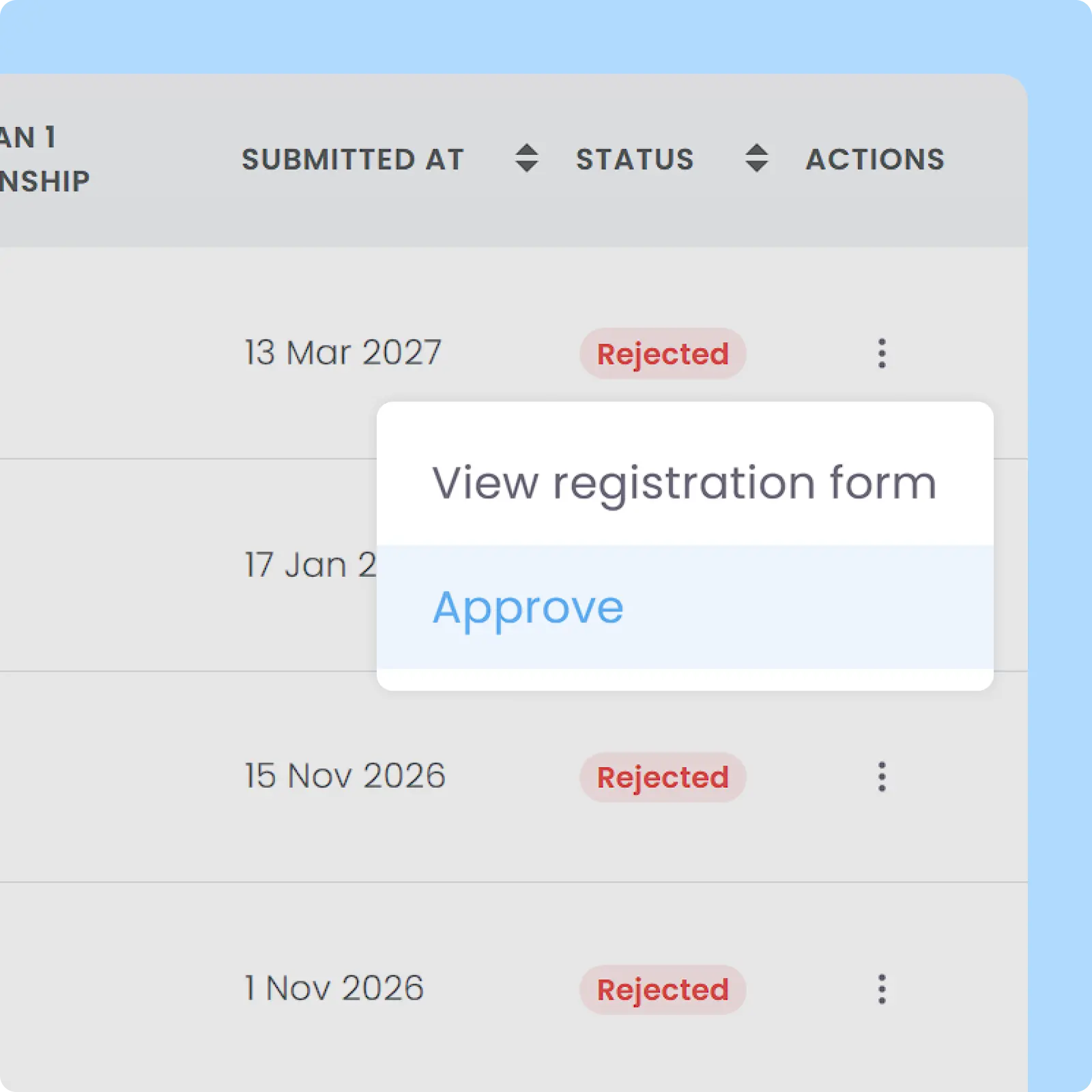
Previously rejected registrations are stored in your account and can be approved at any time in the future without requiring another registration from parents or students. Designed to improve registration and enrollment flexibility, while reducing repetitive admin work and applicant frustration.
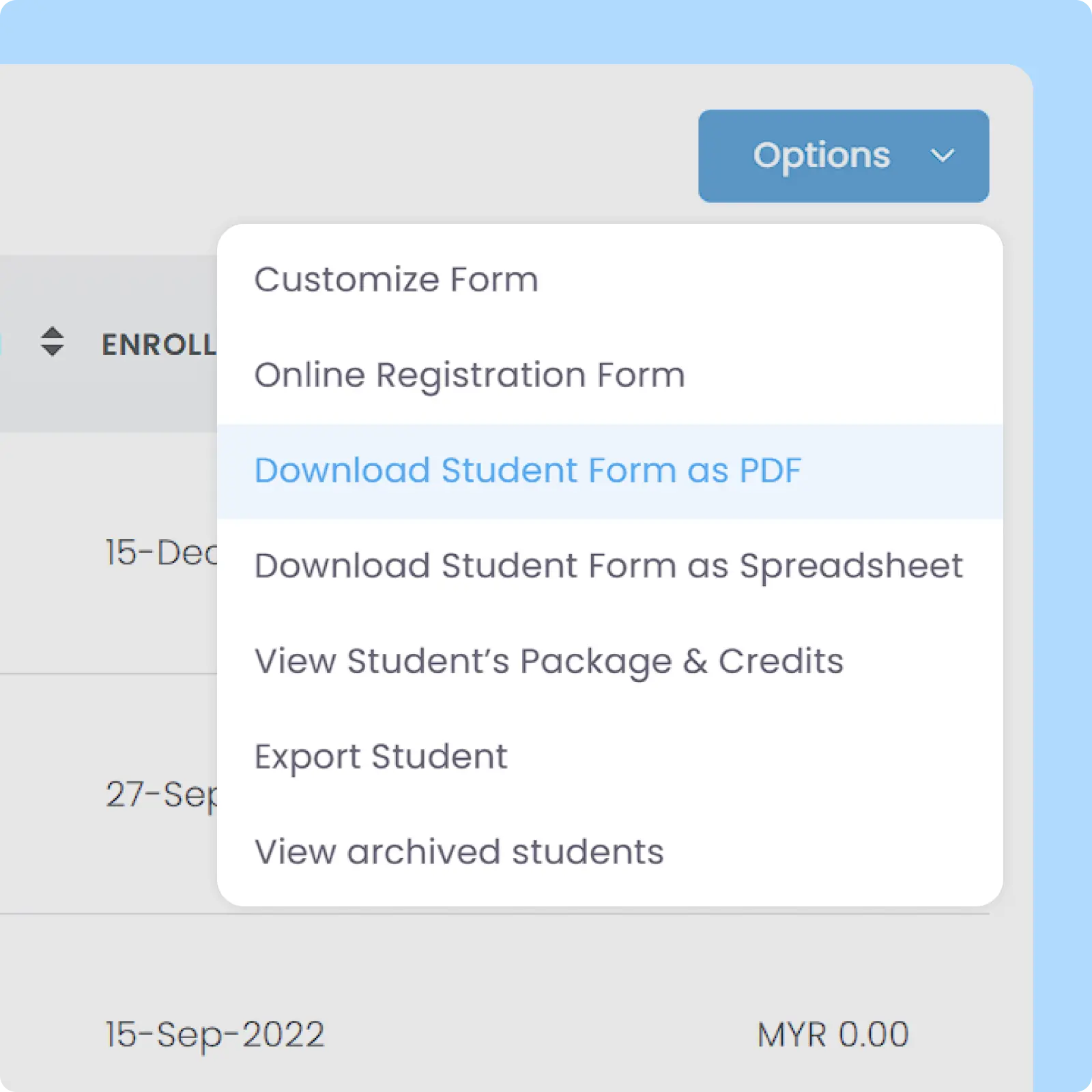
Enrollment forms can be downloaded in PDF or Excel format for printing and offline usage while maintaining the same structure as the digital version. Designed to support both online and manual registration workflows more consistently.
Back then, we needed to order receipt books and there was a lot of paperwork daily, taking up a lot of our time.
After using AOne, it reduced our workload and is also environmental friendly because we no longer need to purchase a receipt book. We can issue receipts, and guardian students can check their invoices and receipts through the app.
Don’t let admin hurdles stand between interested parents and your centre. Simplify registration process, make onboarding easier.
The workflow is the same as registering their child for the first time, in which parents have to fill in the centre’s online registration form. However, since parents already have an active AOne account, they need to fill in the same email and mobile number currently registered on their account.
This way, during registration, parents will be asked to confirm if this registration belongs to their existing account. Once the registration form has been submitted and approved by the centre, parents will be able to see multiple children registered on their app.
Yes, the form features customizable fields that let you gather specific details tailored to your learning centre’s needs during the intake process. Any custom data captured during registration is saved directly to the Student’s Profile, making it easily accessible for authorized staff. This flexibility allows you to ditch paper-based questionnaires almost entirely and store important operational notes safely in one secure database.
Yes, you can do this by modifying an invoice generated upon enrollment.
Generating an invoice on enrollment when enrolling the student to said Lessons will create an invoice separated from the recurring one, with a customizable issue date, billing month, and due date. This is only applicable to any package using recurring invoice generation.
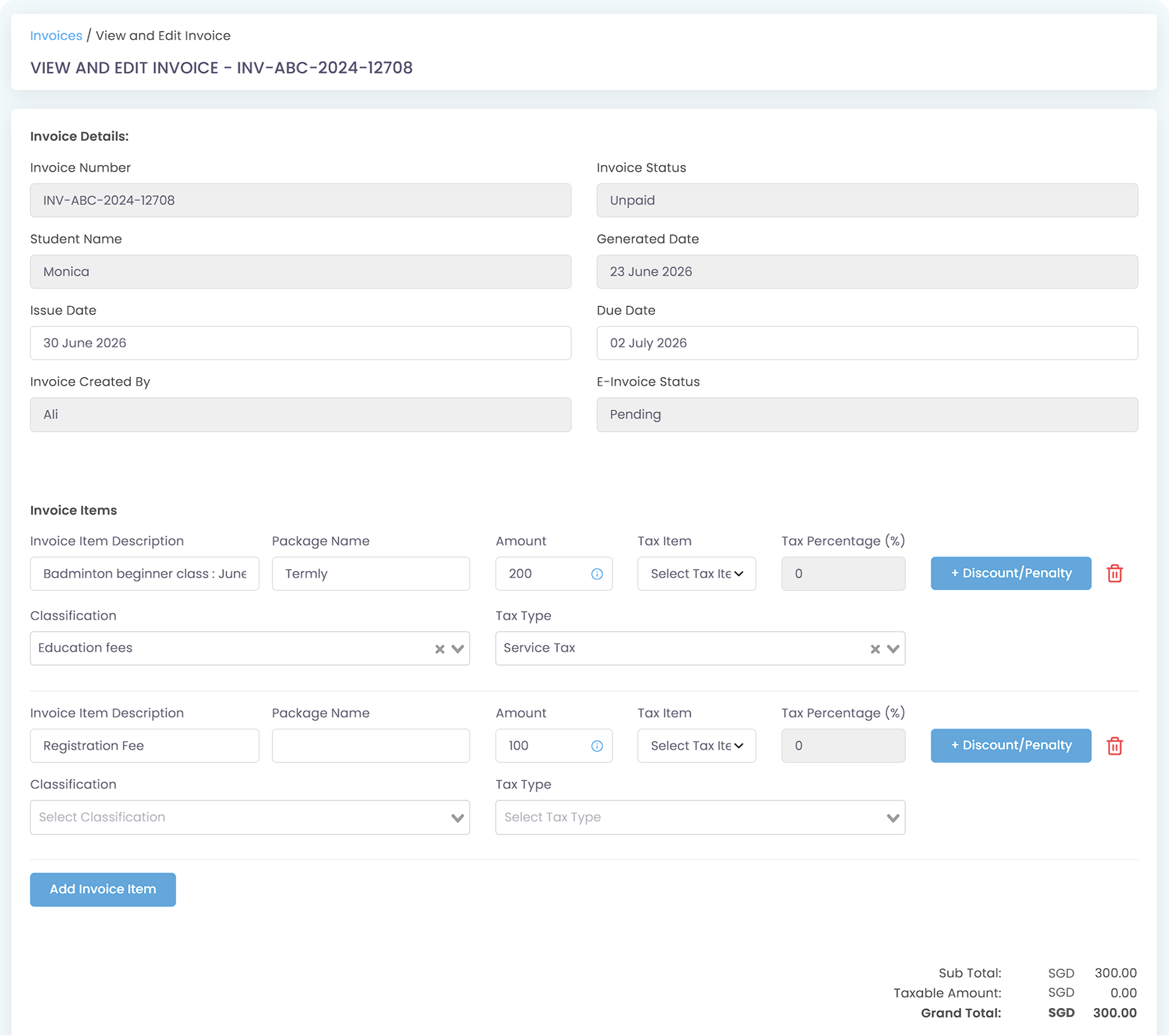
Once the enrollment invoice has been generated, you can modify that specific invoice and add an invoice item, detailing registration fee, by adding a new invoice item.
You can create a Lesson named “Trial Class” and color-code it differently to distinguish them from regular sessions. If your trial class is free, you need to create a new Lesson Package while creating your trial class lesson and choose Credits (not Universal Credits) as the package type. It is also important to pick No Auto-Generated Invoice so that parents won’t be charged for your trial class.
When your trial class is ready, you can let parents enroll in your class by filling in the online registration form so that you can directly approve their registration and enroll them in your trial class.
In this scenario, parents can already join your trial class without having to download the AOne app yet, while you have already collected their important data such as student and guardian profiles. On top of that, since they have technically been registered to your school, you can send them an Announcement via the module and enable email delivery.
This setup also updates your Calendar, and the teacher(s) of your choosing can see that they are assigned to this trial class on their AOne app’s personalized calendar.
After your trial class is over, if:
When you first sign up, you do not have to enter all your data manually. AOne offers a one-time input assisted by our team, completely free of charge, available exclusively for new users to help get your centre up and running smoothly.
Invoices, tracking, reminders, and receipts: Automated
All student data, organized and manageable in one place
All teacher data, organized and manageable in one place
All your lesson data, organized and manageable in one place
Clear schedules for every lesson for teachers and students
Track revenue, payment status, and performance in one place
Manage teacher and class replacements effortlessly
Real-time attendance with real-time parents notifications
Chat features for seamless communication with staff and parents