School & Tuition Centre Management Software Singapore | AOne

 SINGAPORE
 MALAYSIA
 INDONESIA
 THAILAND
 PHILIPPINES

Product Overview

Billing

Student Management

Teacher Management

Lesson Management

Schedule & Timetable

Finance Management

Replacement

Student Registration

Student Attendance
Not sure whether AOne suits you?
Consult your needs with us and let’s discuss how we can help you
Student Attendance
Replace manual attendance sheets with a streamlined digital system.
Reduce errors, save time, and gain better visibility into attendance trends.
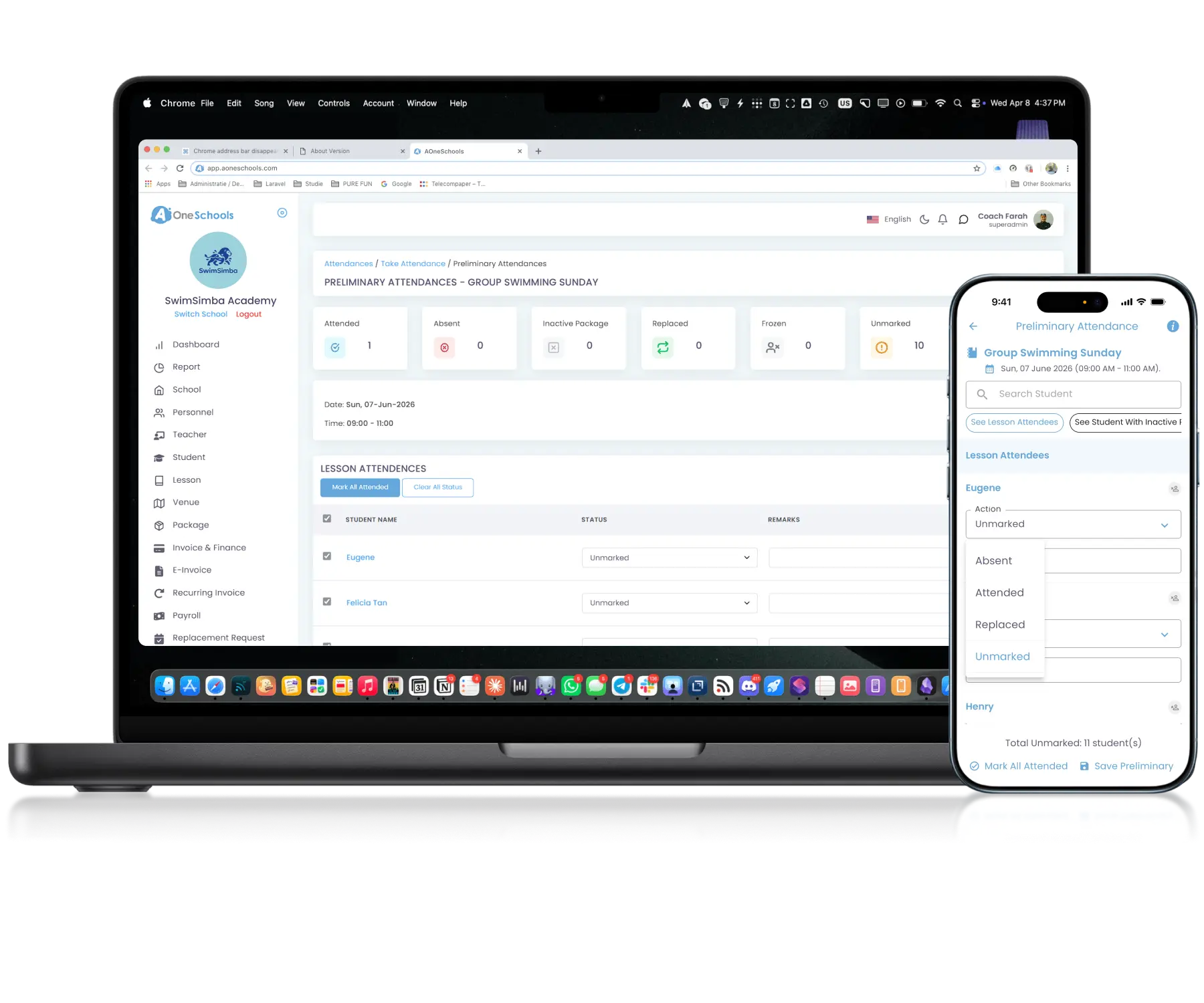
Fast • Accurate • Organized
Mark in seconds, save hours
Attendance Taking
Take Attendance in Real Time
Authorized roles can record attendance for upcoming, ongoing, or completed classes through both web and mobile app (teacher-only). Attendance records can include remarks and photo attachment(s), with Notifications sent directly to parents.
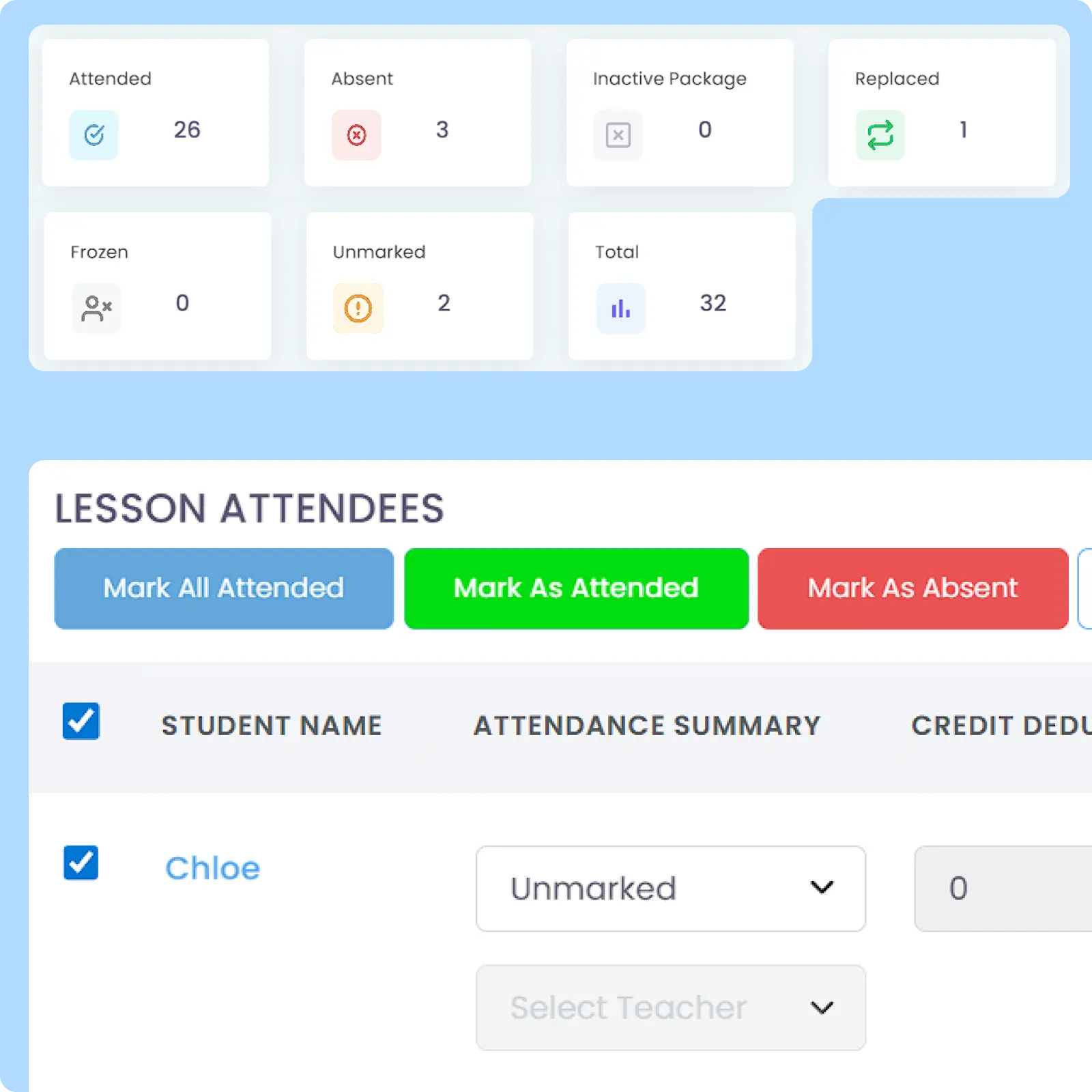
Record per Student & Lesson
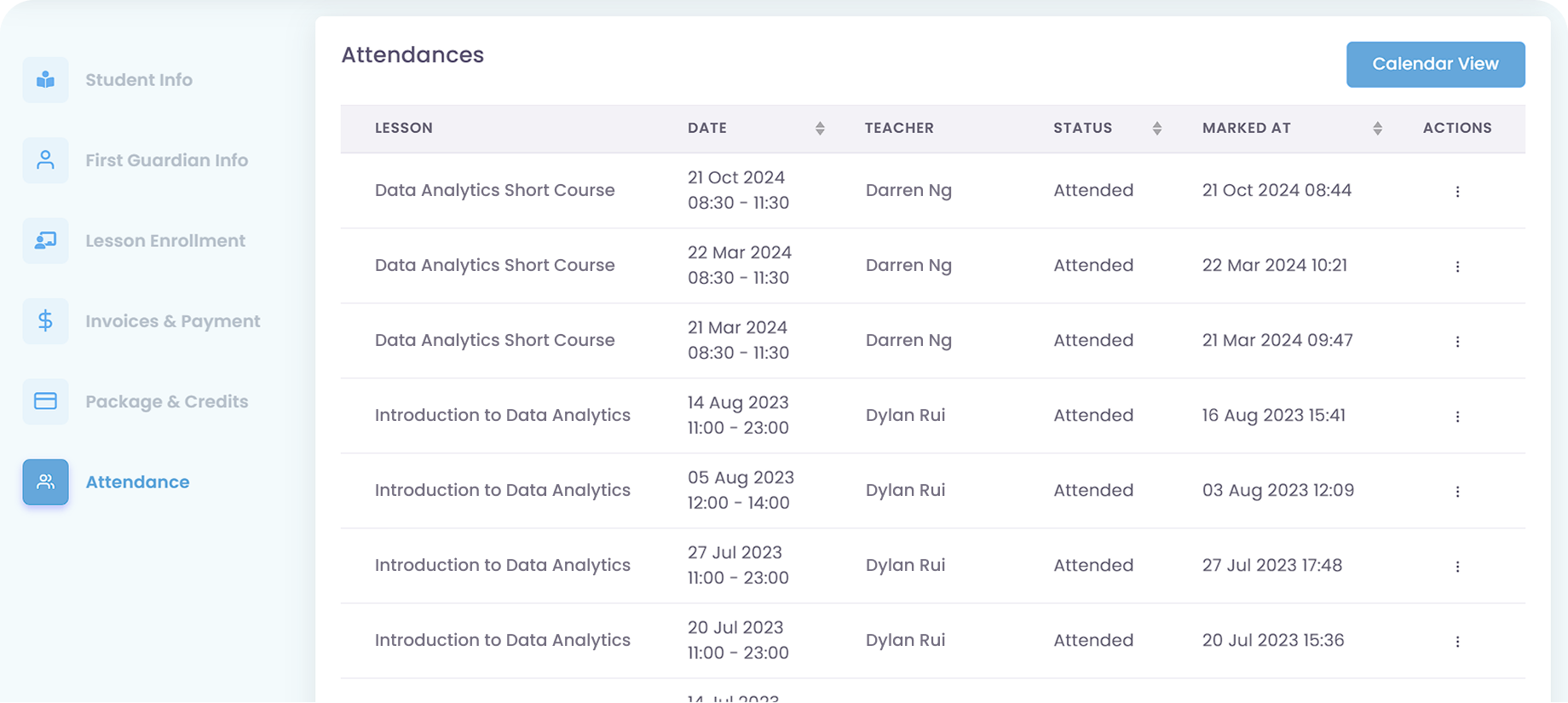
Track Attendance Per Student and Per Lesson
Attendance history is connected to each Lesson Details and Student Profile for easier operational analysis and follow-up on absences or irregular attendance patterns. Designed to simplify tracking of attendance behavior and lesson performance.
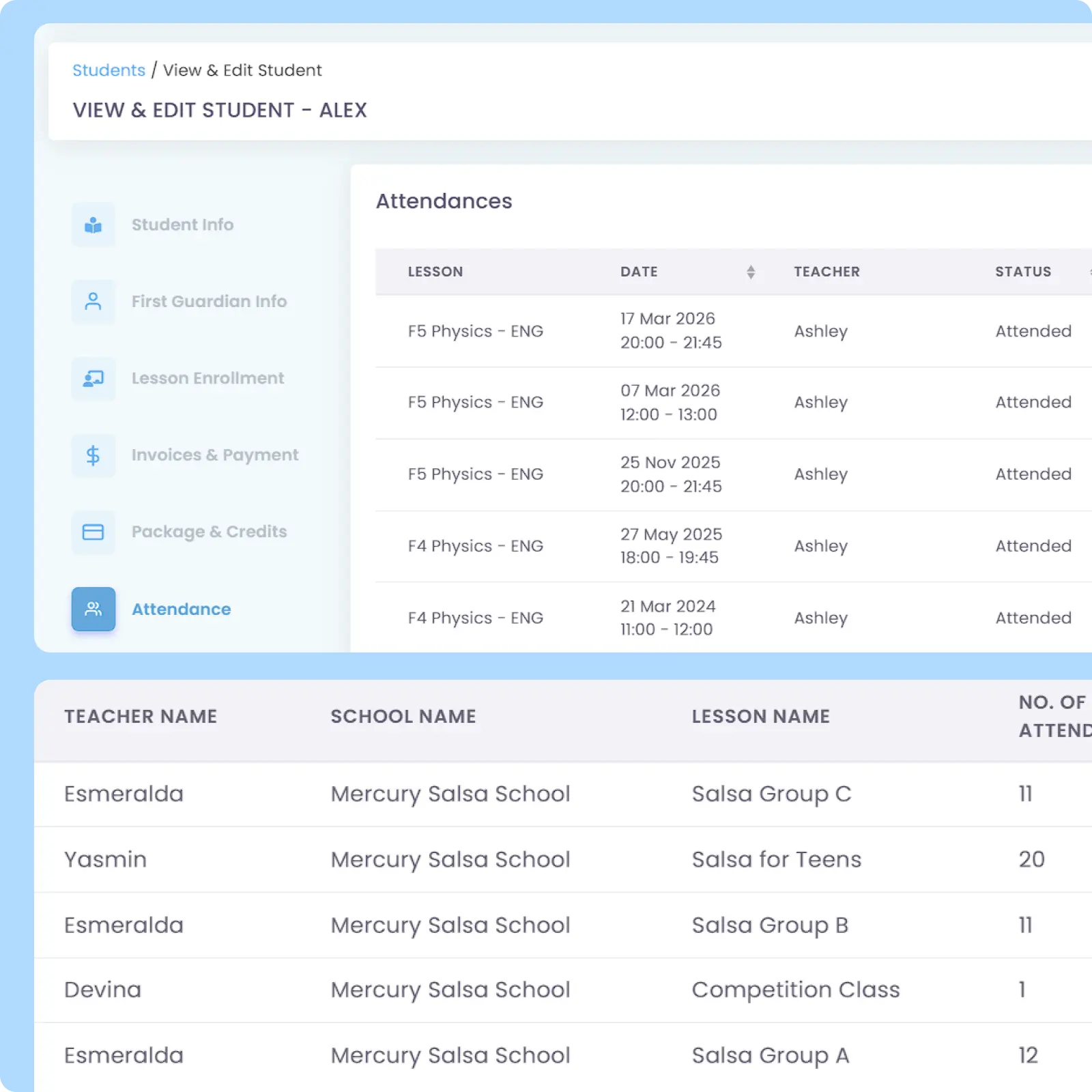
Attendance-based Pricing
Charge Based on Actual Attendance
Dynamic, attendance-based Lesson Pricing structures linked directly to attendance records, allowing fees to be calculated based on actual participation instead of fixed billing. Also support customized prepaid pricing scheme using Credit system.
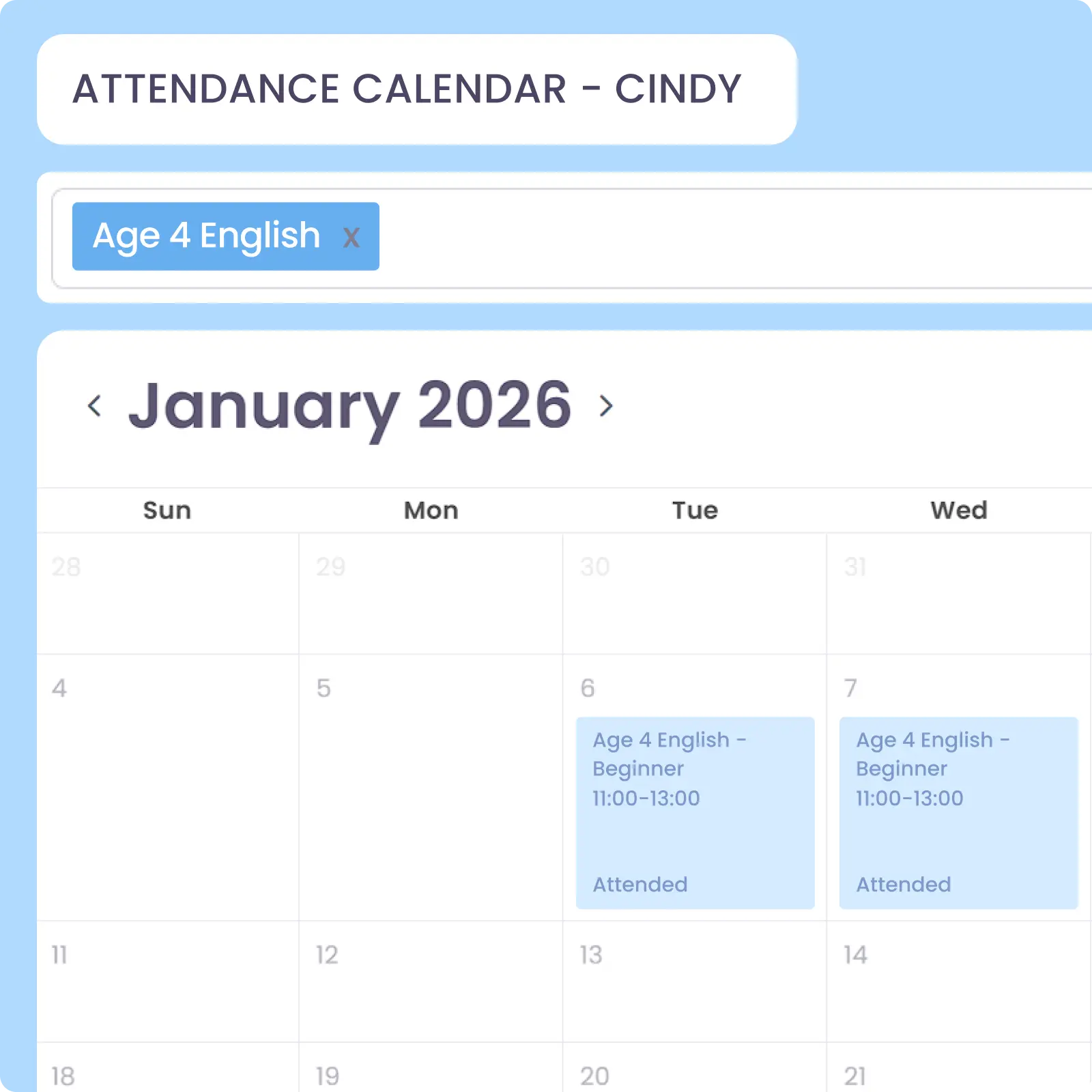
Calendar View
View Attendance in Calendar Format
A calendar view for student’s attendance records that makes it easier to review participation, absences, and lesson activity across different dates and schedules. Designed for those who prefer a more visual view over lists or tables.
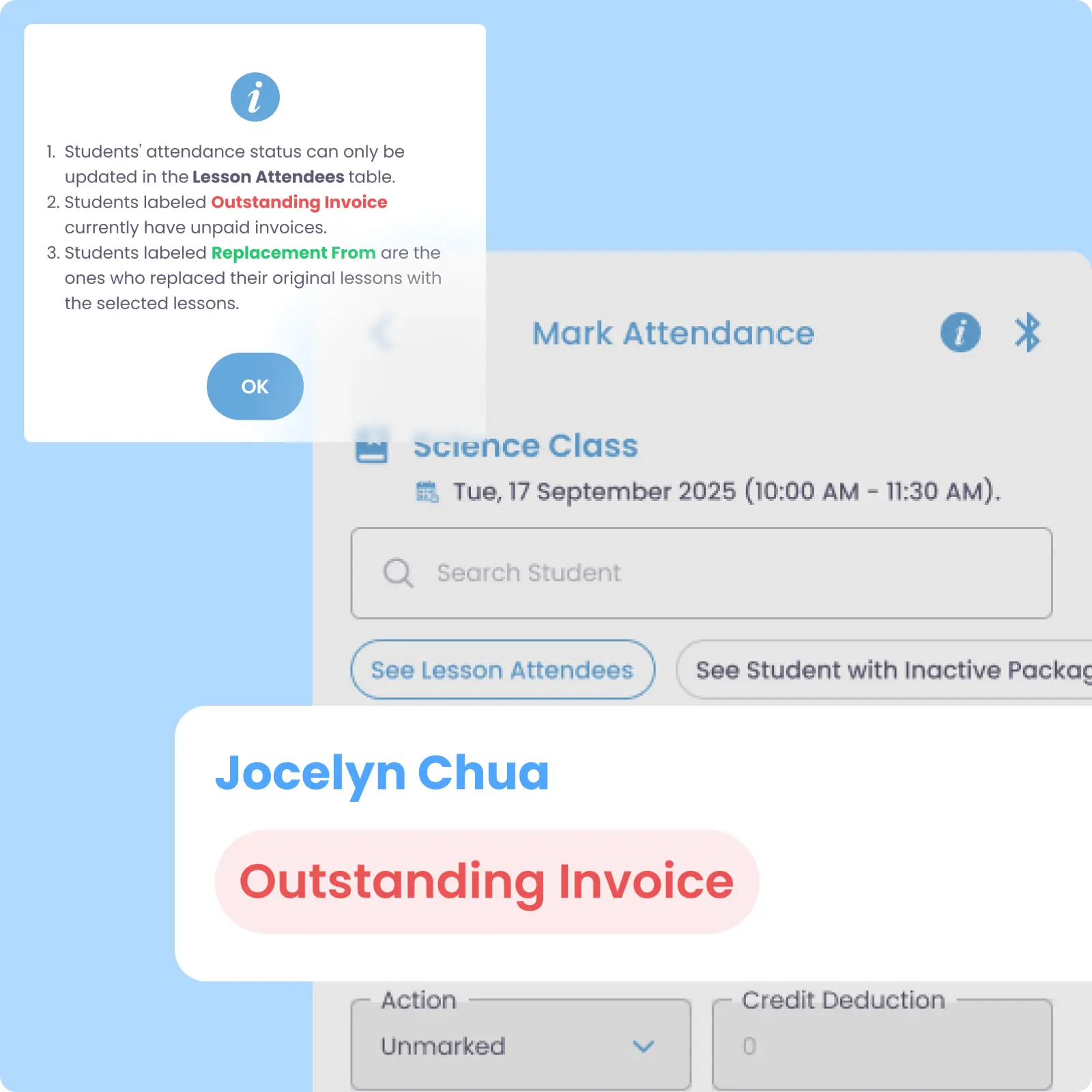
Outstanding Payment Status
See Payment Status During Attendance
Attendance takers can see outstanding payment status directly while taking attendance so they can identify and remind unpaid students immediately. Avoid the hassle of checking invoices and receipts one by one before reminding parents.
Why Everyone loves
AOne Student Attendance Management
88% fewer attendance-related disputes
Save teacher’s time up to 7 hours weekly
Increased transparency and trust from parents

Back then, we needed to order receipt books and there was a lot of paperwork daily, taking up a lot of our time.
After using AOne, it reduced our workload and is also environmental friendly because we no longer need to purchase a receipt book. We can issue receipts, and guardian students can check their invoices and receipts through the app.

Attendance made simple
Whether you’re managing a single classroom or multiple branches, attendance can quickly become difficult to track. Let us help you make attendance recording faster, more accurate, and easier to manage.

Frequently Asked Questions
How can teachers or admins record student attendance?
Authorized roles can record attendance for upcoming, ongoing, or completed classes. You can also add specific remarks or attach photos to the record.
Admin can mark attendance via web portal, while teacher can do so via either web portal or mobile app. You can easily track attendance by lesson or student, maintaining a historical log of participation and absences.
Can I set up fees based on how many classes a student actually attends?
Yes, there are several ways you can do to setup fee automation based on attendance.
For a Fixed, Recurring Fee, AOne can automatically calculate fees based on the number of weeks in a month or when there is a holiday. For example, your class starts every Monday but the number of Mondays within each month varies between 4 and 5, then the system will automatically calculate the fees based on the number of Mondays within that month.
Another way is by using Credit System, which allows you to automatically deduct student’s credit balance each time they attend a credit-based lesson. This works better with a prepaid pricing scheme.
Are parents always notified when their child arrives or misses a class?
Yes. Every time your admin or teacher marks attendance, an automated Notification will be sent to parents’ app. The notification covers important information, such as check-in/out time, customizable remarks, and optional photo(s).
Additionally, you can also send a Student Progress Report during or after the class to let parents know their child’s progress and activity during the lesson. For this notification, you can optionally attach PDF document and/or photos.
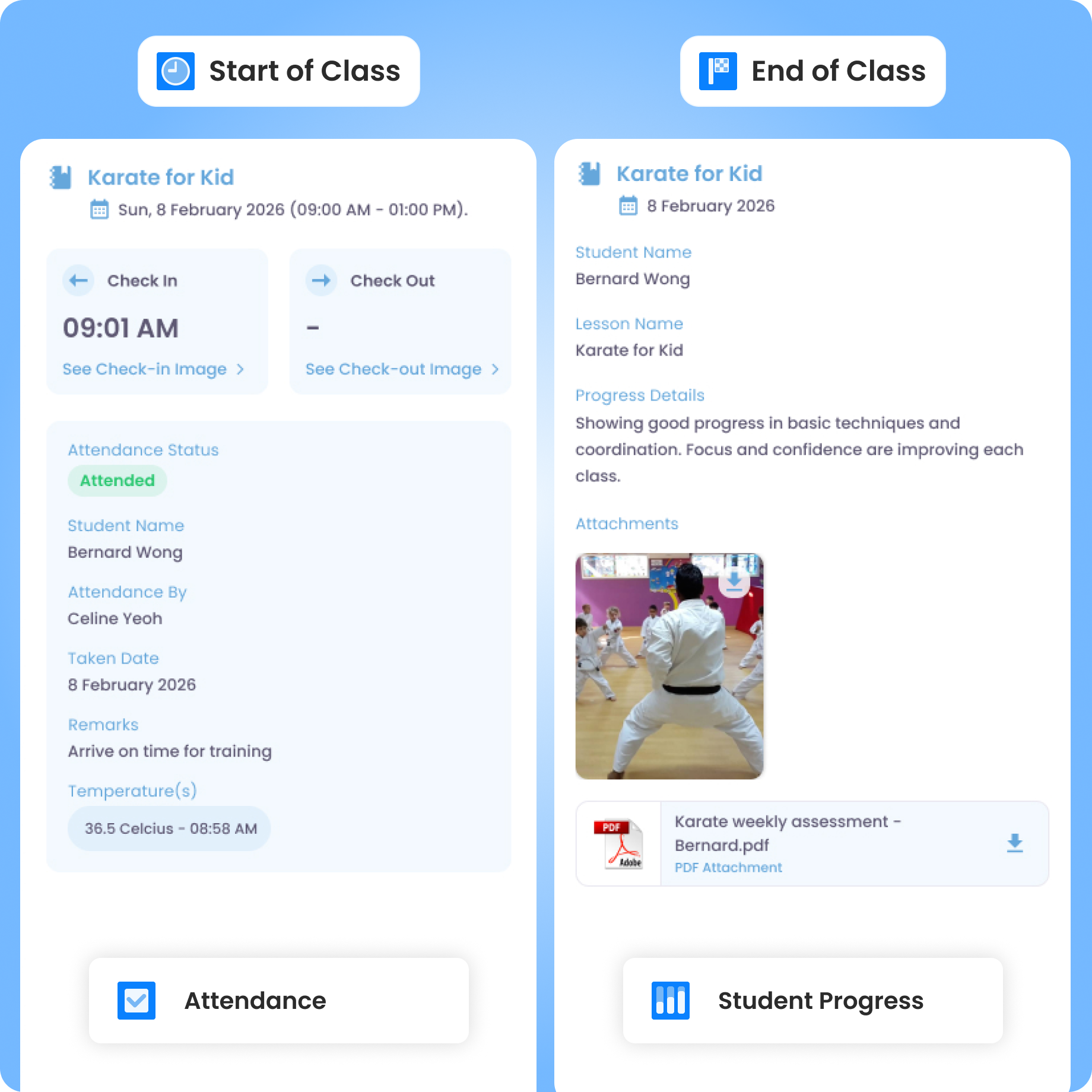
Every notification that you send, be it Announcement, Attendance, or Student Progress, will be stored on parents’ app. This allows them to also keep track of their children’s learning journey more closely.
How do class replacements affect attendance records?
When a class is replaced, the system automatically updates the schedule in the affected-user calendar. Attendance can then be recorded for the new session.
If the replaced class is credit-based, student’s credit balance is then consumed for the replacement class instead, applicable for both standard Credits and Universal Credits.
This replacement-class attendance logic remains the same regardless of who arranges or proposes for the Replacement.
Can I access a historical log of a student's attendance?
Yes, the system maintains a detailed record per student and per lesson, showing all past participation and absences.
You can view the log within each Student Profile, which includes attendance, payment history, and past lesson activity in one place. This allows for faster strategy alignment based on student data.
Additionally, you can Export attendance table data into XLSX format for further processing and reporting.
Move faster with AOne features
Billing
Invoices, tracking, reminders, and receipts: Automated
Student Management
All student data, organized and manageable in one place
Teacher Management
All teacher data, organized and manageable in one place
Lesson Management
All your lesson data, organized and manageable in one place
Schedule & Timetable
Clear schedules for every lesson for teachers and students
Finance Management
Track revenue, payment status, and performance in one place
Replacement
Manage teacher and class replacements effortlessly
Student Registration
Simple, digitized registration flow from form to student profile

In-app messaging
Chat features for seamless communication with staff and parents