School & Tuition Centre Management Software Singapore | AOne

 SINGAPORE
 MALAYSIA
 INDONESIA
 THAILAND
 PHILIPPINES

Product Overview

Billing

Student Management

Teacher Management

Lesson Management

Schedule & Timetable

Finance Management

Replacement

Student Registration

Student Attendance
Not sure whether AOne suits you?
Consult your needs with us and let’s discuss how we can help you

Credit System
Ideal for prepaid lessons with flexible scheduling. Students buy credits upfront, and you decide how they are consumed: per attended session, hour, or any custom arrangement.
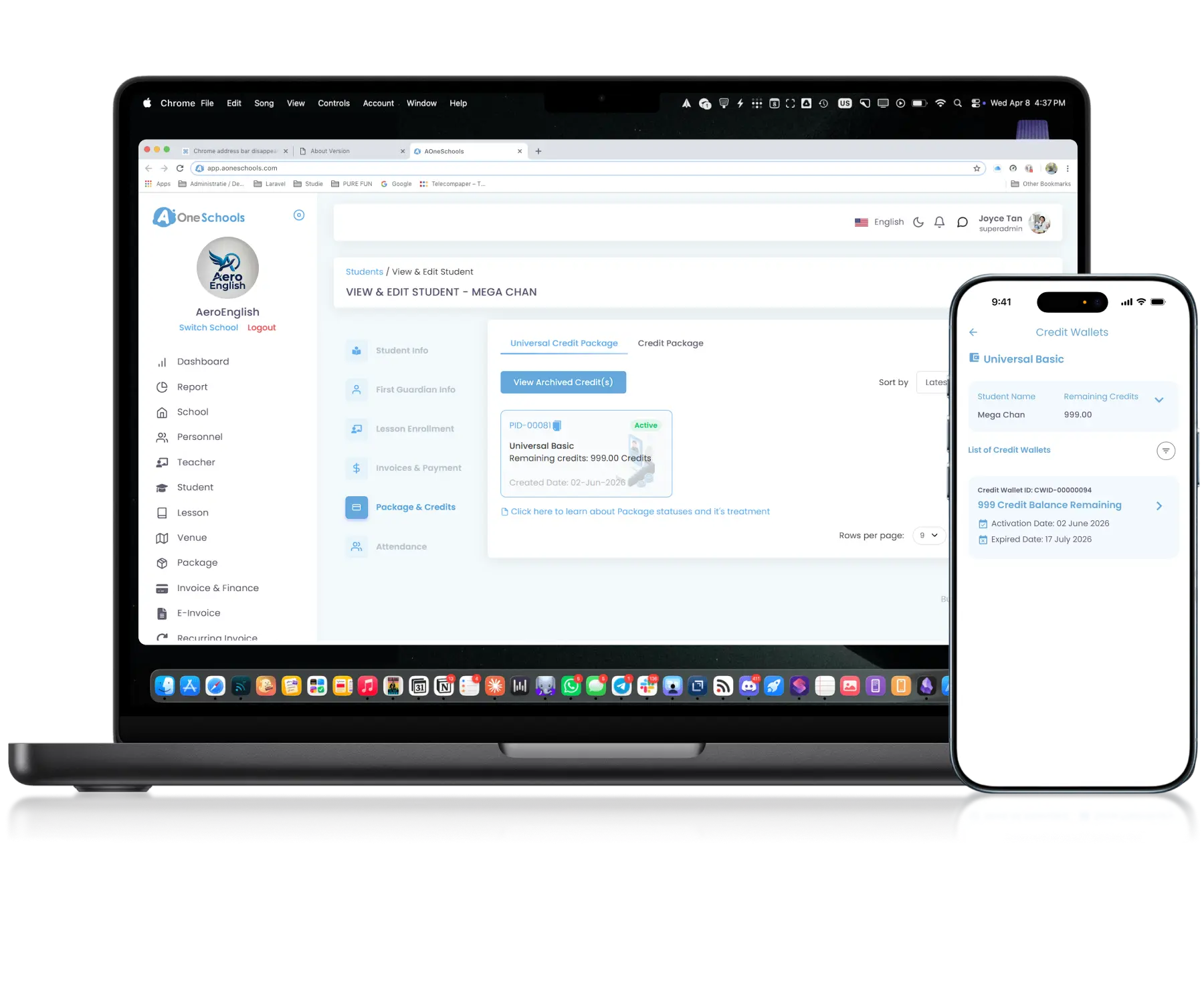
Versatile • Customizable • Flexible
More ways to learn, more ways to earn
Customizable Pricing
Build Pricing for Various Scenarios
Build custom Billing models highly suitable for prepaid scheme, where students pay upfront and credits are deducted either indifferently per Attendance or per Lesson duration attended. Designed to cater to a wide variety of strategies and scenarios.
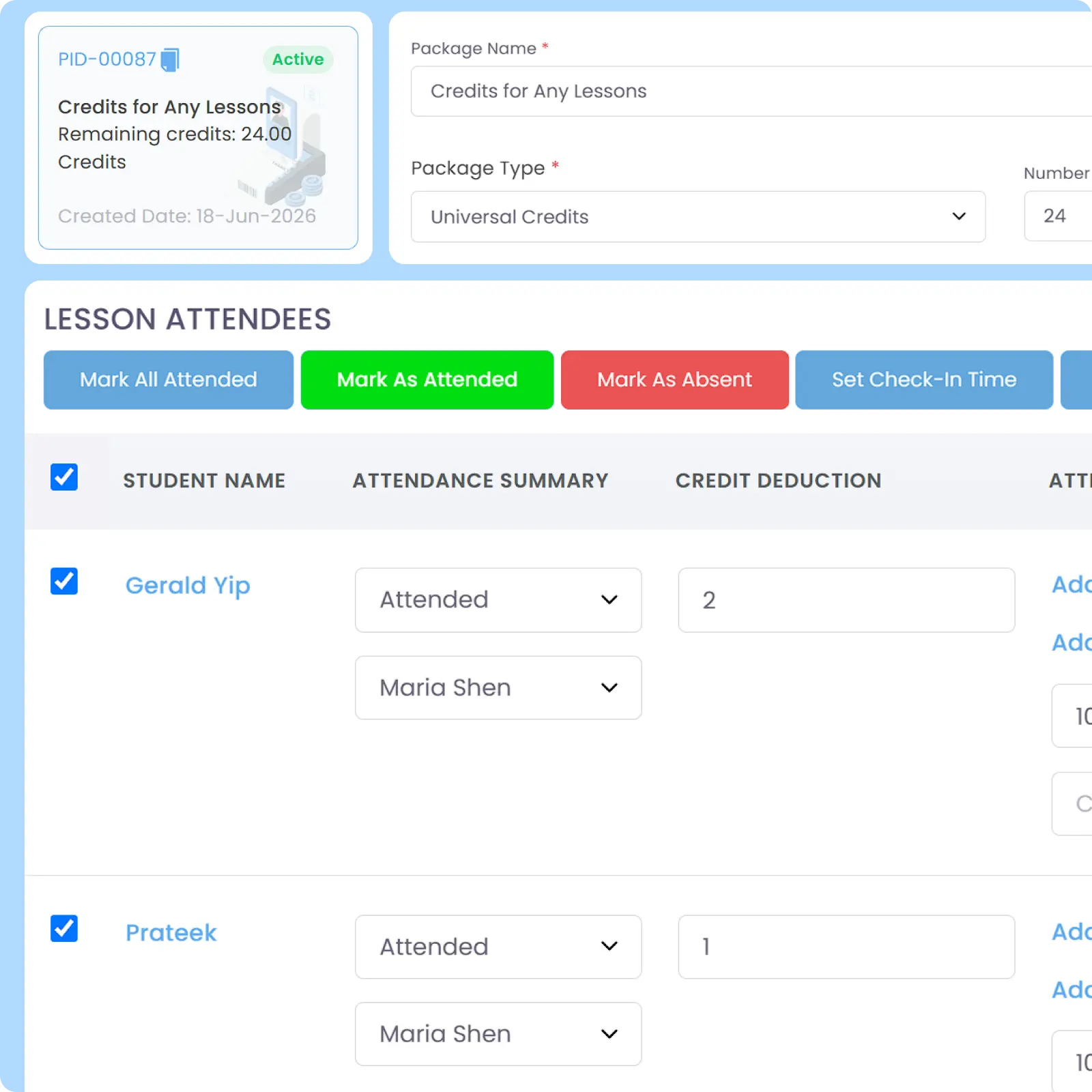
Credit-Based Automation
Simplify End-to-End Credit Billing
A connected credit workflow that streamlines credit creation and Lesson, integration, deduction per attendance, and tracking per student based on lesson attendance and/or usage. Greatly reduce manual billing work by using a prepaid scheme instead of postpaid.
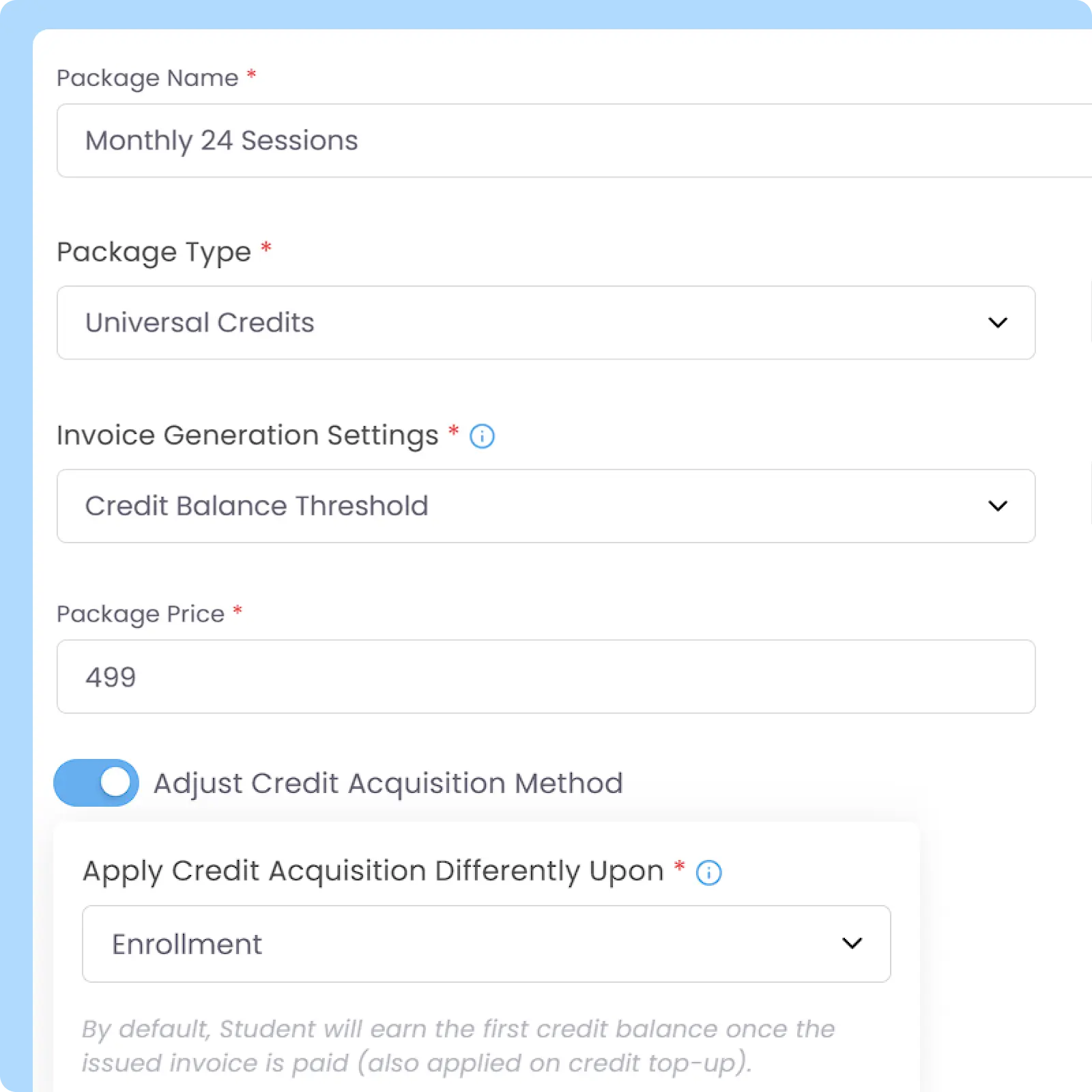
Detailed Record
Track Credit Balances and Usage in Real Time
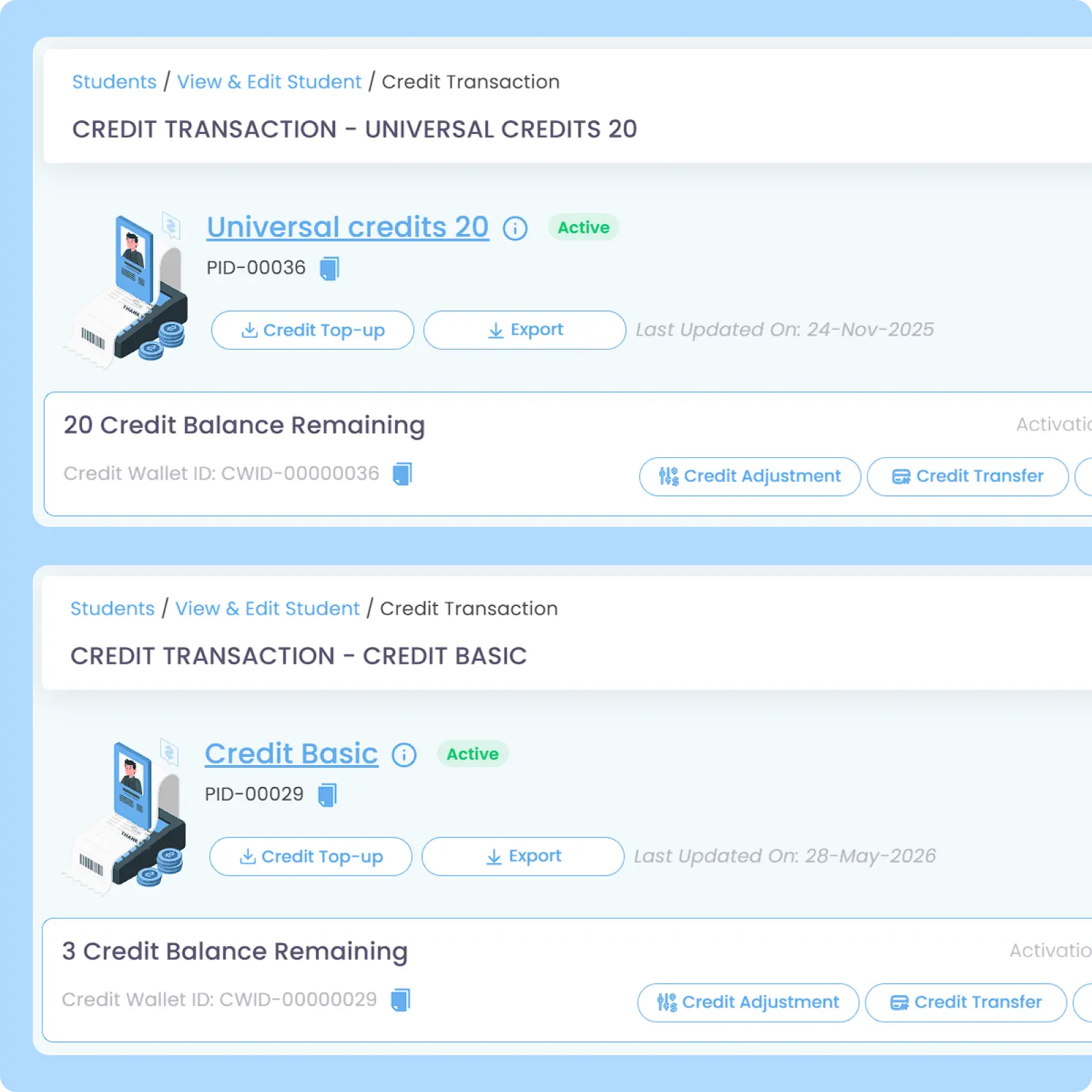
Displays comprehensive Credit and Universal Credit information per student including active, used, available, expired, and historical credit balances. Helps schools maintain clearer visibility into credit usage and operational billing activity.
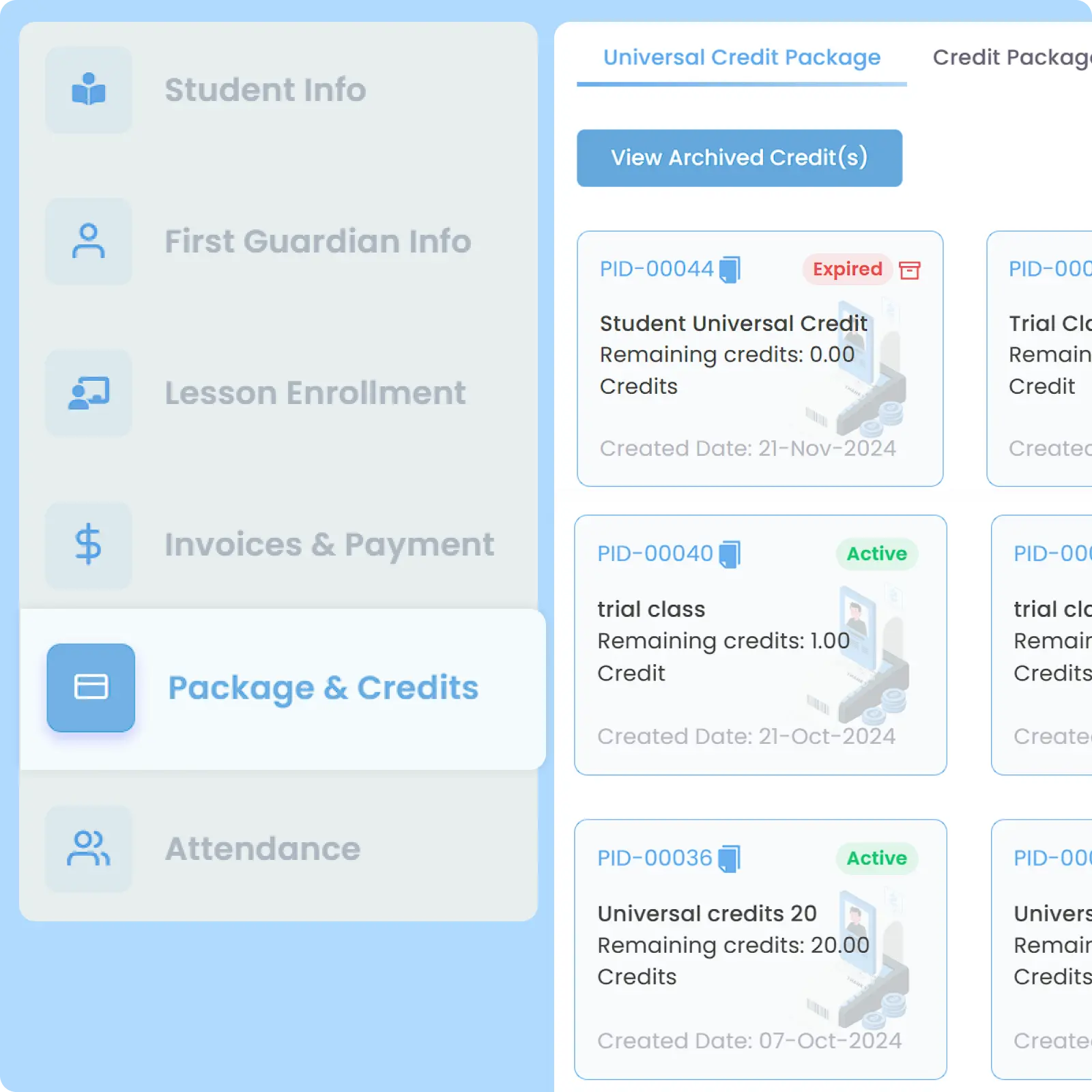
Customizable Logic
Create Your Own Credit Rules
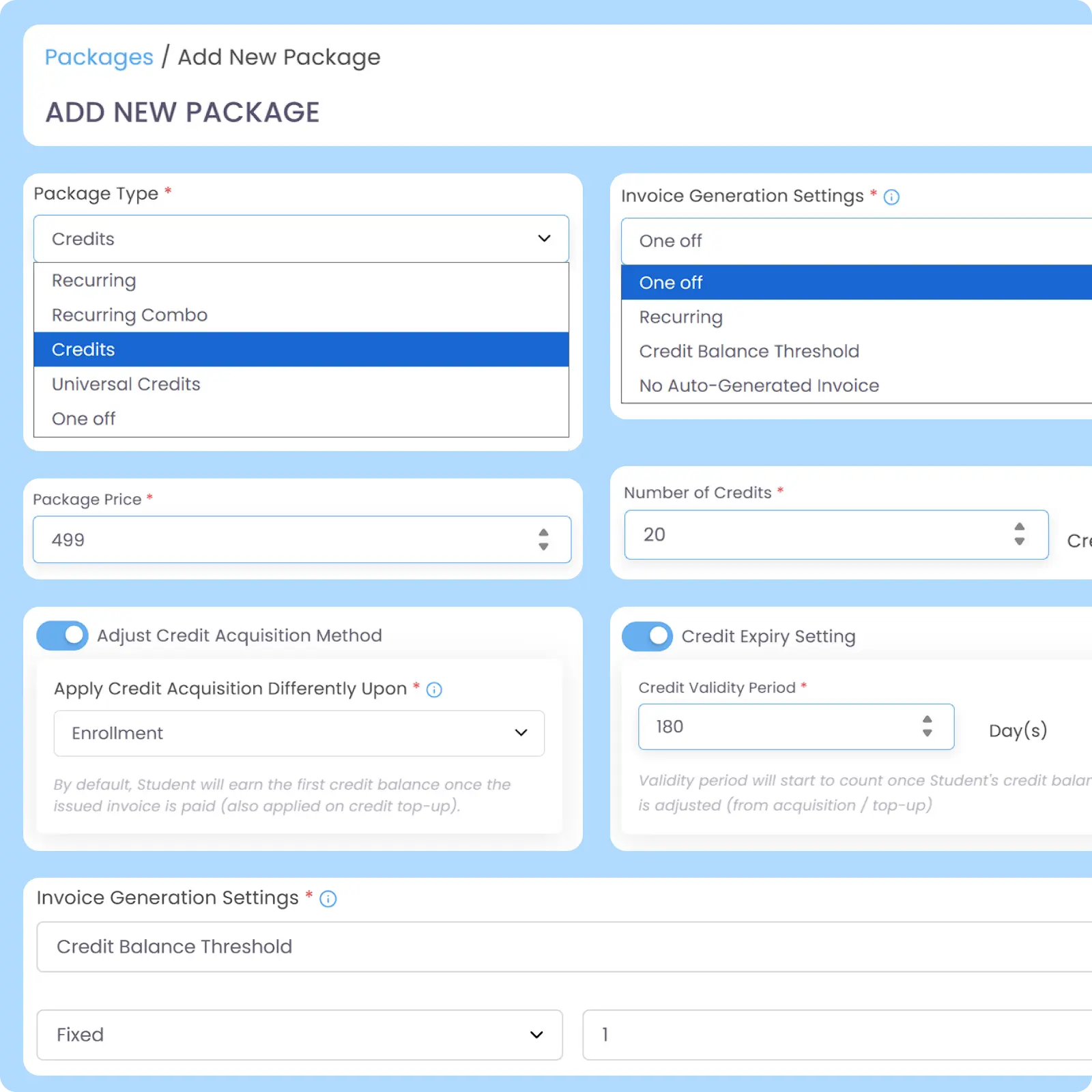
Define how credits are priced, tied to which lesson(s), and expired based on your internal requirements and workflows. Configure usage rules, invoice generation methods and periods, as well as optional advance booking requirements before credits can be used.
Different Types for Different Scenarios
Support Lesson-Specific and Multi-Lesson Credits
Use different credit structures for different operational scenarios, which are Credits for single lesson and Universal Credits that can be shared across multiple lessons. Designed to adapt to different operational and pricing strategies.
Why Everyone loves
AOne Customized Pricing System for Learning Centre
Supporting various unique pricing scenario
Traceable credit payment and usage
Fair prepaid system for centre and parents

Back then, we needed to order receipt books and there was a lot of paperwork daily, taking up a lot of our time.
After using AOne, it reduced our workload and is also environmental friendly because we no longer need to purchase a receipt book. We can issue receipts, and guardian students can check their invoices and receipts through the app.

Design pricing around your programs
Your programs are unique, and your pricing model should be too. Let’s find out how we can bring your desired pricing scheme into reality.

Frequently Asked Questions
What is the difference between Credits and Universal Credits?
Credit package is intended for enrolling student in a single lesson only and therefore, credits will be attached only with that specific lesson the student has enrolled in.
Universal Credit package is designed for enrolling student in multiple lessons using a unified unit pricing structure. Unlike the Credit package, credit balance utilized on the Universal Credit package will be attached to the package that the student has purchased. Universal Credit balance will not be divided or distributed individually per lesson.
If you allow your students to book different time slots or lessons, you may choose Universal Credit package.
If I integrate a lesson with multiple pricing schemes for different students, for example Universal Credits and Fixed Recurring Fee, how will it affect my billing workflow?
Integrating a single lesson package with multiple pricing schemes splits your Billing Workflow into two different processes based on the individual student’s lesson enrollment type.
When enrolling students to a lesson, you will configure their billing profiles or Lesson Package individually. One student can be set to pull from their Universal Credits balance, while another is placed on an automated recurring fixed billing. AOne tracks these arrangements separately per student profile under the same lesson enrolled.
Your billing workflow will automatically handle both cases, either attendance-sensitive or not:
- For Fixed Recurring Fee Students: AOne automatically generates and sends digital invoices to the parent app at your preset date and interval. The charged amount depends on whether you set the pricing to be dynamic: auto-calculating the number of certain days within each month, which are useful to handle cases like a month having 4 and 5 weeks.
- For Universal Credit Students: Invoice generation depends on whether you set it to be one-time upfront, recurring, or based on credit balance threshold. Their billing, accordingly, will follow the invoice generation method of your choosing. You can also set the duration in which the credits will be usable before expired.
Once credits have expired, all remaining credit(s) in that wallet will no longer be usable. If the students want to reactivate the expired credit(s) to keep enrolling in the credit-tied lesson(s), they have to make manual top up by paying for the relevant invoice.
Can I deduct credit amount differently for different lessons or different students?
Yes, you can. Attendance takers can deduct credit differently while marking Attendance.
First case: two different lessons (only applicable to Universal Credit package)
You can deduct credit differently per attendance of each lesson. This is useful if you want to deduct the amount of credits per hour attended. If a student attends Lesson A for 1 hour and Lesson B for 2 hours, you can deduct credits for attending Lesson A by 1 and Lesson B by 2 respectively.
Second case: two different students attending the same lesson (applicable to any Credit package)
Assuming you also deduct credits per hour attended, if Student A attends for just an hour, while Student B attends for 2 hours, you can also deduct credits for Student A by 1 and Student B by 2 accordingly.
How can parents get Credits or Universal Credits to book a lesson?
Credit top up is the same as paying for any invoices billed to parents on the app. Whether or not credits can directly be used depends on how you define the credit acquisition method while initially creating the credit Package, which are:
- Upon Payment (default option): credits will be acquired and usable when parent has completed an invoice full payment for said credits. If parent hasn’t completed full payment for that specific credit package, student will not be able to enroll to a lesson tied with that credit package.
- Upon Enrollment: credits will be acquired and usable directly when student enrolls to a lesson integrated with said credits package, ensuring that they can start lesson as immediately as possible. However, for any additional invoices paid, the system will default to acquiring credits upon payment, rather than upon enrollment.

Specifically for Universal Credits, parents can book another lesson integrated with the same Universal Credit package if centre allows those lessons to be bookable by parents.
What happens if a student is absent or pauses their enrollment to one, some, or all credit-based lessons? How will it affect invoices and active credits? Should I refund their credit purchase?
AOne will not deduct credit on behalf of learning centre. Therefore, by default, credit will only be deducted if a student is Marked as Attended in the lesson tied to the said credit package. In this case, invoices will not be affected.
If the student has an outstanding invoice, you can still unenroll a student. However, the system will warn you that the student has an unpaid invoice or overused credits. You can either settle the payment first or proceed to unenroll the said student.
If credits are using prepaid billing scheme, active credits will remain as is, regardless of credit types. You can manually adjust credits as well if deemed necessary. However, for Universal Credit using prepaid scheme, since the credit balance can still be used for other lessons tied with the package, if student is not unenrolling to all said lessons, you can leave as is. Regarding refund for prepaid credit scheme, it is also up to your centre’s policy whether you want to refund monetarily to parents for their unused credits.
Regarding unenrollment to one, some, or all lessons tied with the affected credits using post-paid billing scheme, here’s what will happen depending on the type of credits:
- For Credits, it will be the same as student having an outstanding invoice, which needs to be settled first before unenrolling the said student.
- For Universal Credit package:
- If the student is still enrolled in other lessons after unenroll from this lesson, then their package and invoice will not be affected.
- If the student is not enrolled in any other lessons after unenrolling from the existing lesson, then their package will be terminated and the status will change from “Active” to “Un-enrolled”. Besides that, student will not get invoice in future.
Move faster with AOne features
Billing
Invoices, tracking, reminders, and receipts: Automated
Student Management
All student data, organized and manageable in one place
Teacher Management
All teacher data, organized and manageable in one place
Lesson Management
All your lesson data, organized and manageable in one place
Schedule & Timetable
Clear schedules for every lesson for teachers and students
Finance Management
Track revenue, payment status, and performance in one place
Replacement
Manage teacher and class replacements effortlessly
Student Registration
Simple, digitized registration flow from form to student profile
Attendance
Real-time attendance with real-time parents notifications