School & Tuition Centre Management Software Singapore | AOne

📱 Month: Free tablets for first 10 sign ups

Product Overview

Billing

Student Management

Teacher Management

Lesson Management

Schedule & Timetable

Finance Management

Replacement

Student Registration

Student Attendance

Not sure whether AOne suits you?

Consult your needs with us and let’s discuss how we can help you

Role & Permissions

Give every staff member access to exactly what they need, and nothing more.
Control who can view, create, update, and delete data across your learning centre.

Secure • Controlled • Flexible

Control who does what

Personnel Data

Keep Staff Information Connected

Staff and teacher information linked directly to Schedules, payroll, and operational workflows within one platform. Reduce repetitive data management across disconnected systems.

Role-based Permission

Control Access by Role

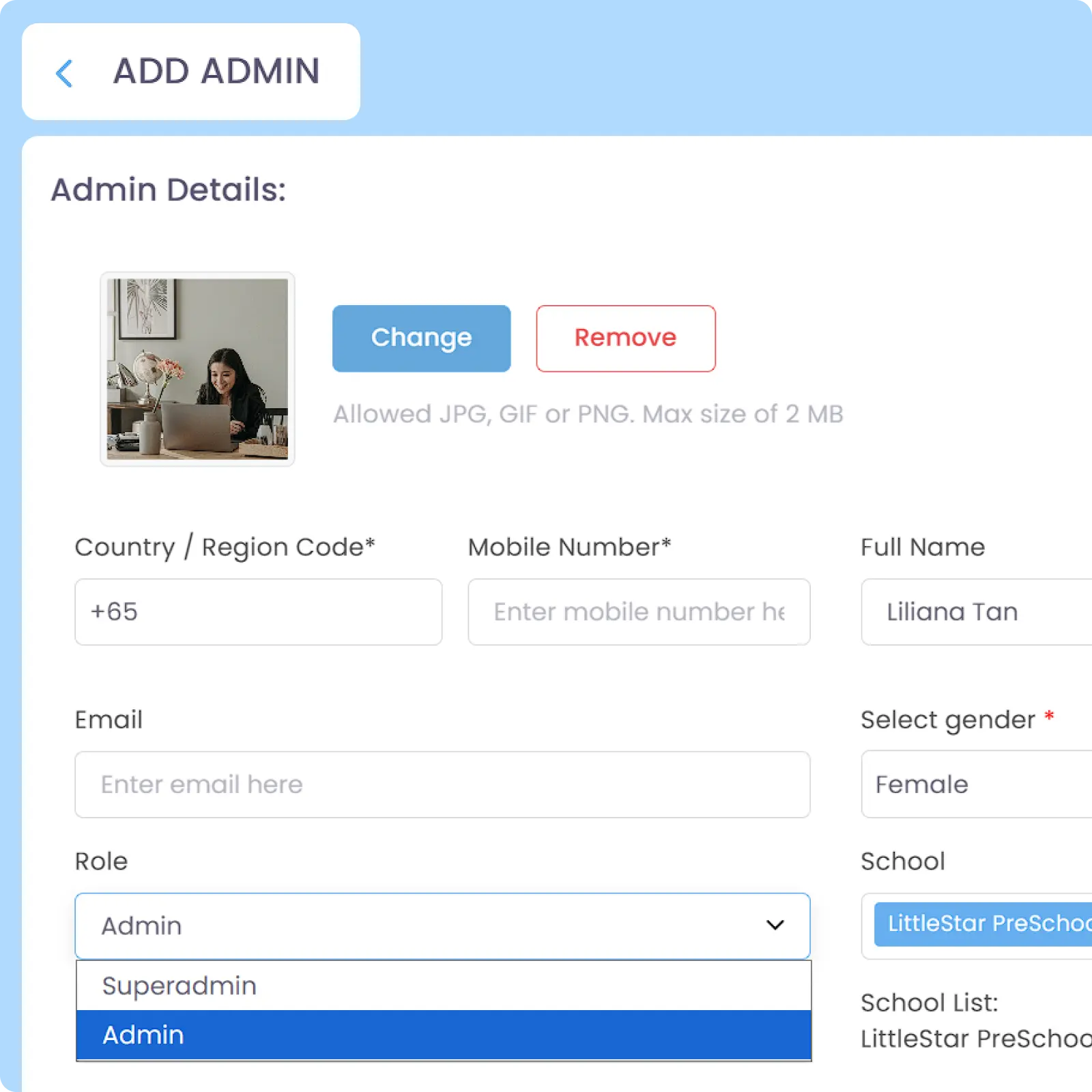
Configure role-based permissions for Teachers, admins, and superadmins to match your centre’s operational structure and responsibilities. Superadmins are granted full system visibility and management authority to their assigned school(s) by default.

Person-based Permission

Customize Permissions Per Person

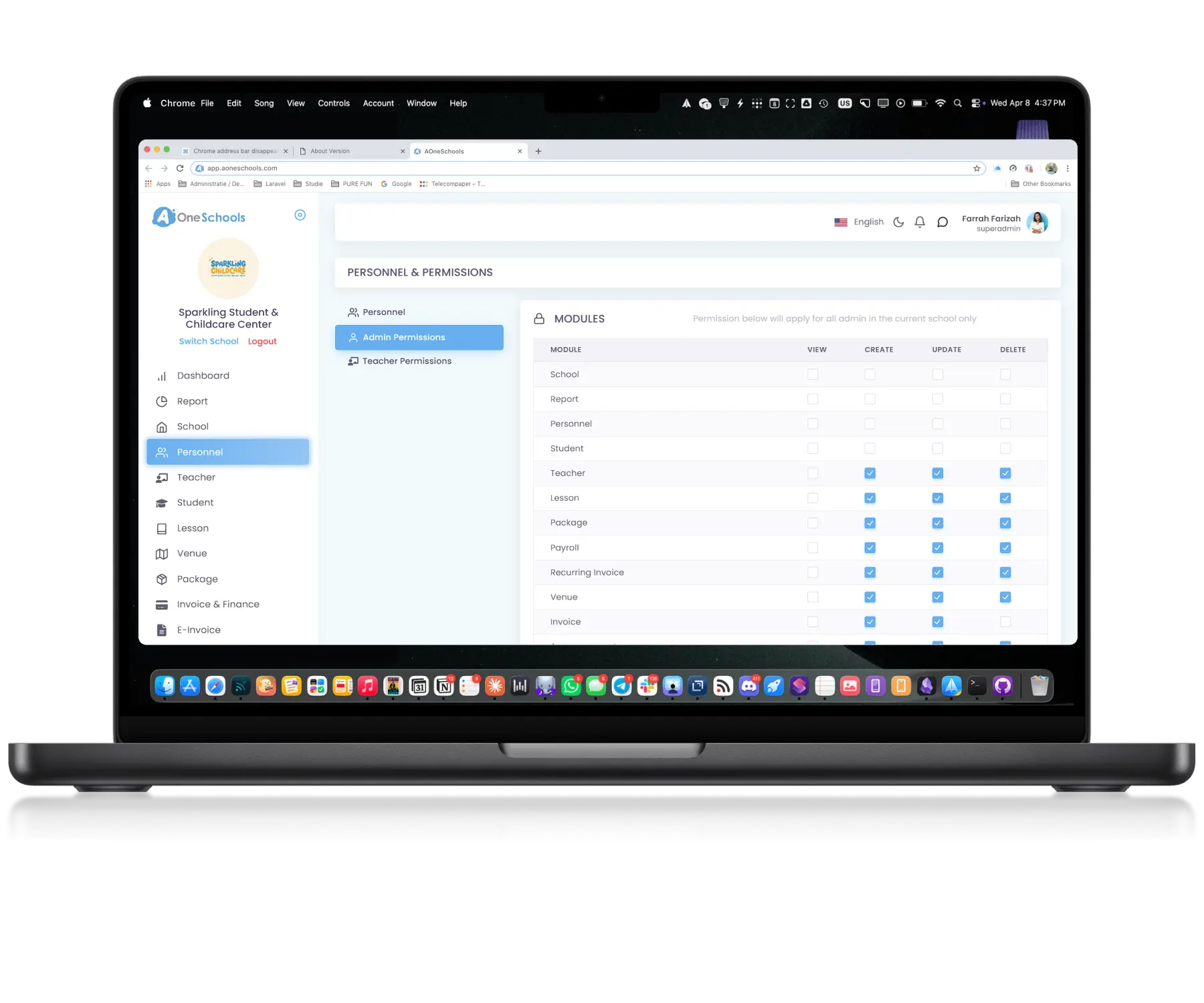
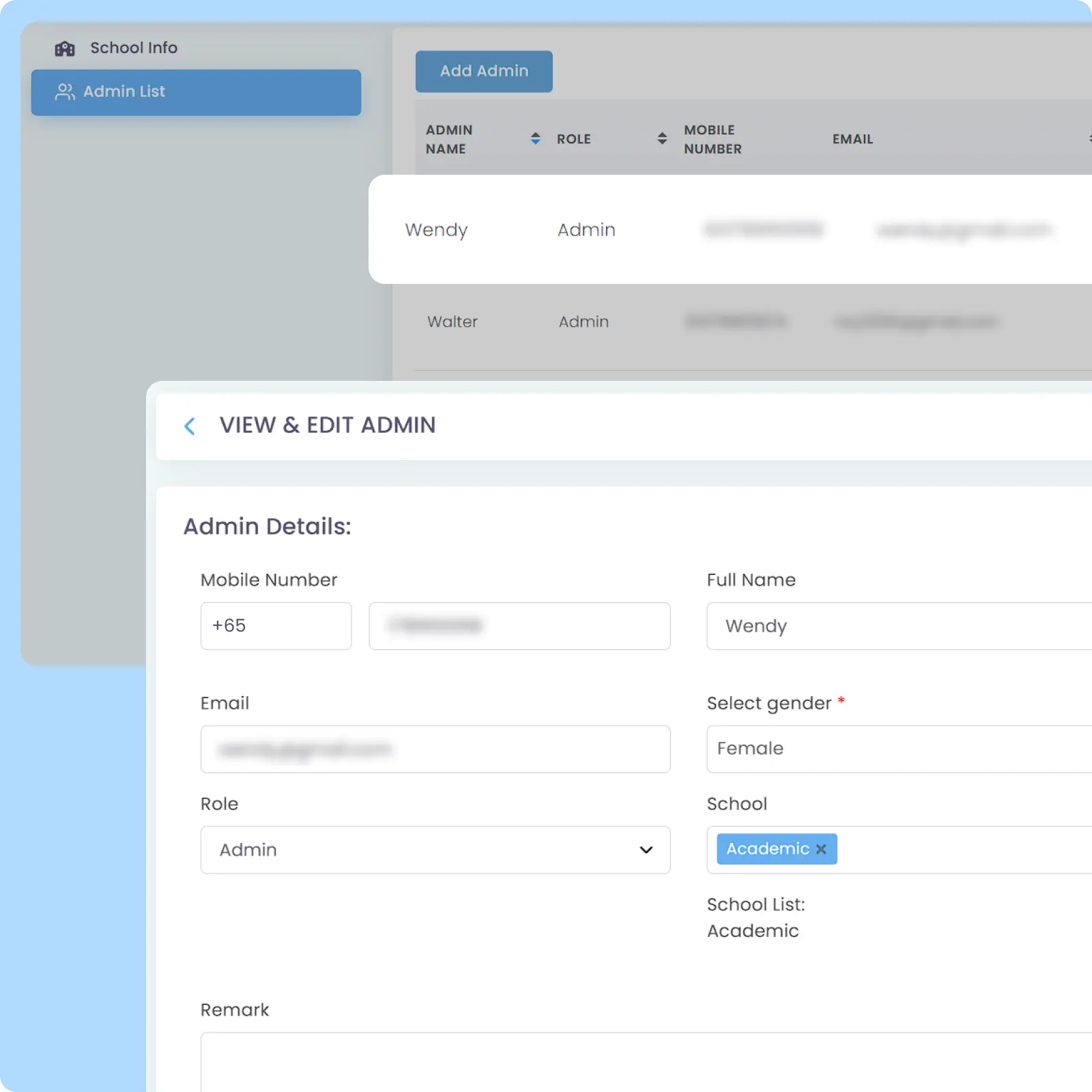
Assign specific permissions at the individual level to provide different access and authority for staff within the same role. Designed to support operational structures that require more flexibility than standard role-based access, such as having different admins managing HR and Finance each.

Detailed Permission Module

Adjust Access Across Every Module

Detailed permission controls designed to let you configure visibility and actions for each operational module individually. Permissions can be assigned through an easy checkbox-based interface.

Why Everyone loves
AOne Learning Centre Role & Permission Module

99% prevention of unauthorized data access

70% less risk of potential human errors

Unlimited number of personnel assignable

and 4K+ other learning centres in Asia use AOne

Back then, we needed to order receipt books and there was a lot of paperwork daily, taking up a lot of our time.


After using AOne, it reduced our workload and is also environmental friendly because we no longer need to purchase a receipt book. We can issue receipts, and guardian students can check their invoices and receipts through the app.

Jenny
Founder of Jenzstyle Studio

Give access where it matters

Not every team member should see or manage the same information. Share your current challenges with us, and we’ll help identify a setup that balances security, visibility, and operational flexibility.

Frequently Asked Questions

How can I prevent unauthorized access to my school's data?

You can use role-based permissions to control access and actions. As a Superadmin, by default, you have full control and visibility, while other roles are restricted to their assigned permission modules.

Assigning staff as specific roles like admin or teacher allows you to configure exactly what they can see and do within the system.

You can further enable different access for staff within the same role to ensure authority matches individual responsibilities. Individual permissions allow you to customize access independently of a user’s general role for precise control, such as when you have separate admins handling financial and HR matters.

You can designate trusted staff as Superadmin to ensure they have the visibility needed to oversee all daily operations for you.

Superadmins have the highest authority level, allowing them to manage all settings, data, and permissions. By doing this, your account remains yours and you don’t have to worry of losing access and data if your Superadmin ever leaves your learning centre.

Yes, you can review role-based and person-based permissions at any time to ensure your permission settings are up to your centre’s operations.

Click the image to enlarge it

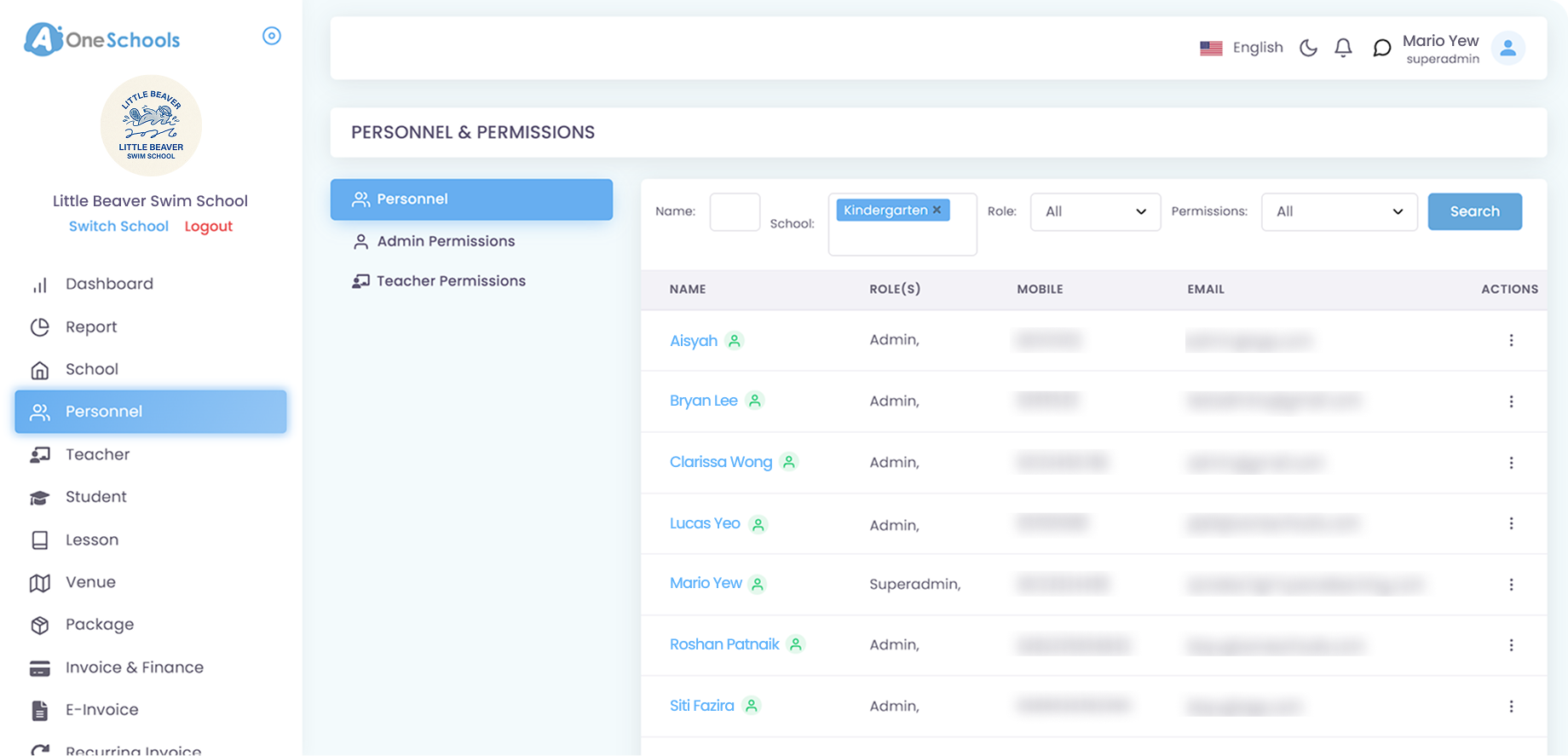
You can navigate to Personnel to see the permission modules assigned to Admin and Teacher role. From there, you can also click any of your staff name and see any roles assigned to them, as well as inspecting and customizing their permissions.

Click the image to enlarge it

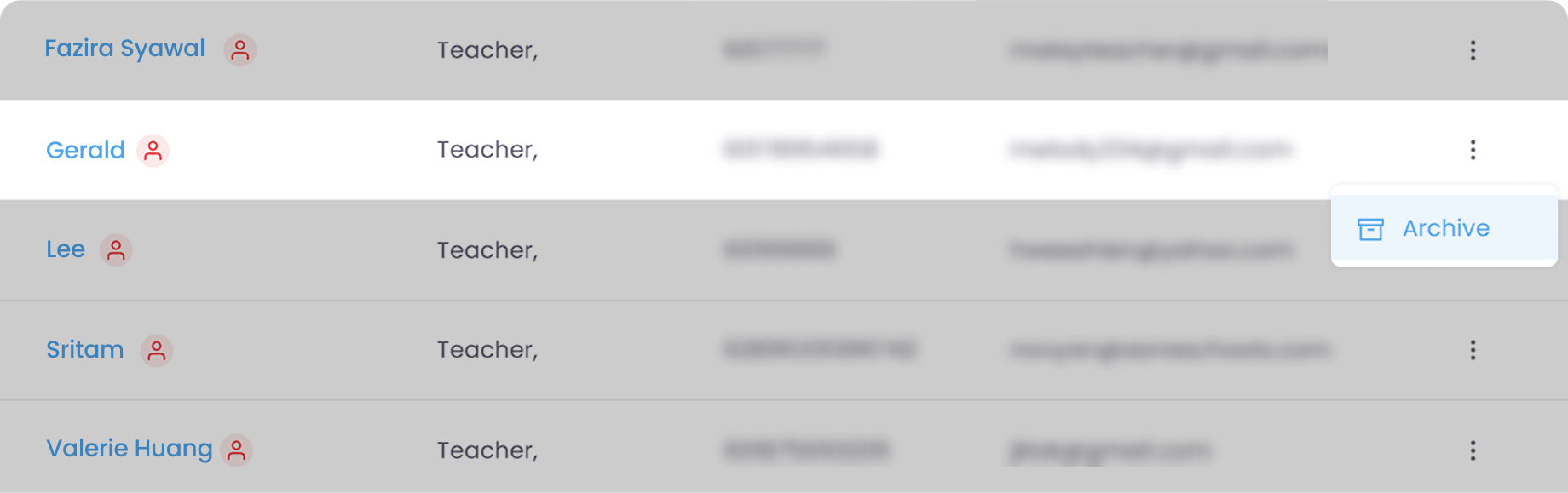
You can easily Archive personnel and restore them later if they ever re-join your centre. When an account has been archived, the person can no longer log into their assigned school and see any data or perform any action there.

Click the image to enlarge it

You can reactivate an archived staff member by sending a request to our customer support team. Upon reactivated, your staff can log into their previously archived account using the same login credentials.

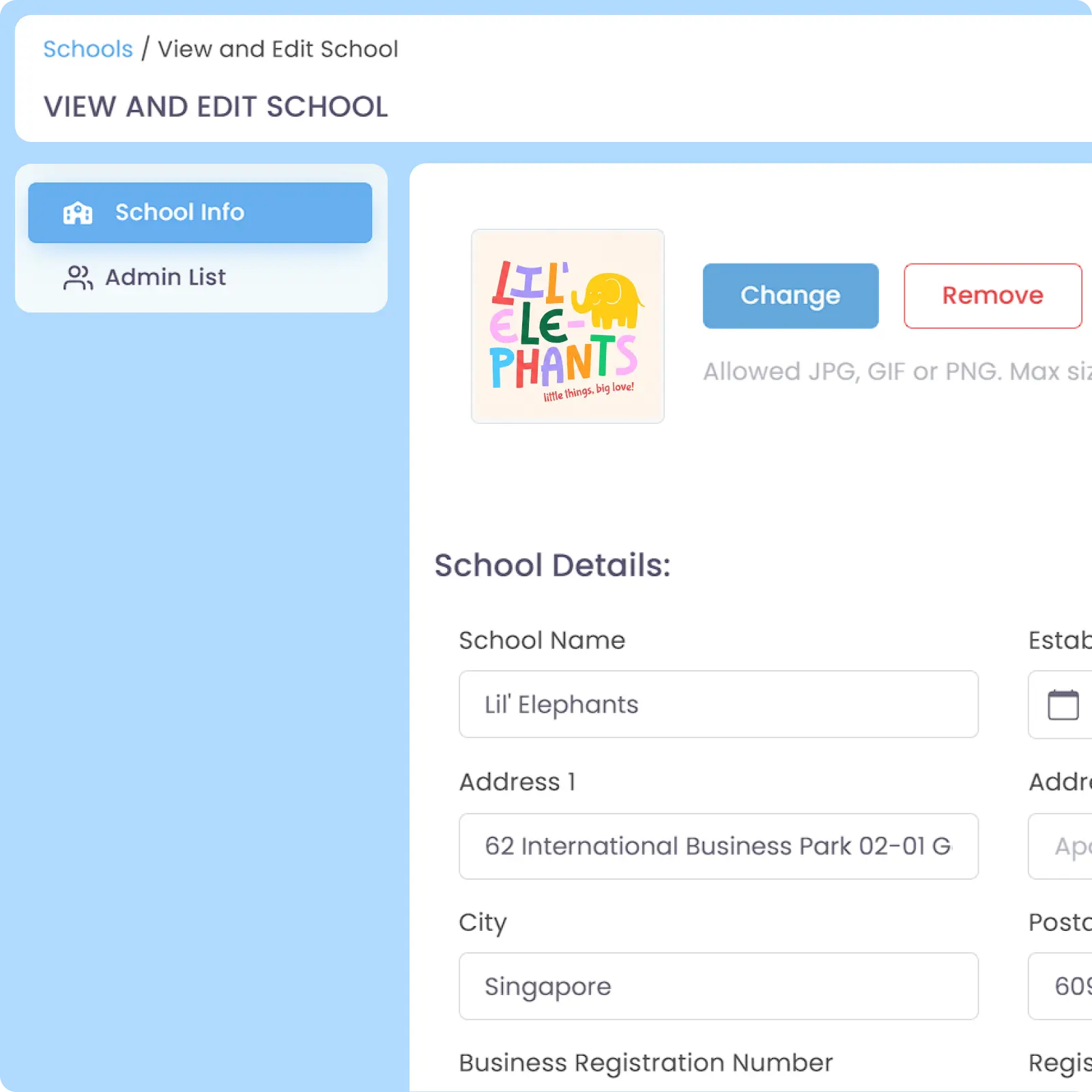
Yes, you can create and assign administrators to specific schools with customizable roles for each location. This allows branch-specific management where an admin only has visibility and control over their assigned school instead of the whole network of your branches.

Additionally, you have the flexibility to give each staff member different authority levels in each branch as well as their customized permission modules. AOne fully supports unique configurations for each center, ensuring branch-level permission granularity that fits your centre’s operations.

Move faster with AOne features

Billing

Invoices, tracking, reminders, and receipts: Automated

Student Management

All student data, organized and manageable in one place

Teacher Management

All teacher data, organized and manageable in one place

Lesson Management

All your lesson data, organized and manageable in one place

Schedule & Timetable

Clear schedules for every lesson for teachers and students

Finance Management

Track revenue, payment status, and performance in one place

Replacement

Manage teacher and class replacements effortlessly

Student Registration

Simple, digitized registration flow from form to student profile

Attendance

Real-time attendance with real-time parents notifications