School & Tuition Centre Management Software Singapore | AOne

 SINGAPORE
 MALAYSIA
 INDONESIA
 THAILAND
 PHILIPPINES

Product Overview

Billing

Student Management

Teacher Management

Lesson Management

Schedule & Timetable

Finance Management

Replacement

Student Registration

Student Attendance
Not sure whether AOne suits you?
Consult your needs with us and let’s discuss how we can help you

In-App Payment
Give parents a secure and convenient way to pay fees anytime, anywhere.
Work less as your billing process is fully automated.
Integrated with

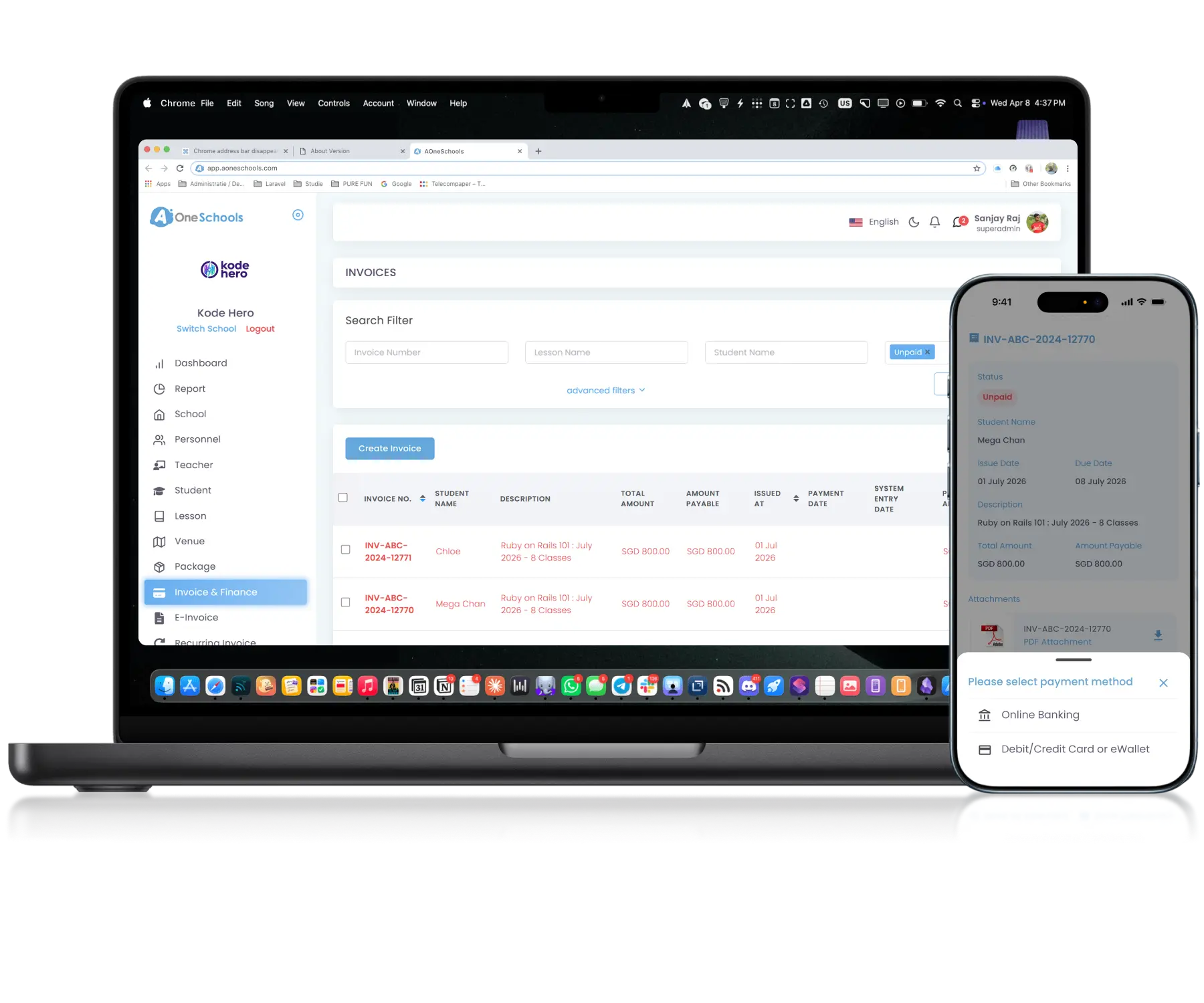
Secure • Convenient • Instant
From billing to payment, automated
End-to-End Automation
Automate End-to-End Billing Workflows
Parents can pay Invoices directly within the app, allowing the entire billing process to run automatically from invoice generation to payment confirmation and receipt issuance. Payment statuses and related billing records update instantly, requiring little to no manual administrative work.
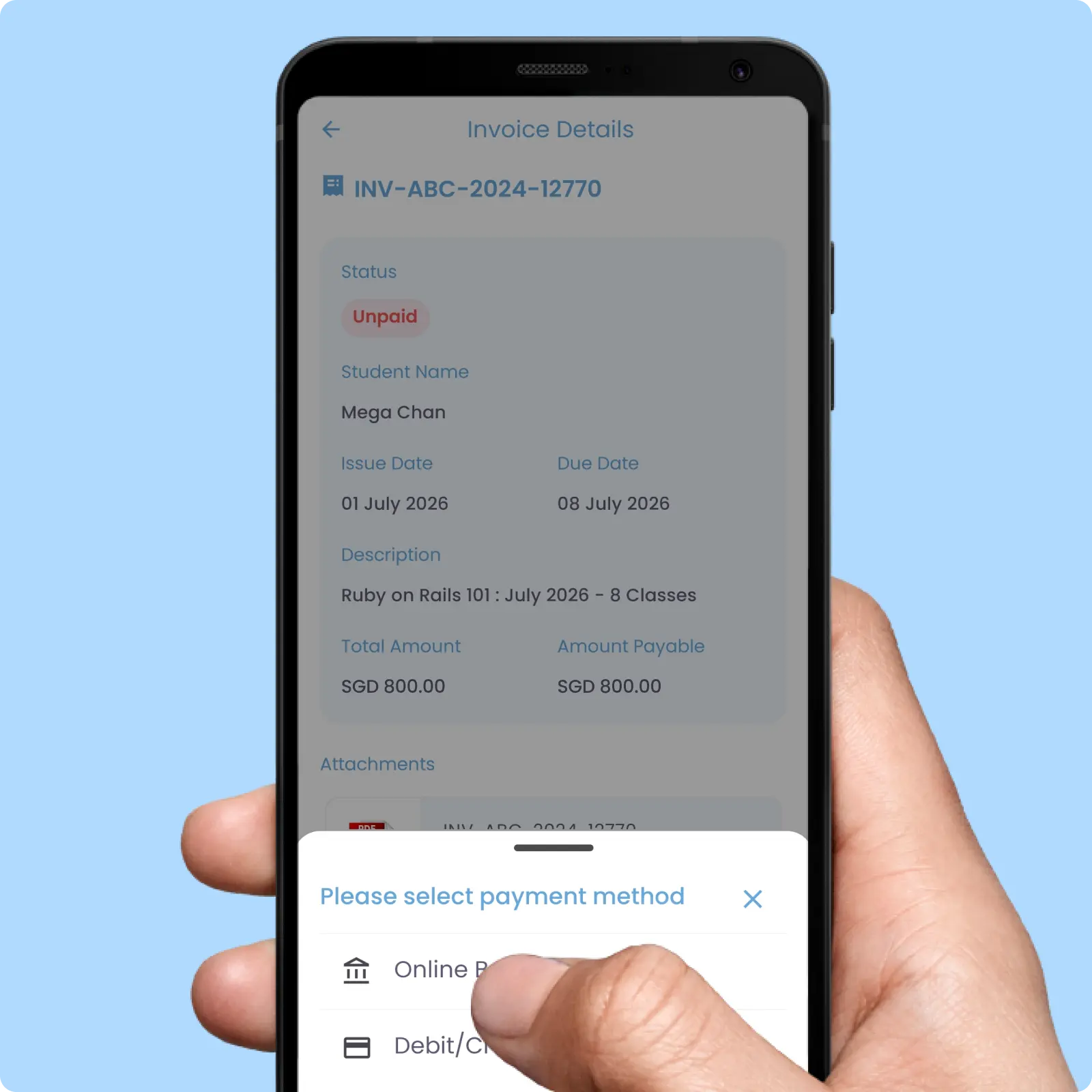
Multiple Payment Methods
Connect Multiple Payment Methods Into One Workflow
A connected in-app payment workflow that supports cards, bank transfers, and e-wallet payments through integrated payment gateways. Some gateways also allow you to select which payment methods to activate based on operational preferences.
Integrated with
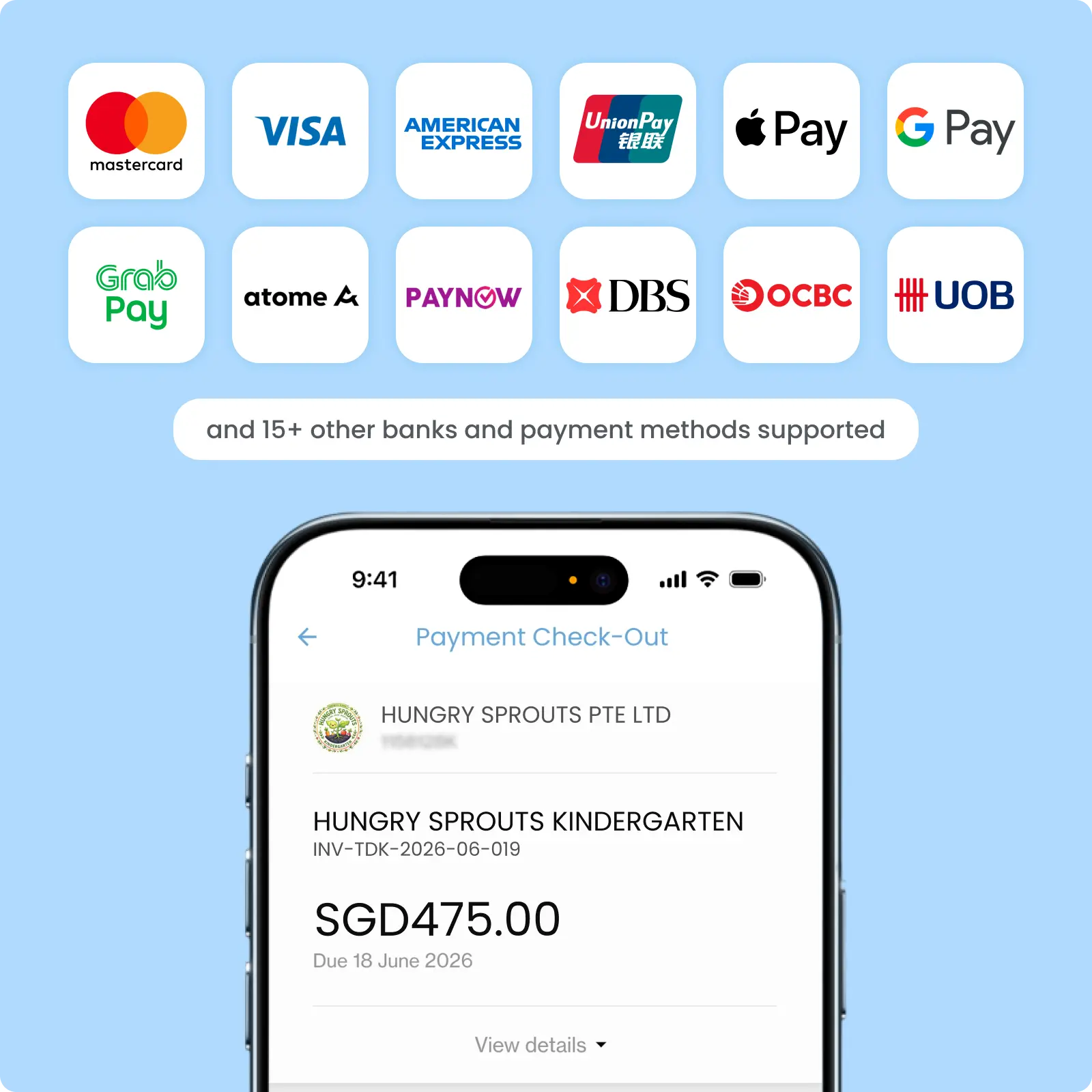
Multiple Payment Types
Provide Flexible Payment Options
Parents can choose to pay invoices either in full or partially directly within the app. The system automatically recalculates balances, updates payment statuses, and generates invoices or receipts based on the paid amount.
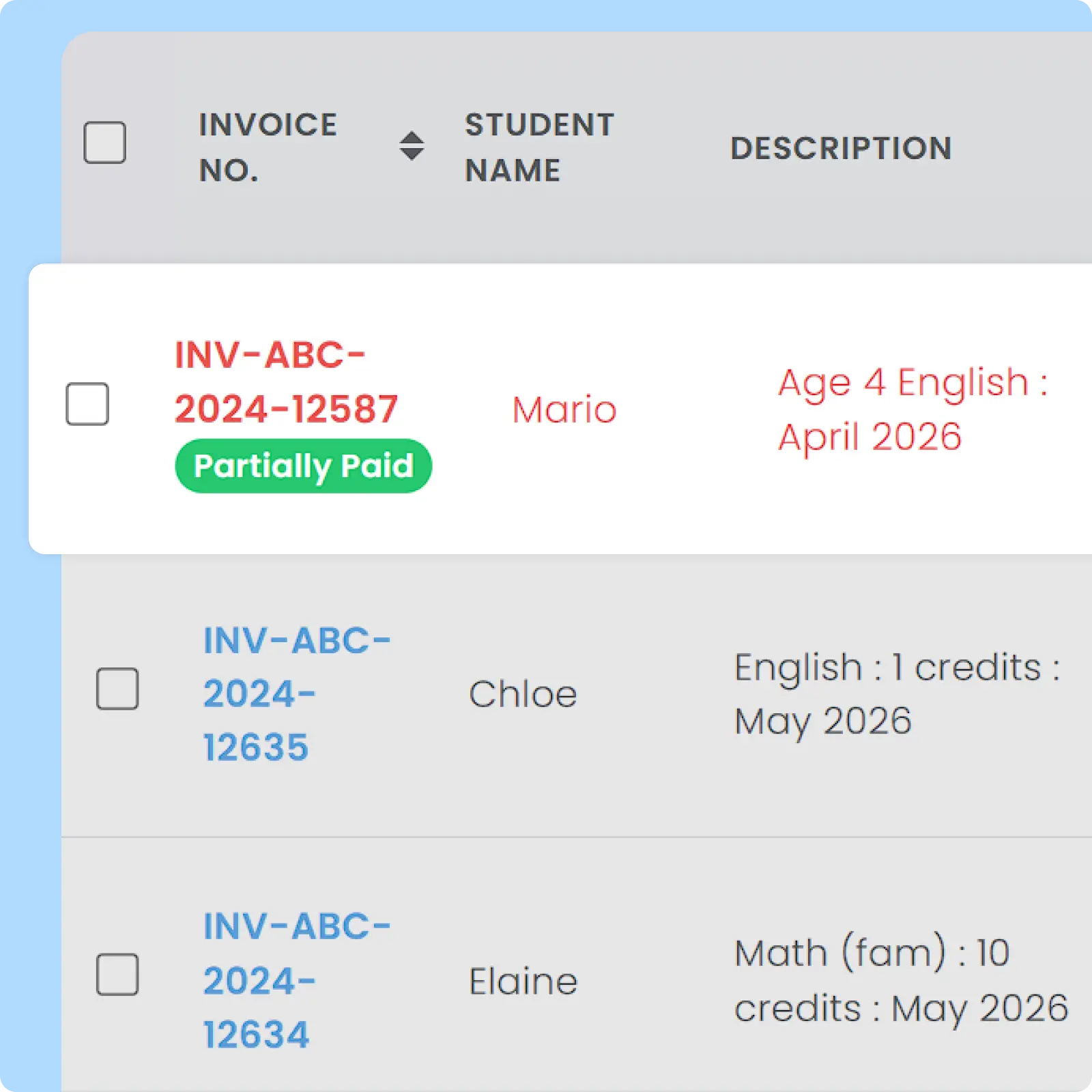
Auto-Update Payment Status
Eliminate Manual Payment Verification
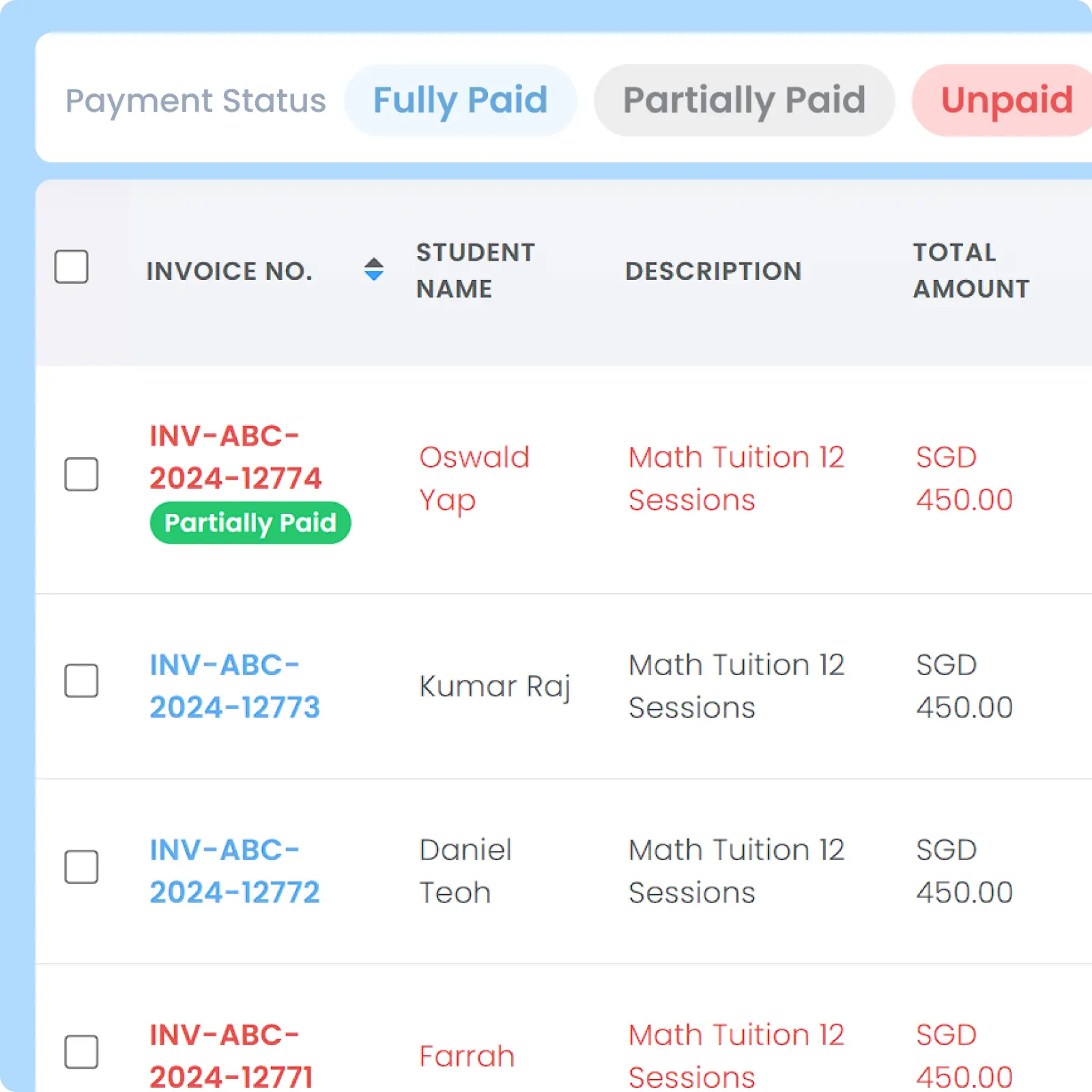
Payment statuses update instantly within the AOne system whenever parents complete payments through the in-app payment workflow. Admins no longer need to update payment statuses manually every time a transaction occurs.
Why Everyone loves
AOne Learning Centre Payment Collection
90% faster payment collection cycles
3 hours daily saved to check & update payment status
60% fewer late and outstanding payments

Back then, we needed to order receipt books and there was a lot of paperwork daily, taking up a lot of our time.
After using AOne, it reduced our workload and is also environmental friendly because we no longer need to purchase a receipt book. We can issue receipts, and guardian students can check their invoices and receipts through the app.

Easier payments, faster collections
Sending invoices is only half the process. Discover how AOne moves parents from receiving a bill to completing a payment in just a few taps.

Frequently Asked Questions
Are there additional setup or transaction fees for using the in-app payment feature?
Small standard processing fees apply and are determined by the integrated payment gateway partner for every transaction. The amount of fees varies based on different payment gateway providers and payment methods used.
These nominal transaction rates can either be absorbed by your learning centre or passed on to the parent as an admin fee. You can add this admin fee to the Invoice by adding an invoice item: as an additional fee in your monthly recurring invoice or as a one-time additional fee charged annually depending on your operational preference and local laws and regulations.

Given that standard processing fees vary depending on which payment method used by parents, you cannot add a dynamic admin fee which will auto-adjust based on the selected method. Instead, you can standardize an additional admin rate at a fixed amount.
Where does the money go when a parent pays through the app?
Funds are processed by the integrated payment gateway and deposited into your school’s linked corporate bank account according to the gateway’s standard payout schedule, which may vary between different payment gateway providers.
Are in-app transactions secure? How is financial data protected?
All financial transactions are processed through fully compliant, bank-grade payment gateways using advanced encryption. The system relies on secure tokens and encrypted APIs to handle checkouts safely.
By routing payments through licensed regional gateways, your centre benefits from built-in fraud detection protocols, ensuring every single penny moves safely into your account.
How do I activate In-App Payment feature on my AOne account?
Getting your account ready for In-App Payment requires just three main steps:
Step 1 (Registration)
Your centre formally opts in to use our payment gateway solution. AOne team will guide you during the registration process and provide assistance along the way where possible. The exact steps for the registration process vary, depending on the Payment Gateway Providers and your bank(s). In some instances during registration, you will also work together with the payment gateway provider support team directly.
Step 2 (Verification and Activation)
Once the registration process is completed, the payment gateway team will verify the submitted details. Once the verification process has been completed, our team will proceed with the activation on our end.
Step 3 (Activated)
After the full activation and integration have been completed, parents will be able to pay for invoices directly on their app.
How are payment records updated in the system once a parent pays via the app?
The moment an in-app transaction is successful, the system automatically marks the corresponding invoice as “Paid.” This real-time synchronization completely removes the need for your admins and finance staff to manually check invoices, bank balance, and receipts.
Successful payments generate an immediate digital receipt for the parent and send it directly to their mobile app and, optionally, email. With In-App Payment workflows, your Billing Operations will be highly automated, saving hours of manual work.
However, there is a rare occurrence where the payment status doesn’t automatically change right away. Typically, the reasons are because parents are trying to pay using an older version of the app or the payment gateway provider doesn’t immediately detect a payment and marks it as fail, so parents attempt a second try.
In case this happens, you can utilize a Sync Payment Status feature by clicking the three dots action button on the invoice that you want to synchronize. This feature helps the system re-synchronizes the relevant transaction history with the payment gateway provider to get the latest status of the transaction.
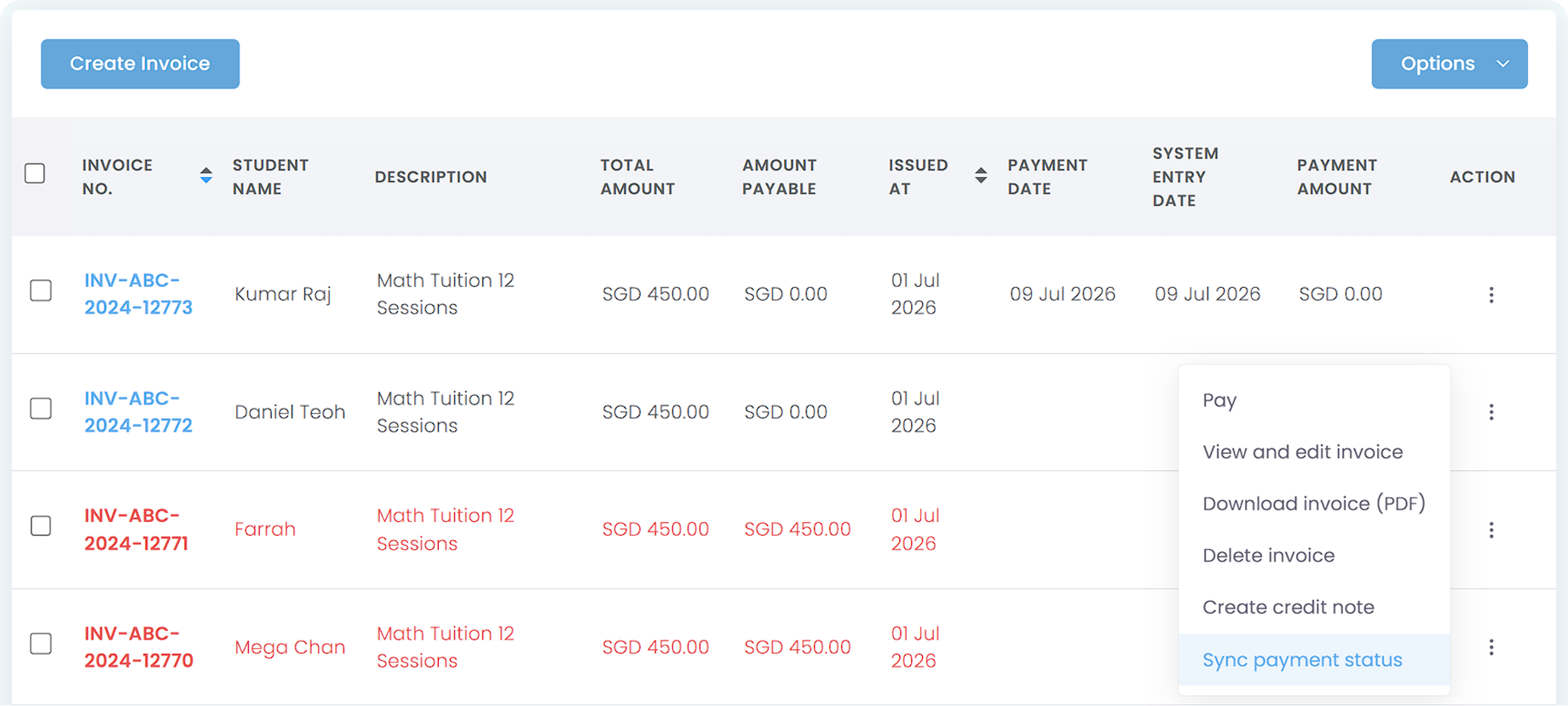
If by any chance the payment status hasn’t been updated after the sync, usually it needs some time for the payment gateway to read the transaction status. You can try Sync again later to check the latest status.
Optionally, you can also contact us or your bank to check whether there is an issue with this specific payment.
Move faster with AOne features
Billing
Invoices, tracking, reminders, and receipts: Automated
Student Management
All student data, organized and manageable in one place
Teacher Management
All teacher data, organized and manageable in one place
Lesson Management
All your lesson data, organized and manageable in one place
Schedule & Timetable
Clear schedules for every lesson for teachers and students
Finance Management
Track revenue, payment status, and performance in one place
Replacement
Manage teacher and class replacements effortlessly
Student Registration
Simple, digitized registration flow from form to student profile
Attendance
Real-time attendance with real-time parents notifications