School & Tuition Centre Management Software Singapore | AOne

Consult your needs with us and let’s discuss how we can help you
Track incoming payments, identify outstanding balances,
and stay informed about revenue across your centre.
Clear • Centralized • Actionable
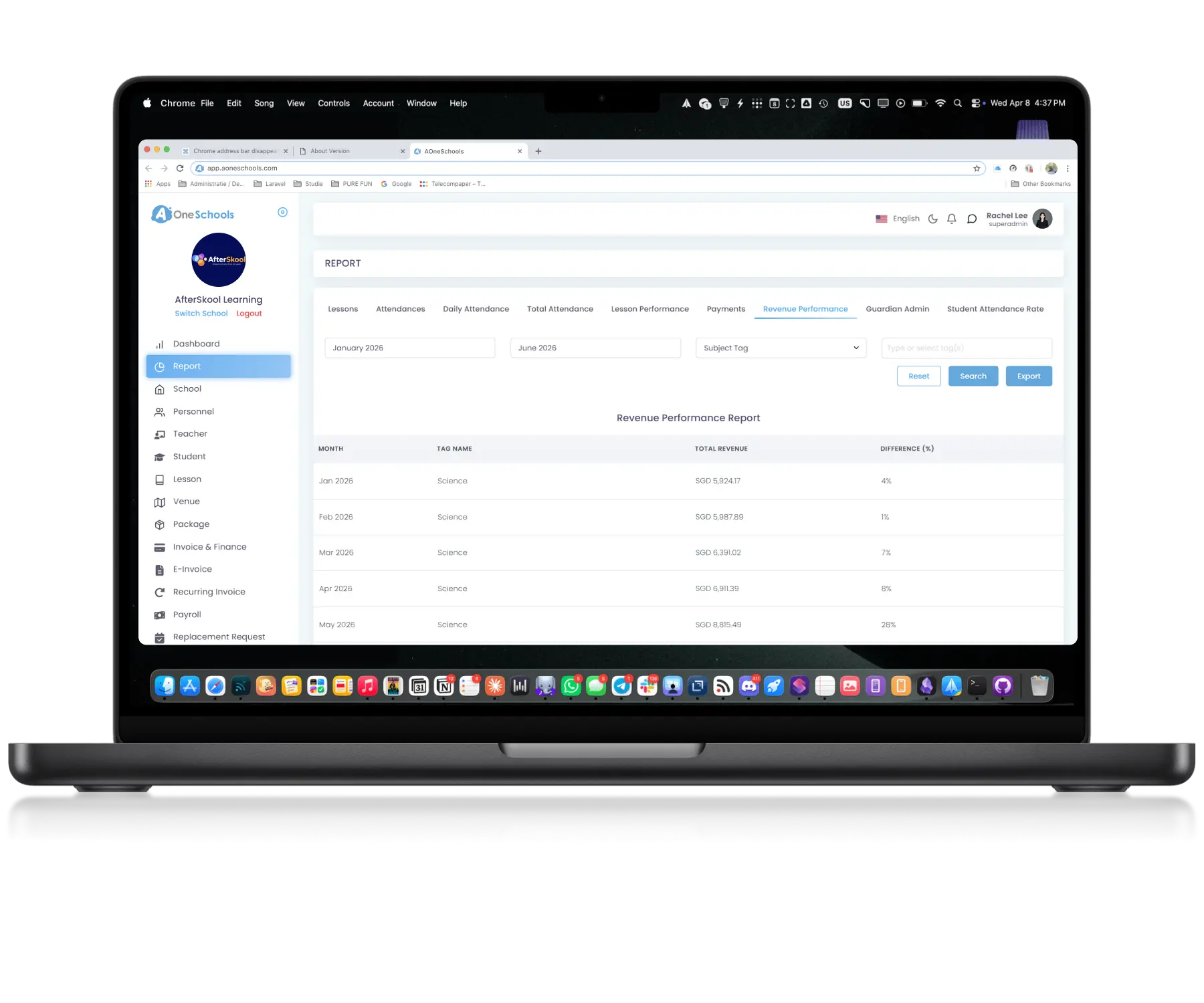
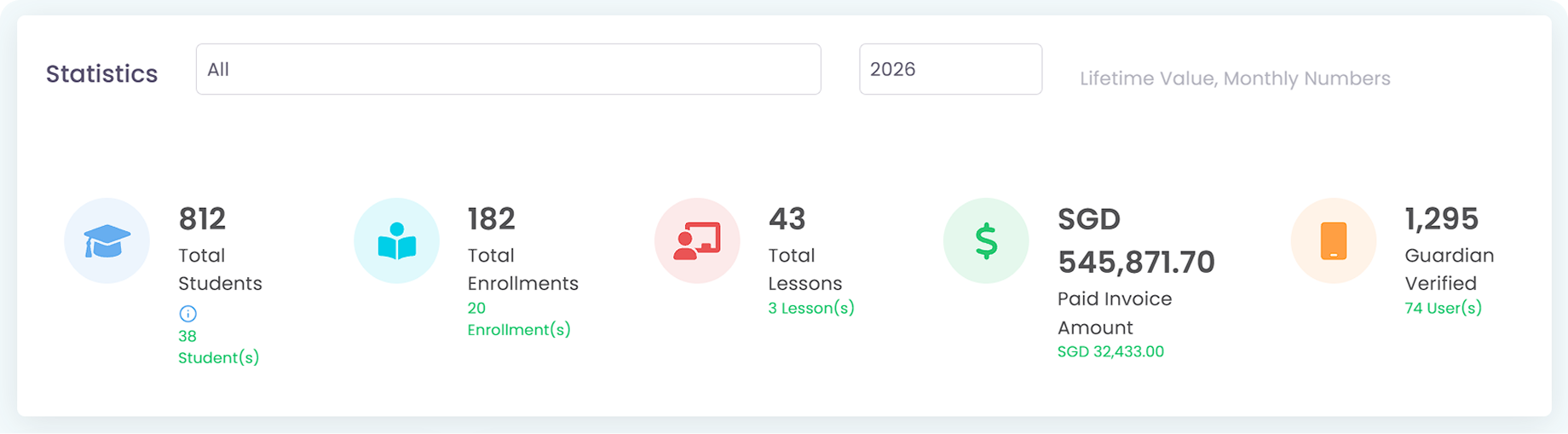
View revenue performance, lesson income, monthly earnings, and payment breakdowns within one connected management system. Paid invoices, partial payments, and outstanding balances are tracked centrally for clearer operational visibility.
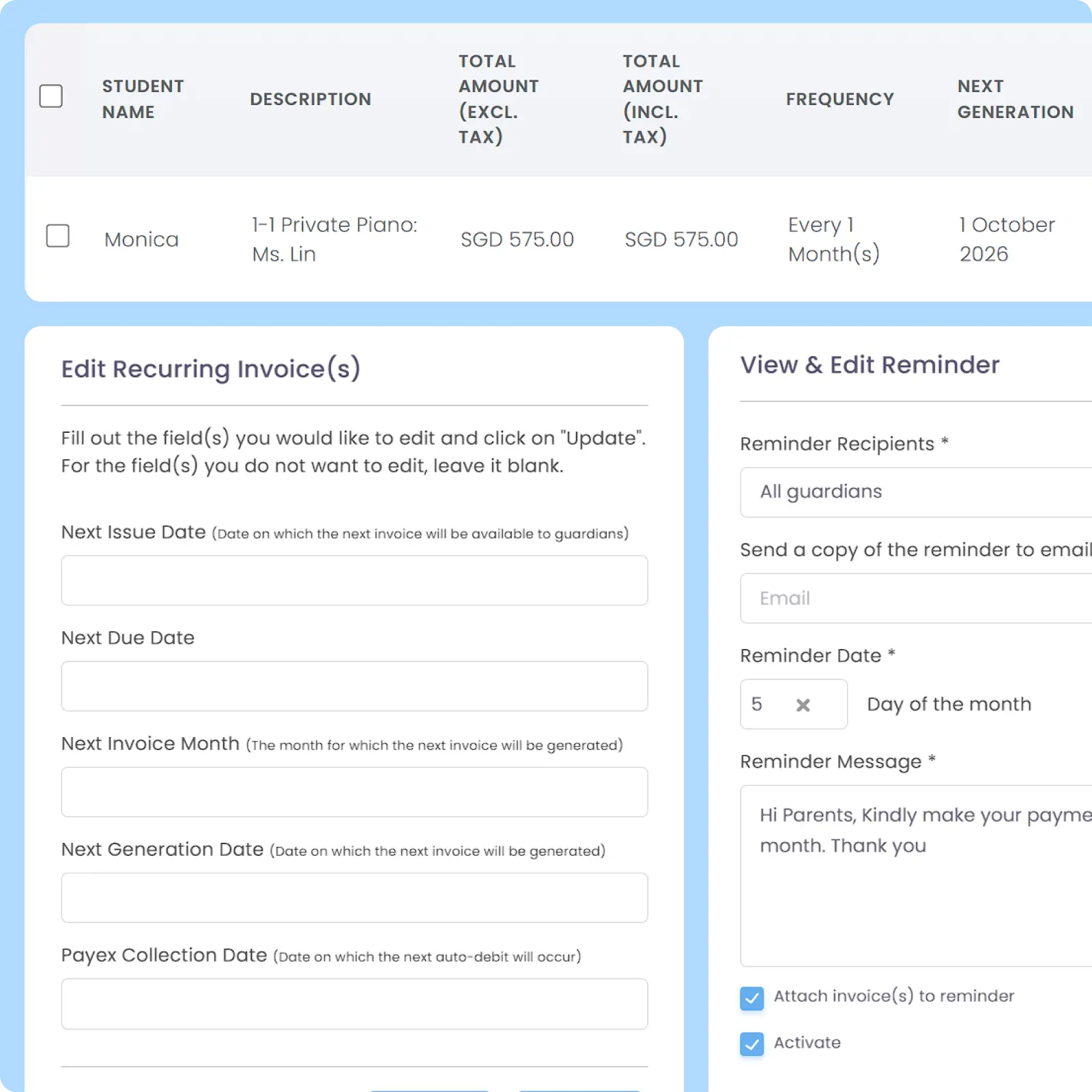
AOne finance Automation workflow is designed to handle invoicing, receipts, payment tracking, and reminder Notifications automatically. Improves operational efficiency while reducing repetitive administrative processes.
Provides a complete financial history including revenue performance per school and lesson across monthly and yearly periods. Financial tracking extends down to granular operational details such as individual student Credit usage, balances, and payment status history.
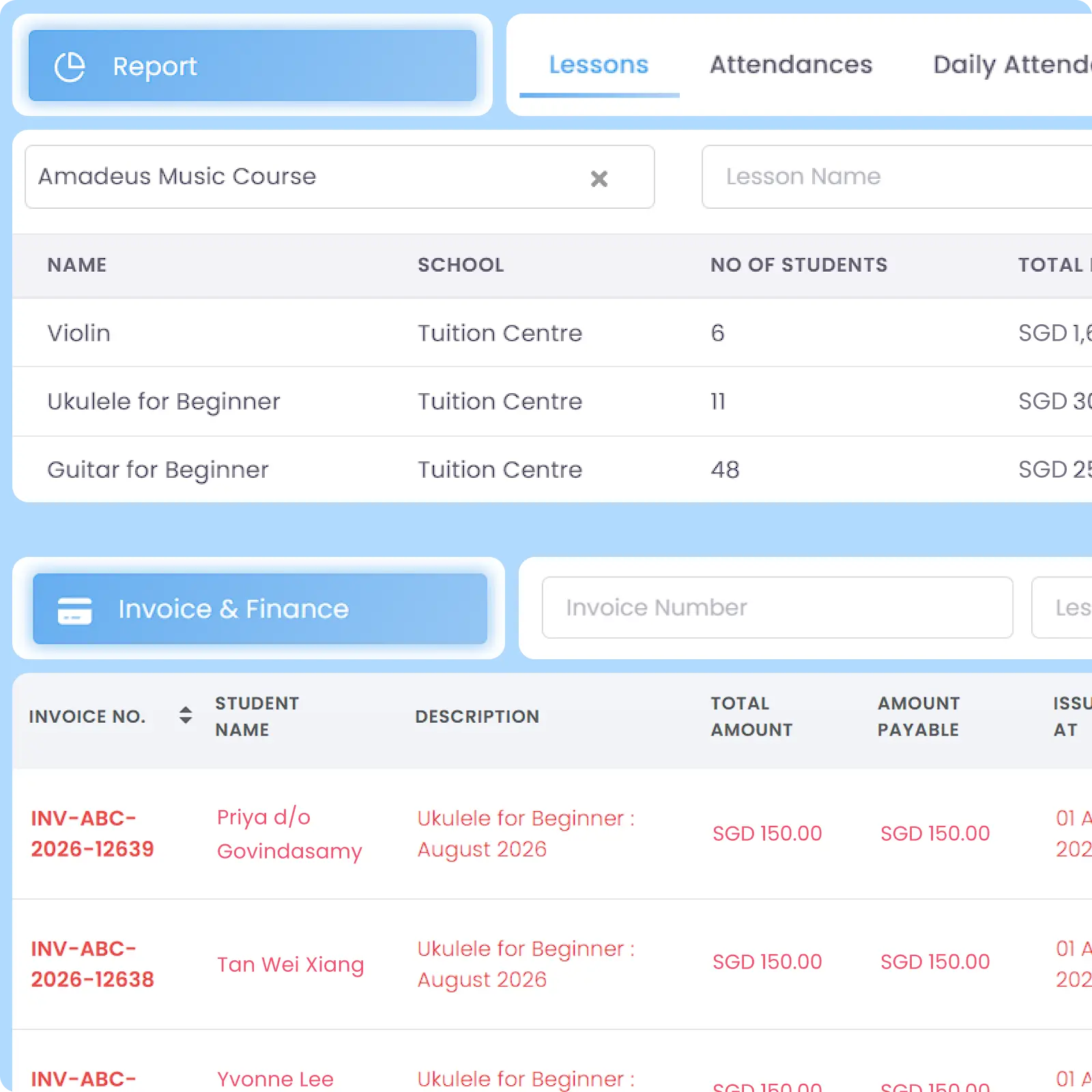
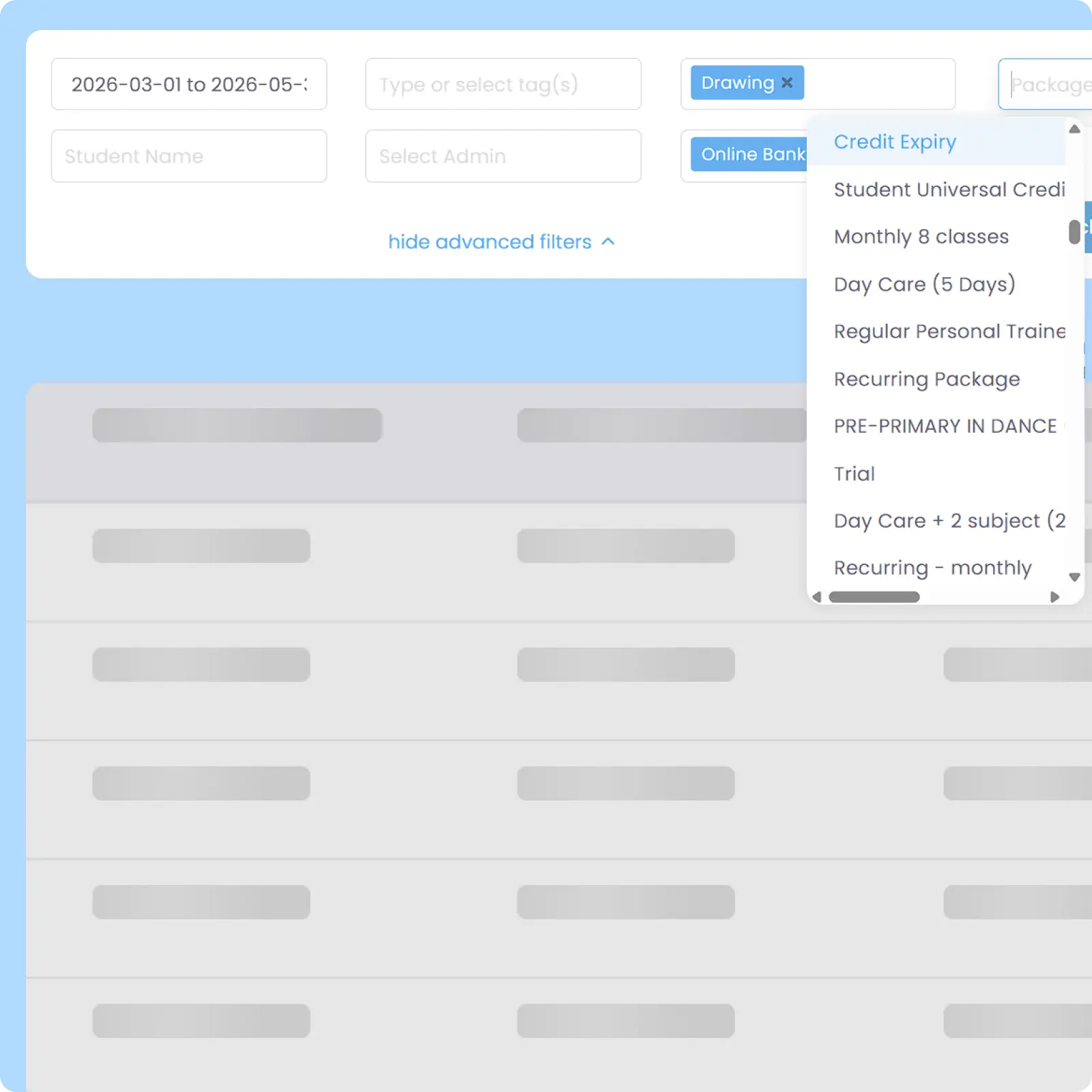
Financial tables can be filtered using criteria such as date range, lesson, payment status, and other operational data points for faster access to specific financial information. Helps reduce time spent searching through large operational records manually.
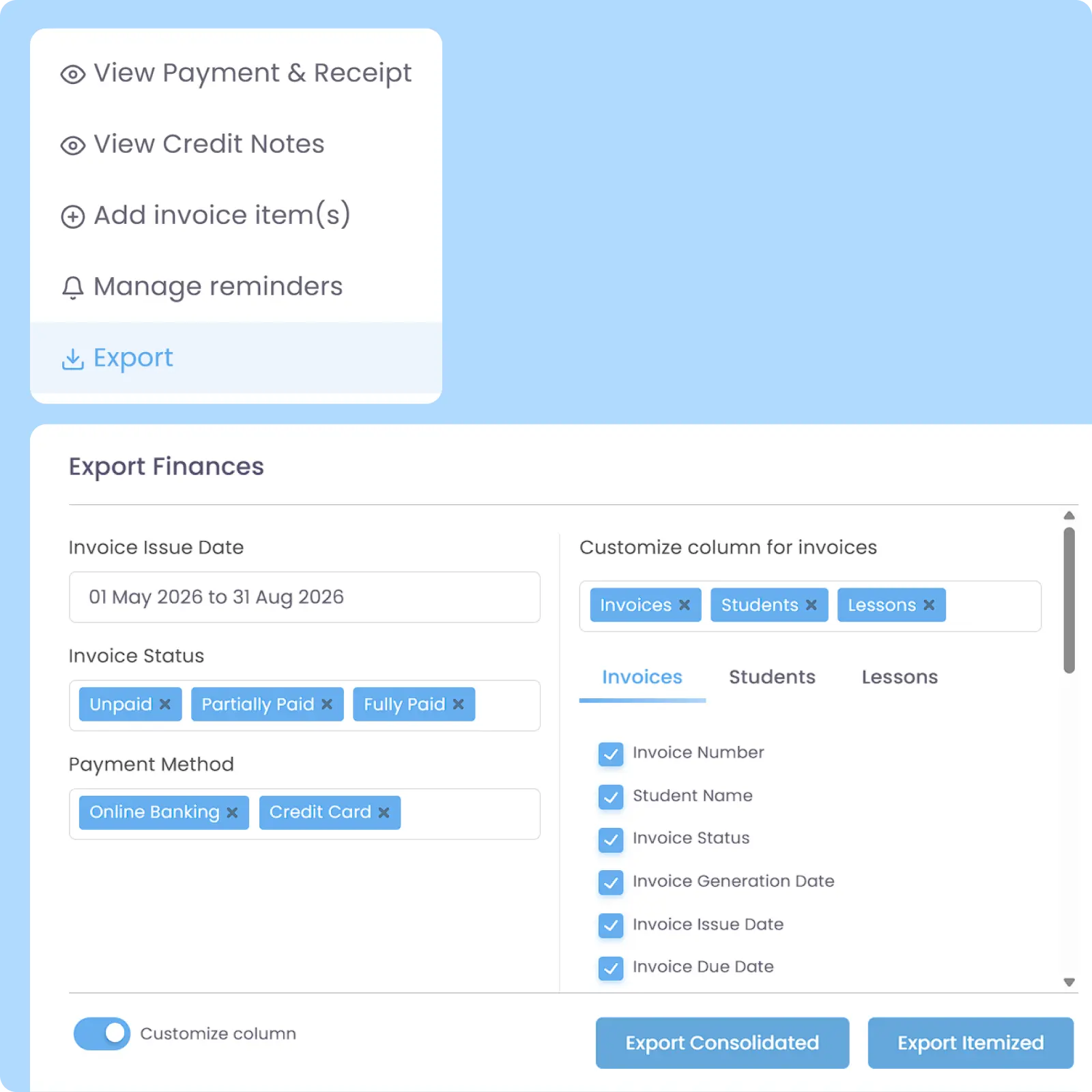
Export finance-related tables and records into XLSX format in either consolidated views (e.g. one invoice per row) or itemized views (e.g. one item per row) for invoices, payments, and credit notes. Customize and filter which data to export for external analysis, reporting, and operational processing.
Back then, we needed to order receipt books and there was a lot of paperwork daily, taking up a lot of our time.
After using AOne, it reduced our workload and is also environmental friendly because we no longer need to purchase a receipt book. We can issue receipts, and guardian students can check their invoices and receipts through the app.
Knowing who has paid is important. Knowing who hasn’t is critical. Explore how AOne helps you keep your cash flow in check.
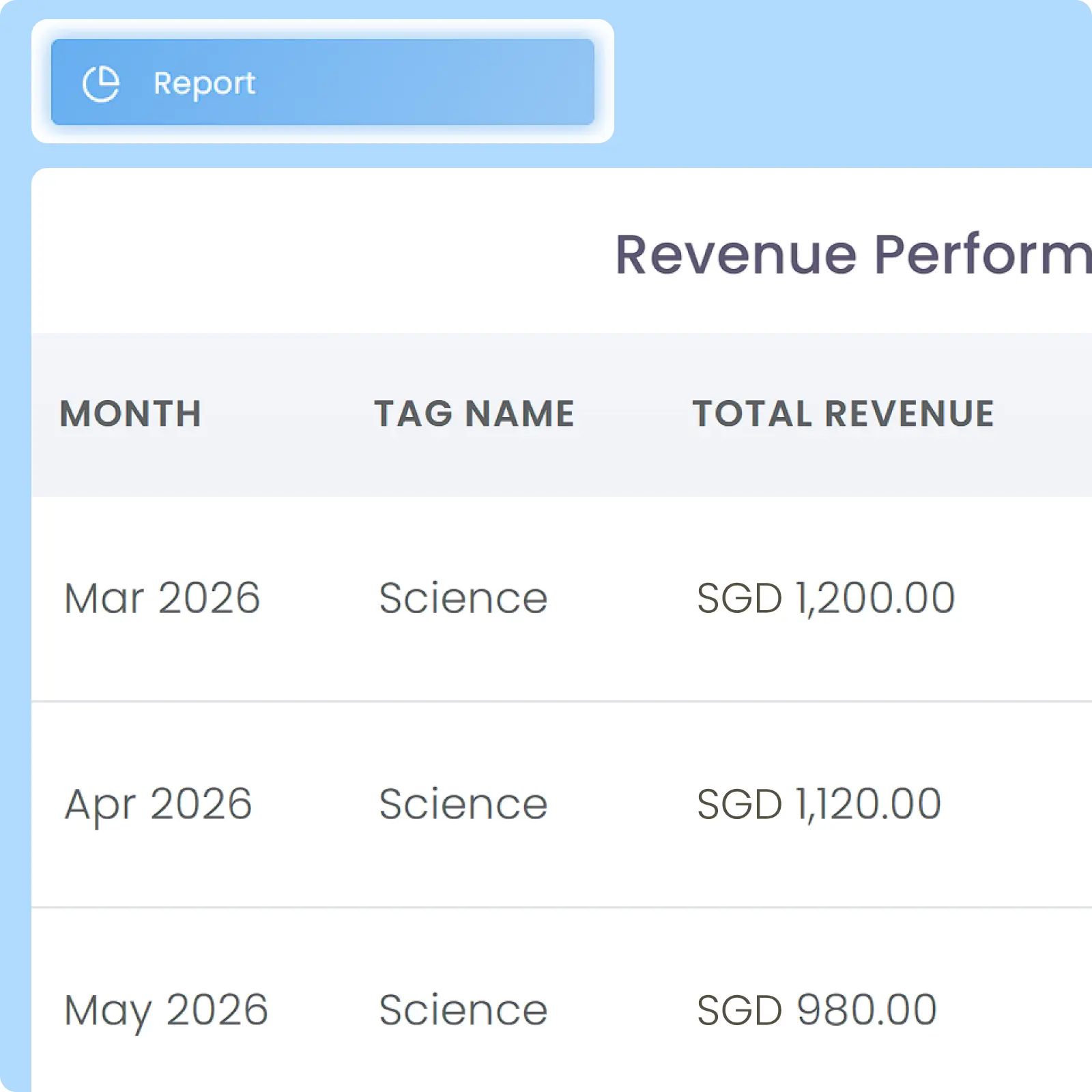
You can generate detailed financial summaries, including but not limited to issued and paid invoices, outstanding balance records, revenue generated by lesson tags, and Multi-Branch reports that can be exported via a single login without having to switch school. This overview helps you identify your most profitable locations and courses.
Additionally, if you are using Credit System, you can also see credit wallets, balance, usage, and its historical records per every student, enabling you to track your customized pricing very granularly.
Invoices, payments, and financial tables are separated by branch automatically. This ensures each location maintains its own clean accounting trail for accurate paid and issued invoice tracking. While each branch operates on its own financial ledger, the Superadmin can view a consolidated financial summary on the main Dashboard.
Superadmin or anyone with authorized roles can Export various finance-related tables of every branch that you have. This enables you to process your data on another system, depending on your centre’s workflow and practice.
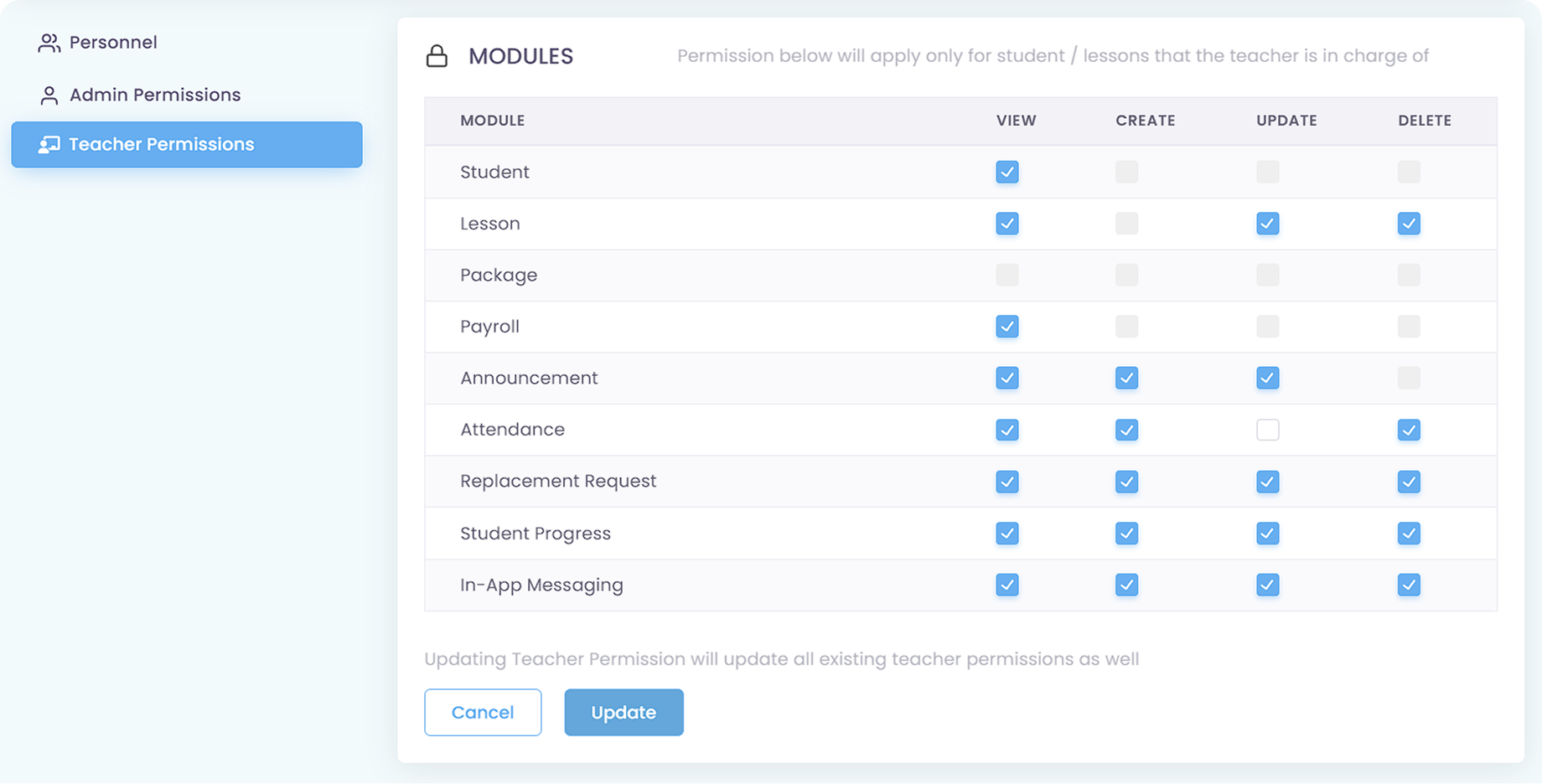
No, through Role-Based Permissions, teachers are by default restricted to classroom duties. They have 0% visibility into invoices, payment statuses, or the financial reports. If a teacher is only assigned to a Teacher role and nothing else, they will not be able to see financial reports on their account.
In the permission module, teachers cannot be granted access to any finance-related modules as shown below.
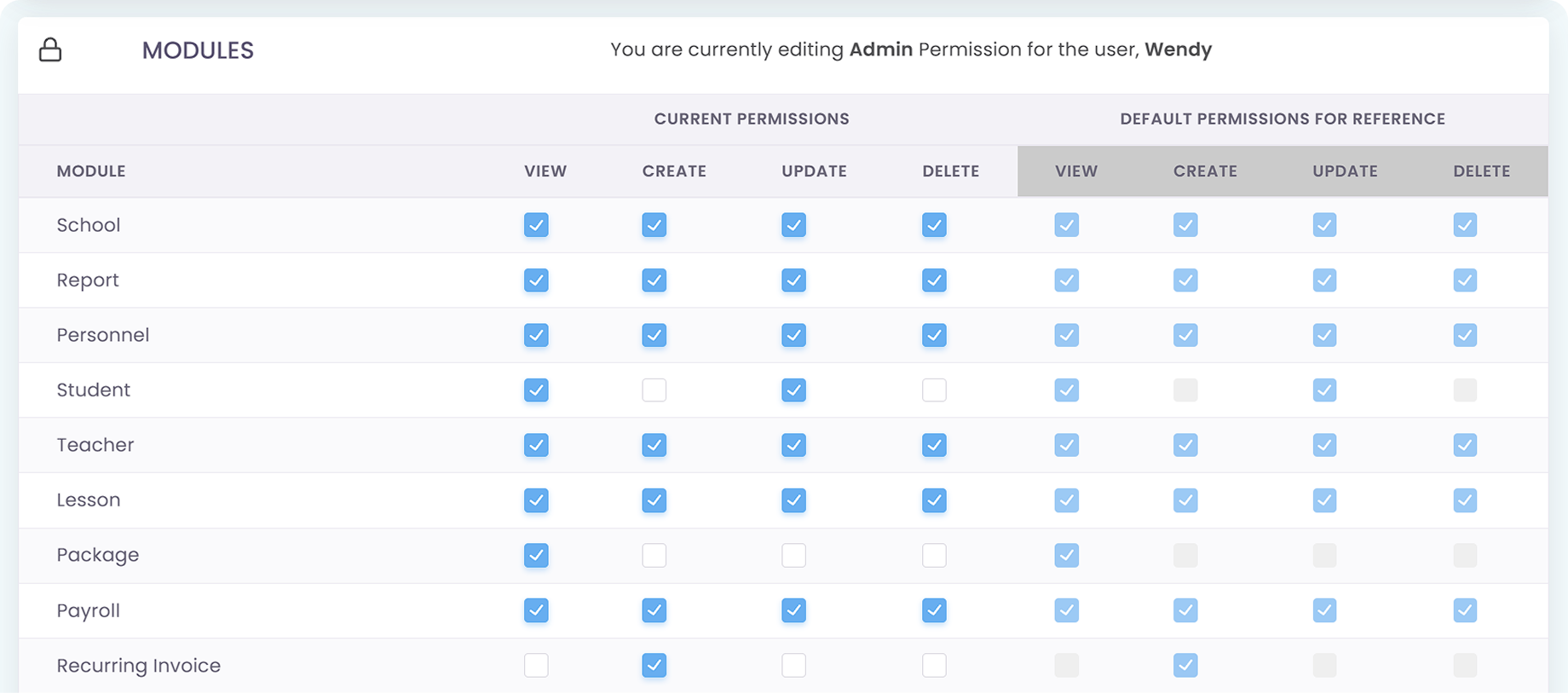
Superadmin and Admin, on the other hand, have access to financial affairs and modules. For Admin, you can limit their access to the financial modules either for all personnel registered as Admin role or only specific personnel of your selection. Superadmin, however, always have access to everything.
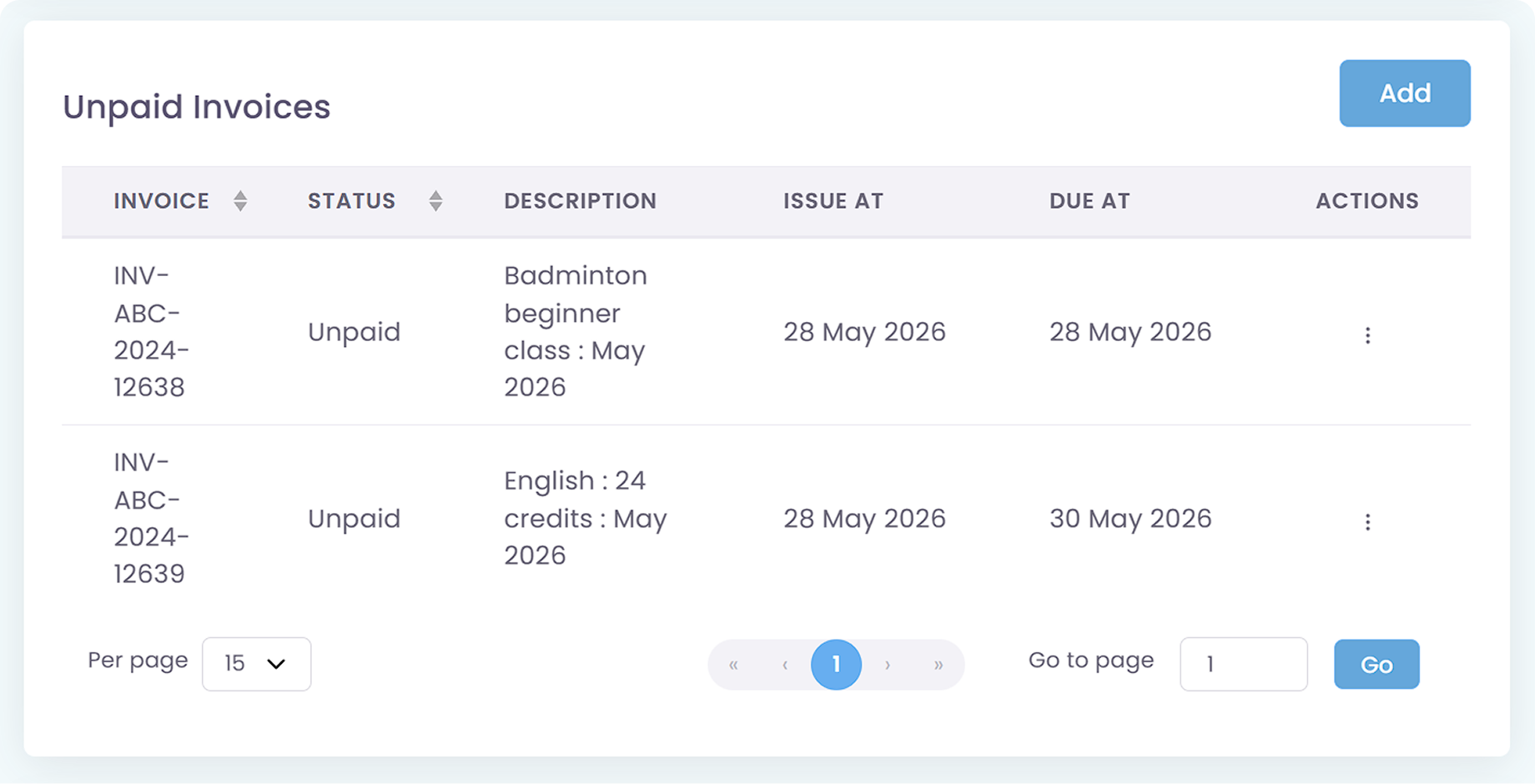
You can track student financial data separately by individual invoice or by wallet balance for the Credit System. The invoice calculations are completed separately based on the specific lessons enrolled and the Packages tied to them, allowing you to see each billed amount clearly.
Currently, direct third-party system integrations are not supported. However, you can easily Export all your financial data and transaction records into Excel format, allowing you to upload and process the data smoothly within your internal accounting or management systems.
Invoices, tracking, reminders, and receipts: Automated
All student data, organized and manageable in one place
All teacher data, organized and manageable in one place
All your lesson data, organized and manageable in one place
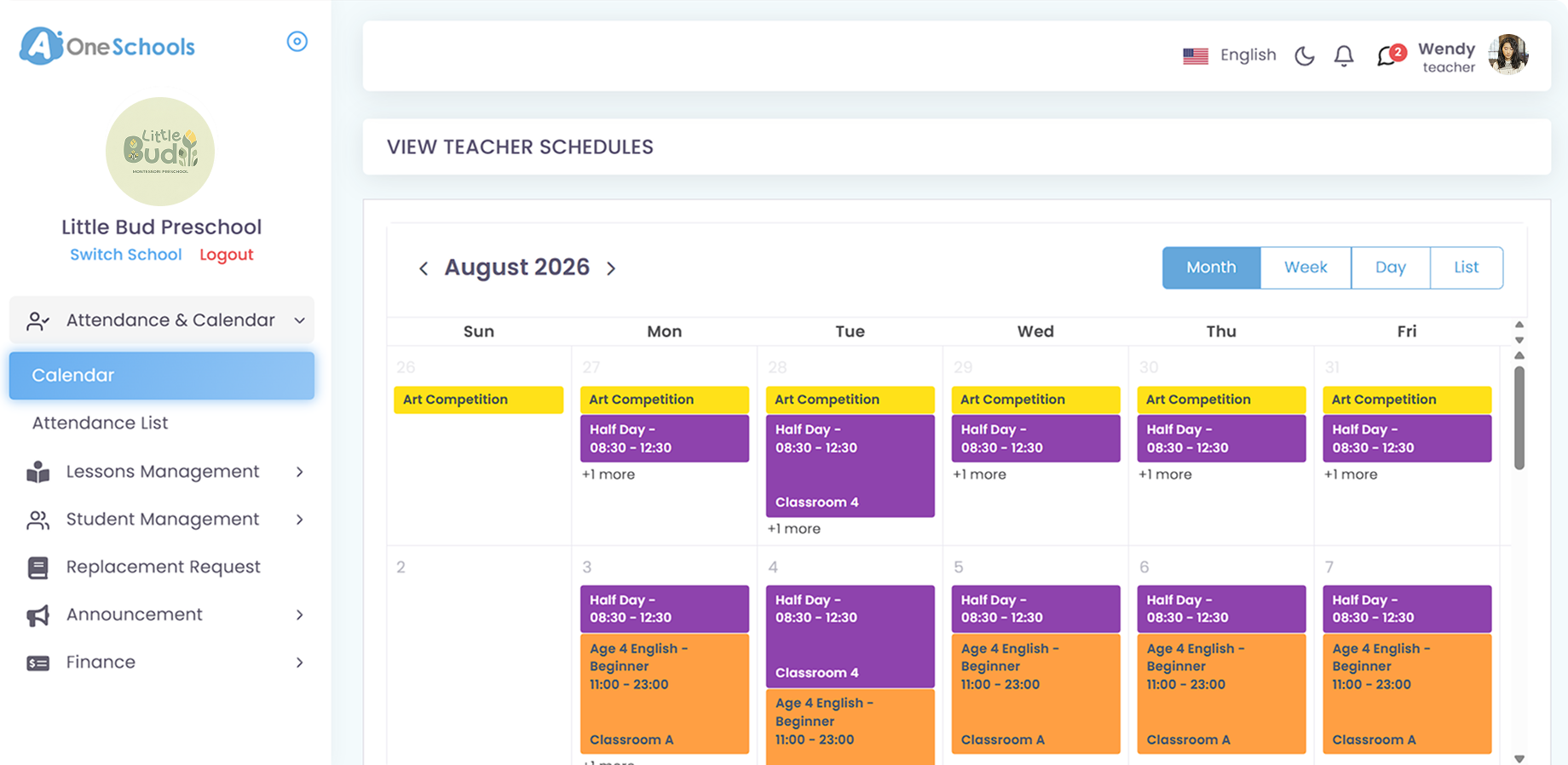
Clear schedules for every lesson for teachers and students
Manage teacher and class replacements effortlessly
Simple, digitized registration flow from form to student profile
Real-time attendance with real-time parents notifications
Chat features for seamless communication with staff and parents