School & Tuition Centre Management Software Singapore | AOne

 SINGAPORE
 MALAYSIA
 INDONESIA
 THAILAND
 PHILIPPINES

Product Overview

Billing

Student Management

Teacher Management

Lesson Management

Schedule & Timetable

Finance Management

Replacement

Student Registration

Student Attendance
Not sure whether AOne suits you?
Consult your needs with us and let’s discuss how we can help you

Notification
Keep everyone informed with customizable notifications.
Ensure important updates reach the right people at the right time.
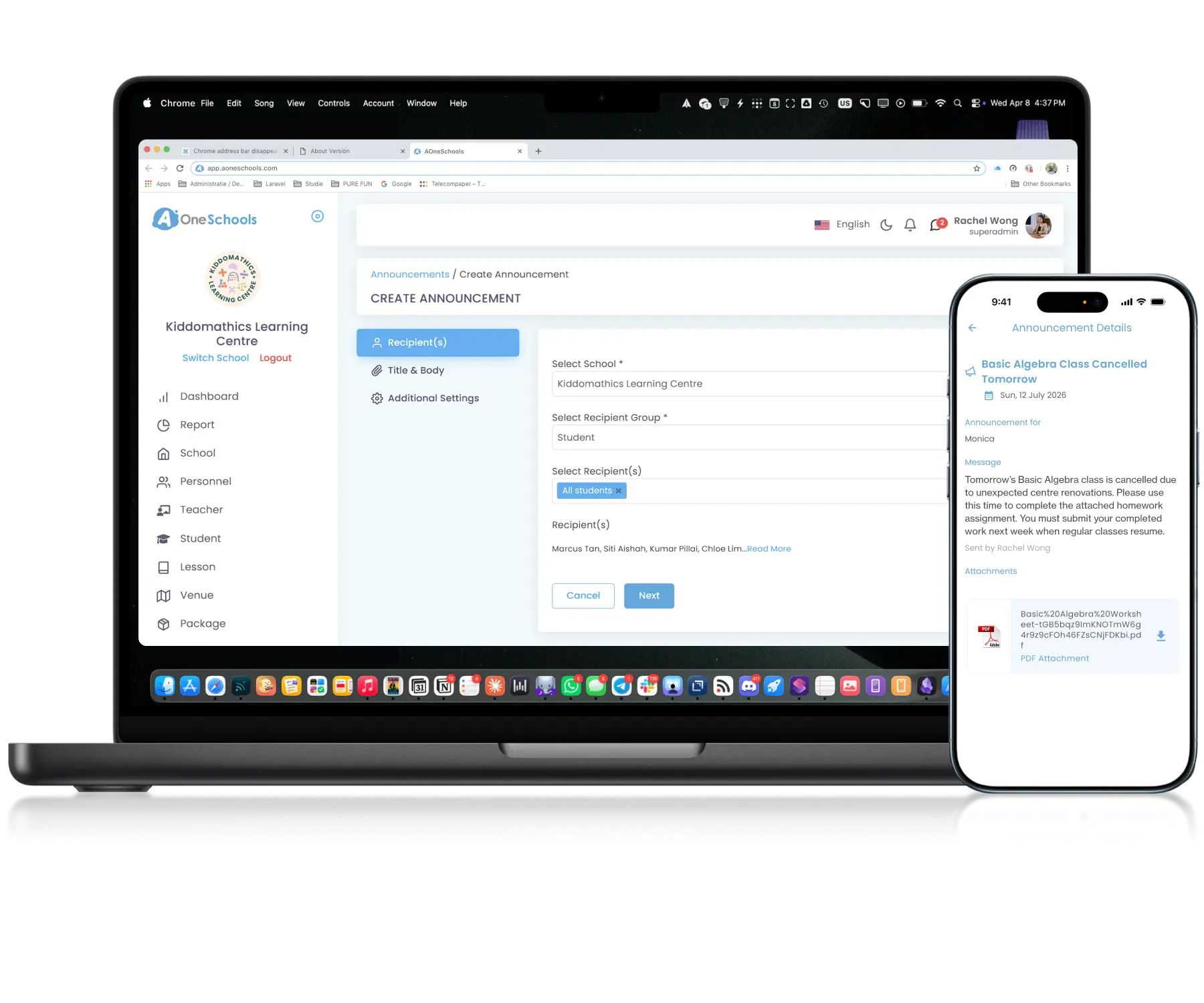
Instant • Targeted • Customizable
Send once, reach everyone
Automation
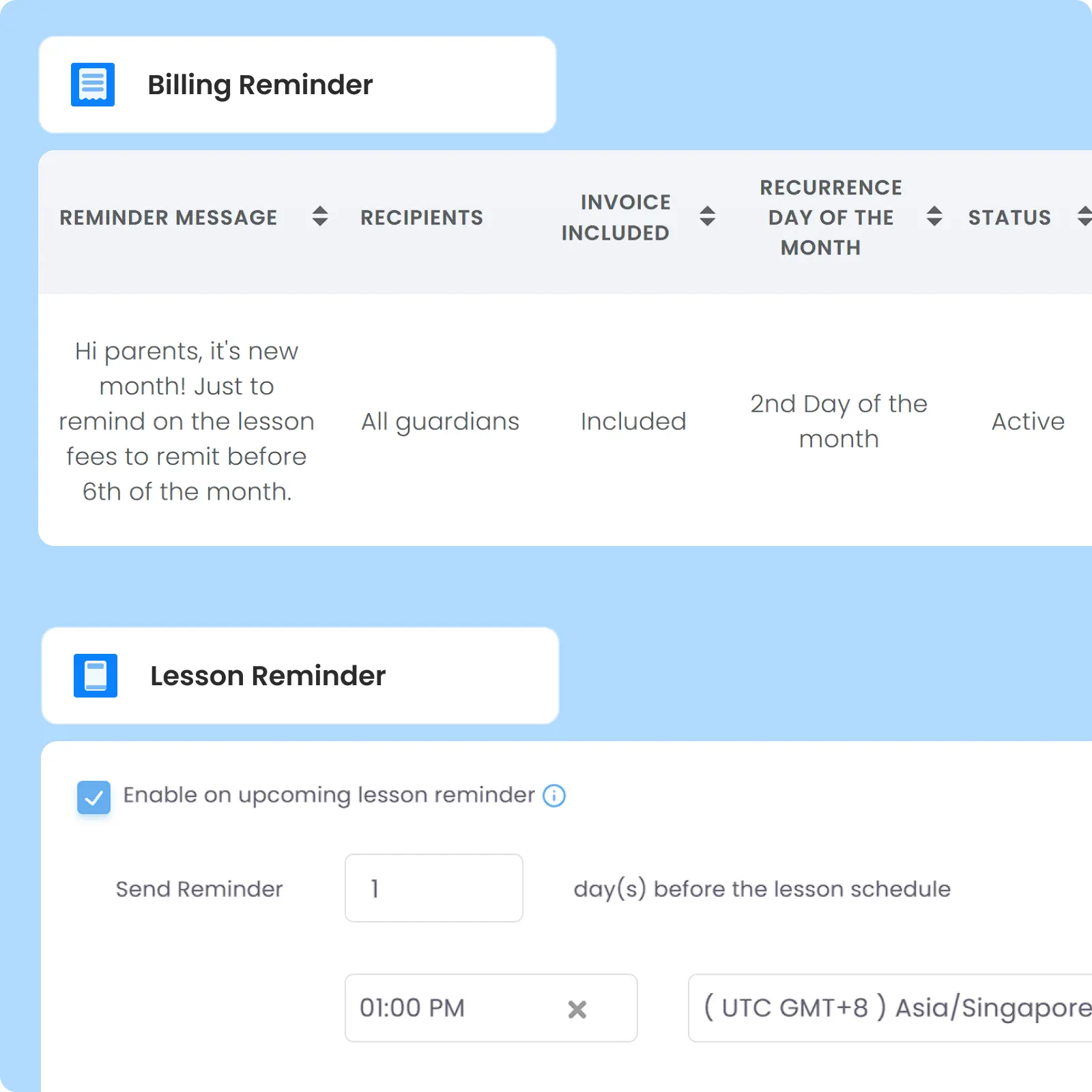
Automate Operational Notifications
Automate recurring and scheduled notifications for payment reminders, Lesson Schedules, and Credit activity within simple workflows. Notification timing and rules can be customized based on different scenarios and notification types.
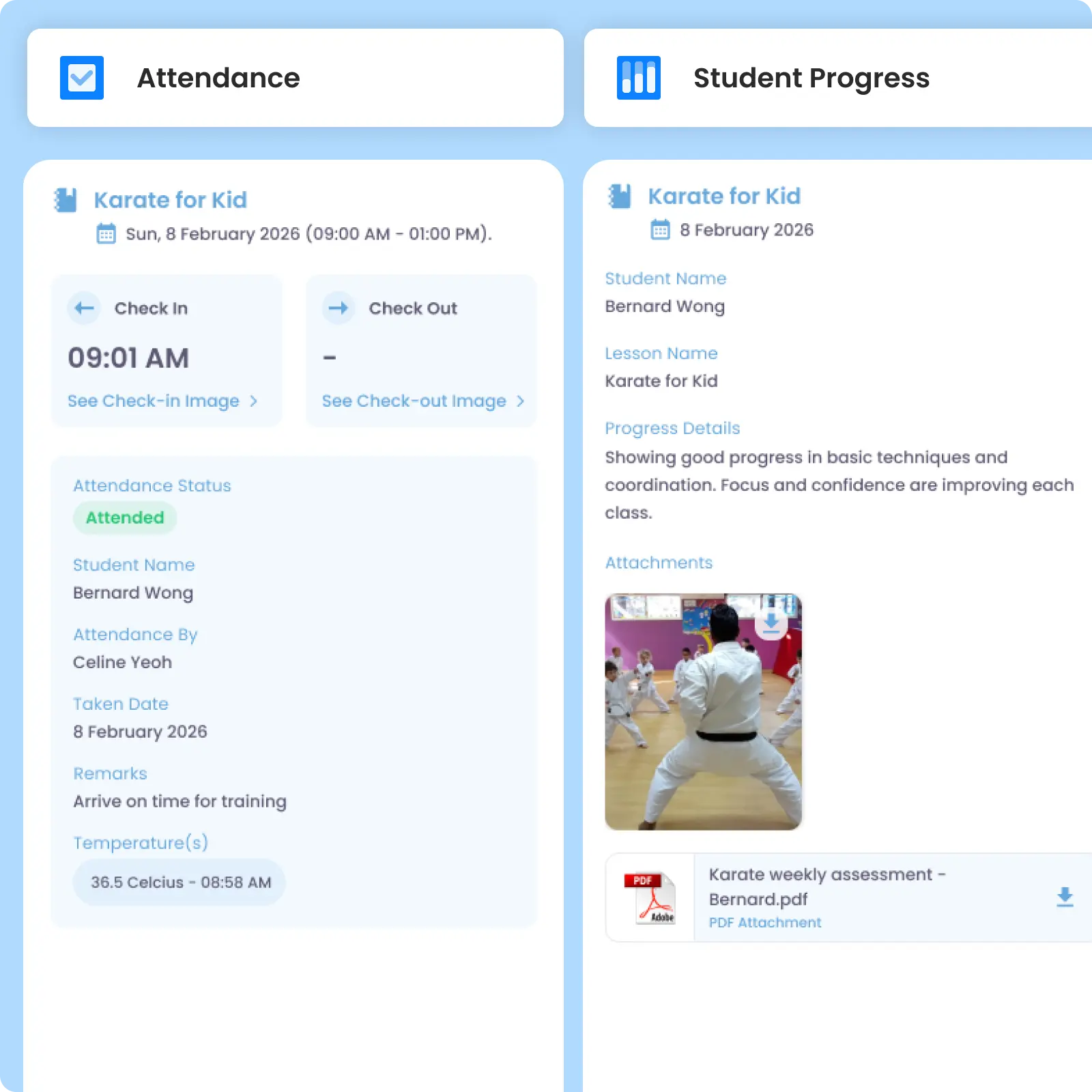
Attendance & Progress
Keep Parents Informed About Student Activities
Send parents updates about student learning progress and attendance directly through the system, including check-in and check-out notifications. Attendance notifications can include photo attachments while progress updates support photos and PDFs.
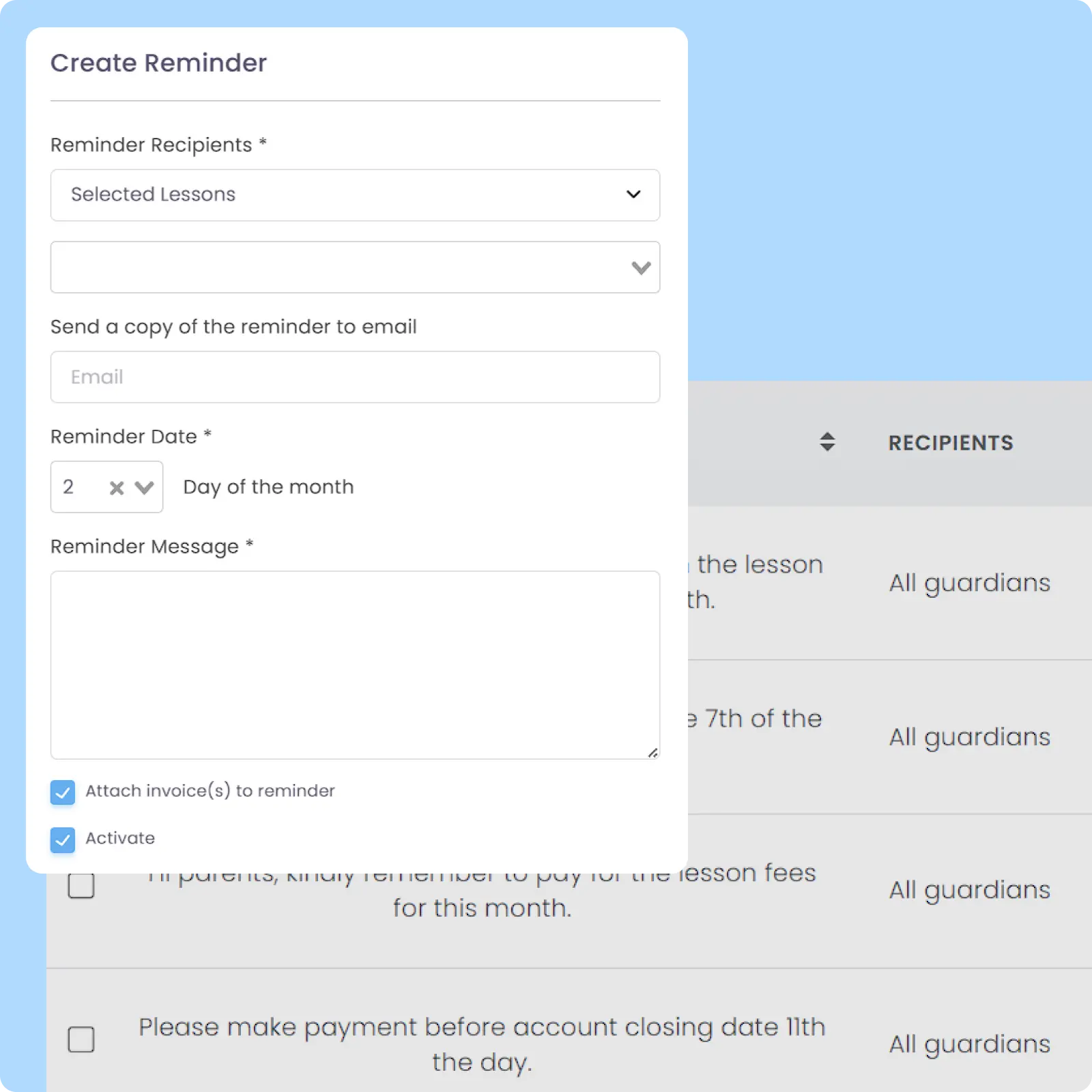
Lesson & Payment Reminder
Reduce Missed Payments and Lessons
Announcement
Manage School-Wide Announcements Centrally
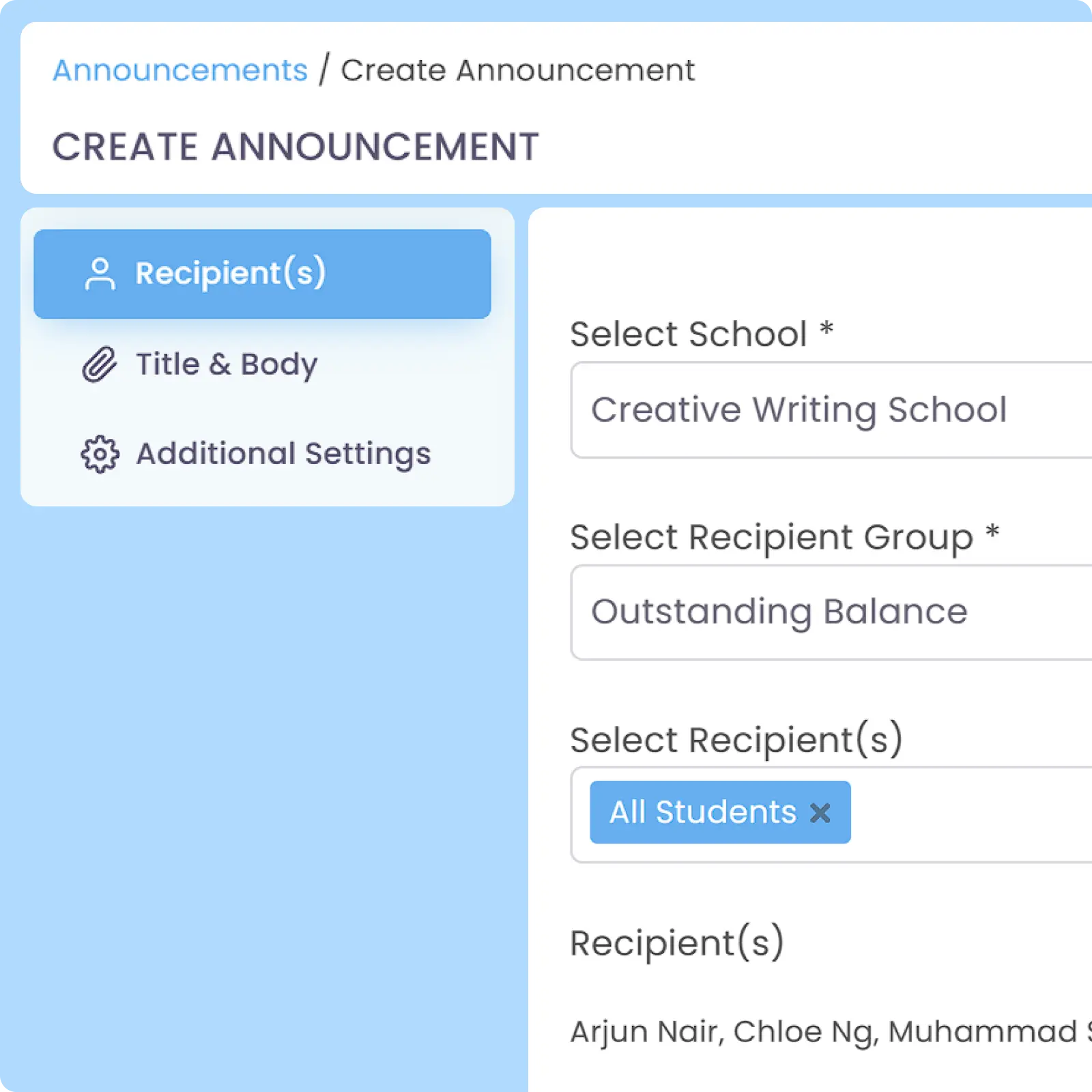
A centralized announcement module designed to distribute announcements to single, multiple, or all recipient groups by Lesson(s) enrolled, user Roles, or outstanding balances. Useful for outstanding payment reminders, take-home assignments, operational changes, Holiday, special occasions, promotions, and other updates.
Multi-Channel Notification
Reach Everyone Beyond the Mobile App
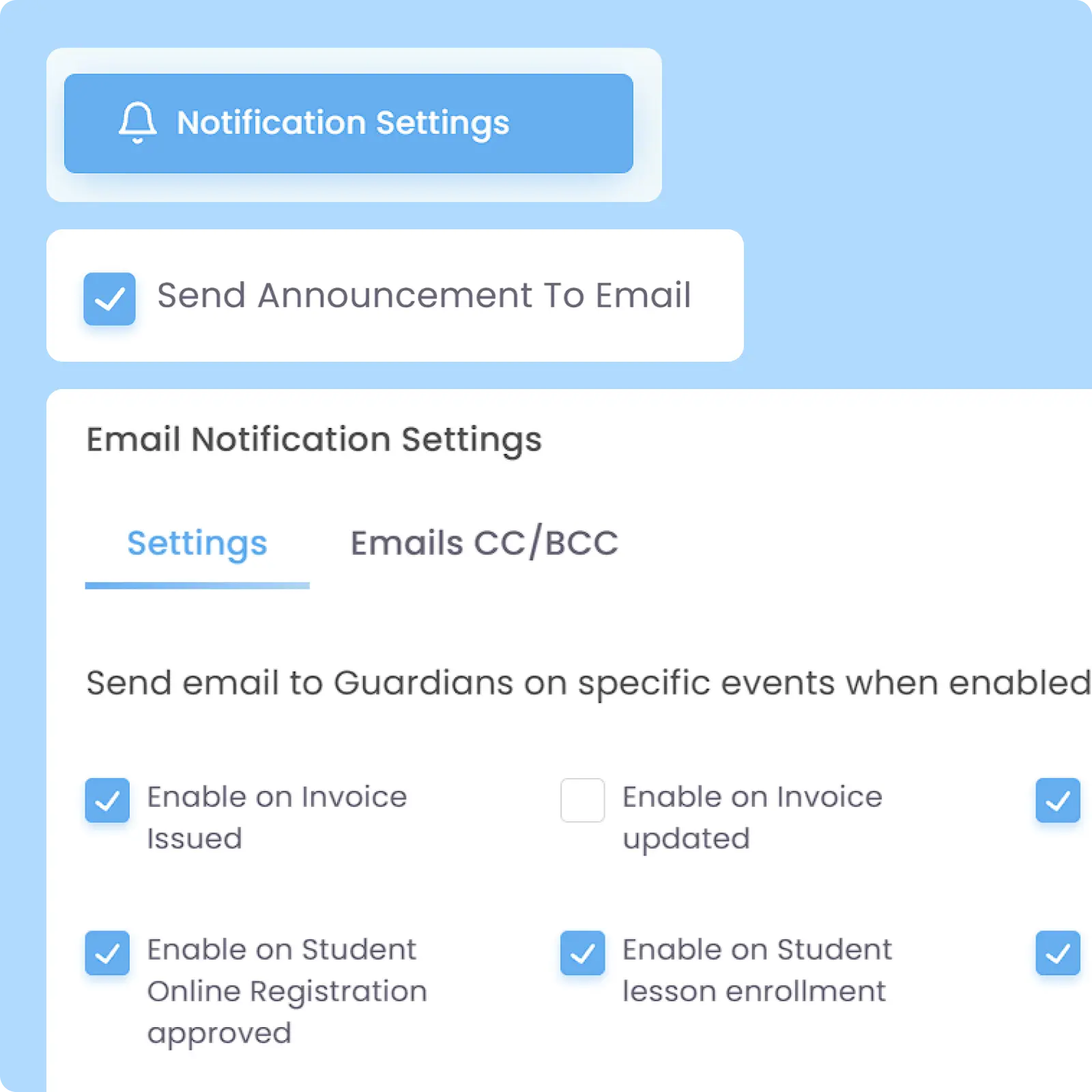
Notifications are delivered by default through push and in-app channels to keep operational communication centralized and immediate. Optional email delivery can be enabled for those who have not logged into the mobile app to improve message reach and visibility.
Why Everyone loves
AOne Notification Feature for Learning Centre
Increased CSAT score from parents
86% decrease in missed important information
95% less manual follow-up workload by admin

Back then, we needed to order receipt books and there was a lot of paperwork daily, taking up a lot of our time.
After using AOne, it reduced our workload and is also environmental friendly because we no longer need to purchase a receipt book. We can issue receipts, and guardian students can check their invoices and receipts through the app.

Reach the right people instantly
Important announcements shouldn’t get buried in chat groups or overlooked in inboxes. See how AOne helps you keep everyone informed.

Frequently Asked Questions
Do notifications go out via WhatsApp, SMS, email, or mobile app push?
AOne primarily sends reminders and announcements via push and in-app notifications, which are 100% free and unlimited. This saves your centre from the recurring costs of WhatsApp Business and SMS packages while maintaining instant delivery.
Important alerts like billing and official school announcements can also be sent via email that you can opt in. This improves message reach and visibility for those who have not logged into the mobile app. However, for a more practical and instant workflow, we would highly advise learning centres to encourage parents in using the app.
Additionally, you can also send a quick chat and broadcast to selected parent(s) or groups that you create using the In-App Messaging feature. This retains the flexibility and instant delivery that chat apps have, while maintaining cost-efficiency that AOne provides.
Are parents notified when a payment is successfully received?
Yes, as soon as a payment is verified or its invoice status is updated as paid on your AOne account, the system instantly generates a digital receipt and sends a confirmation notification to the parent, giving them immediate peace of mind.
However, if you are currently not using In-App Payment or are receiving payment by any method(s) unsupported by the In-App Payment feature such as cash, you have to tag the invoice as Paid in the Invoice module. After that, the digital receipt can be generated and sent to the said parent.
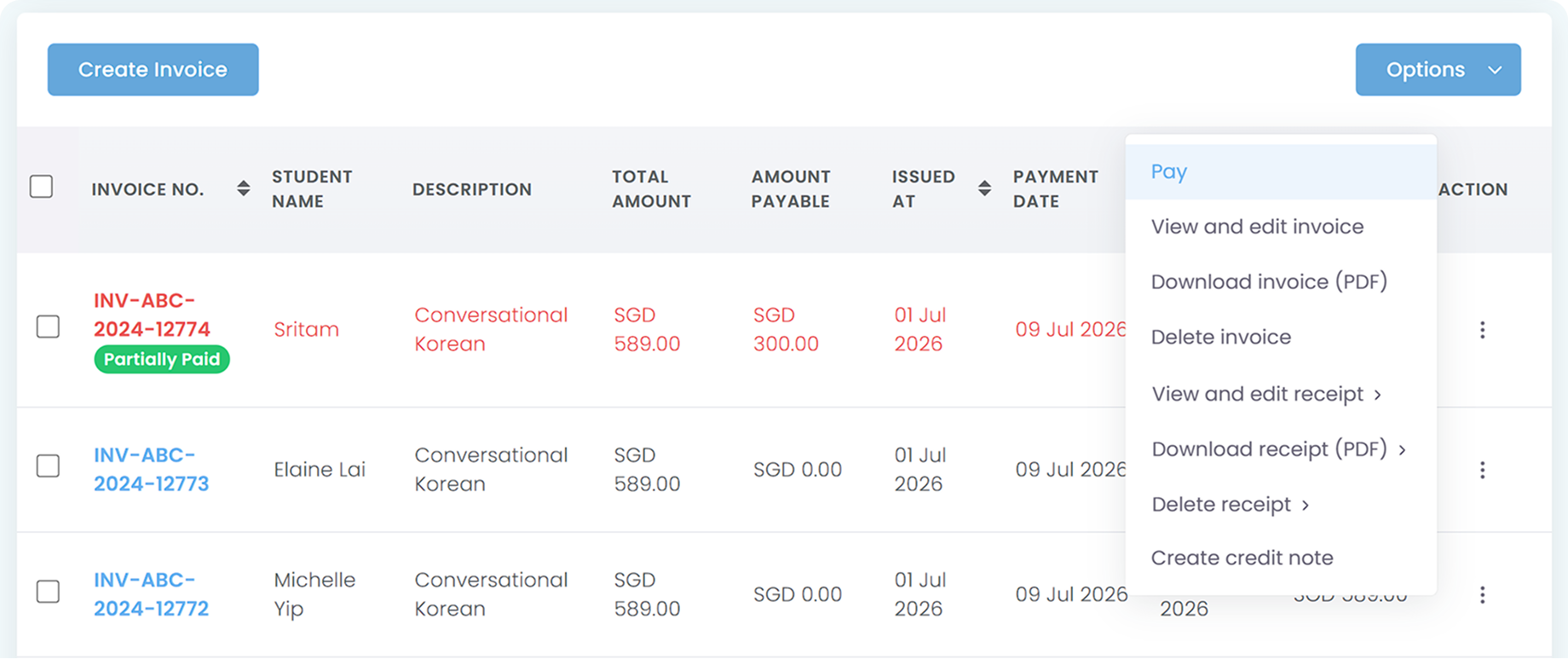
For your convenience, we highly suggest you to activate the In-App Payment and encourage parents to pay directly via the app for an even Automated Billing process.
Can parents mute or customize their notification preferences?
By default, parents will always receive any relevant notifications sent by the system or by you. Currently, we don’t allow parents to disable notifications on the app to ensure that they always receive important information related to their children’s study.
Please do note that parents will only receive mobile app notifications once they have enabled notifications from AOne app. Upon first time login, the app will automatically ask parents to allow notifications.
However, if parents don’t allow notification or turn off the notification via their phone setting, they will not receive any push notifications sent to them and can only receive and see in-app notifications instead.
Can I cancel or delete a notification from recipient’s accounts after it is delivered?
Yes. For Announcement, you can “delete” an already sent notification by Recalling the announcement. After you have recalled an announcement, it will be removed from the recipient’s account and labeled as Recalled on your dashboard.
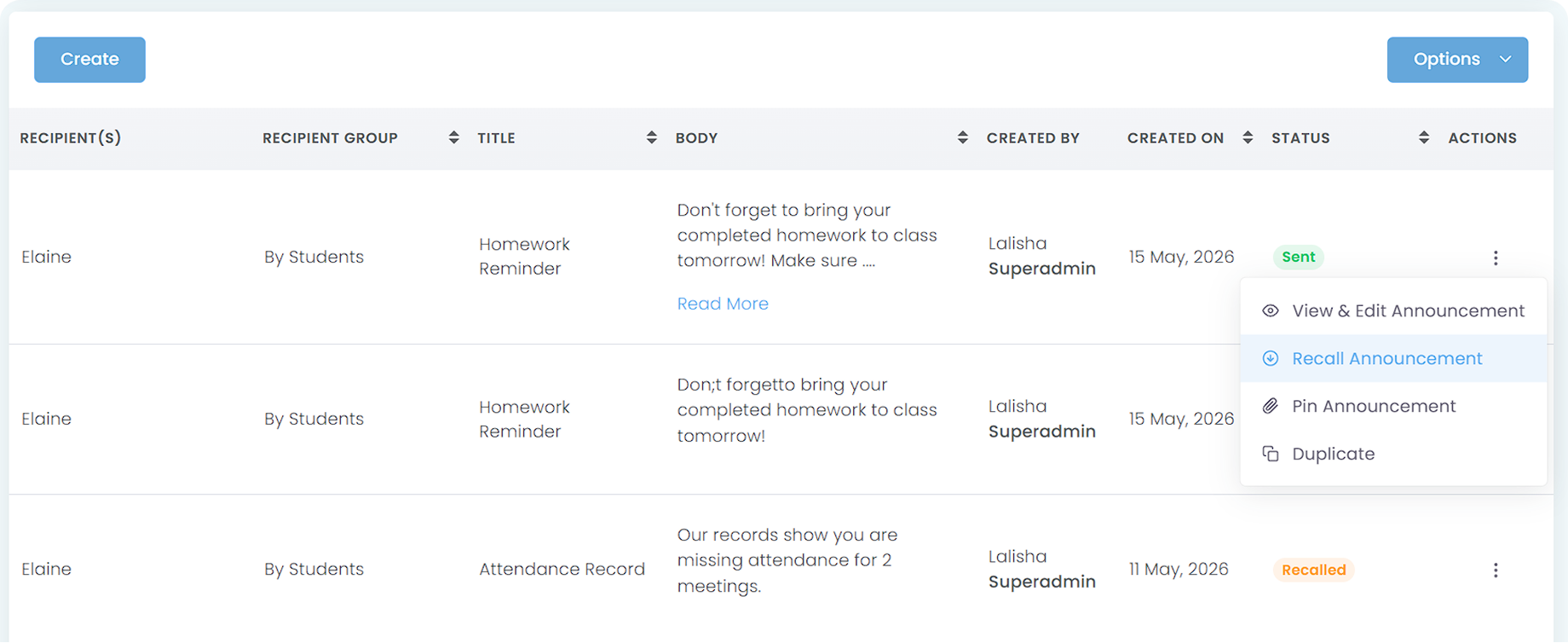
Conversely, you can Pin an announcement to make it stay on top on the recipient’s app. This is very useful if you are sending a very important centre-level announcement and want to ensure that no one accidentally miss the information.
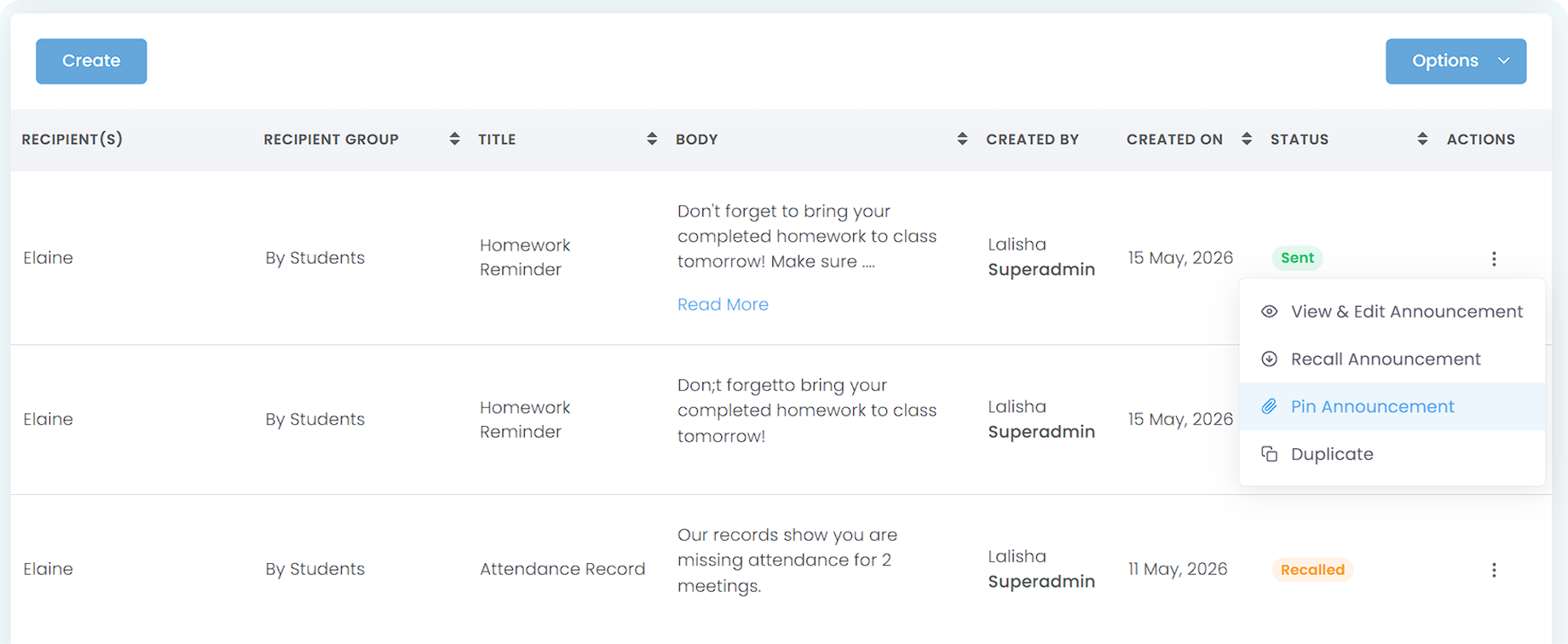
Please do note that Recall and Pin only work for notifications sent to mobile apps, excluding those sent via email.
Can parents reply directly to the system notifications?
Parents cannot reply to system notifications because notifications are primarily designed as a one-way communication to broadcast and announce important information. If you are looking for a two-way communication method in which you can send an announcement and let parents reply, you can use In-App Messaging available on AOne.
Move faster with AOne features
Billing
Invoices, tracking, reminders, and receipts: Automated
Student Management
All student data, organized and manageable in one place
Teacher Management
All teacher data, organized and manageable in one place
Lesson Management
All your lesson data, organized and manageable in one place
Schedule & Timetable
Clear schedules for every lesson for teachers and students
Finance Management
Track revenue, payment status, and performance in one place
Replacement
Manage teacher and class replacements effortlessly
Student Registration
Simple, digitized registration flow from form to student profile
Attendance
Real-time attendance with real-time parents notifications