School & Tuition Centre Management Software Singapore | AOne

Consult your needs with us and let’s discuss how we can help you
Manage unexpected absences. Reassign teachers, reschedule classes, and keep everyone informed within one tool.
Instant • Organized • Flexible
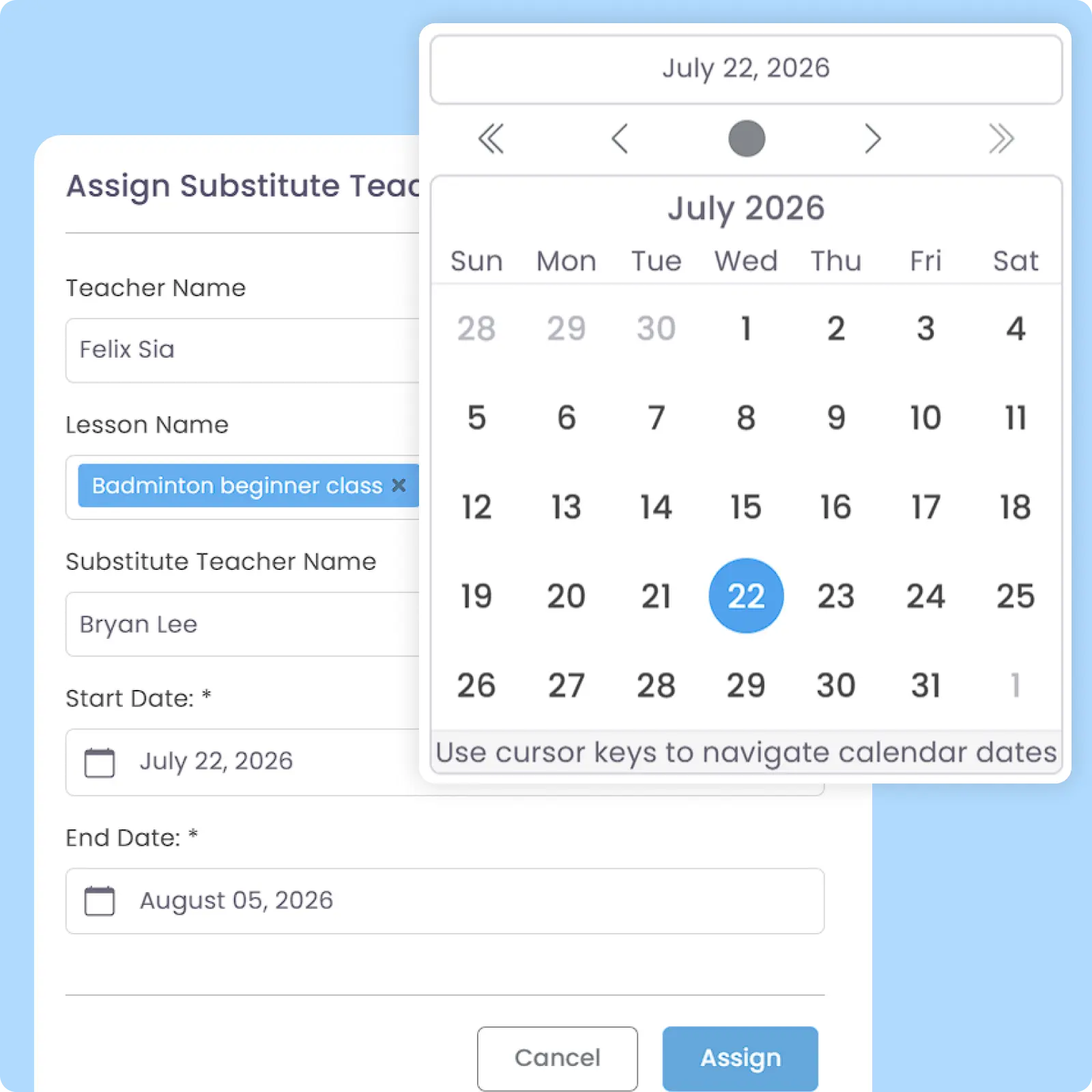
Assign substitute teachers for lessons when the original teacher is unavailable to attend. Schedule and Timetable are automatically synched to both the original and replacement teacher.
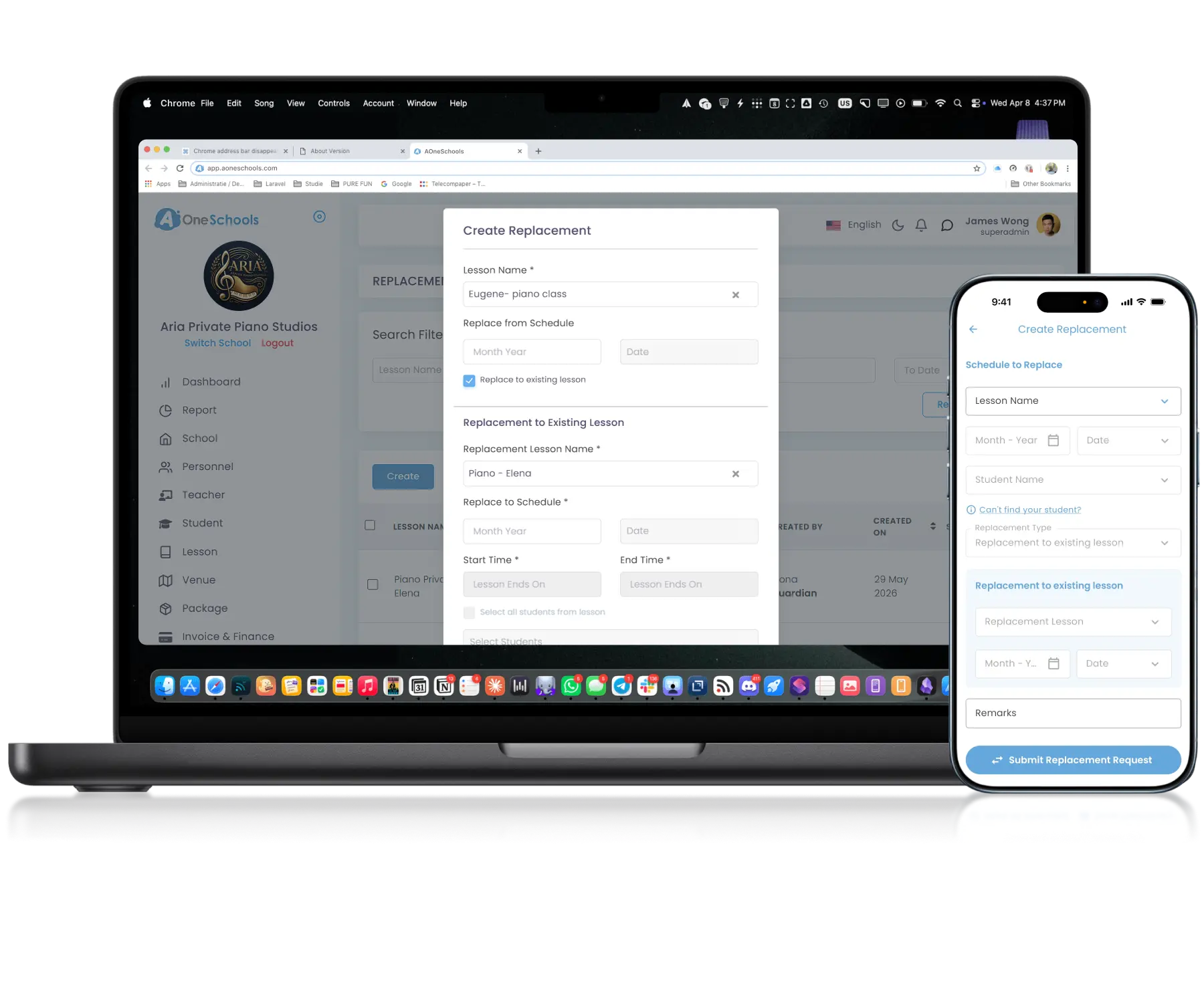
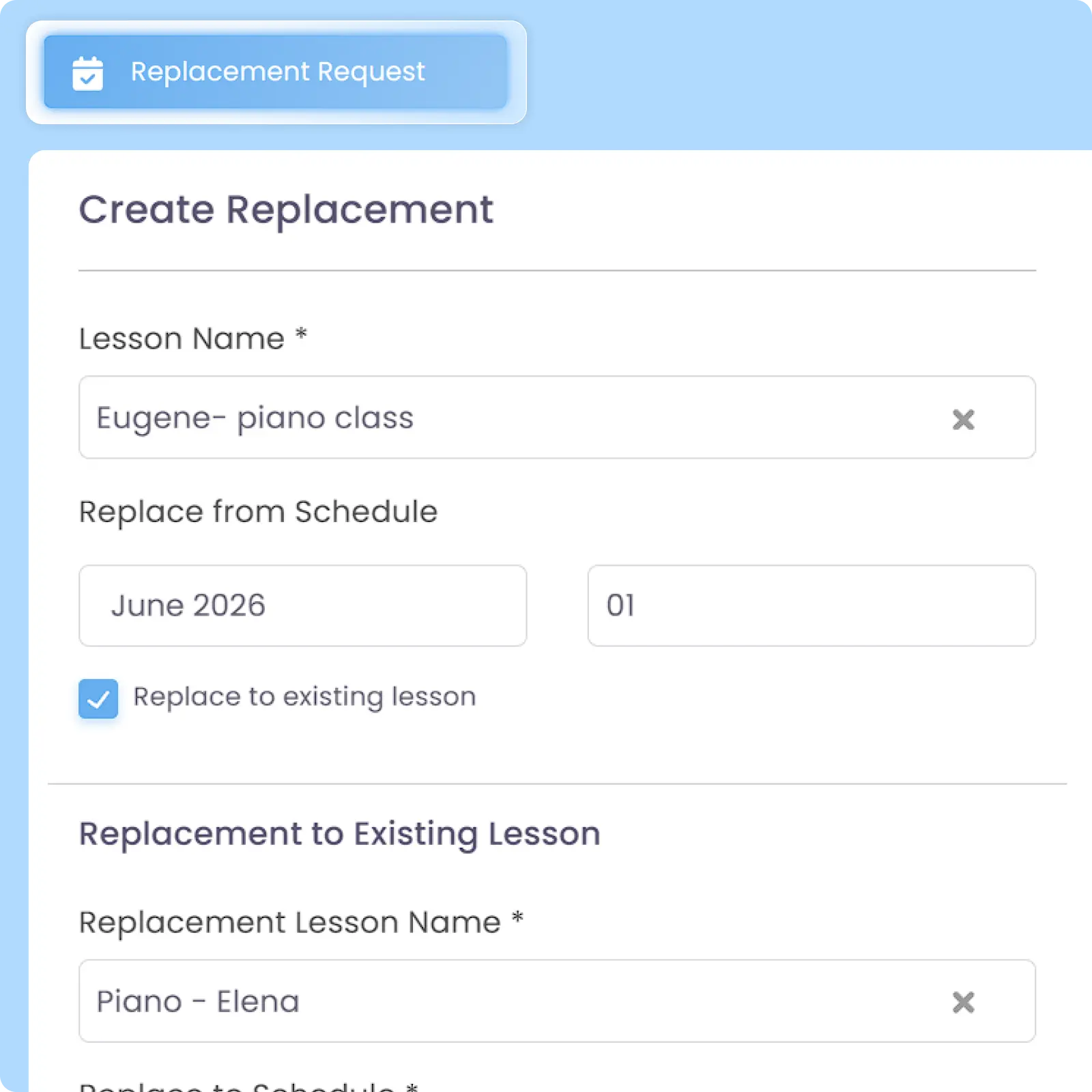
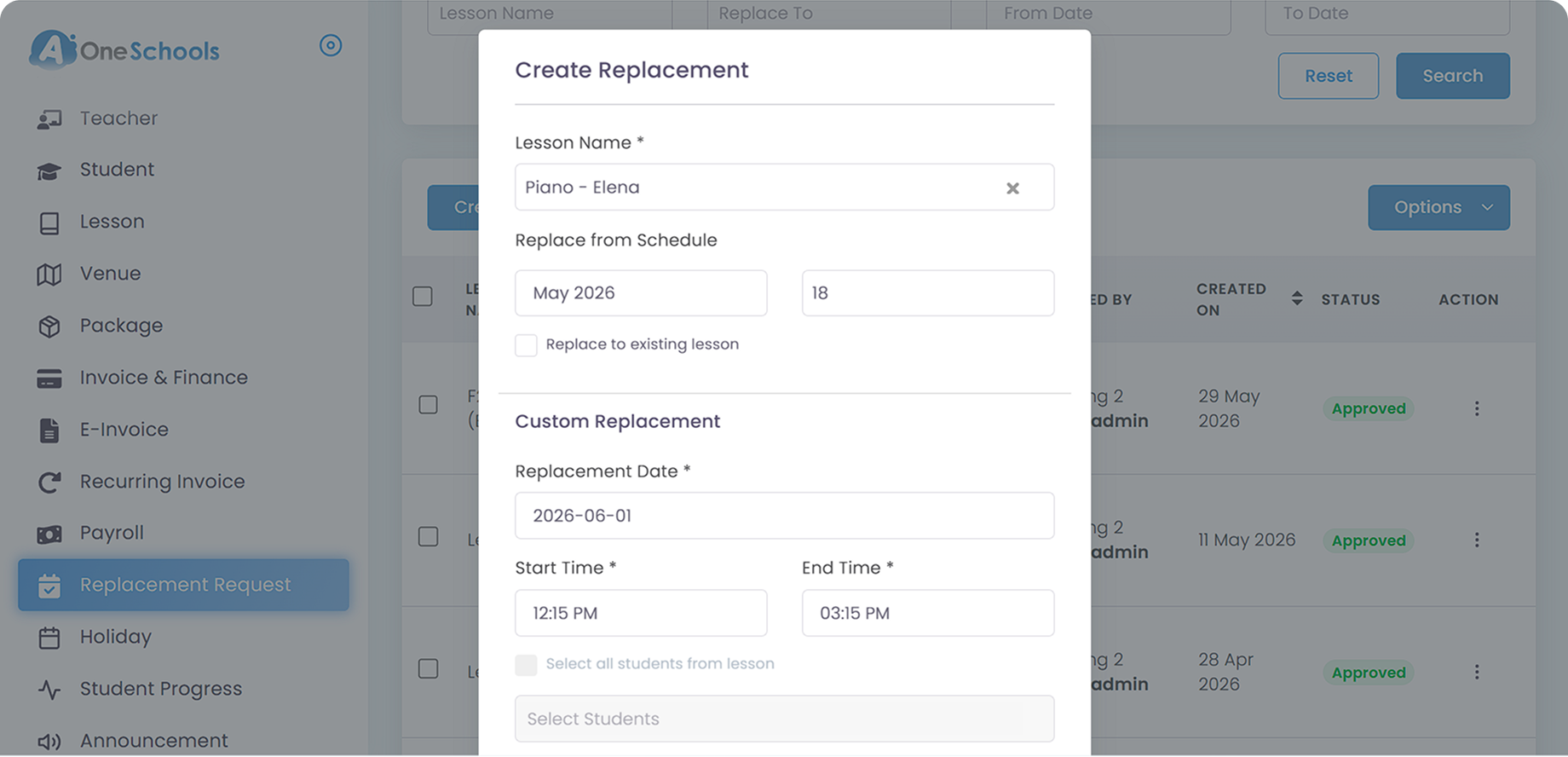
Superadmin and Admin can reschedule or arrange replacement classes directly within the system to other existing lessons or custom timings. Confirmed replacements automatically synchronize with the operational calendar of affected teachers and parents or students.
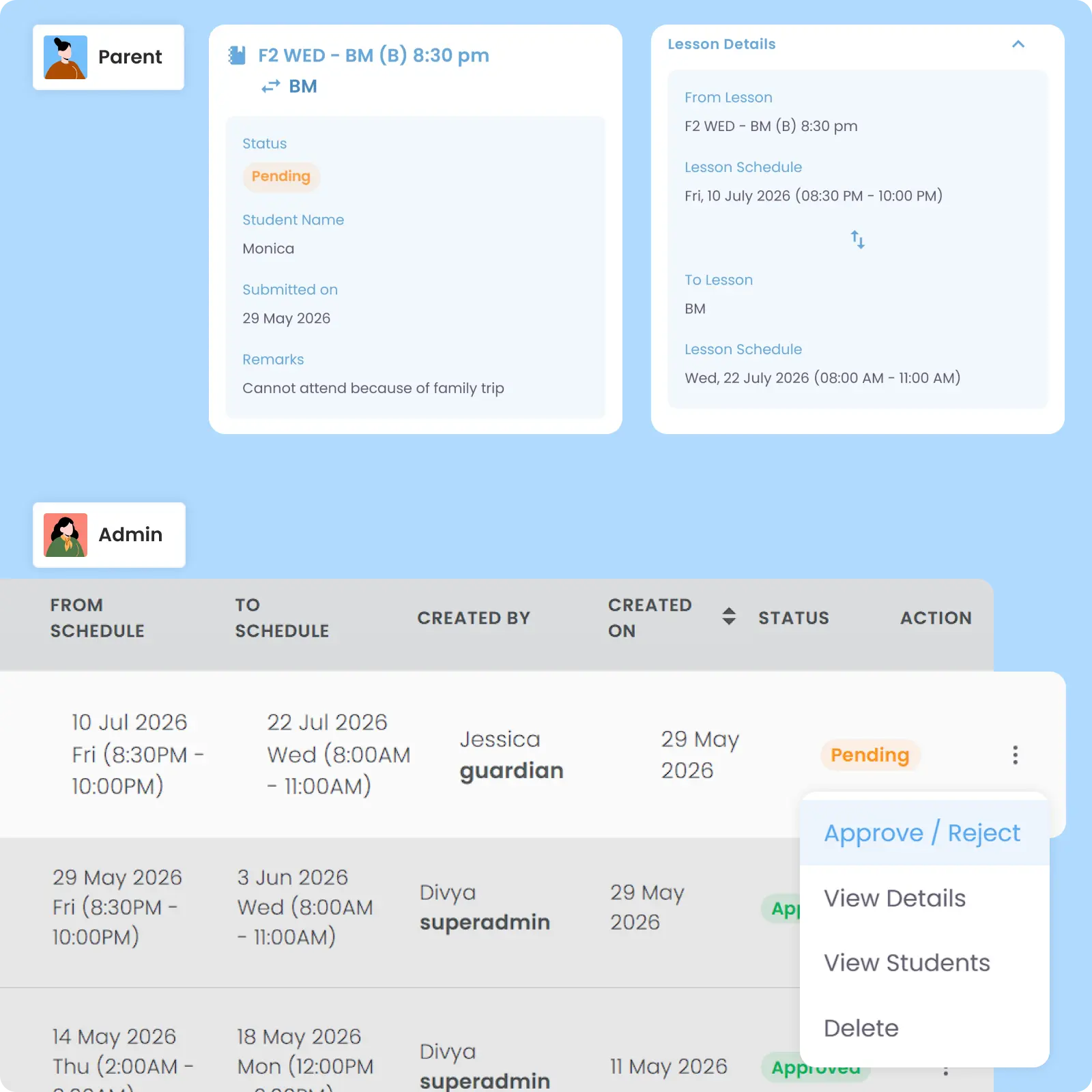
Students, parents, and teachers can request replacement classes when they are unable to attend the original schedule. Requests can be directed to another existing lesson or a custom timing subject to Superadmin or Admin approval.
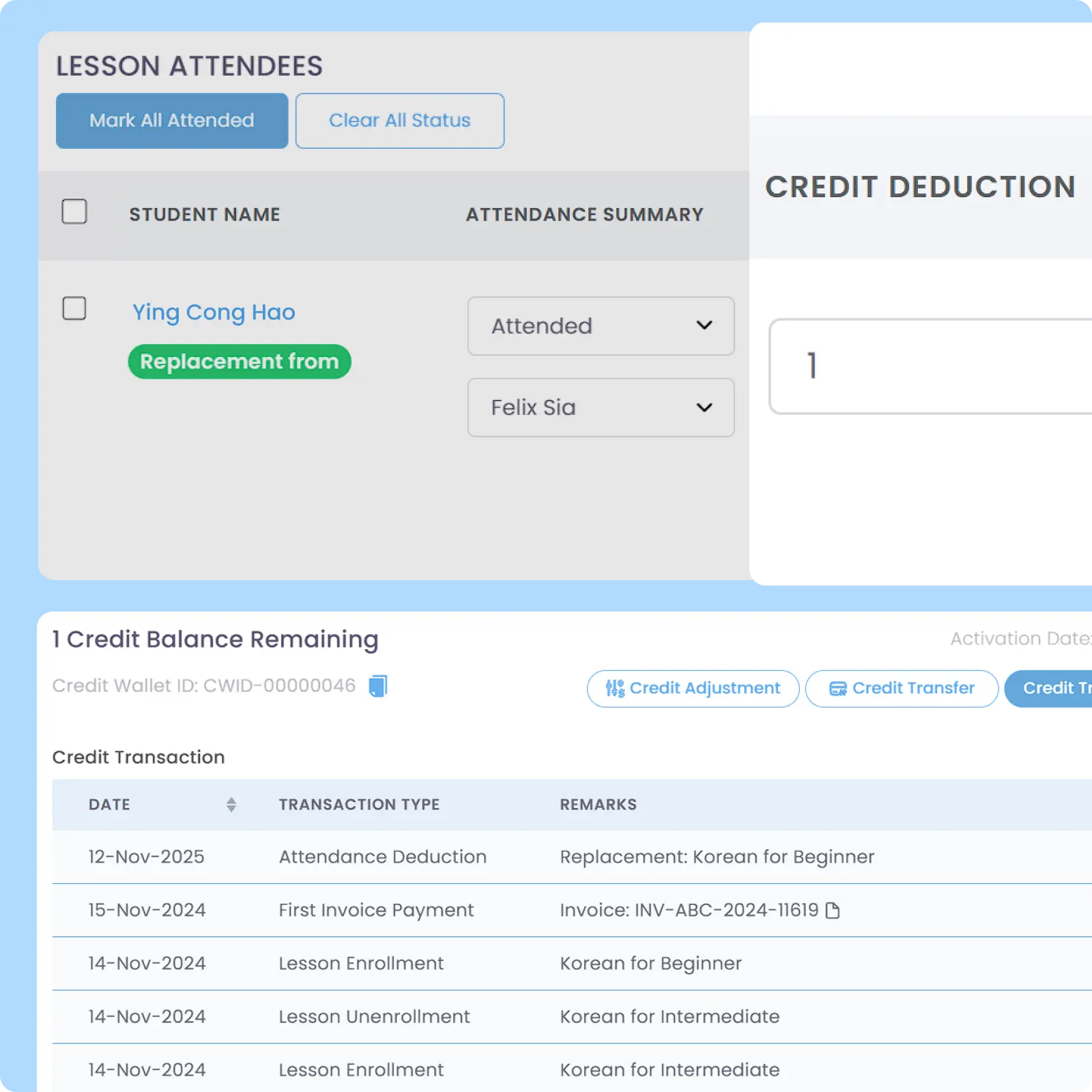
Credits from the original class can be automatically reallocated to approved replacement classes based on configurable eligibility rules. Credit deduction only occurs after the student is Marked as Attended to ensure more accurate operational billing.
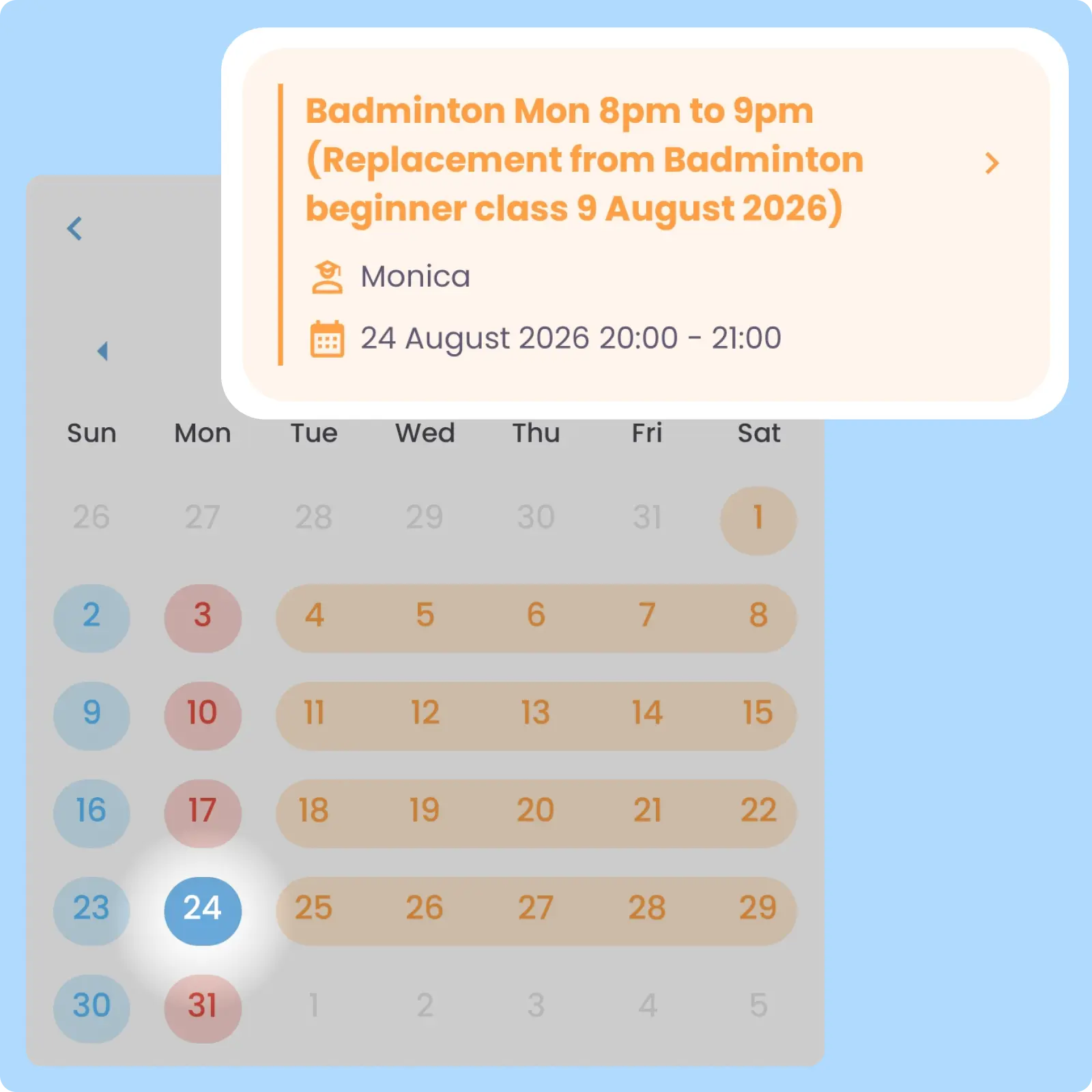
Replacement classes automatically update Calendar Schedules for parents, students, and teachers once changes are approved. Students and parents will receive a system-generated, time-predefined lesson reminder for the said replacement classes.
Back then, we needed to order receipt books and there was a lot of paperwork daily, taking up a lot of our time.
After using AOne, it reduced our workload and is also environmental friendly because we no longer need to purchase a receipt book. We can issue receipts, and guardian students can check their invoices and receipts through the app.
When plans change, your operations shouldn’t. See how AOne helps you set replacements up quickly so everything stay on track.
Yes, you can select single, multiple, or all students in the same Lesson and assign them to the same replacement class to speed up operations. This bulk allocation workflow saves your admin hours of tedious, manual updates when handling large-scale disruptions.
Once scheduled, teachers and parents can see that they have a replacement class on their mobile app. Their Calendar will also auto-sync to the replacement class schedule. Parents, additionally, will also receive a system-generated, predefined Lesson Reminder for the said replacement.
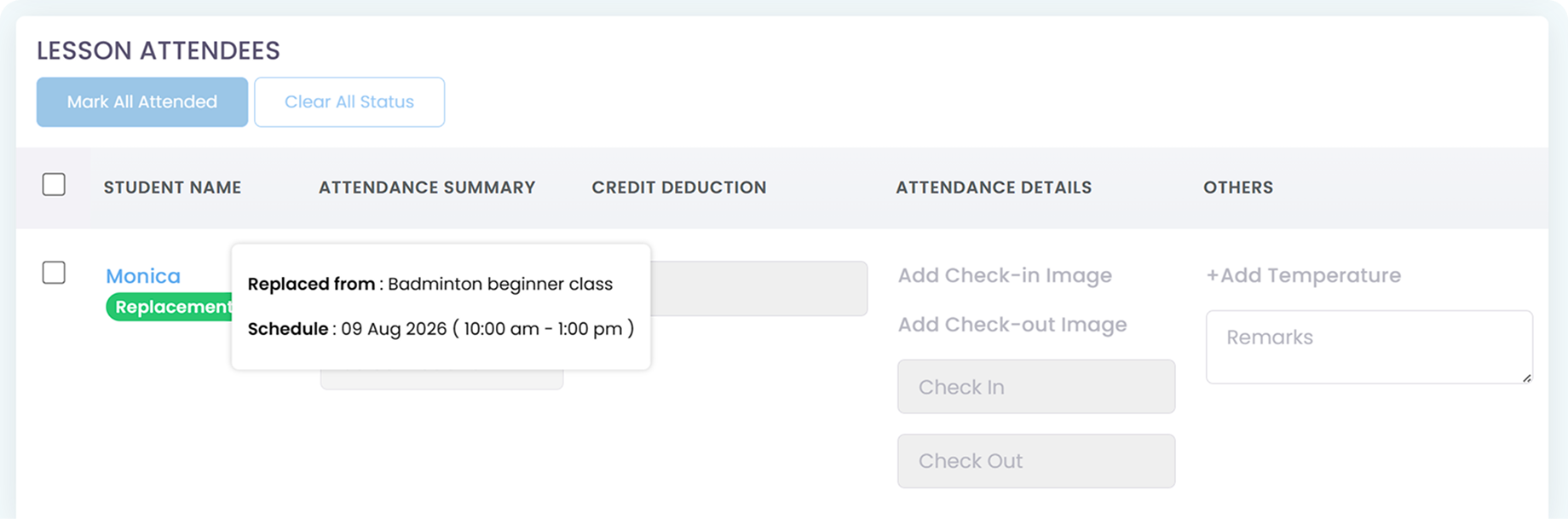
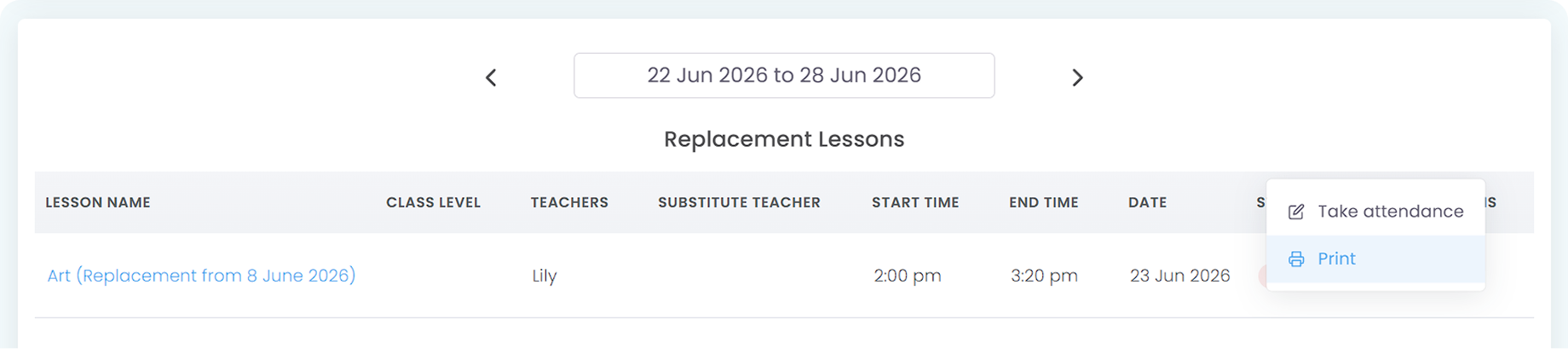
The moment an admin schedules a replacement, the student’s name is added directly to the teacher’s digital roster in the Teacher App for that specific day. While taking Attendance, teacher or any attendance taker can see that said student will have a Replacement tag on them.
If both the original class and the replacement class use the same Credit and/or Universal Credit package, teacher can also deduct the replacement student credit while marking attendance. This is so because, when a student is absent, their credit balance won’t be deducted as technically that student hasn’t spent said credit to attend the class.
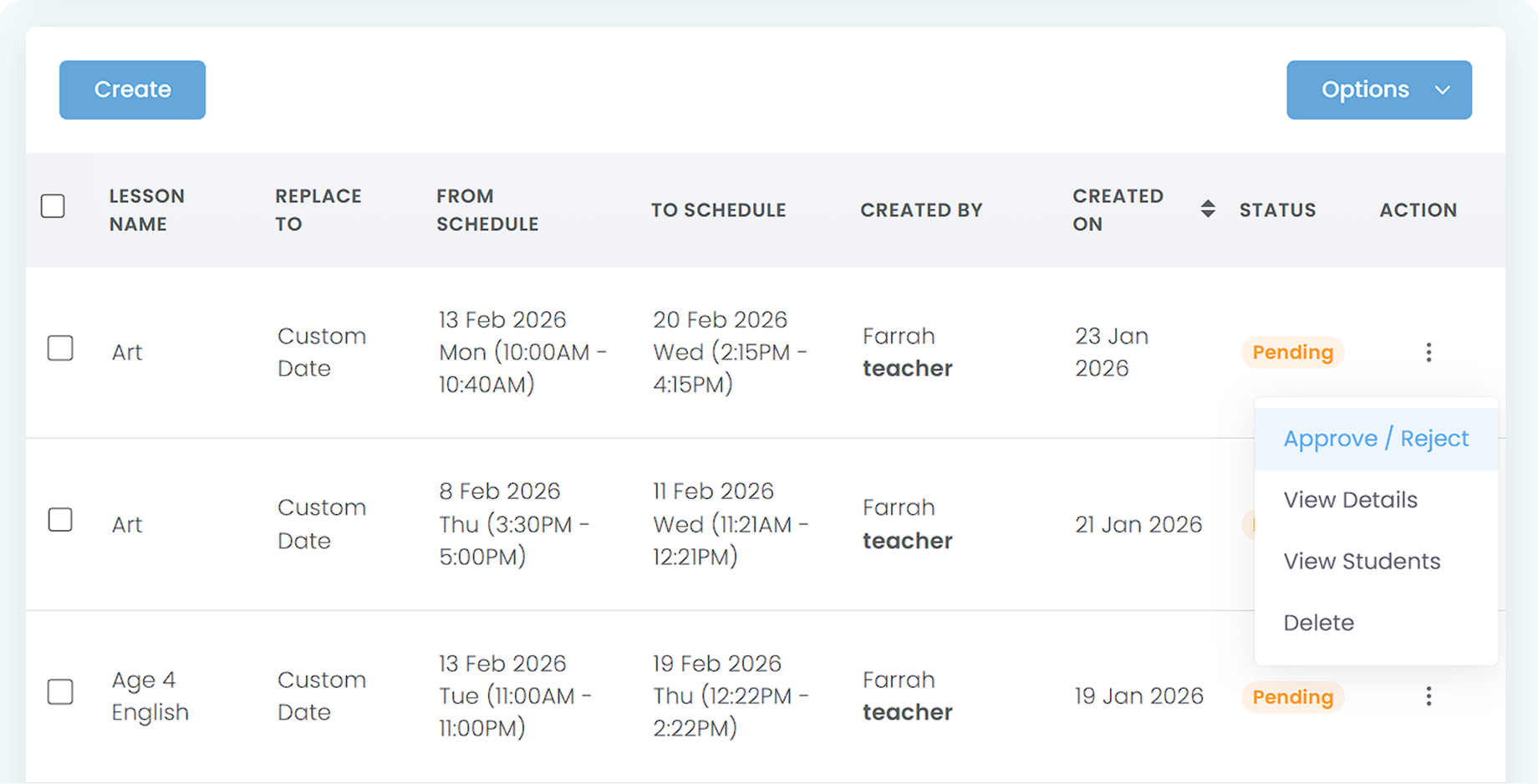
Yes, admins can view all Pending Replacement Requests from Dashboard’s To Do List or by navigating to the Replacement Module and filter the tables by Status: Pending. This pending replacement list is a combination from admin-scheduled and teacher or parent-proposed replacements.
By having a view to all replacement classes at once, Superadmin or Admins can simply approve or reject the replacement classes, without having to manually create them one by one.
Yes, you can. In the Attendance module, simply scroll down to replacement and filter by the date range of your choosing to instantly pull the history report.
Invoices, tracking, reminders, and receipts: Automated
All student data, organized and manageable in one place
All teacher data, organized and manageable in one place
All your lesson data, organized and manageable in one place
Clear schedules for every lesson for teachers and students
Track revenue, payment status, and performance in one place
Simple, digitized registration flow from form to student profile
Real-time attendance with real-time parents notifications
Chat features for seamless communication with staff and parents