School & Tuition Centre Management Software Singapore | AOne

📱 Month: Free tablets for first 10 sign ups

Product Overview

Billing

Student Management

Teacher Management

Lesson Management

Schedule & Timetable

Finance Management

Replacement

Student Registration

Student Attendance

Not sure whether AOne suits you?

Consult your needs with us and let’s discuss how we can help you

Data Export

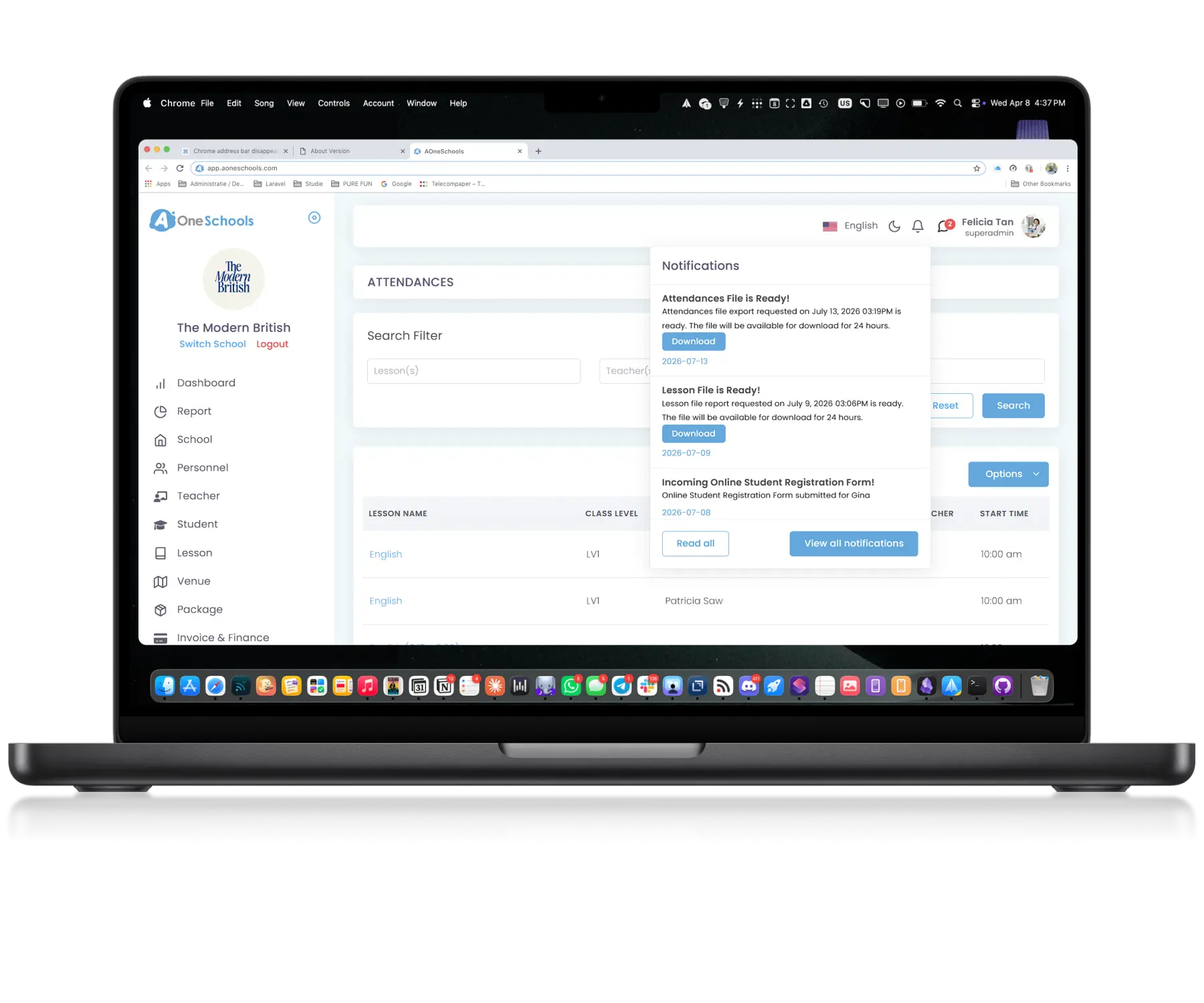
Access your data beyond the dashboard. From general summary to details, AOne ensures your data remains accessible and yours.

Secure • Portable • Convenient

Your data, always yours

Export Any Tables

Generate Reports Across the Entire Platform

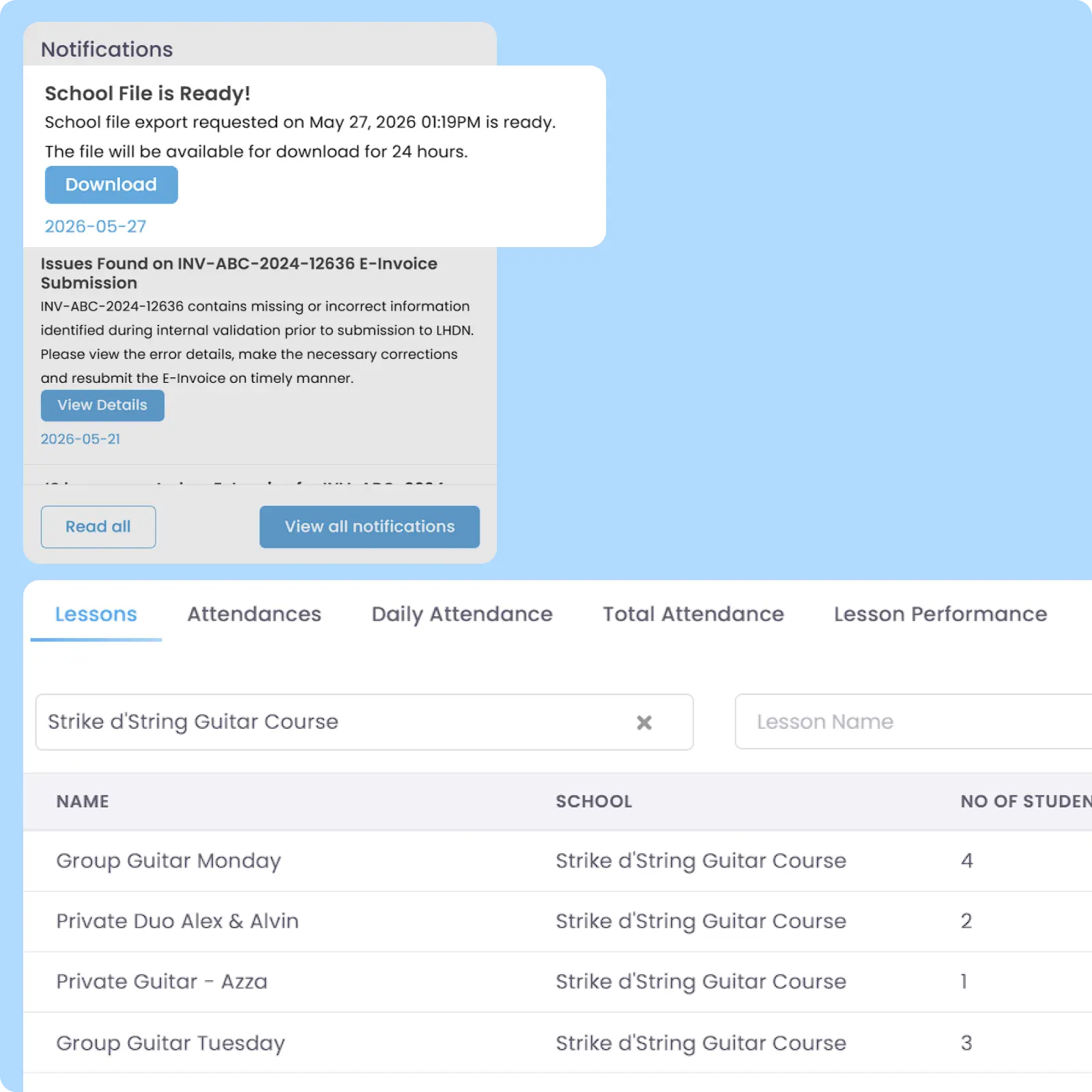
Export nearly all tables in AOne into XLSX (Excel) format for external reporting, analysis, auditing, and data management purposes. Some tables, such as Registration Forms, support additional export options in PDF for printing and administrative use.

Customizable Export

Customize Financial Data Exports

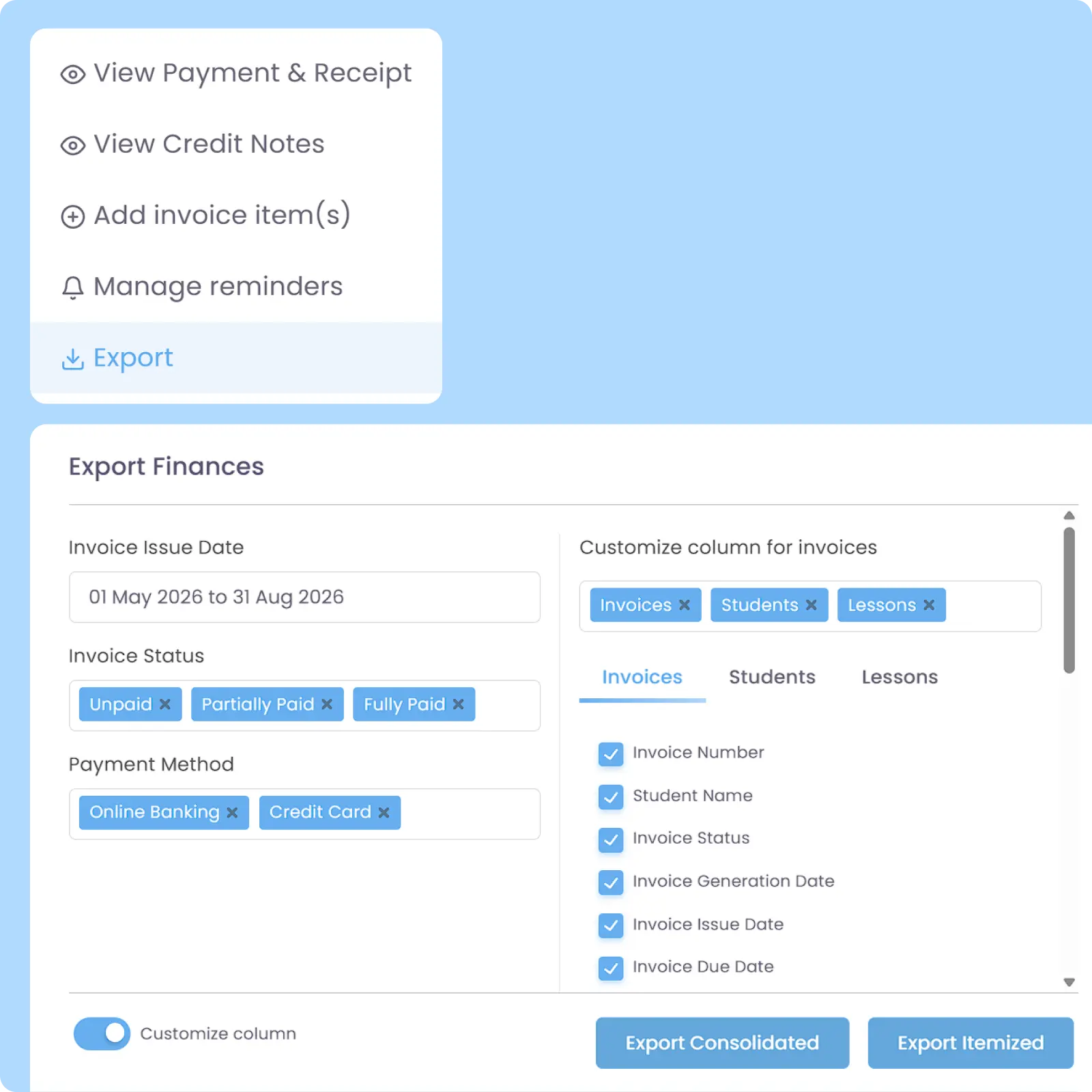
Export finance-related records into XLSX format in either consolidated views (e.g. one invoice per row) or itemised views (e.g. one transaction item per row) for Invoices, Payments, and Credit notes. Users can customize filters and select exactly which data to include for reporting, analysis, audits, and business processing.

Filterable Export

Export Only the Data You Need

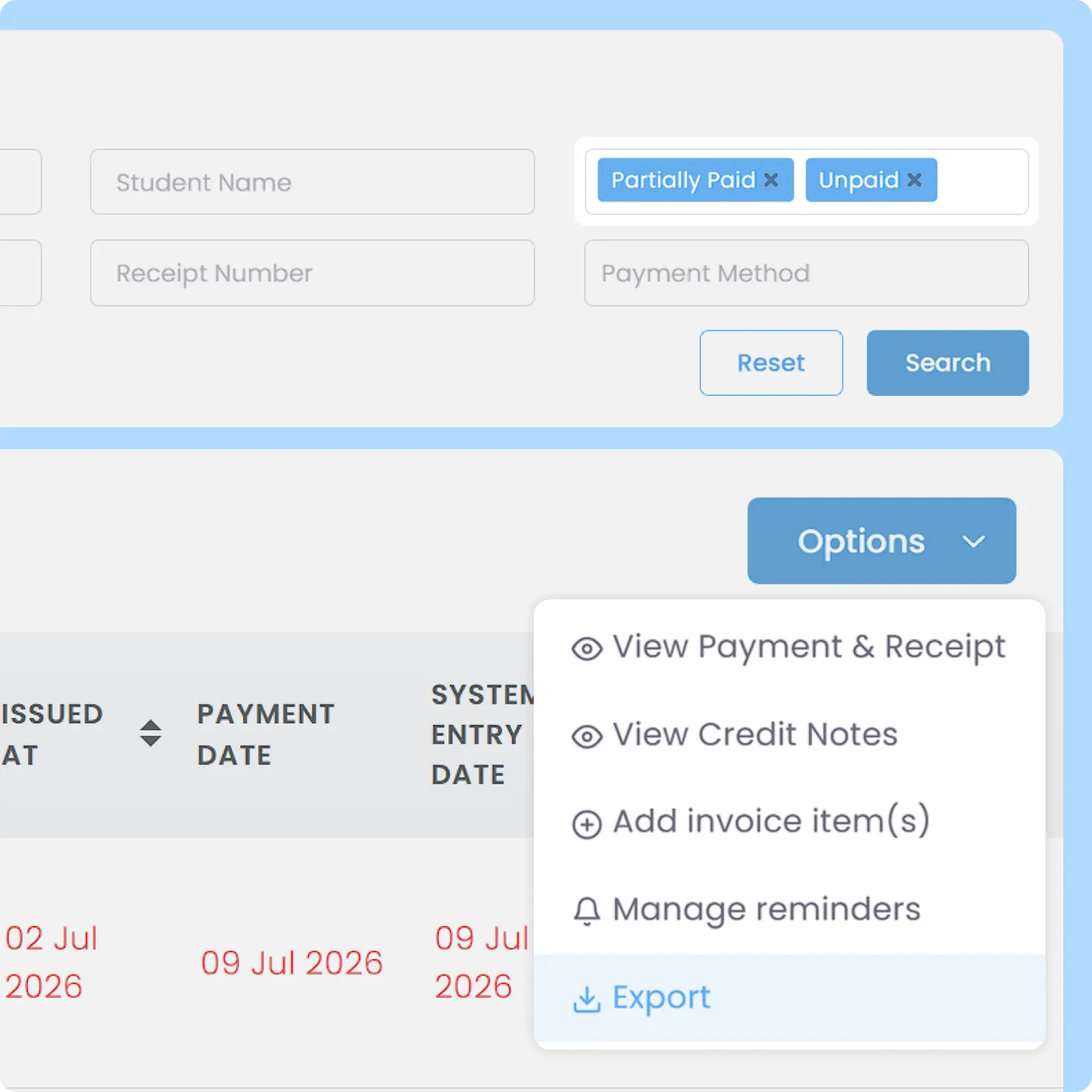
Filter tables within AOne before exporting to include only the records relevant to your reporting, analysis, or operational requirements. Reduce unnecessary data processing and make exported reports easier to work with.

Format Preservation

Keep Exported Data Consistent with AOne

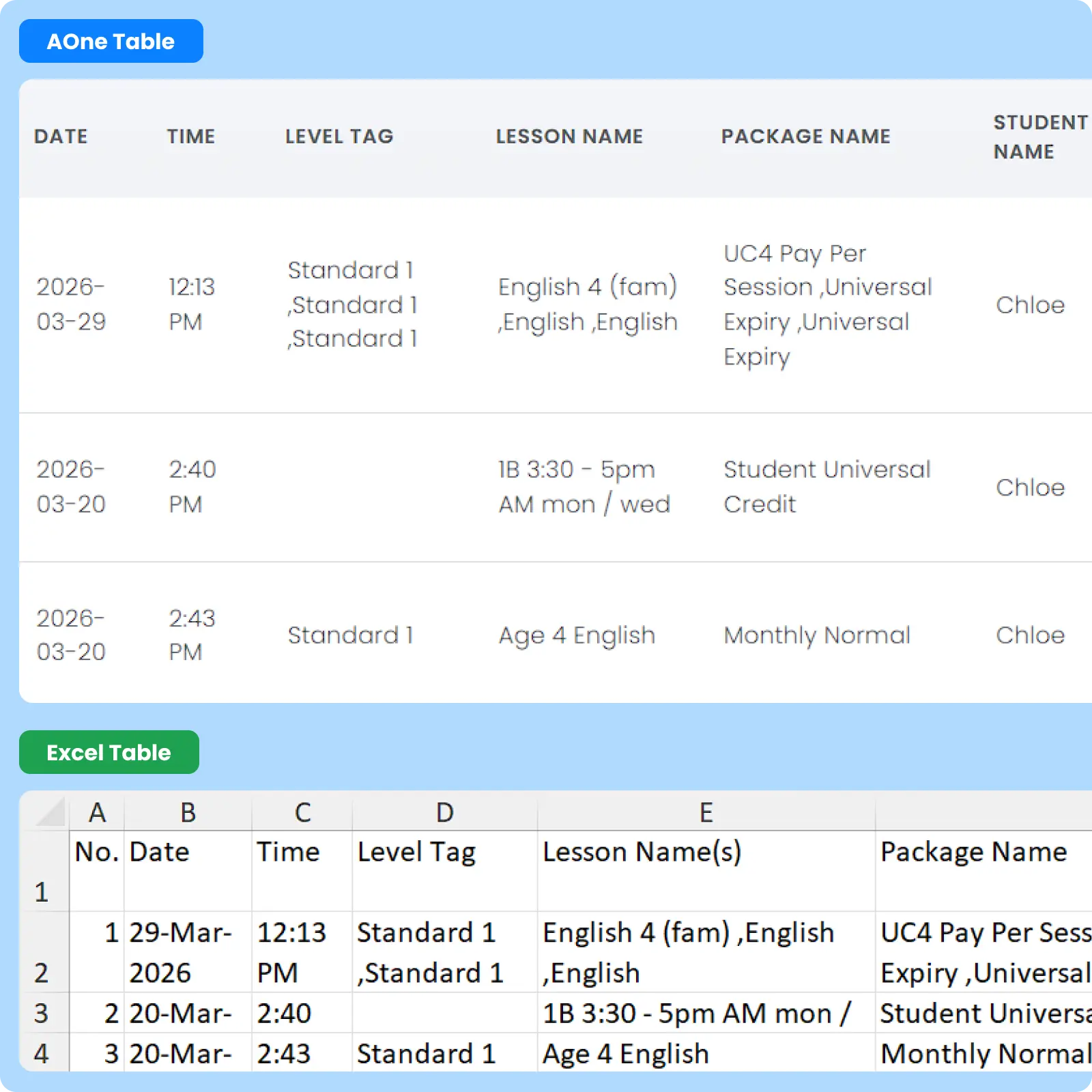
Exported Excel files retain the same columns, rows, and table structure displayed within the AOne Dashboard. Minimize the need for manual spreadsheet adjustments.

High Compatibility

Support Older Excel Versions

Exported Excel files are generated with compatibility in mind, allowing them to be opened and used across a wide range of Excel versions and spreadsheet software. This helps reduce issues when sharing reports with different stakeholders installing different Excel versions.

Why Everyone loves
AOne Learning Centre Management System

High data ownership and portability

Faster audits and analysis on external platforms

Seamless data alignment with tracking sheets

and 4K+ other learning centres in Asia use AOne

Back then, we needed to order receipt books and there was a lot of paperwork daily, taking up a lot of our time.


After using AOne, it reduced our workload and is also environmental friendly because we no longer need to purchase a receipt book. We can issue receipts, and guardian students can check their invoices and receipts through the app.

Jenny
Founder of Jenzstyle Studio

Keep control of your data

Good software helps you manage your data. Great software does not lock you from your data. Export it anytime at your convenience.

Frequently Asked Questions

Is it possible to export parent contact details for marketing campaigns?

Yes, you can export parent contact details easily. Exporting the Student Tables will also export their guardian information, including phone numbers and emails, which you can readily use in external marketing campaign platforms.

Additionally, for a targeted export, you can filter by student status, enrollment date range, student date of birth, level tags, or e-invoice data completeness before exporting and downloading the file.

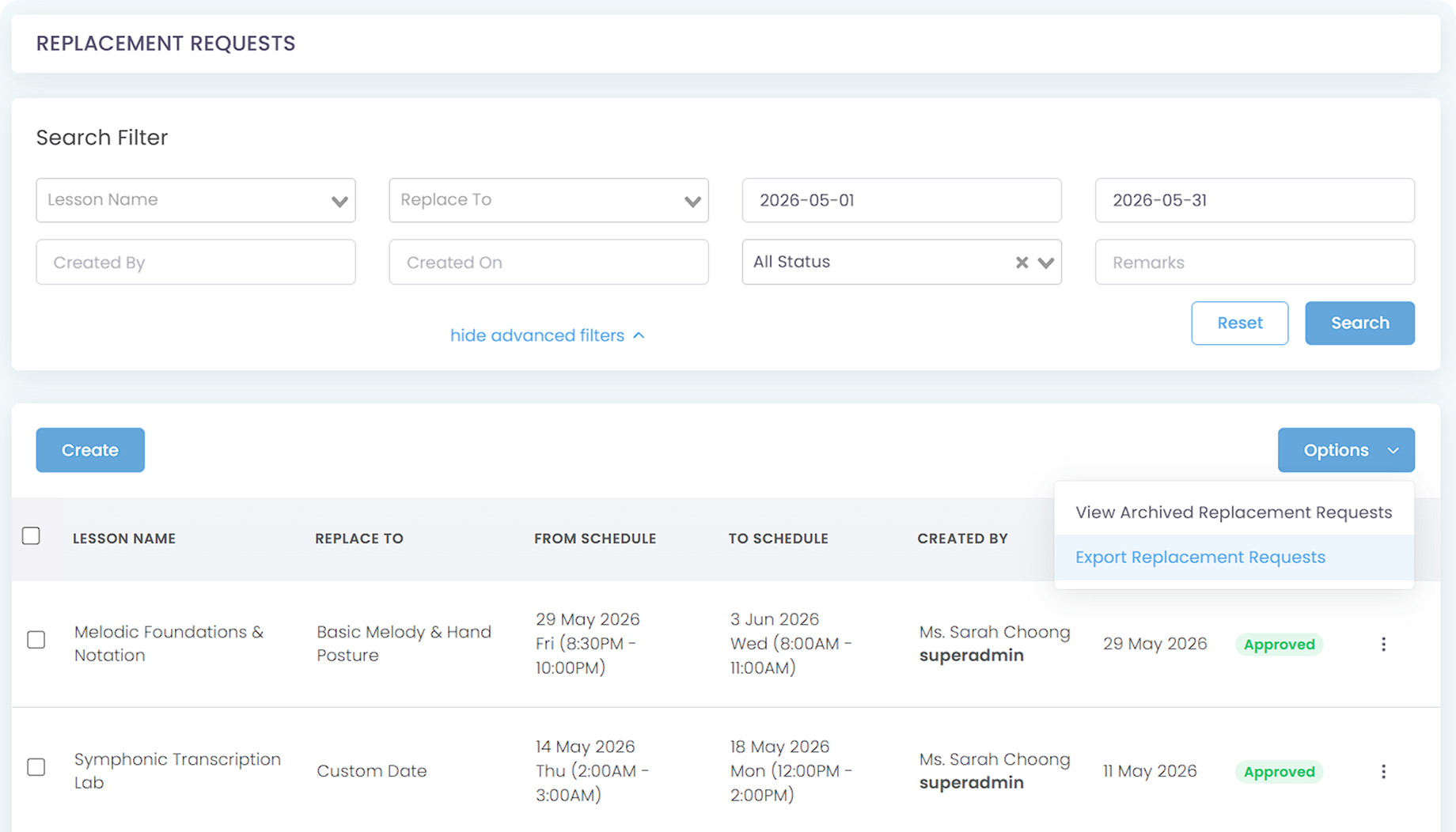
Yes, you can. From the Replacement Request module, simply filter by your preferred start date and end date, or select any replacement status of your choice, and then export the file.

Click the image to enlarge it

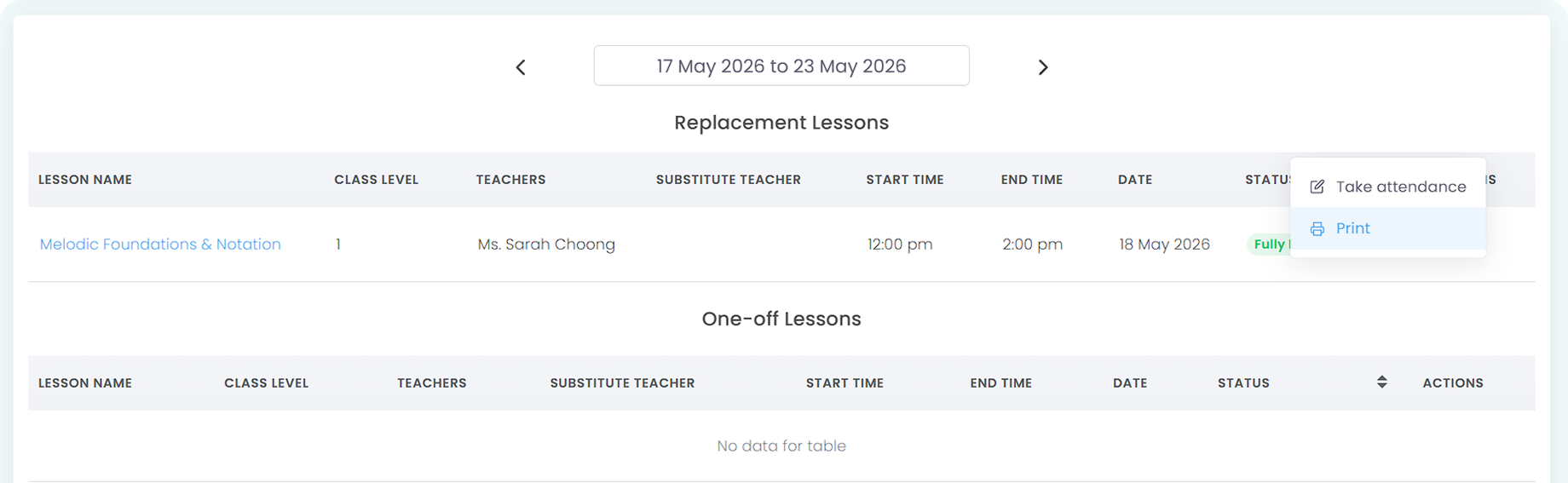
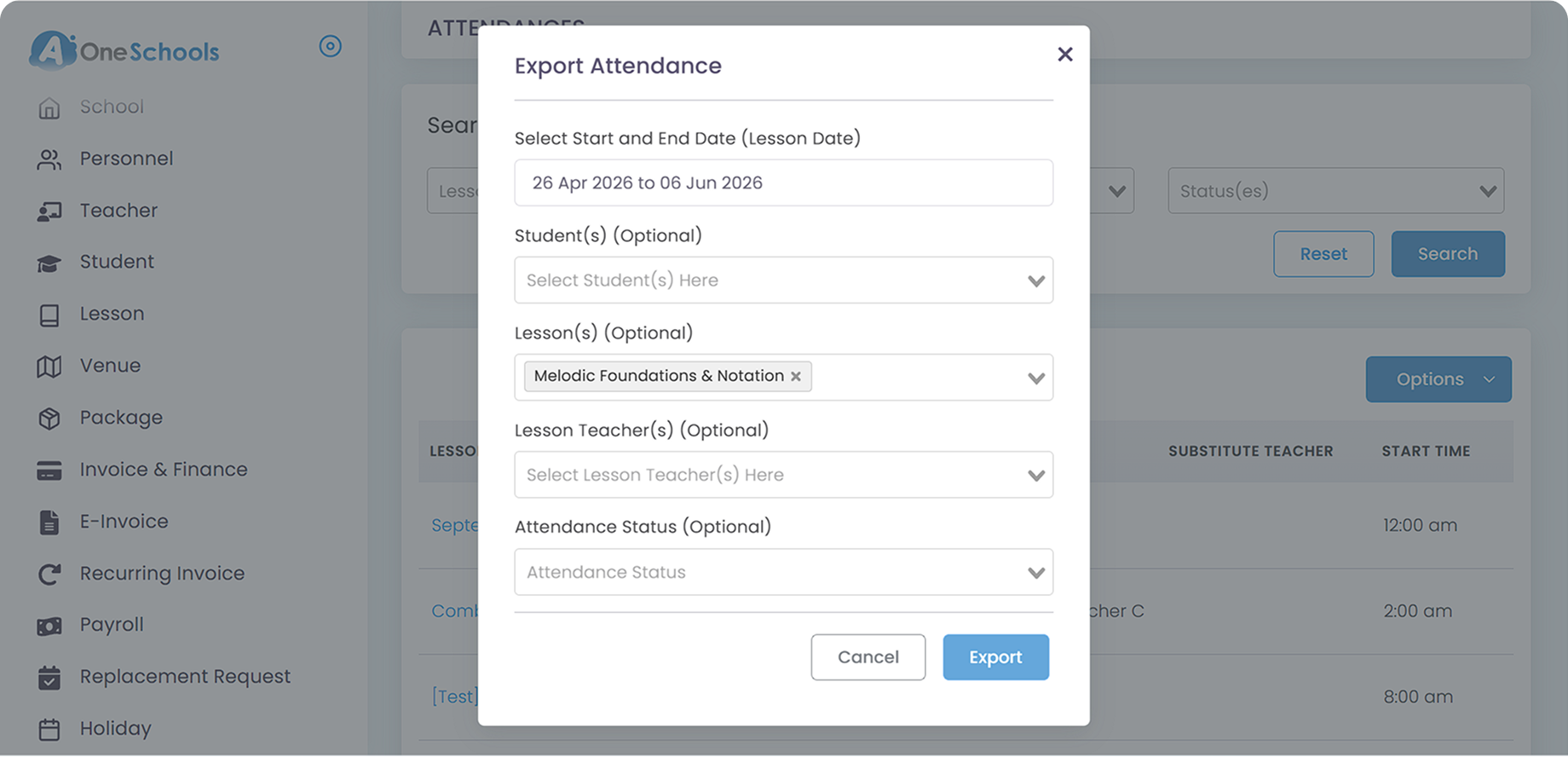
Additionally, in the Attendance module, you can also export the attendance data of said replacement requests by filtering which lesson and date range to export. Alternatively, you can also directly print the attendance data of said replacement class(es) in the same module.

Click the image to enlarge it

Yes, the Attendance module allows you to export historical check-in logs into Excel, giving you a local copy of student tracking records. Exporting attendance data into spreadsheet formats makes it incredibly easy to share monthly participation logs with school boards or parents.

Click the image to enlarge it

Absolutely. You can export any Financial Tables of your choosing, such as revenue, payments, invoices of any status, receipts, credit notes, recurring invoices data, and more.

Yes. Archiving is designed to preserve data without removing access to it. When supported, archived records can still be exported for reporting, auditing, or backup purposes.

You can also filter the tables of archived records before exporting, ensuring you get the only data that matters to you.

Move faster with AOne features

Billing

Invoices, tracking, reminders, and receipts: Automated

Student Management

All student data, organized and manageable in one place

Teacher Management

All teacher data, organized and manageable in one place

Lesson Management

All your lesson data, organized and manageable in one place

Schedule & Timetable

Clear schedules for every lesson for teachers and students

Finance Management

Track revenue, payment status, and performance in one place

Replacement

Manage teacher and class replacements effortlessly

Student Registration

Simple, digitized registration flow from form to student profile

Attendance

Real-time attendance with real-time parents notifications