School & Tuition Centre Management Software Singapore | AOne

 SINGAPORE
 MALAYSIA
 INDONESIA
 THAILAND
 PHILIPPINES

Product Overview

Billing

Student Management

Teacher Management

Lesson Management

Schedule & Timetable

Finance Management

Replacement

Student Registration

Student Attendance
Not sure whether AOne suits you?
Consult your needs with us and let’s discuss how we can help you

Lesson Package
Create pricing packages that fit your lessons, students, and goals.
From memberships and bundles to session-based packages,
design offers that work the way you do.
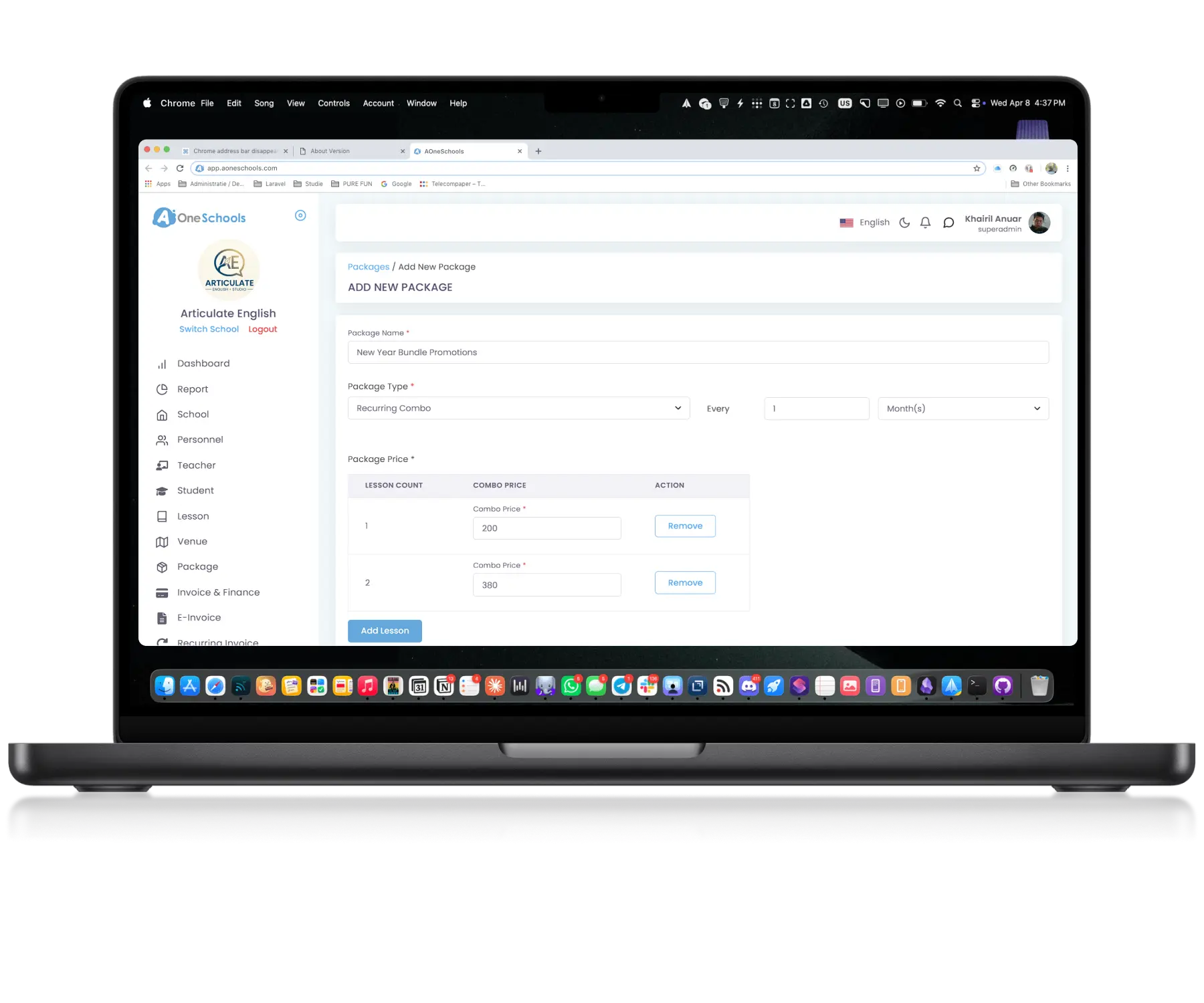
Flexible • Marketable • Scalable
Package it the way you imagine it
Customizable Package
Create Pricing to Different Business Needs
Define lesson packages using five configurable pricing schemes: recurring, recurring combo, credit, universal credit, and one-off payments. This flexibility allows centres to support different operational models, pricing strategies, and Student Registration and lesson enrollment arrangements.
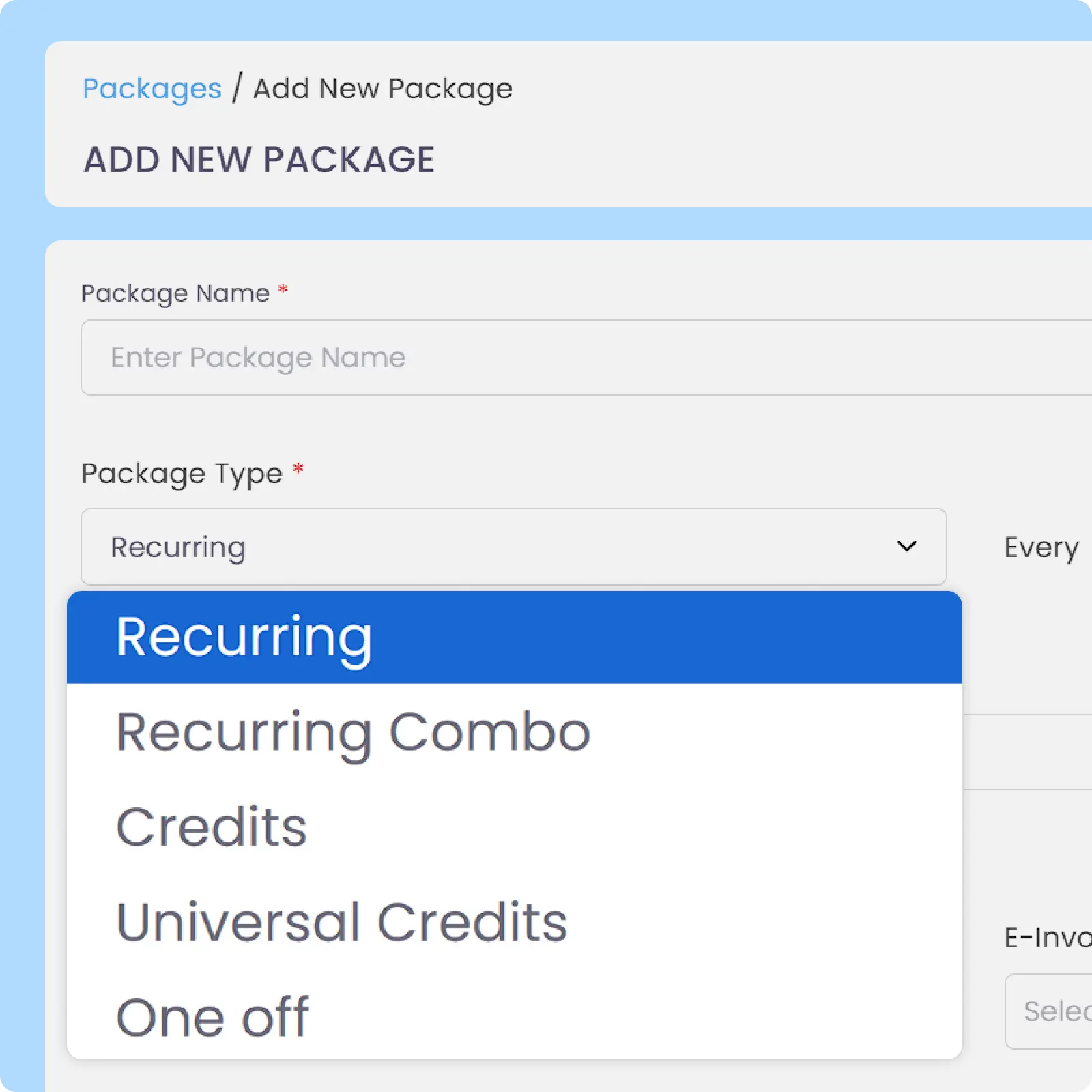
Package Integration
Manage Pricing More Flexibly
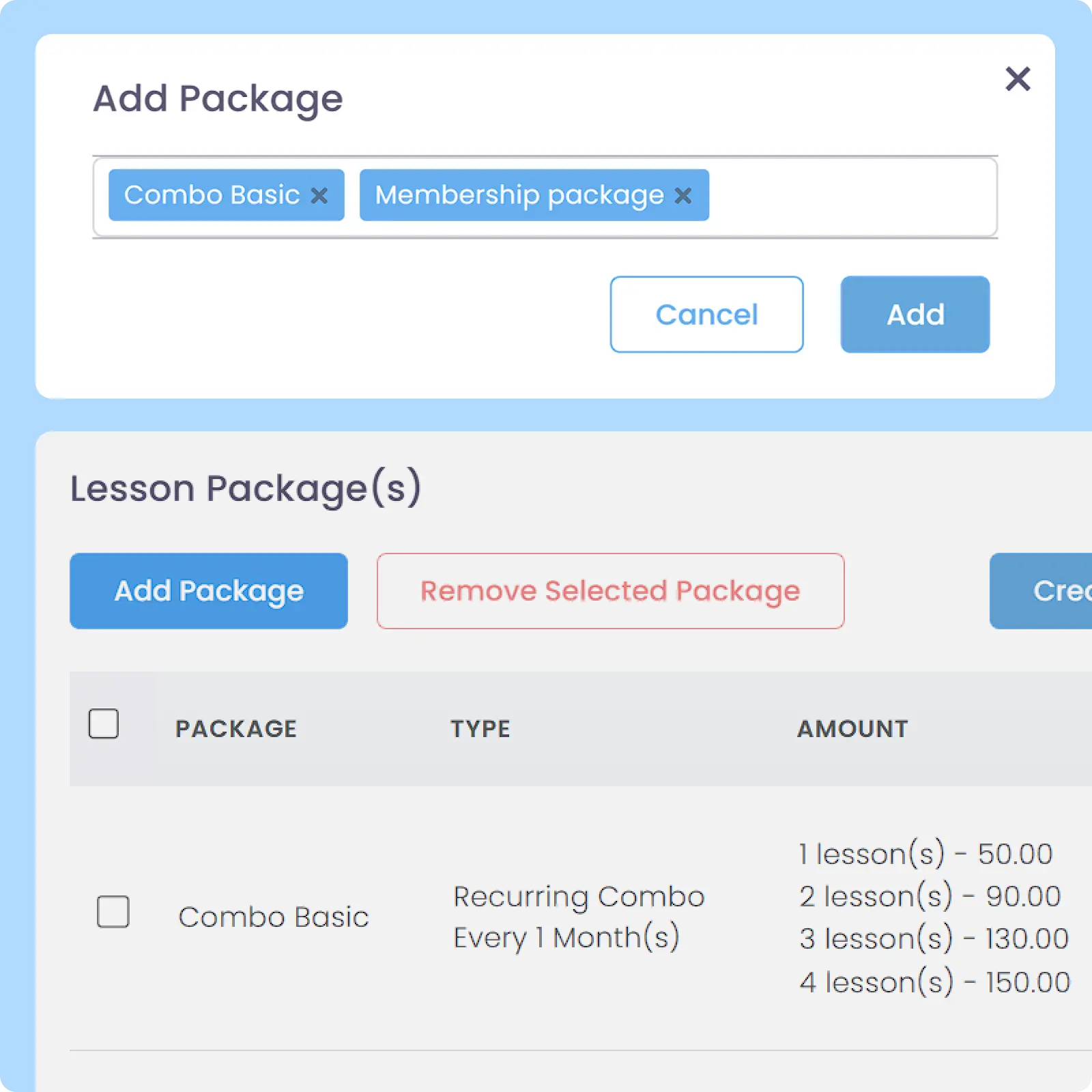
Quickly assign or update packages for existing or new students and lessons without rebuilding package structures from scratch. This makes mid-term pricing adjustments, policy changes, and package migrations faster and easier to manage.
Detailed Record
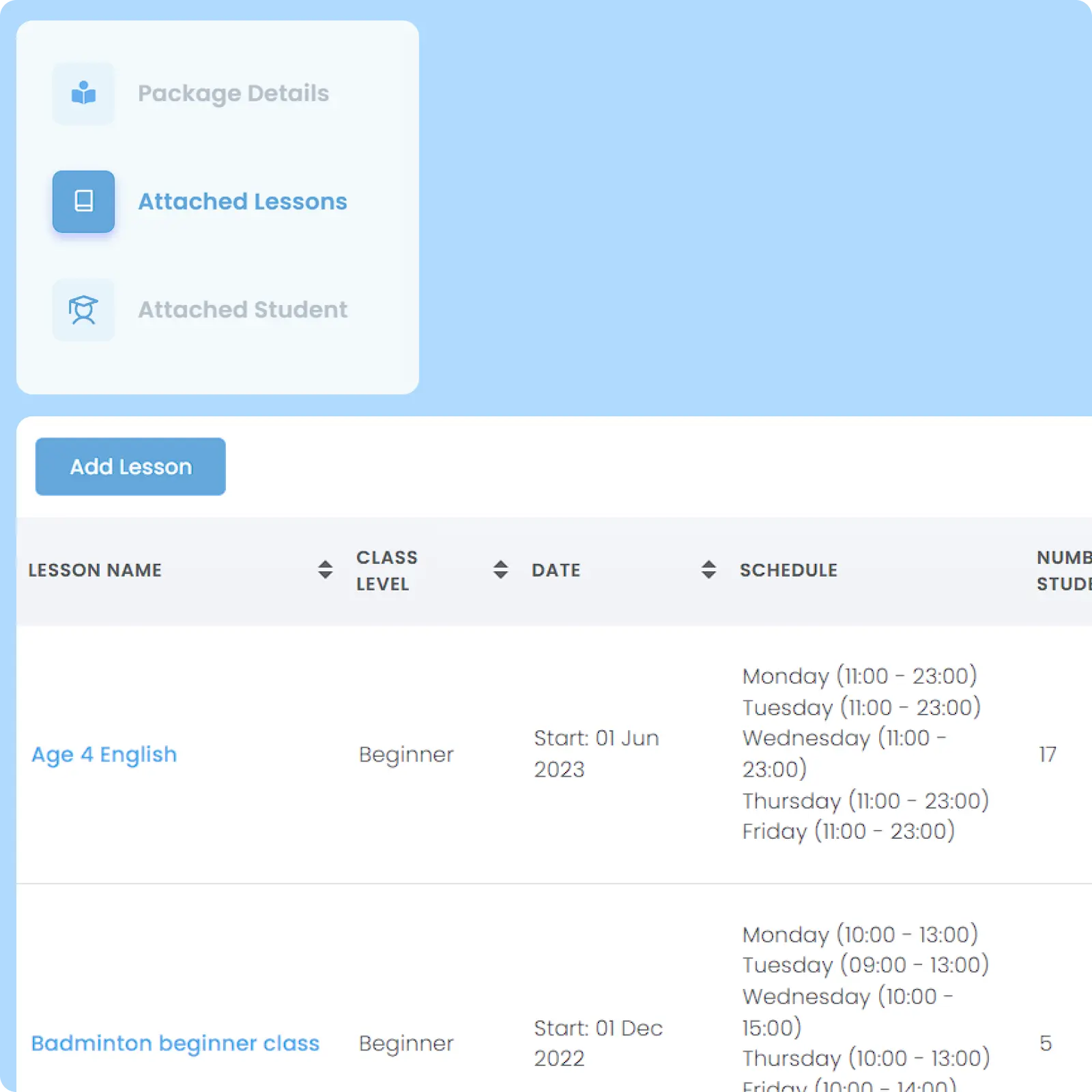
Track Package Usage in Detail
Billing Automation
Connect Packages Directly with Finance Operations
Archive System
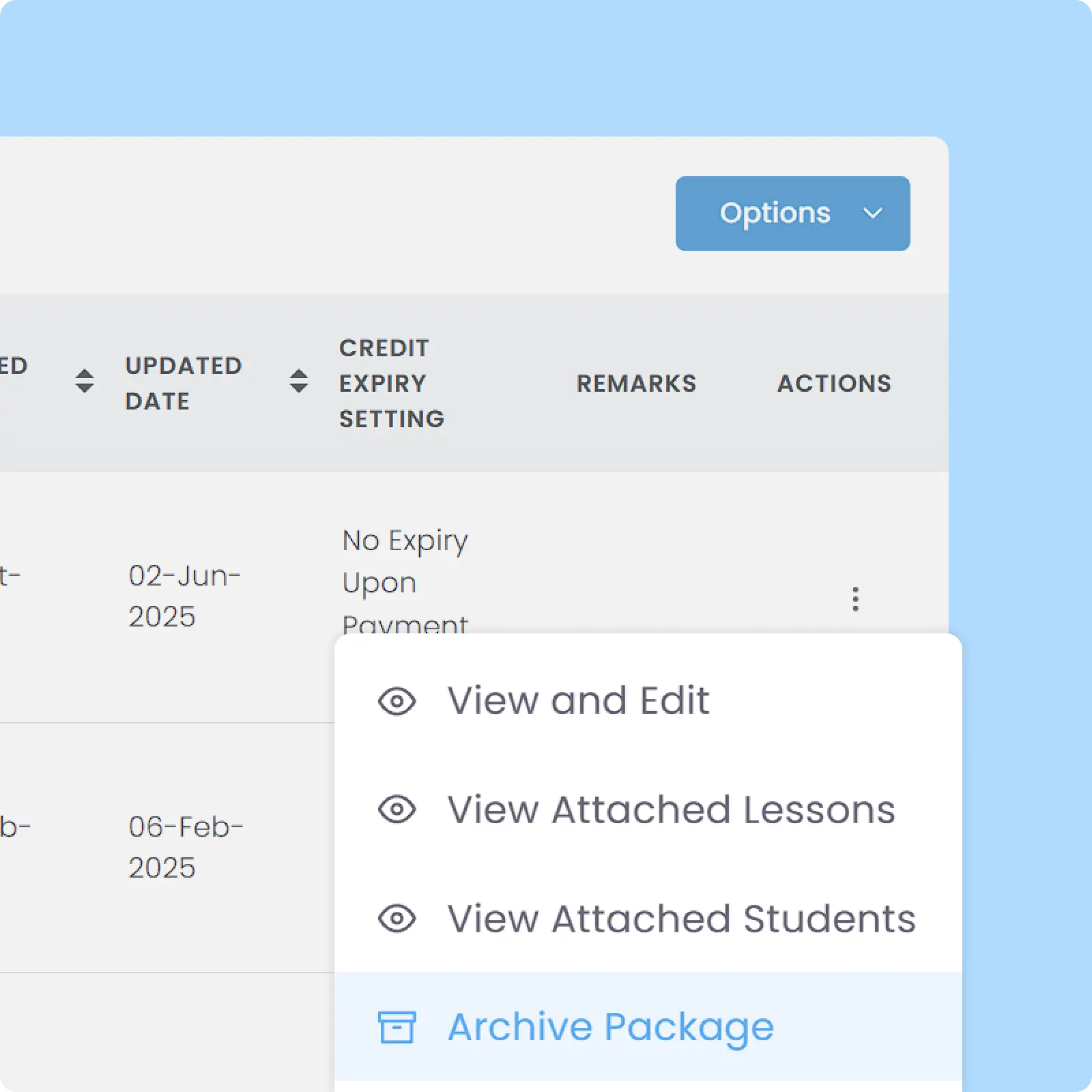
Archive Packages Without Losing Configuration
Archive lesson packages instead of permanently deleting them, preserving package settings, pricing structures, and linked records for future reference, which can be restored whenever needed again. Keep active package lists organized for easier tracking and daily operations.
Why Everyone loves
AOne Learning Centre Pricing Management
Faster unique pricing setup per lessons & students
30 hours weekly saved for pricing-related admin
Easier package and fees tracking for every scheme

Back then, we needed to order receipt books and there was a lot of paperwork daily, taking up a lot of our time.
After using AOne, it reduced our workload and is also environmental friendly because we no longer need to purchase a receipt book. We can issue receipts, and guardian students can check their invoices and receipts through the app.

Better offers, better conversions
Your students don’t learn the same way. Why should your lessons be sold the same way? Create packages that fit every scenario.

Frequently Asked Questions
What lesson pricing package schemes are available on AOne?
AOne currently has 5 packages that you can choose from, which are:
Recurring
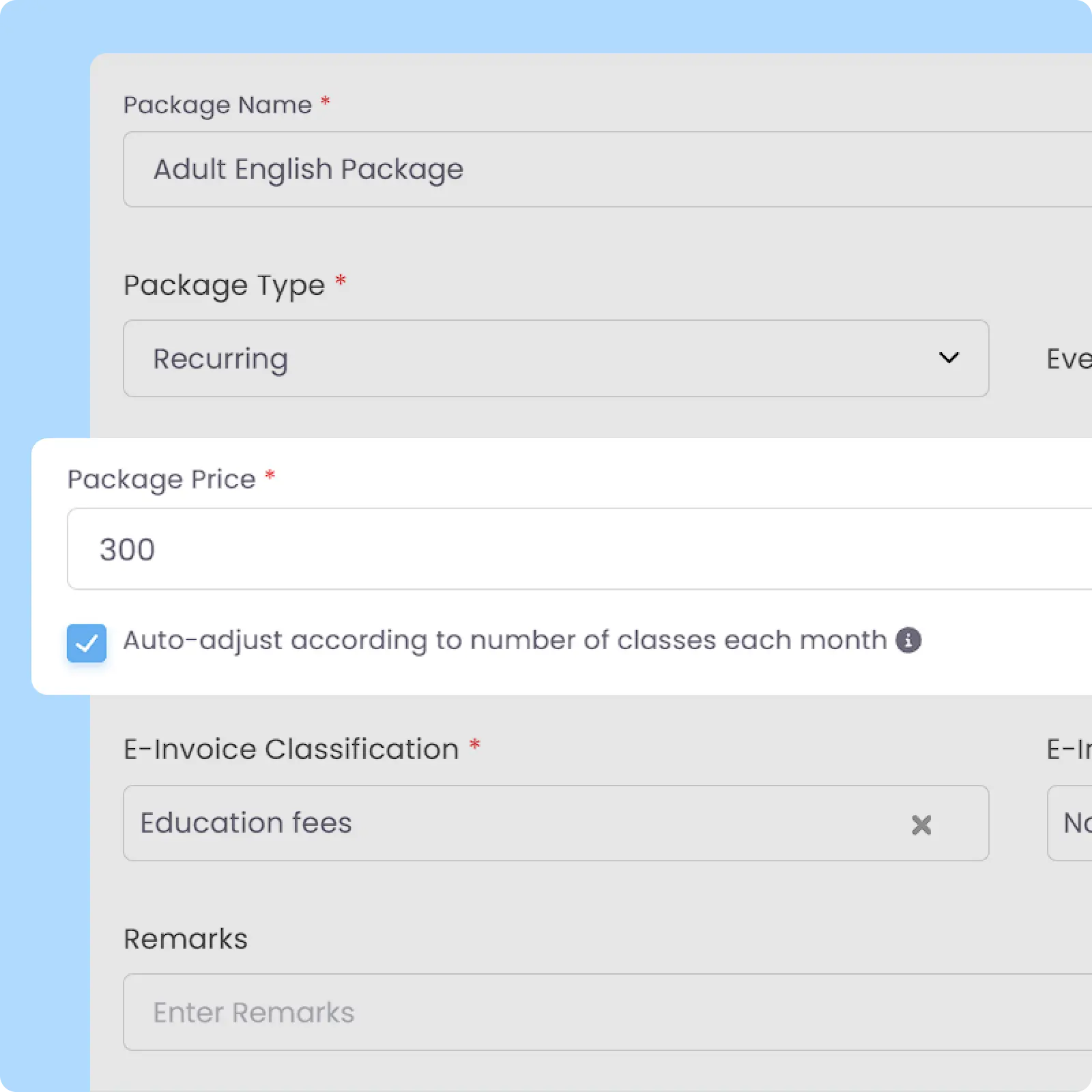
- How it works: Recurring package generates a fixed billing amount at regular monthly intervals that you can predefine. Recurring can also be set to auto-adjust according to number of classes every month, which will also auto-adjust the billing amount in case of shorter/longer months, cancellation, or holiday period.
- Sample Use Case: A standard monthly tuition program where parents pay a set fee of S$300 at the beginning of every month for ongoing weekend classes.
Recurring Combo
- How it works: It applies automated recurring monthly billing while dynamically incorporating multi-package or bundle discounts when a student signs up for multiple programs, with discounted prices that you can fully customize.
- Sample Use Case: A student enrolls in both English (S$150) and Math (S$150) monthly programs tied to a recurring combo package. Instead of paying for both lessons at their combined price (S$300), the system automatically applies a bundle price on the total monthly invoice that you have set if that student enrolls in more than one program, e.g. S$275 for both lessons combined.
Credits
- How it works: Lessons are billed as a bundle of credits, where each credit usage is strictly locked and deducted only for that specific lesson type per attendance.
- Sample Use Case: A parent purchases a “10-Session Ballet Package,” where the 10 credits can only be deducted when the student checks into the designated Ballet class.
Universal Credits
- How it works: This scheme creates a shared pool of credits that a student can flexibly use across various lessons tied to the same Universal Credits package. Additionally, centre can also require parents to book in advance for lessons billed using said Universal Credits package.
- Sample Use Case: A student buys a 20-credit package that they can freely spend to attend any mix of Math, Science, or Art sessions interchangeably so long as those lessons are integrated with the same package. The 20 credit balance will be deducted each time a student attends any of those classes.
One Off
- How it works: A simple, direct billing structure where a single payment is processed individually per class or instance.
- Sample Use Case: A holiday workshop, a guest seminar, a paid trial class, or an event where parents pay a one-time fee exclusively for that specific lesson.
Can I charge a one-time registration fee upon lesson enrollment for recurring invoice?
Yes, you can do this by modifying an invoice generated upon enrollment.
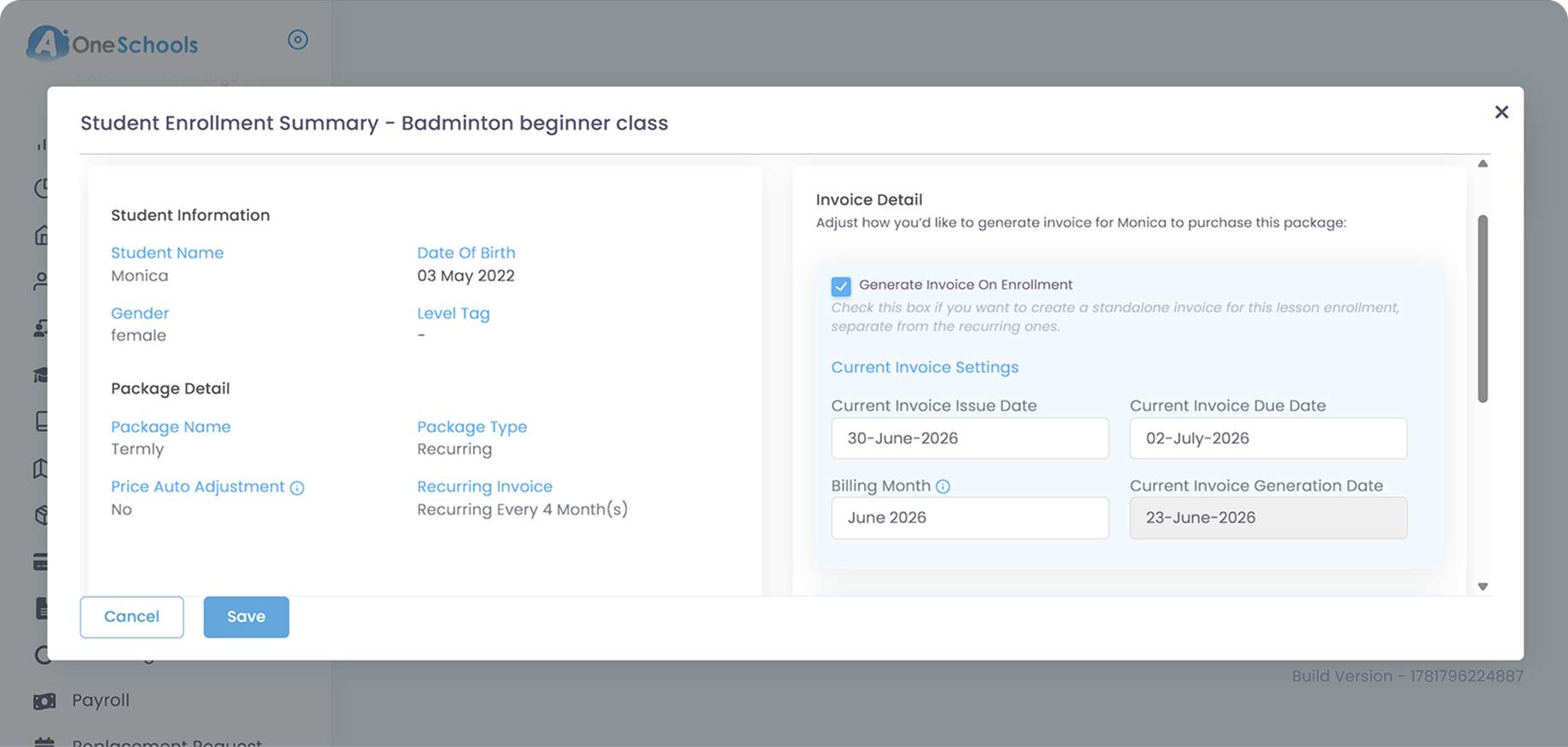
Generating an invoice on enrollment when enrolling the student to said Lessons will create an invoice separated from the recurring one, with a customizable issue date, billing month, and due date. This is only applicable to any package using recurring invoice generation.
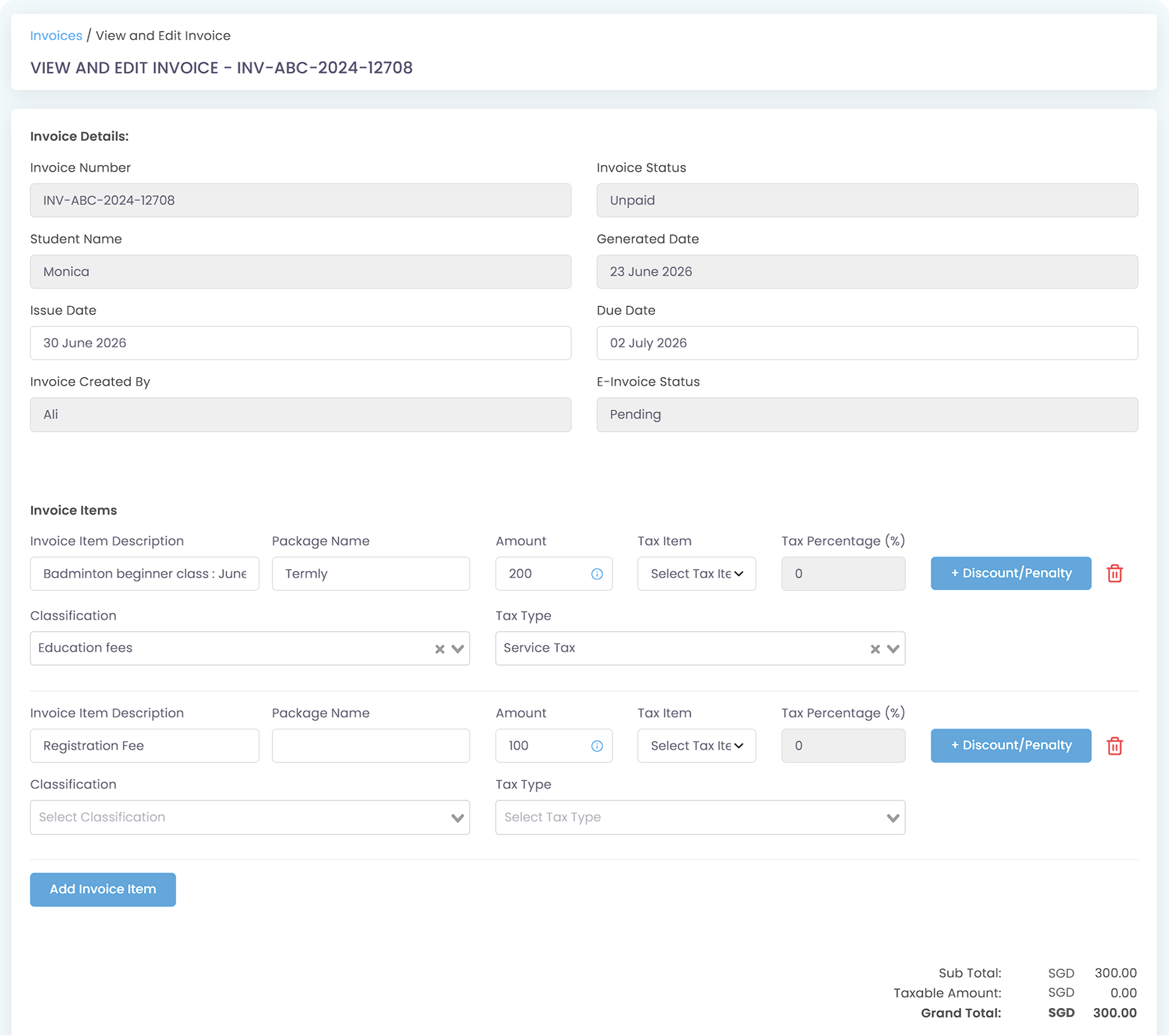
Once the enrollment invoice has been generated, you can modify that specific invoice and add an invoice item, detailing registration fee, by adding a new invoice item.
Can a student transfer their remaining package credits to a sibling or friend?
No, the system doesn’t allow direct or automated credit transfers by default. That said, if a situation like this arises, an admin can manually adjust the Credit balance within each student’s wallet. Your admin team can execute this by manually deducting and adding credits directly through each Student’s Profile.
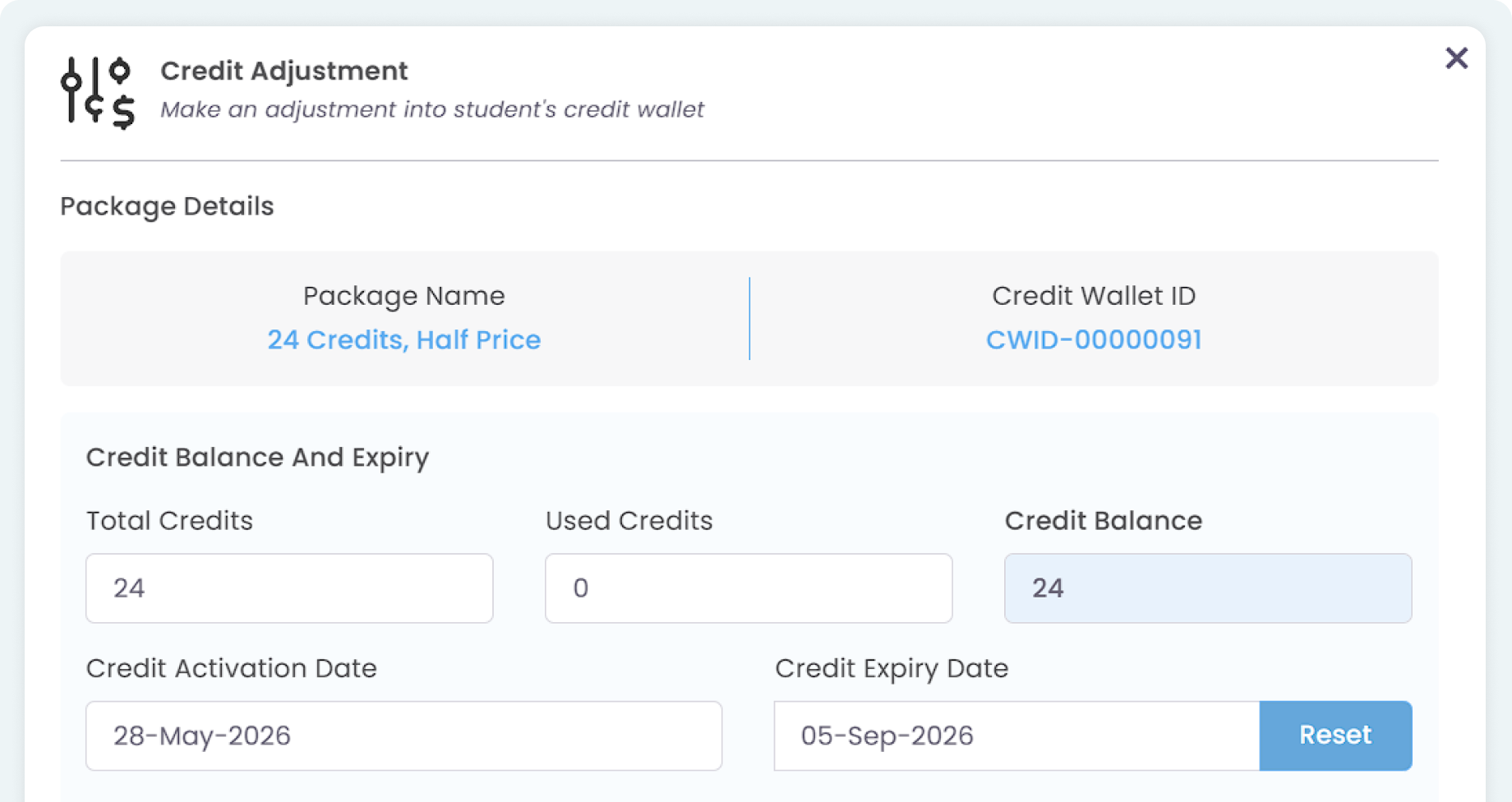
Is it possible for one student to be in multiple different packages across different lessons? How will the billing be for this case?
Yes. The system will auto-calculate every package individually. The billing amount will be generated in different Invoices depending on the lesson or packages, and the same applies to receipts after payment. If parents use In-App Payment to settle the invoices, all receipts will be generated and distributed automatically after successful payments are recorded.
What happens if I accidentally archive or delete an active package tied to active lessons and active students?
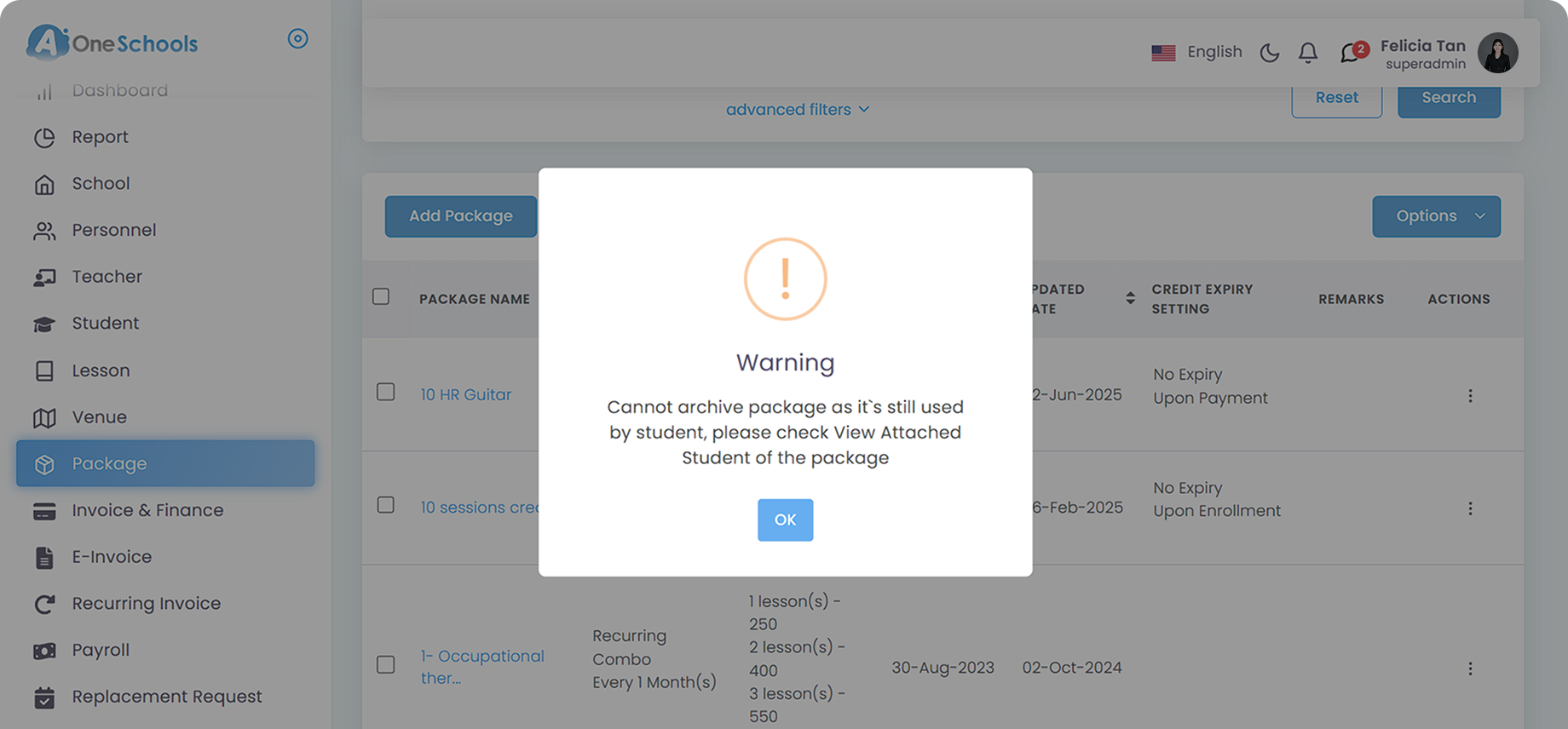
You cannot archive a package if there is an active student(s) tied to that package. A warning message will appear as a safeguard method to ensure your centre’s billing remains undisrupted, especially from possible human errors.
Move faster with AOne features
Billing
Invoices, tracking, reminders, and receipts: Automated
Student Management
All student data, organized and manageable in one place
Teacher Management
All teacher data, organized and manageable in one place
Lesson Management
All your lesson data, organized and manageable in one place
Schedule & Timetable
Clear schedules for every lesson for teachers and students
Finance Management
Track revenue, payment status, and performance in one place
Replacement
Manage teacher and class replacements effortlessly
Student Registration
Simple, digitized registration flow from form to student profile
Attendance
Real-time attendance with real-time parents notifications