School & Tuition Centre Management Software Singapore | AOne

📱 Month: Free tablets for first 10 sign ups

Product Overview

Billing

Student Management

Teacher Management

Lesson Management

Schedule & Timetable

Finance Management

Replacement

Student Registration

Student Attendance

Not sure whether AOne suits you?

Consult your needs with us and let’s discuss how we can help you

Teacher Management

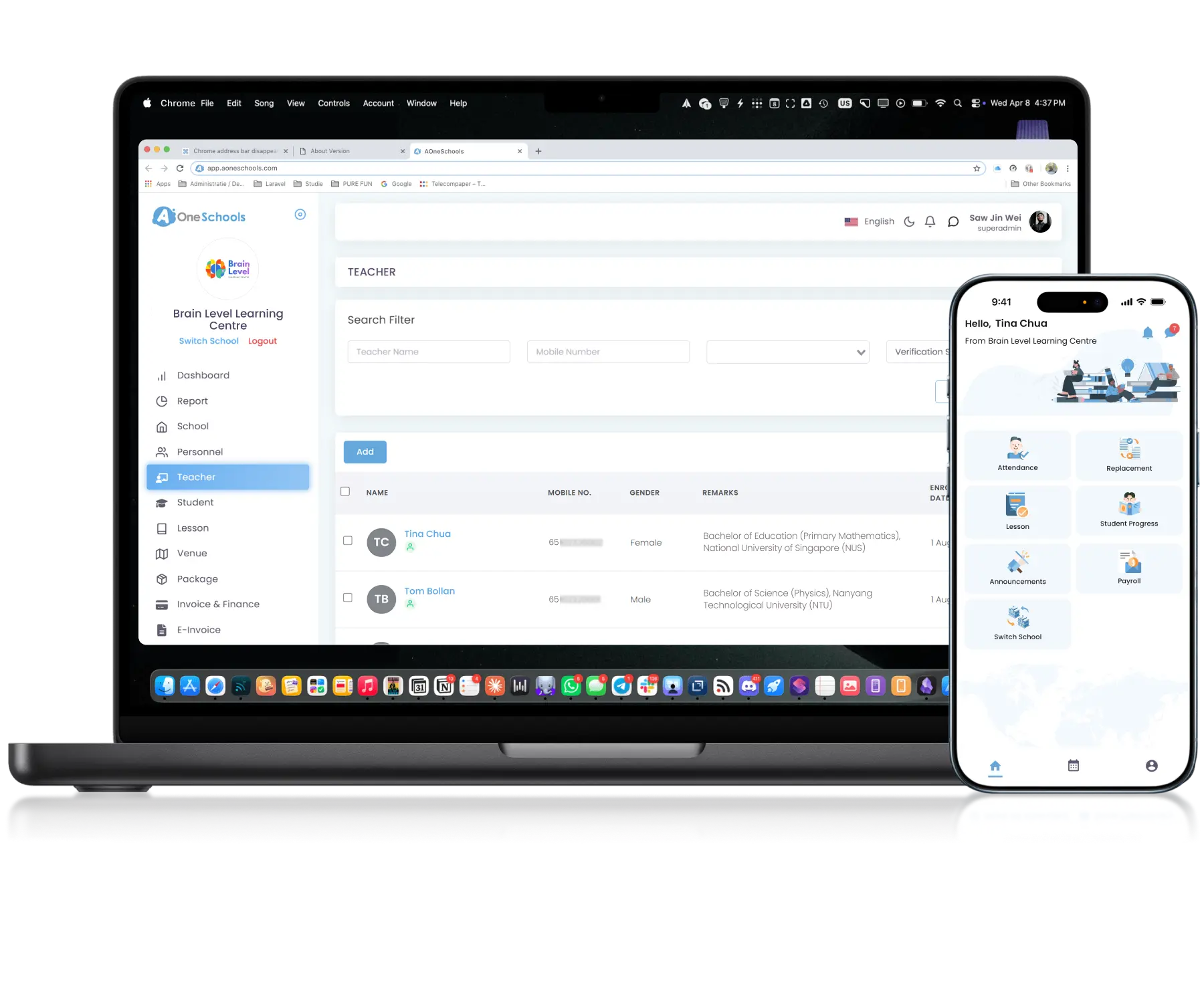
Manage teacher information, schedules, payslips, and lessons organized in one place.
Keep everything centralized and integrated for seamless daily operations.

Centralized • Organized • Integrated

Scale the team, not the paperwork

Teacher Profile

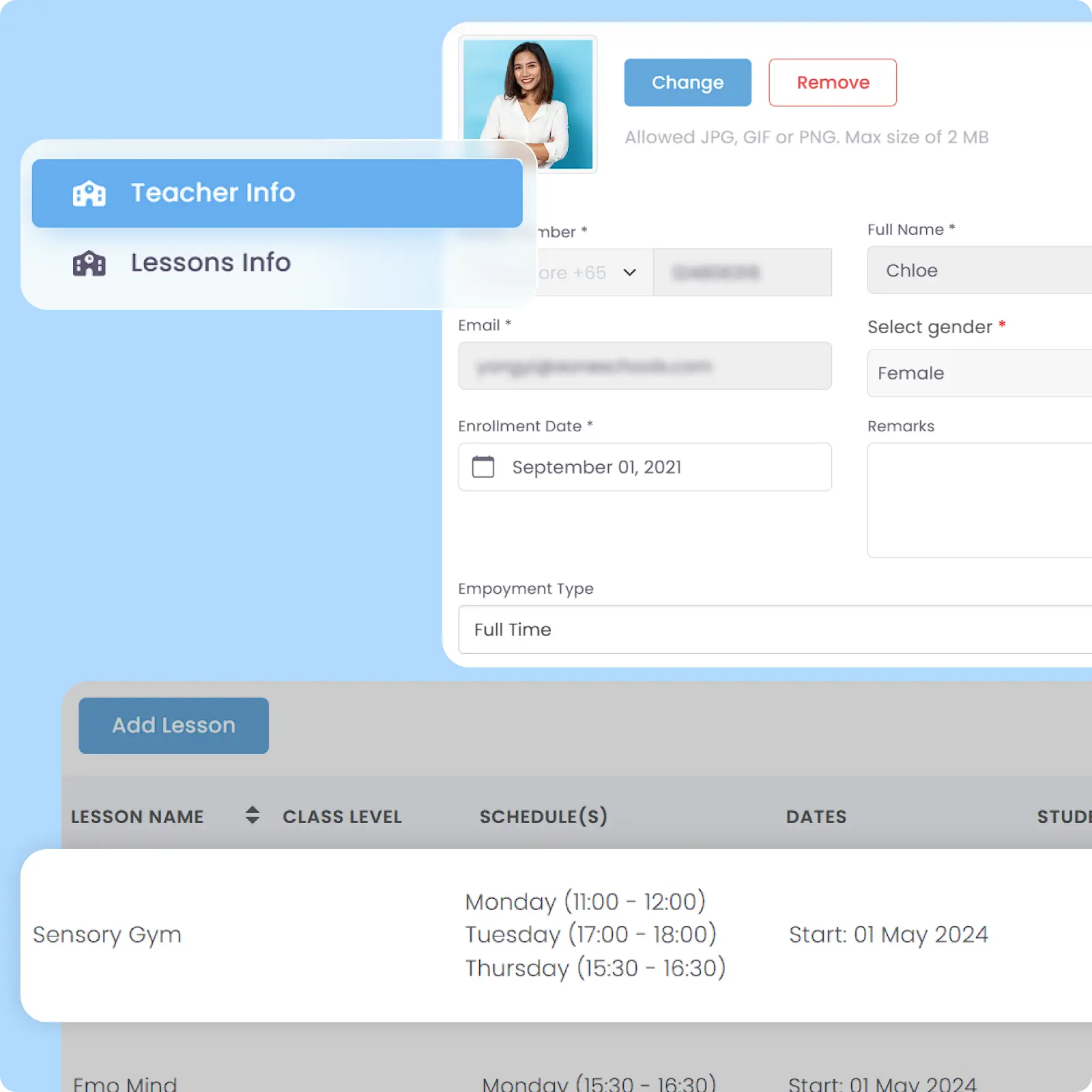
Store Teacher Data in One Place

Store and manage teacher information, assigned lessons, and operational records within one connected system. Keep teaching assignments and personnel data accessible without relying on separate platforms.

Personalized Schedule

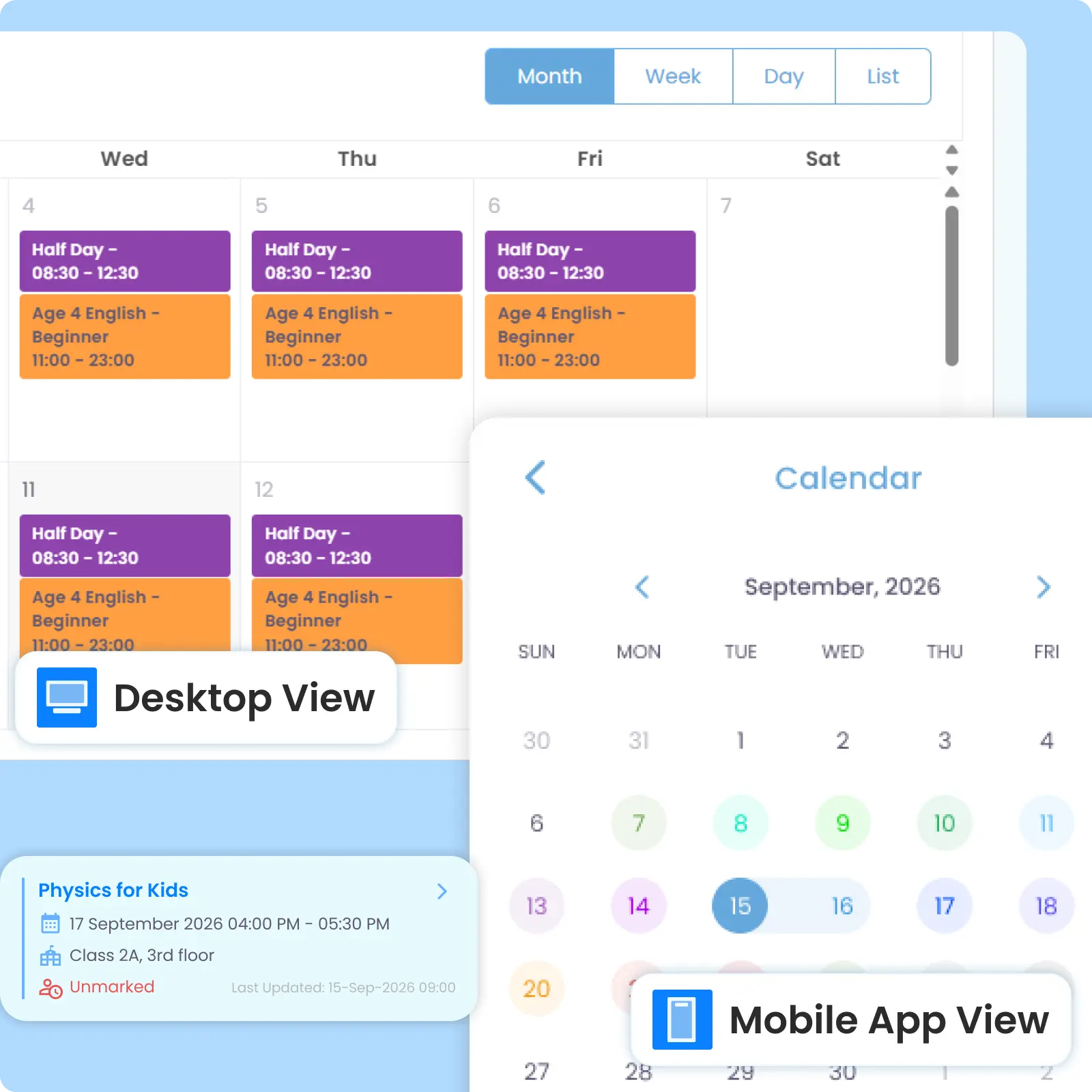
View Personalized Teaching Schedules

Teachers can view the Schedules, lessons, and enrolled students relevant to them through personalized list or calendar views. Predefined Holiday periods and Replacement schedule are synchronized automatically.

Digital Payslip

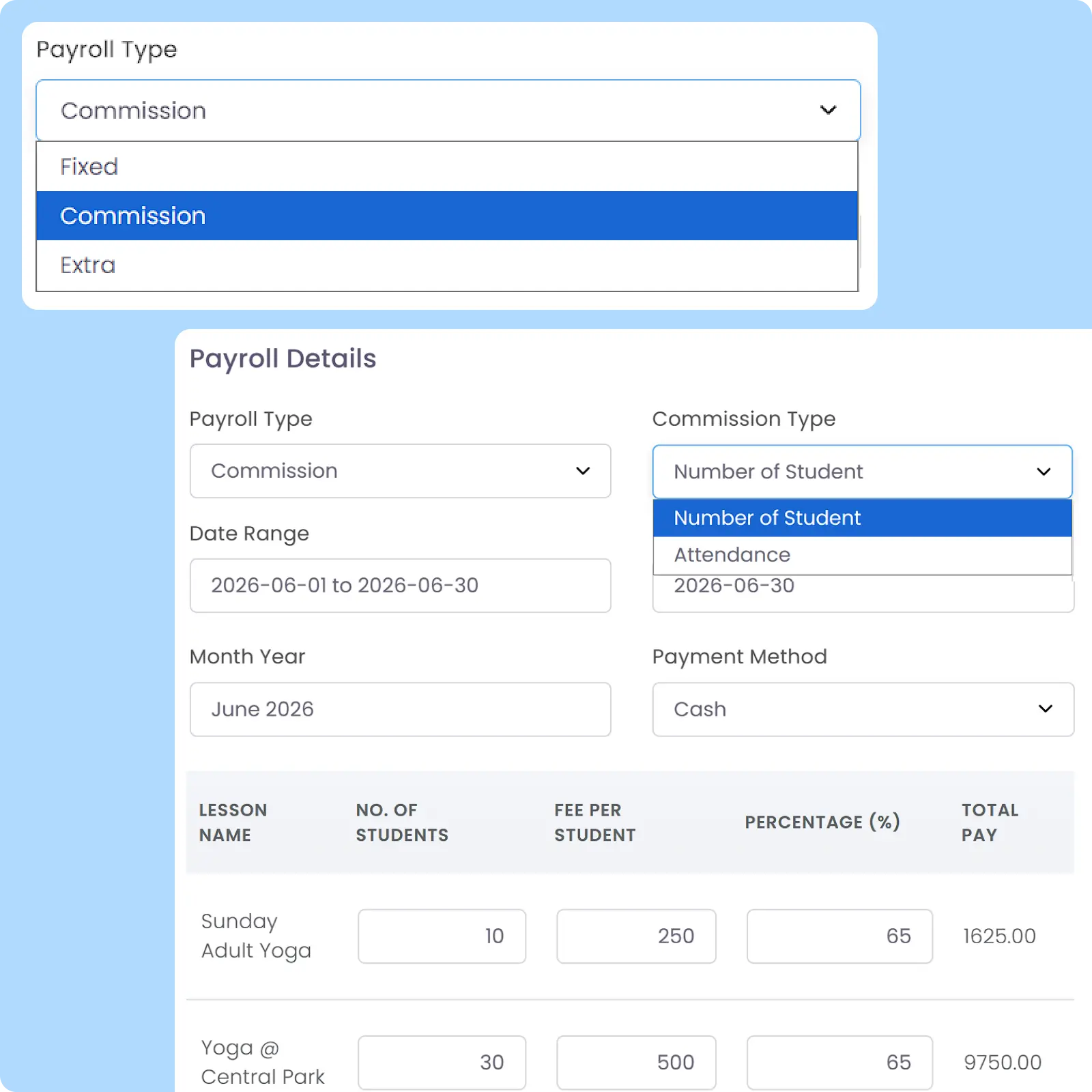
Keep Payroll and Operational Data Connected

Teacher salary calculations supported by real-time operational records including teaching Schedules, lesson Attendance, and others. Digital payslips are generated within one connected workflow.

Substitute Teacher

Manage Substitute Teacher Arrangements

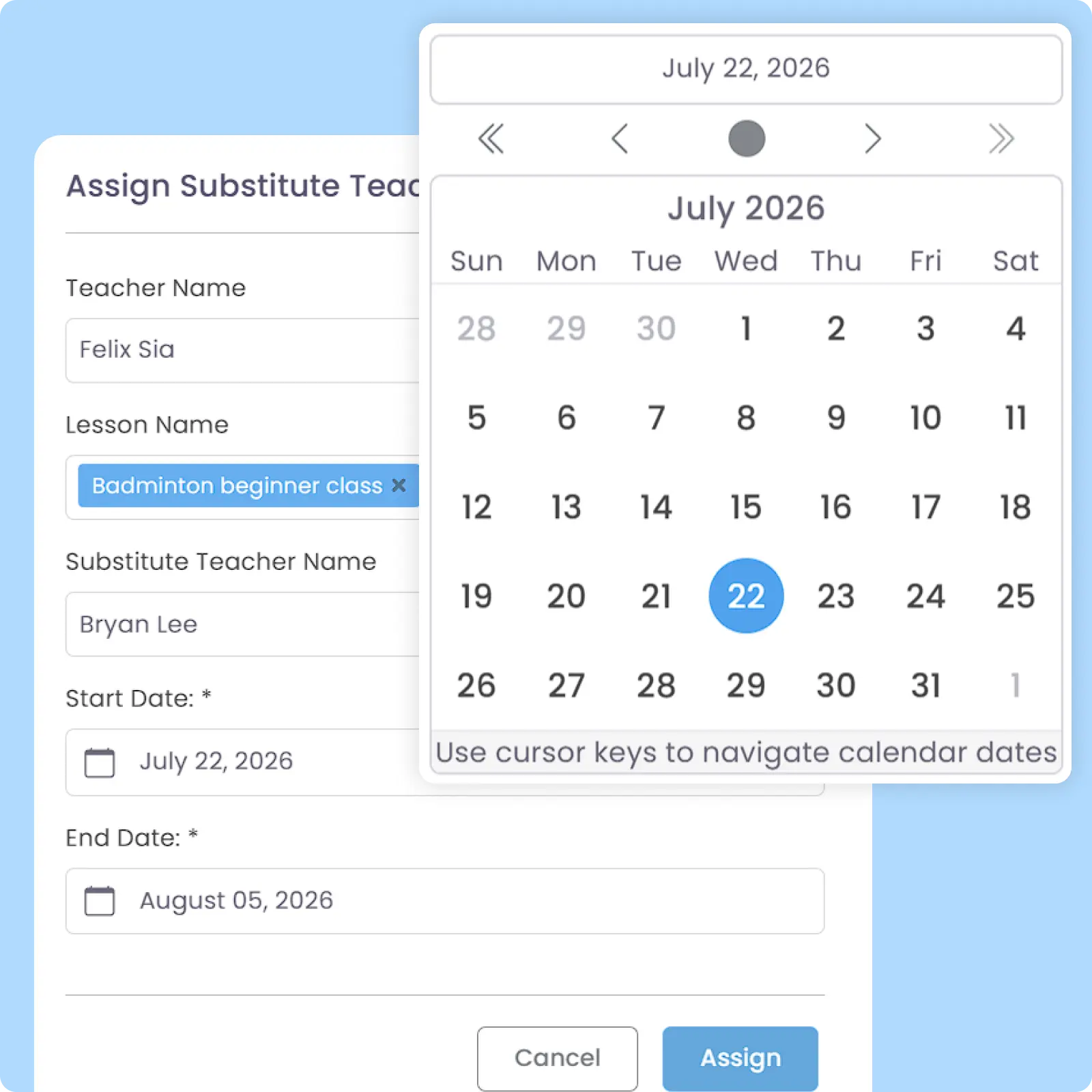
Assign replacement teachers for classes when the original teacher is unavailable, with Schedule Updates synchronized automatically to both parties. Substitutions can be arranged directly by admins or proposed by teachers requesting leave or replacement coverage.

Archive System

Preserve Former Teacher Account Without Deletion

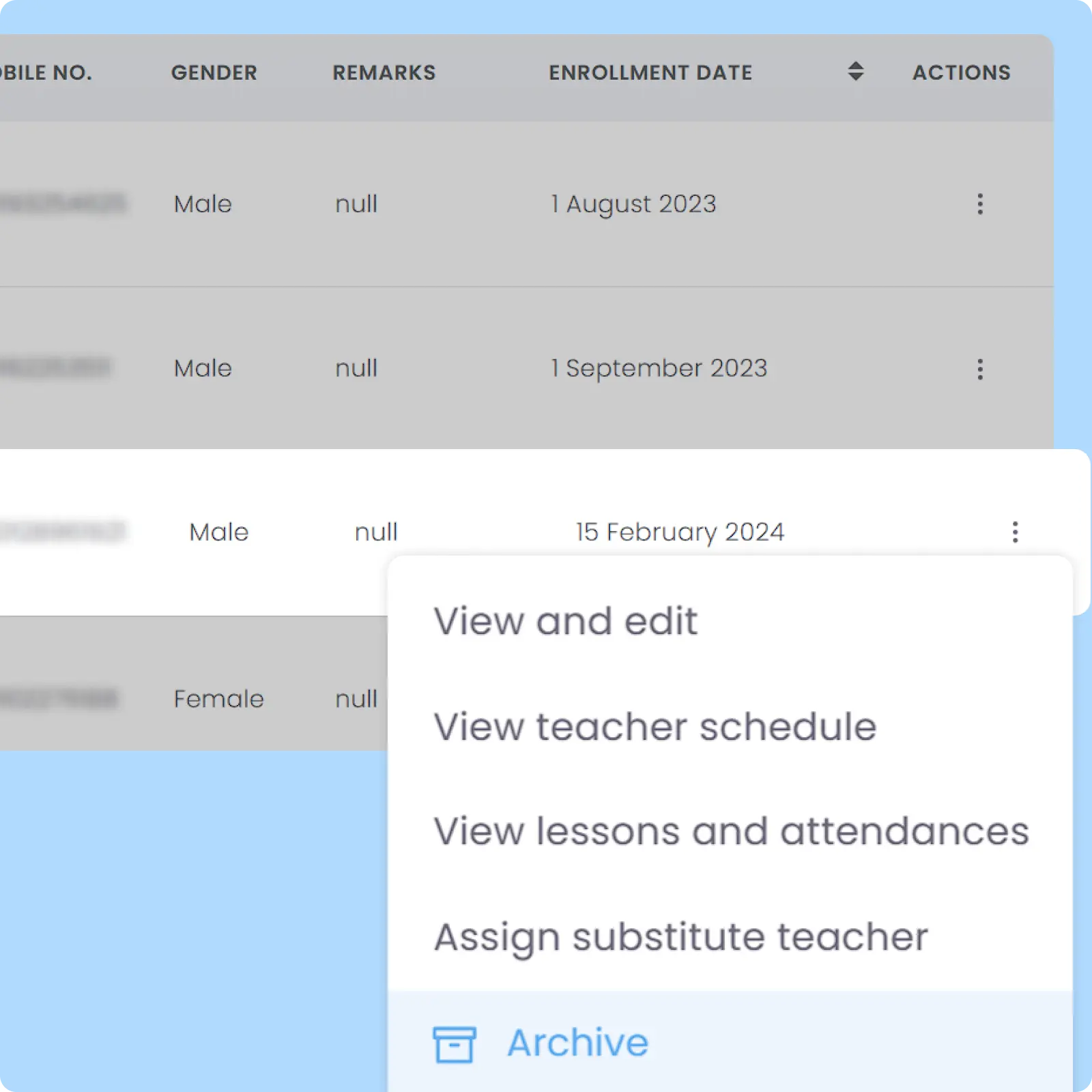
Archive teachers instead of permanently deleting their records from the system. Revoke access to your school, with reactivation capability whenever teachers re-join your learning centre.

Why Everyone loves
AOne Teacher Management System

40% better workload balance distribution

Less risk of teacher burnout by up to 70%

Better staffing decision-making process

and 4K+ other learning centres in Asia use AOne

Back then, we needed to order receipt books and there was a lot of paperwork daily, taking up a lot of our time.


After using AOne, it reduced our workload and is also environmental friendly because we no longer need to purchase a receipt book. We can issue receipts, and guardian students can check their invoices and receipts through the app.

Jenny
Founder of Jenzstyle Studio

Keep your teaching team organized

As you expand, managing increasing teacher information becomes complex. Let’s explore how AOne can help reduce admin complexity.

Frequently Asked Questions

What kind of teacher information can I store in the system?
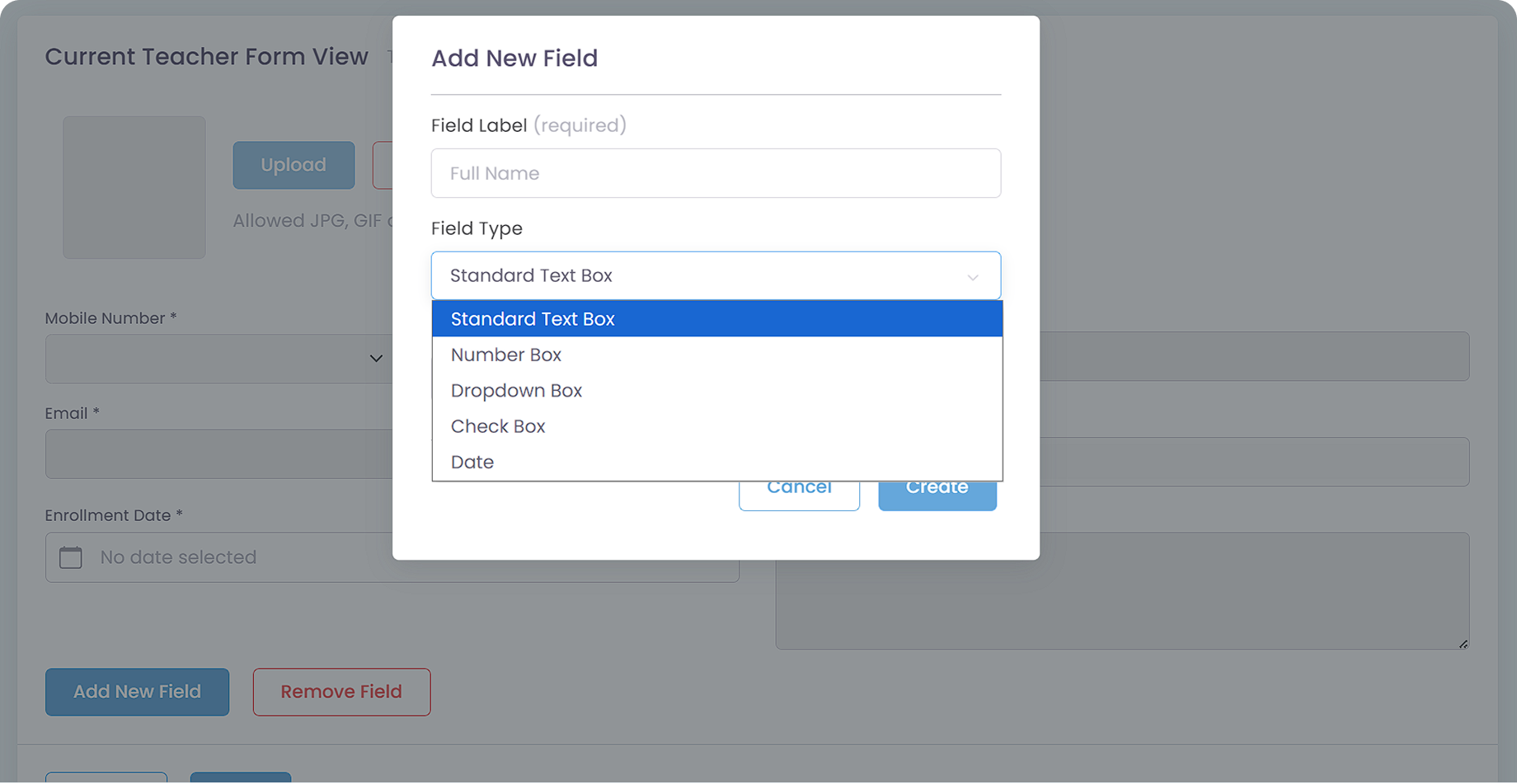
You can capture and save any data and important information required for your records, as the system allows you to completely customize the Teacher Registration Form.

Click the image to enlarge it

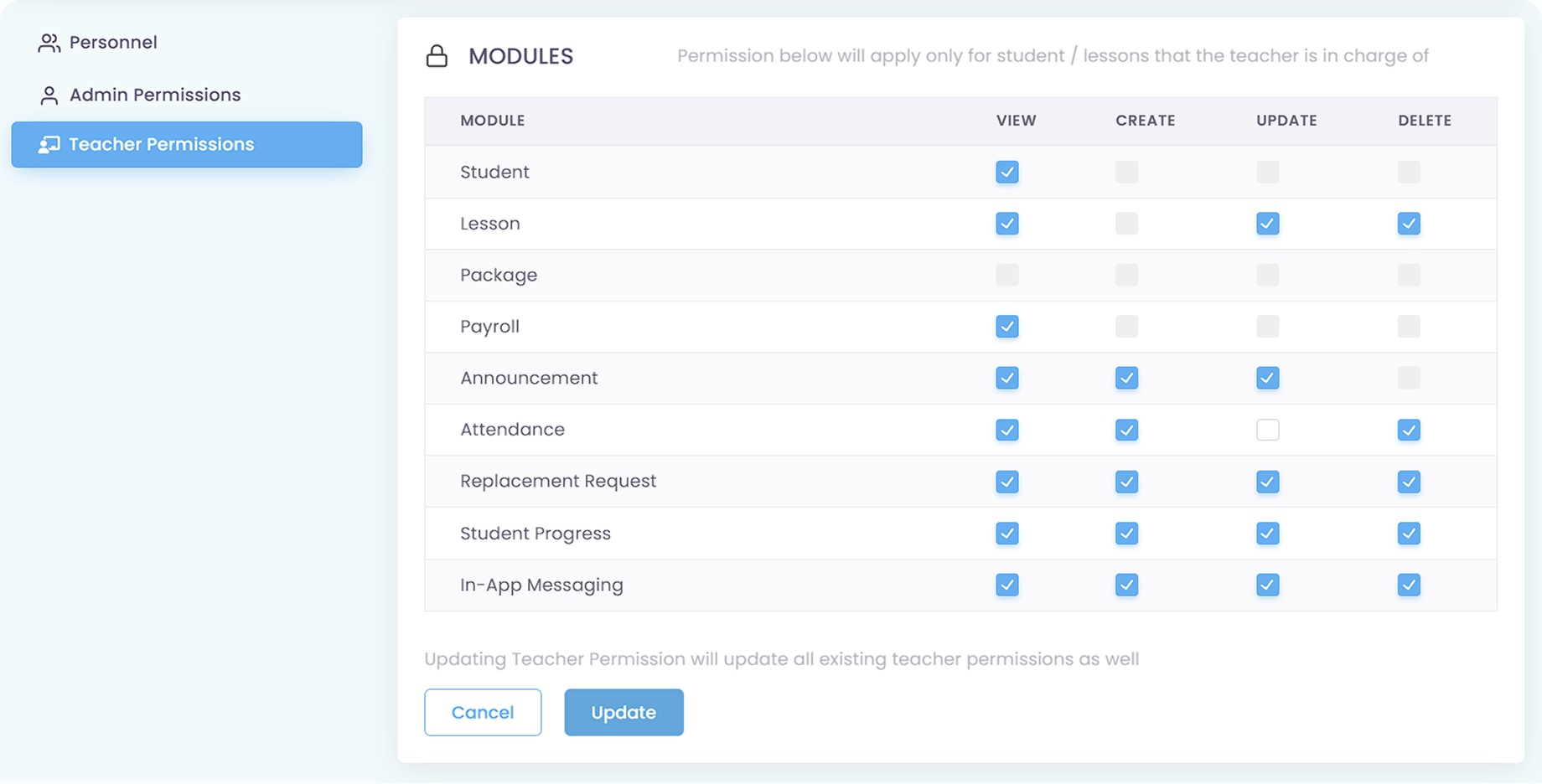
What teachers can do depends on what permissions you give them in the Role & Permissions module. You can make all teachers have the same permissions or differentiate one or multiple permissions for different teachers.

Click the image to enlarge it

Basically, when a teacher is registered and assigned to a Teacher role on your school, they will be able to access AOne via the web portal or mobile app using their Teacher account.

Top 2 popular use cases for Teacher account are Attendance Taking and Student Progress.

No. Teachers can only see what has been assigned to them, including Personalized Schedule, Students and Lessons, and assigned payslip.

Admin, on the other hand, can see every data of every teacher so long as they are given the Permissions on the module. Superadmin, by default, can see everything.

Yes, and it can be enabled or disabled in the Role & Permissions module. There are two ways for teachers to contact students or parents directly via the app, which are Student Progress and In-App Messaging.

Click the image to enlarge it

Student Progress works as a one-way communication from teachers or centres to parents, mainly to inform parents about their children’s learning progress. You can set a workflow which prevents teachers from directly sending student progress to parents without approval from Admin, so you can ensure the content is safe.

Click the image to enlarge it

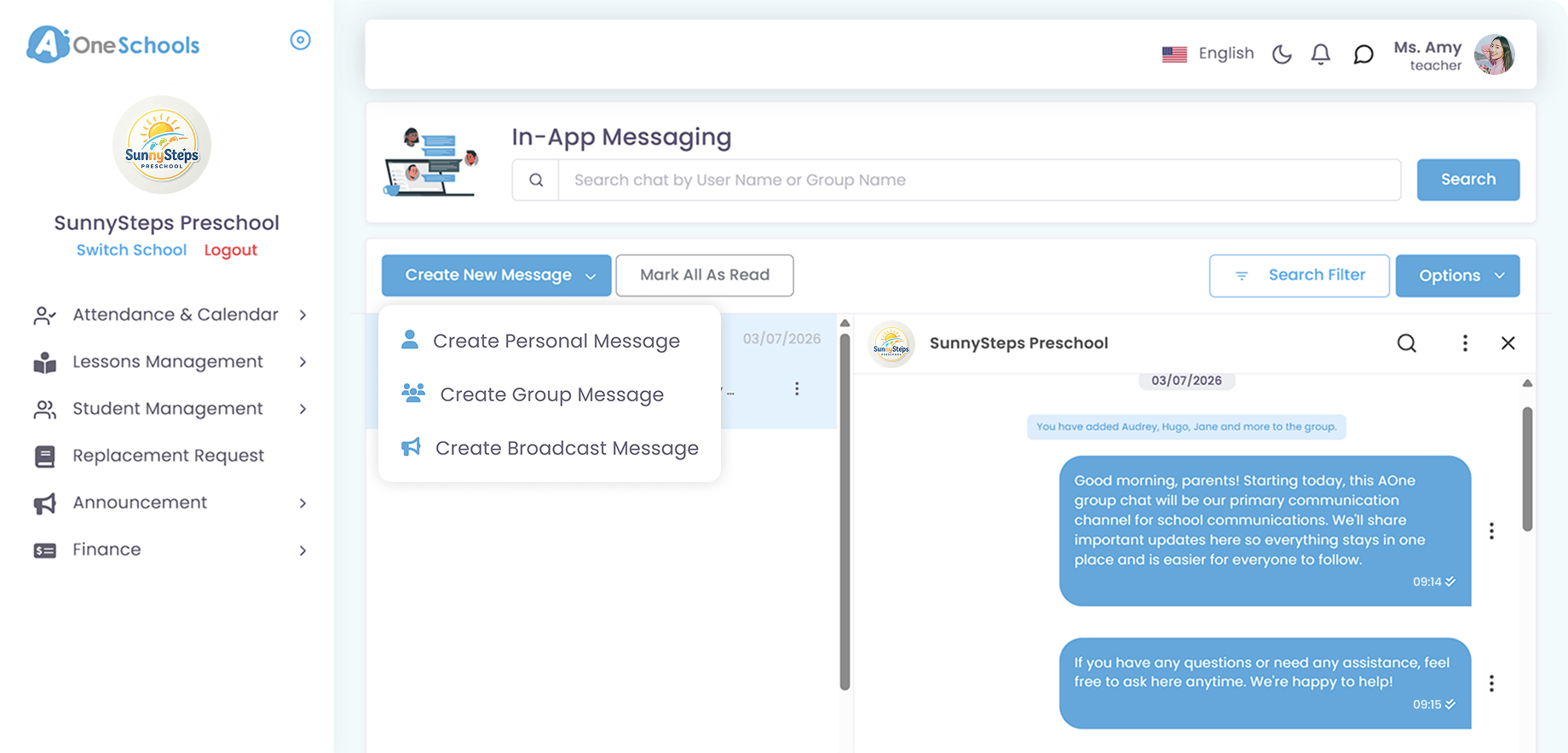
Meanwhile, In-App Messaging is a two-way communication designed to help streamline centre and parents communications in a single system. If given the permission, teachers can start a personal or group message to students or parents.

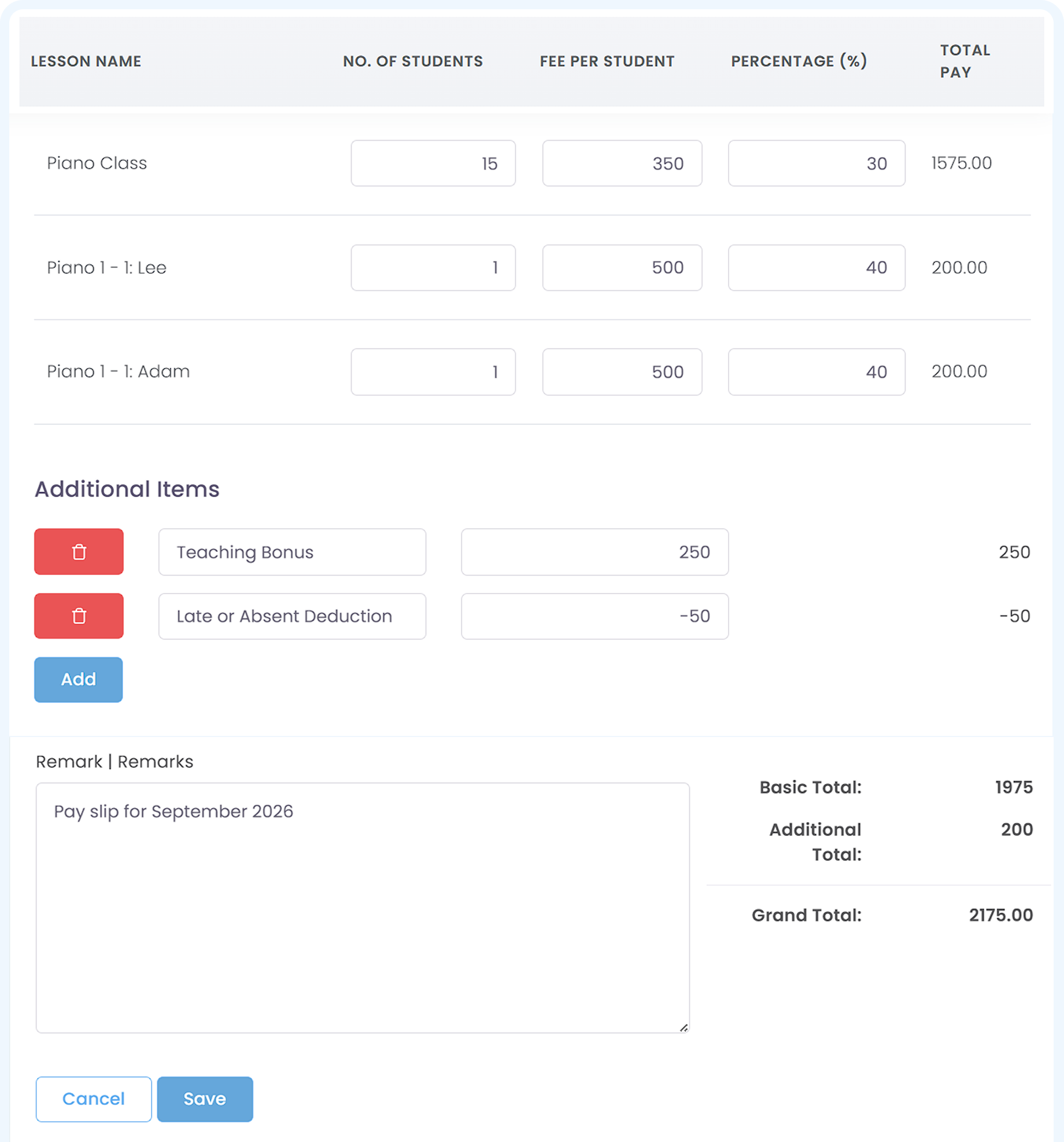
AOne currently does not support salary disbursement. The payroll feature helps you calculate teachers’ salary and generate a digital payslip based on their performance, including adding additional items such as bonus, allowance, and even deductions.

Click the image to enlarge it

Because all data is integrated, admins can generate payroll based on attendance, duration of lesson taught, and student headcounts, with minimum manual calculations. This ensures that teachers are paid accurately based on their workload.

As for teachers, they can track their payslip history within the app, providing transparency regarding their work compensation.

Move faster with AOne features

Billing

Invoices, tracking, reminders, and receipts: Automated

Student Management

All student data, organized and manageable in one place

Lesson Management

All your lesson data, organized and manageable in one place

Schedule & Timetable

Clear schedules for every lesson for teachers and students

Finance Management

Track revenue, payment status, and performance in one place

Replacement

Manage teacher and class replacements effortlessly

Student Registration

Simple, digitized registration flow from form to student profile

Attendance

Real-time attendance with real-time parents notifications

In-app messaging

Chat features for seamless communication with staff and parents