School & Tuition Centre Management Software Singapore | AOne

Consult your needs with us and let’s discuss how we can help you
Manage lesson schedules, enrollments, teachers, and pricing from a single platform.
Keep every lesson organized and running smoothly.
Organized • Connected • Streamlined
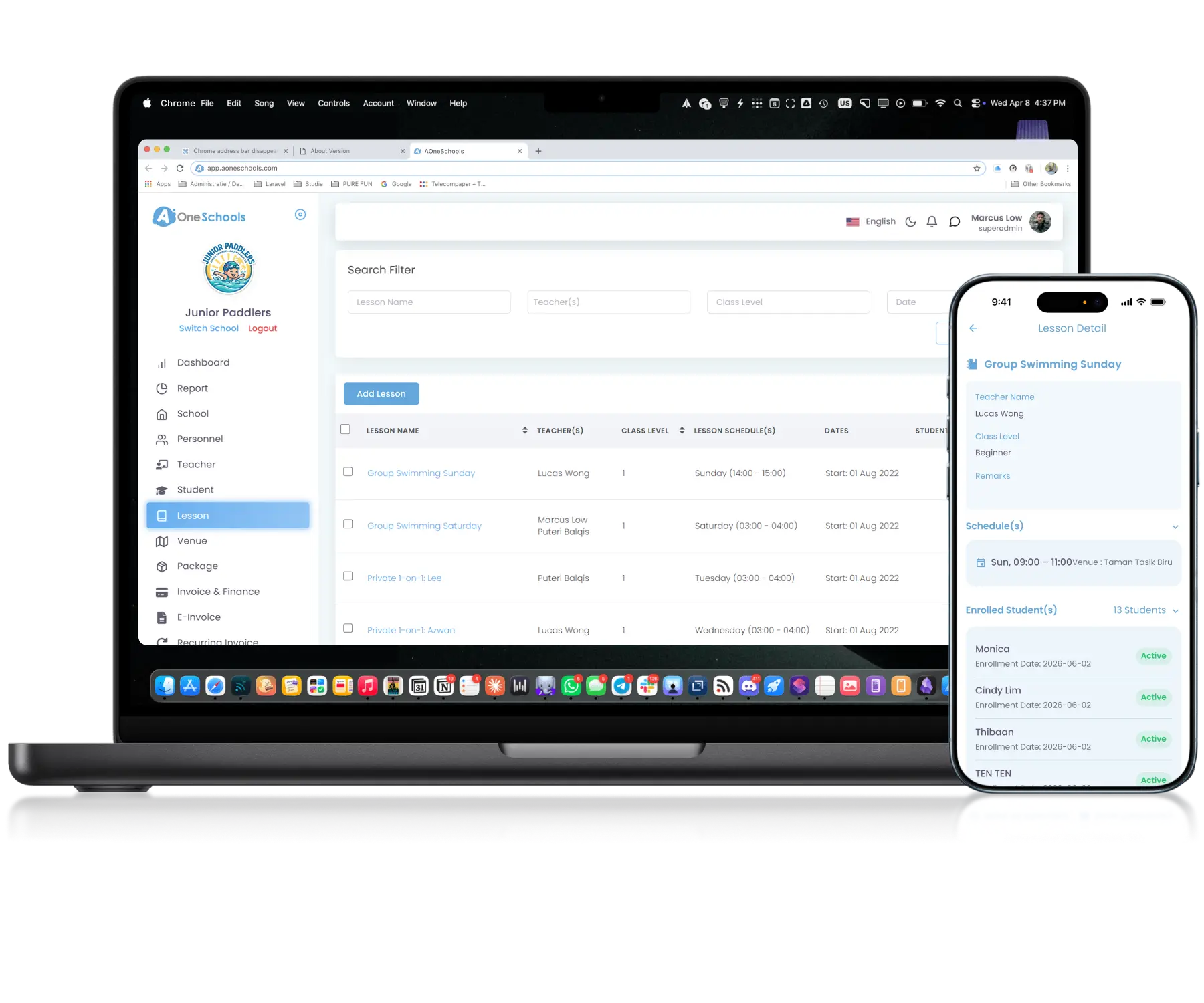
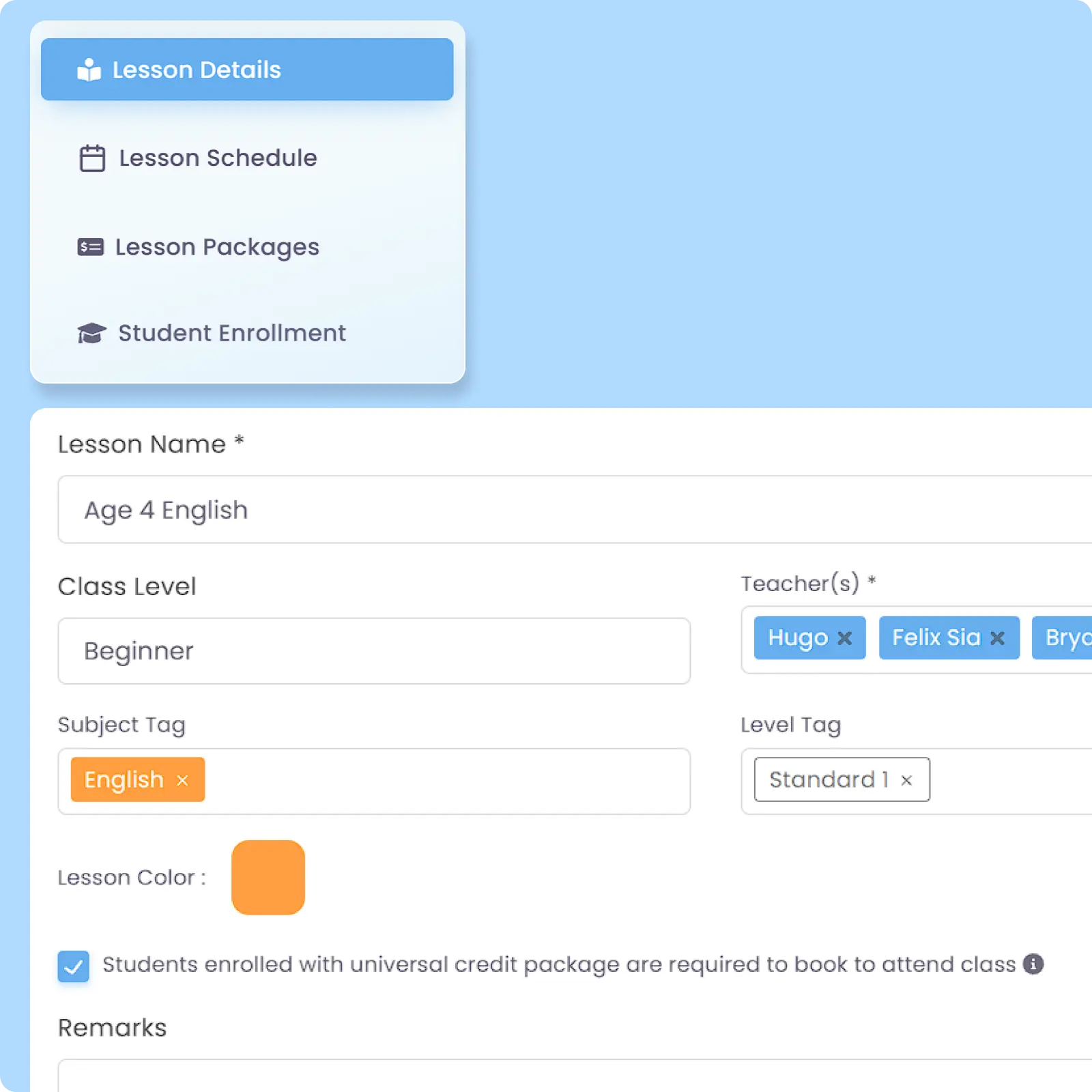
Configure and manage lesson information including lesson names, levels, assigned teachers, Schedules, tags, and enrolled students within a one-for-all system. Keep lesson details in the same window as your operations without troubling yourself with separate tracking workflows.
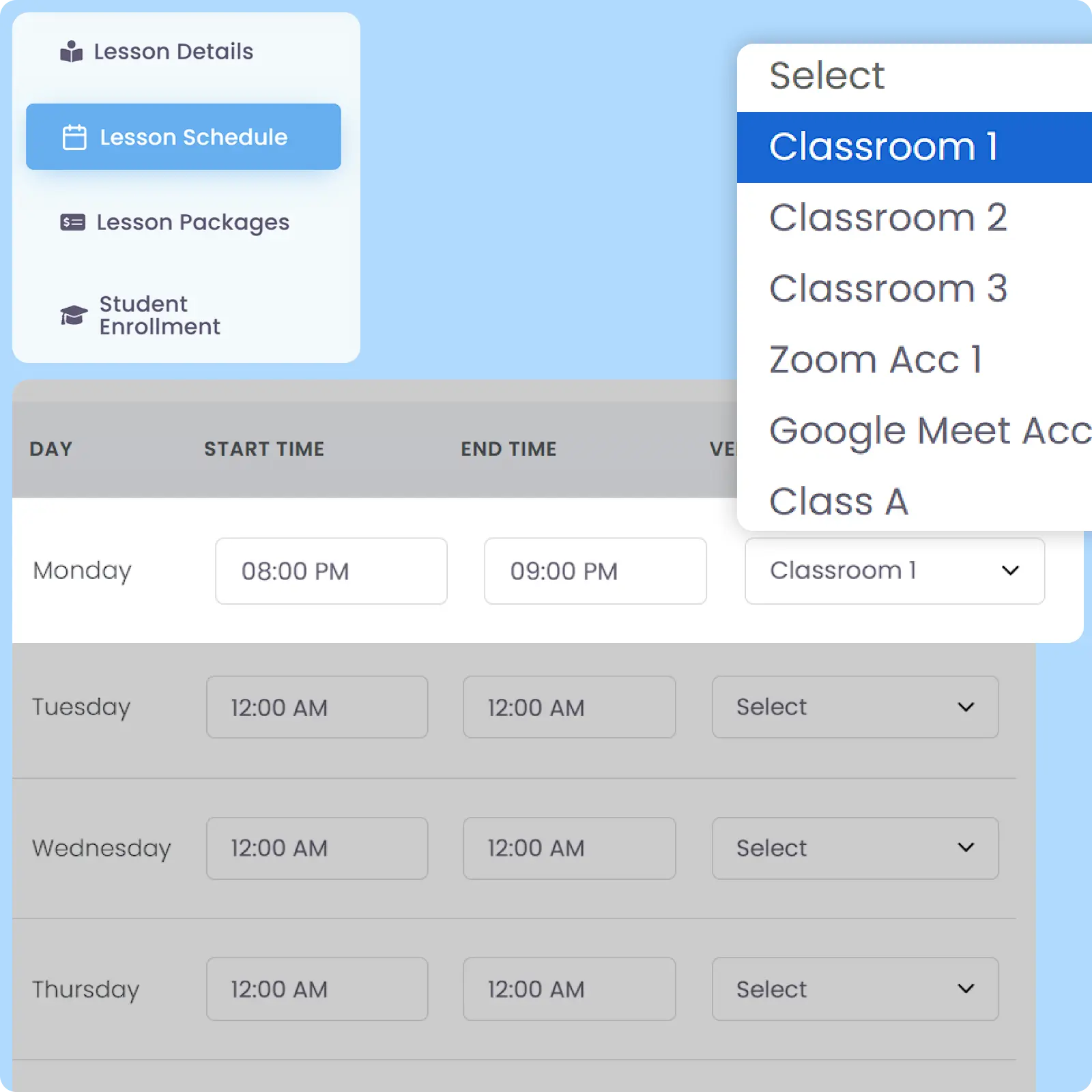
Define and assign venues for lessons within the scheduling workflow, including different venues for the same lesson on different days. Teachers, parents, and students can view where each lesson will be conducted directly through their accounts.
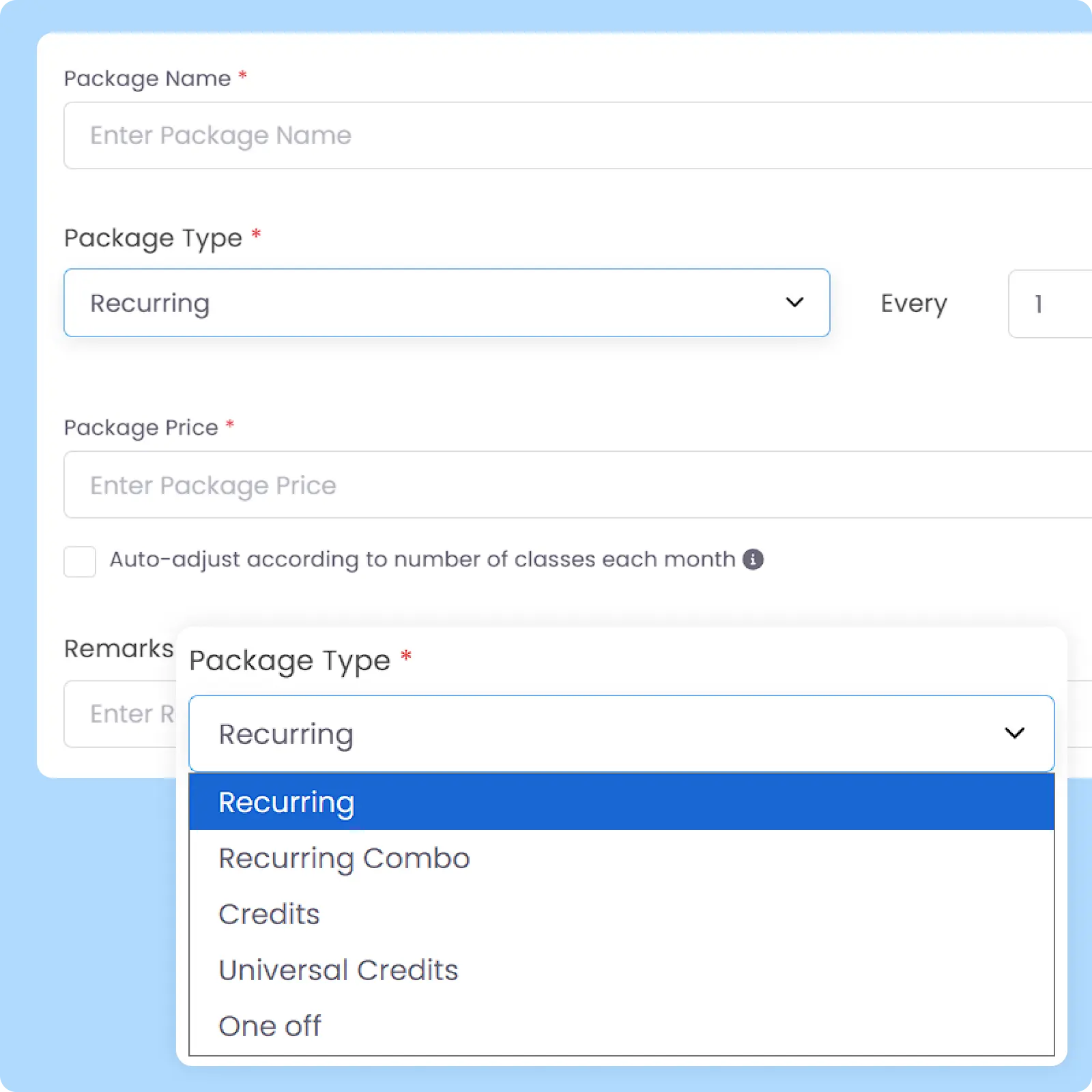
A connected pricing system that supports fixed recurring fees, bundled lesson pricing (combo), and prepaid Credit structures within one operational workflow. Simplify billing coordination across different lesson types and enrollment models.
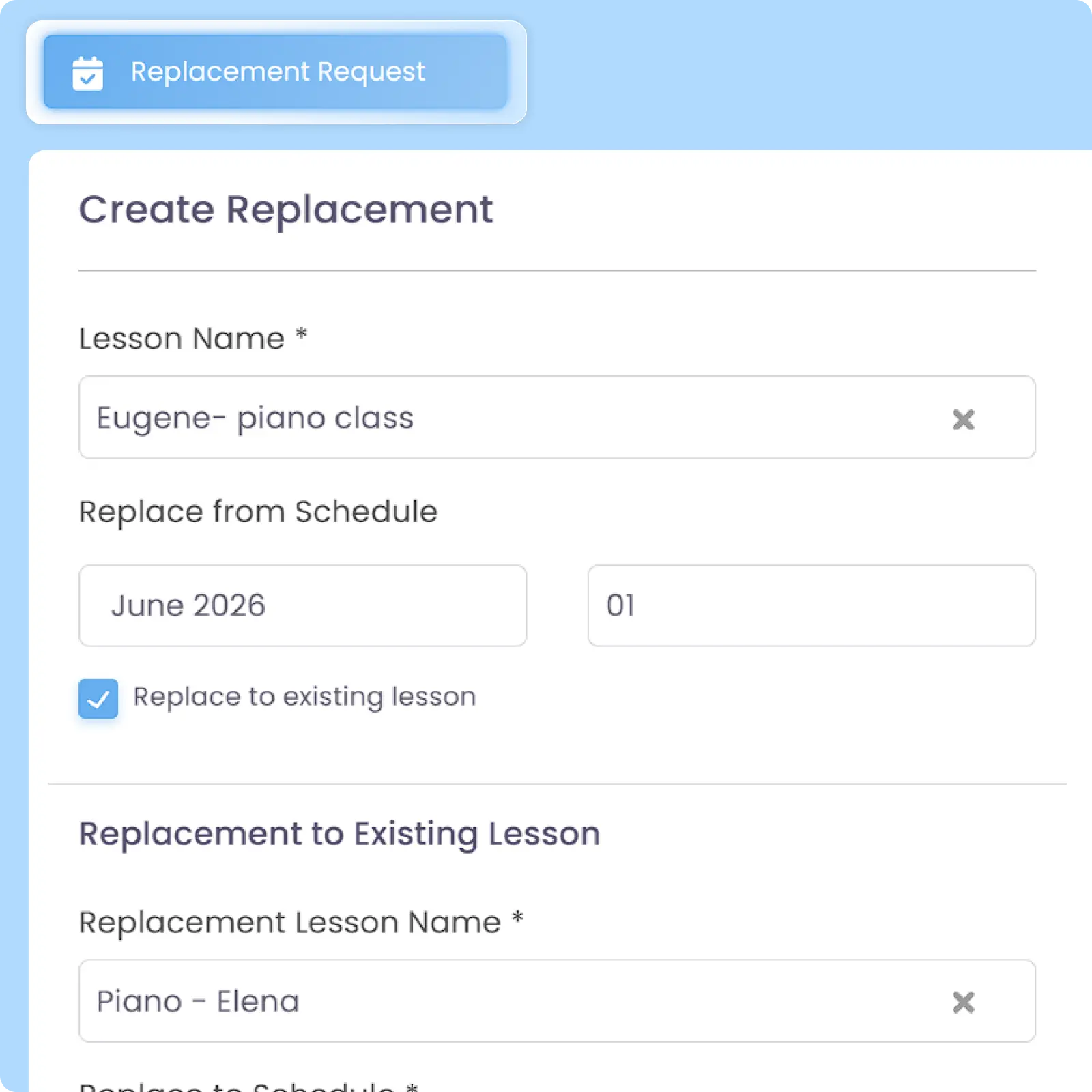
Admins can reschedule lessons or arrange replacement classes directly within the system, while teachers and parents can submit replacement requests for approval. Updated Schedules are automatically synchronized across teachers, parents, and students.
Configure multiple pricing options for the same lesson to support different student groups, enrollment scenarios, or promotional structures. Keep lesson pricing flexible without duplicating lesson records.
Back then, we needed to order receipt books and there was a lot of paperwork daily, taking up a lot of our time.
After using AOne, it reduced our workload and is also environmental friendly because we no longer need to purchase a receipt book. We can issue receipts, and guardian students can check their invoices and receipts through the app.
As your centres grow, coordinating lessons gets increasingly confusing. Let’s discuss your workflow and explore ways to simplify your operations.
You can assign one or multiple teachers to a single lesson. The schedule will automatically appear on the assigned teacher’s mobile app as their daily work guide.
If given the permissions, assigned teachers get access to student lists and Attendance features for that class. This centers all their teaching needs within a seamless workflow that always loops you in.
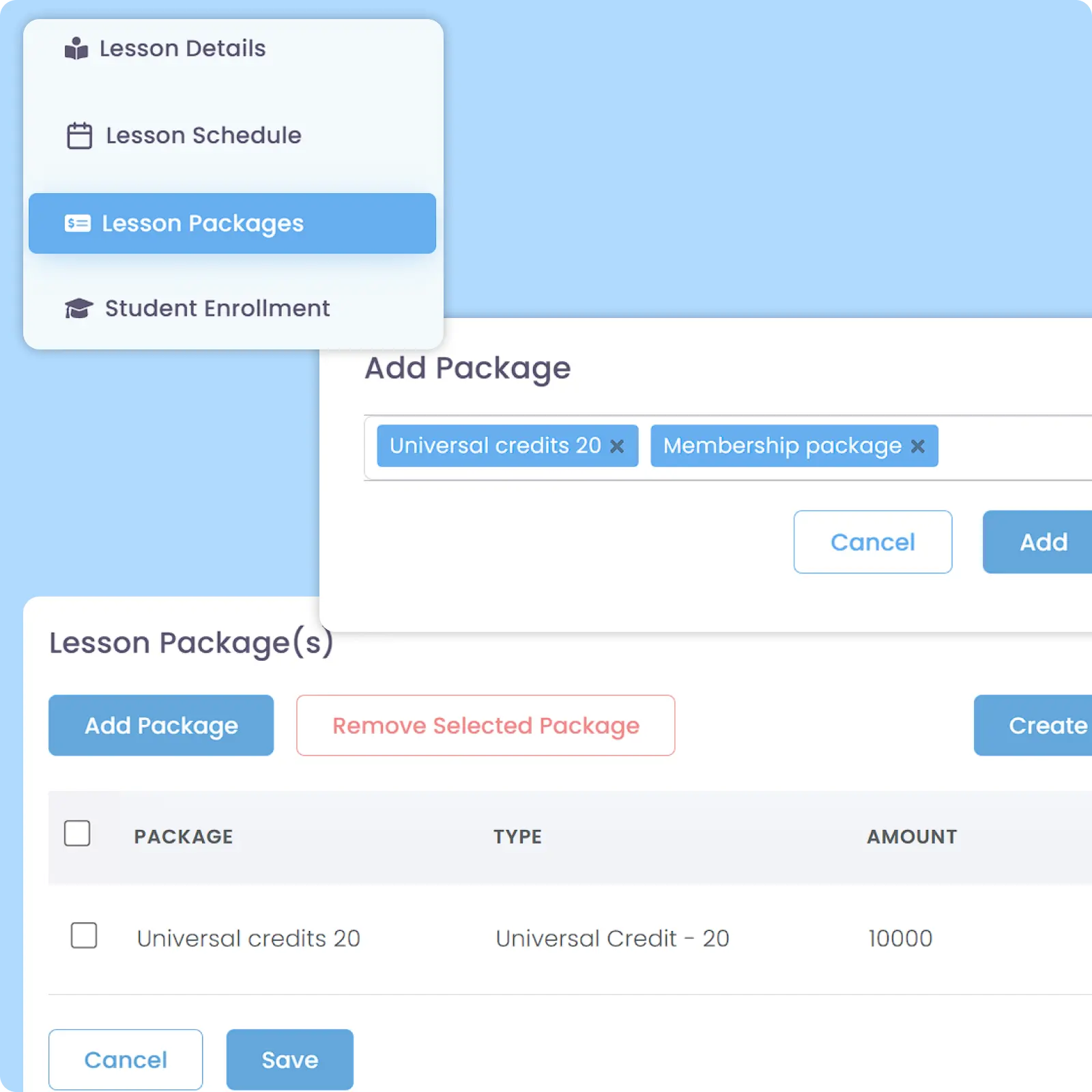
Yes, you can add multiple Lesson Packages to a single lesson, be it using the same pricing scheme but different prices or even different pricing schemes such as Recurring Fee and Credit System.
You can apply different pricing on one single lesson without having to create multiple lessons for each pricing. This allows you to tailor each pricing based on your learning centre’s strategy, such as special pricing for Combo Purchase, enrollment discount, loyalty discount, or per your unique arrangements with each parent.
For holiday, first of all you need to define holiday periods in the Holiday Management calendar. You then have the choice to cancel or continue all or specific sessions during the holiday. For either option that you pick, you can also allow replacement lesson.
If a student misses a class, you can manage a Class Replacement for that student. There are two ways to do this, which are per Superadmin or Admin arrangement or based on parent’s request.
For both cases above, the Schedule for all affected users will be changed based on the new arrangement. If you are using dynamic pricing based on attendance, the Billing Calculation will auto-adjust.
There are three ways to share such information depending on when you plan to share it.
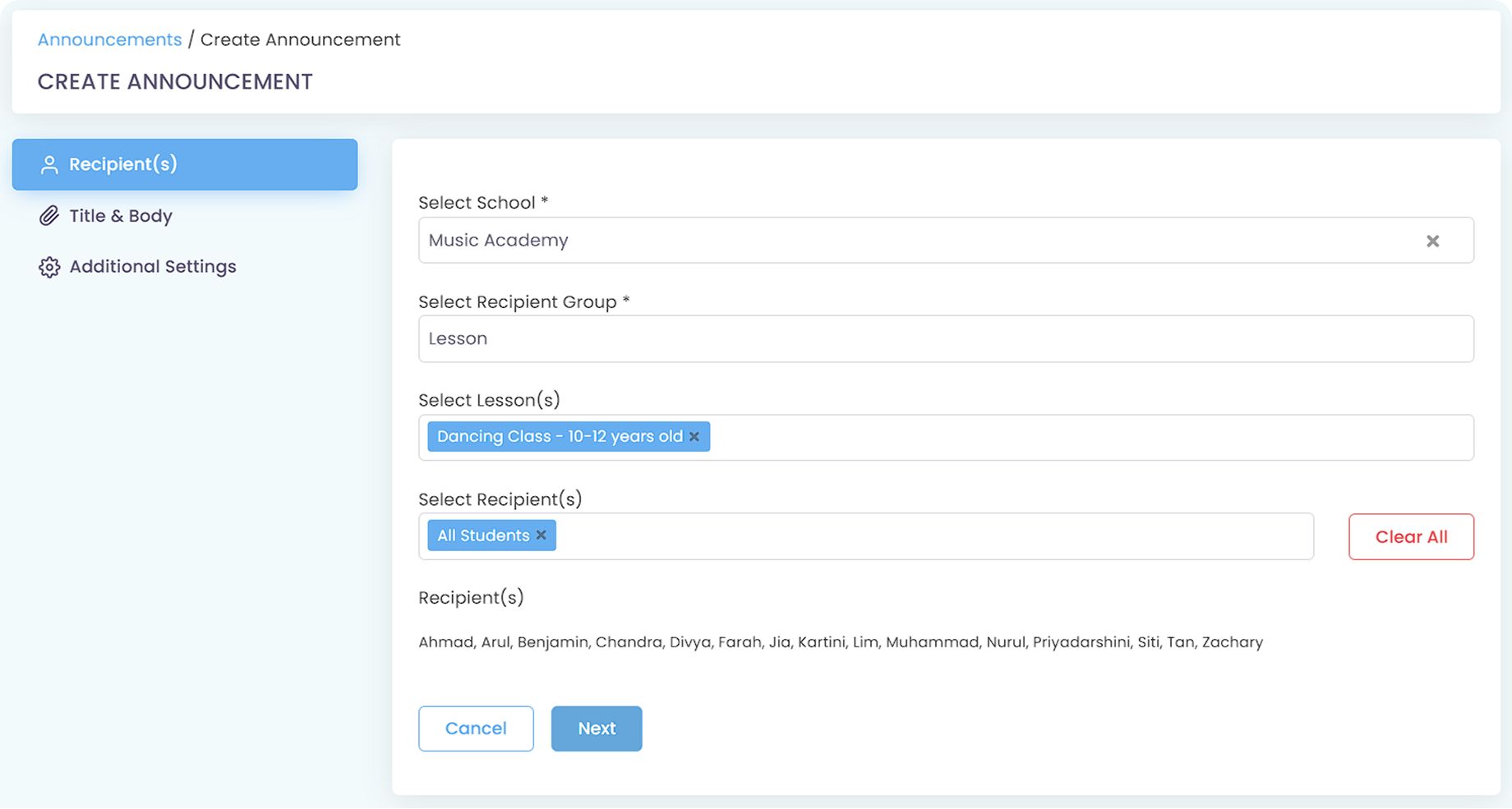
If you are sending class-specific materials before class or not after the class is over, you can use the Announcement feature to send information to all students in a specific class. This saves admin time compared to sending manual messages.
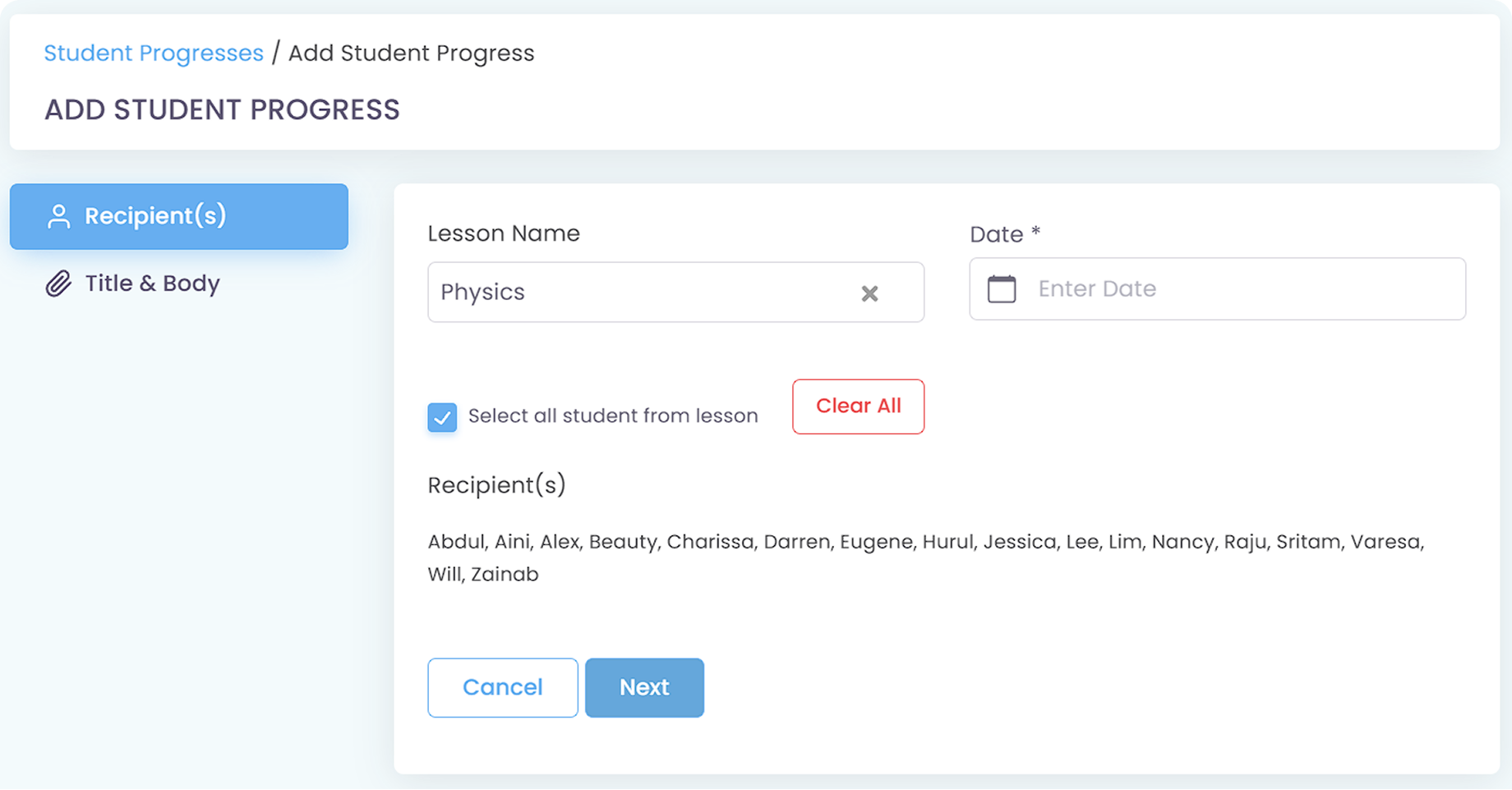
If you are sending class-specific materials during or right after the class is over, it is advised to use the Student Progress feature to send general information to all students or personalized one for each.
If you want to have more flexibility on when you want to send the materials, you can use the In-App Messaging feature by making a group chat for the lesson. The workflow will be very similar to how you do it via WhatsApp, which you have been possibly doing all this time.
Regardless of which method you use, you can attach a PDF file(s) for each of the aforementioned modules.
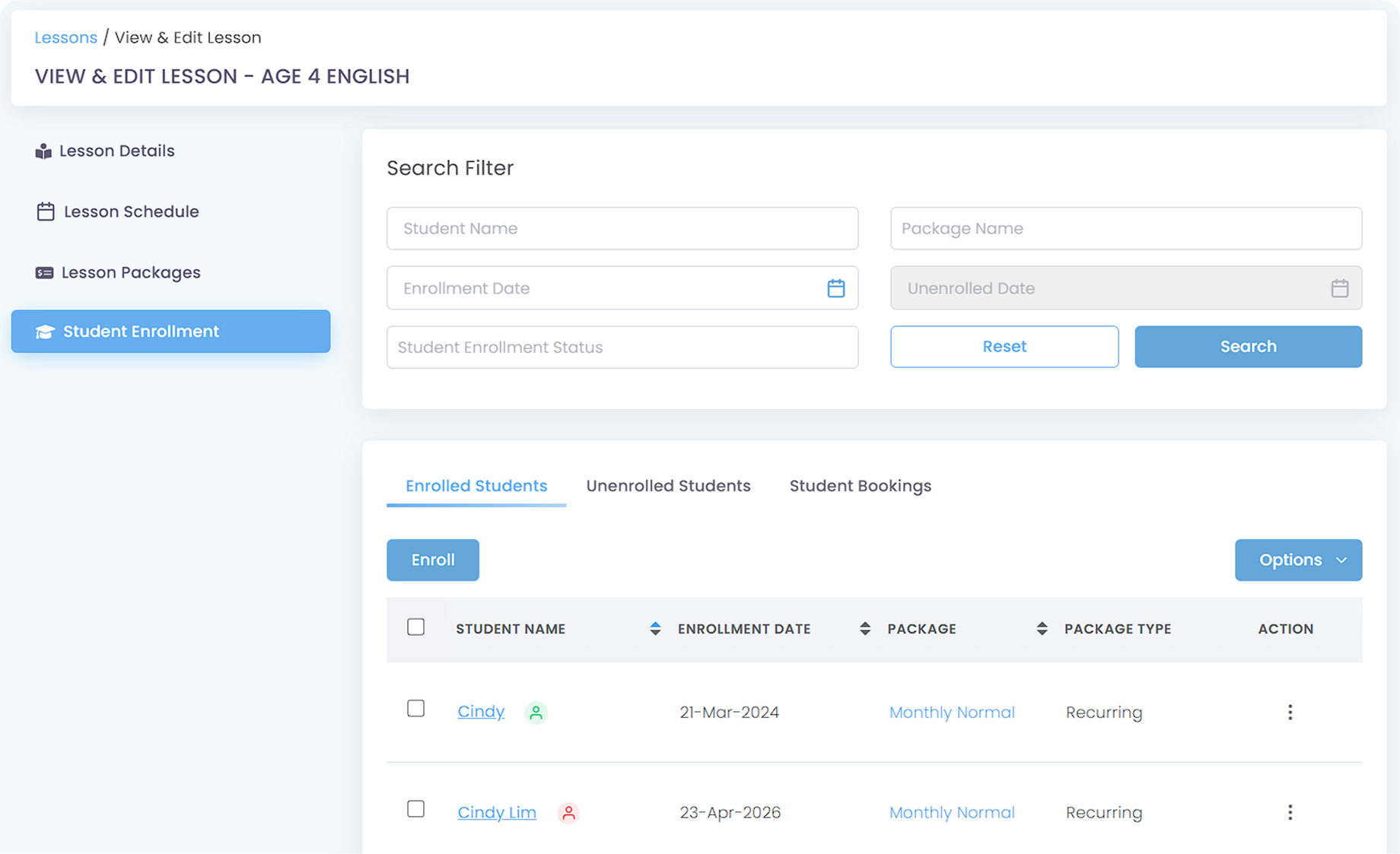
From the lesson that you currently view, you can navigate to Student Enrollment to see who are enrolling in that lesson and what Lesson Package each of those students is currently at.
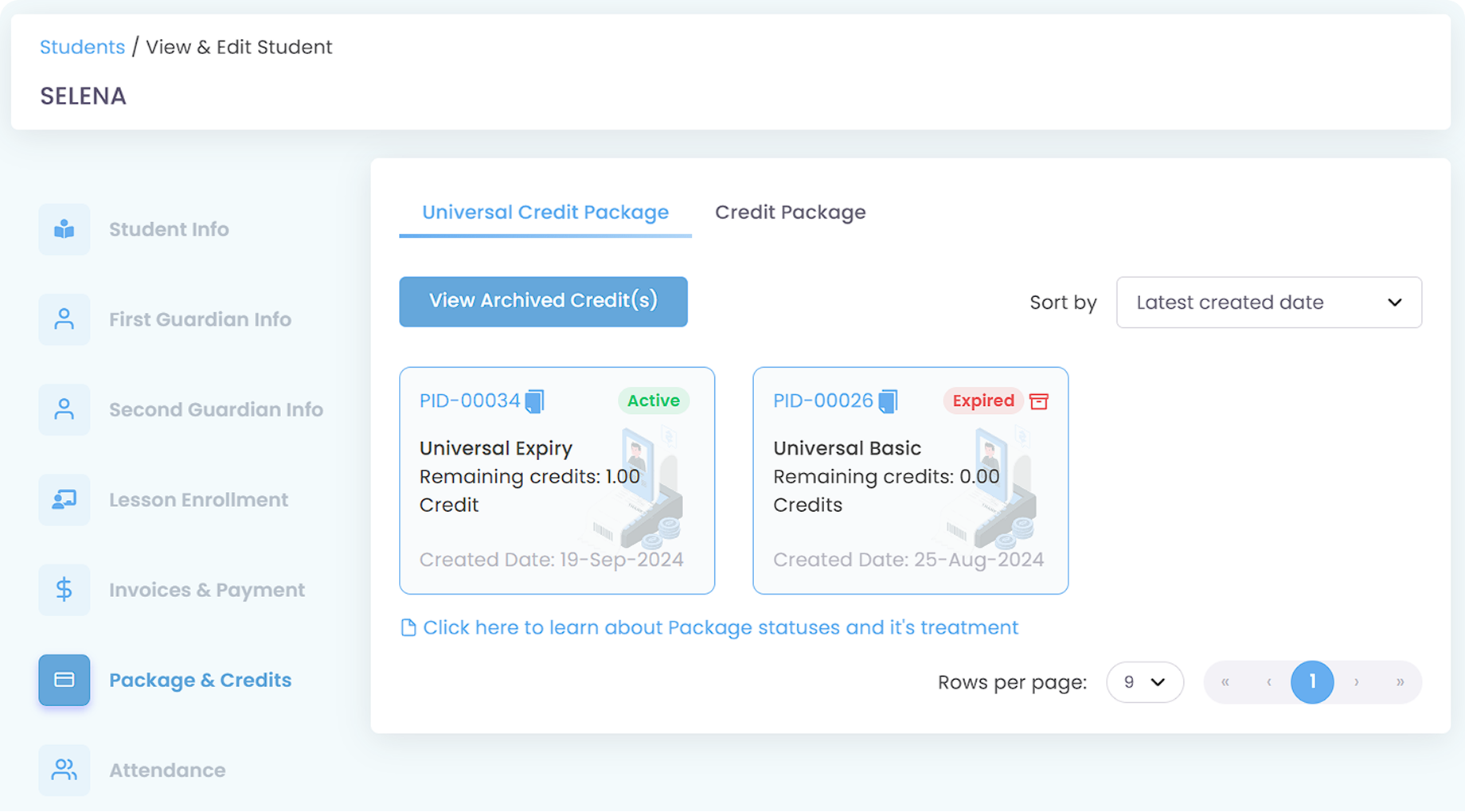
From there, click on a student name that you want to check and navigate to their Package & Credits section.
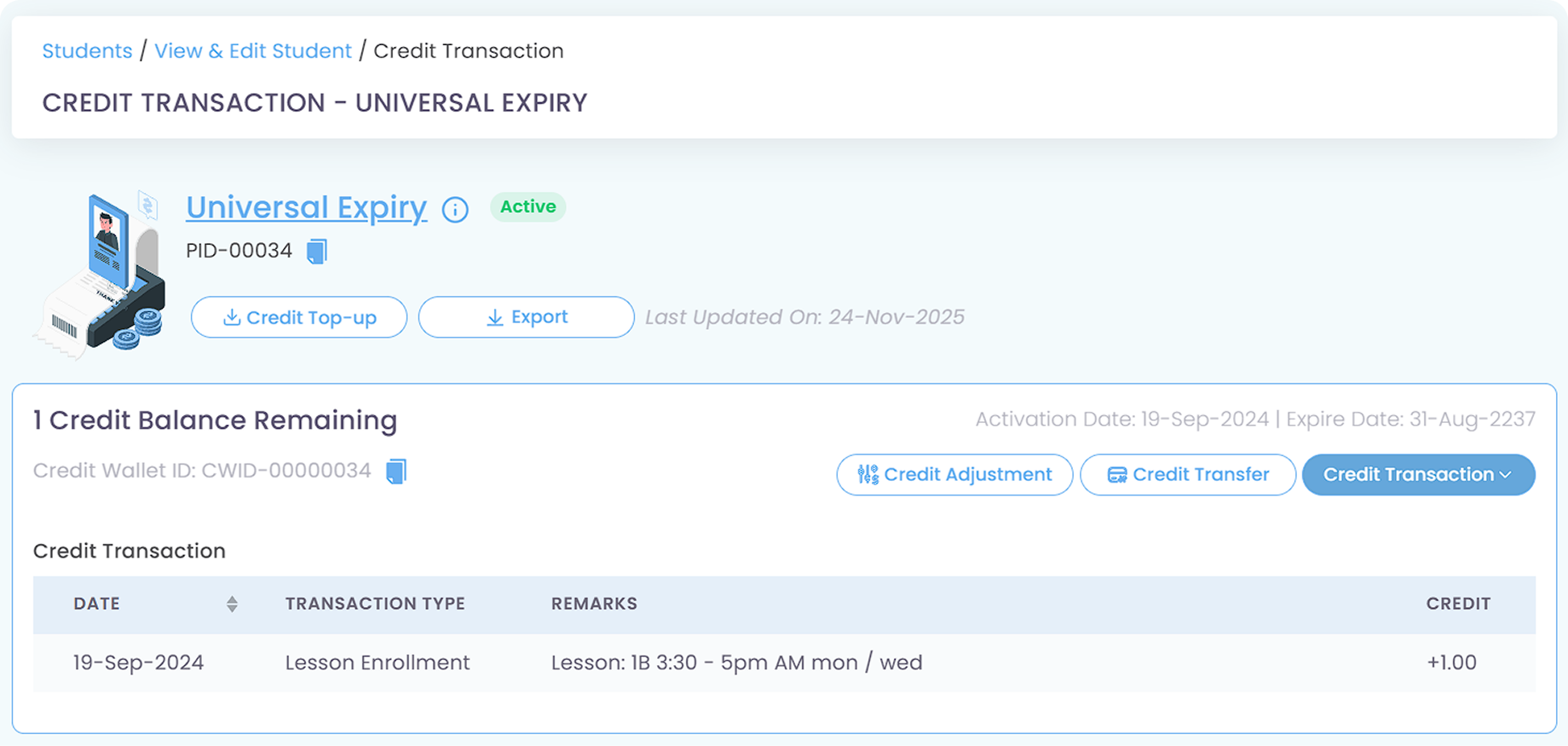
You can further click on the credit package to see the usage. Additionally, you can adjust or transfer the credit if deemed necessary.
Invoices, tracking, reminders, and receipts: Automated
All student data, organized and manageable in one place
All teacher data, organized and manageable in one place
Clear schedules for every lesson for teachers and students
Track revenue, payment status, and performance in one place
Manage teacher and class replacements effortlessly
Simple, digitized registration flow from form to student profile
Real-time attendance with real-time parents notifications
Chat features for seamless communication with staff and parents