School & Tuition Centre Management Software Singapore | AOne

📱 Month: Free tablets for first 10 sign ups

Product Overview

Billing

Student Management

Teacher Management

Lesson Management

Schedule & Timetable

Finance Management

Replacement

Student Registration

Student Attendance

Not sure whether AOne suits you?

Consult your needs with us and let’s discuss how we can help you

Holiday Management

Manage holidays, closures, and academic breaks from one place.
Keep classes, timetables, and operations aligned.

Centralized • Organized • Connected

Keep everything unbreakable, even on breaks

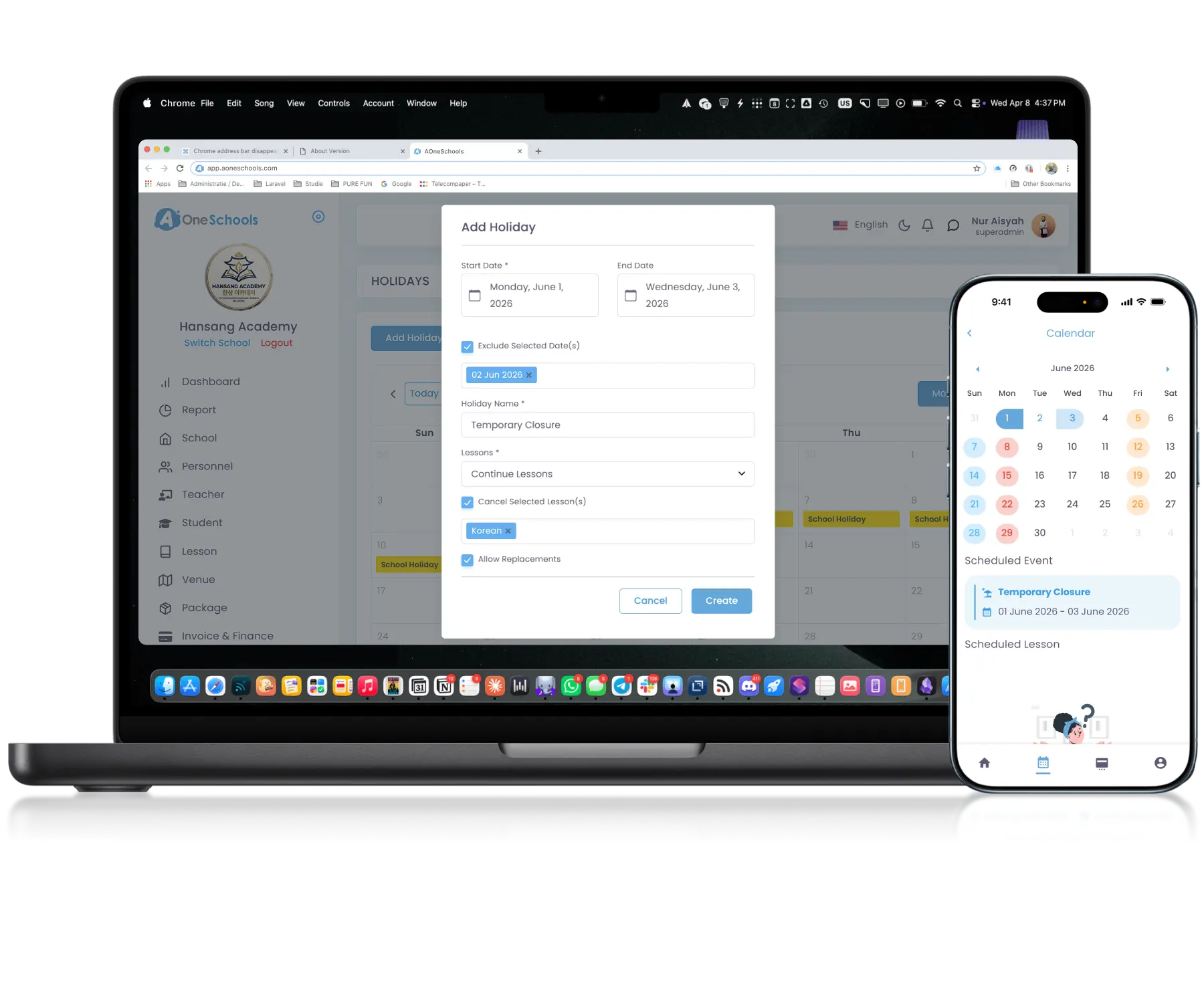
Customizable Holiday

Configure Holidays Around Operational Needs

Create and manage public holidays, centre-specific holidays, and temporary closures within one centralized system. You can choose which Lessons to cancel or continue and whether to allow replacement for said lessons as you are setting up your holiday period.

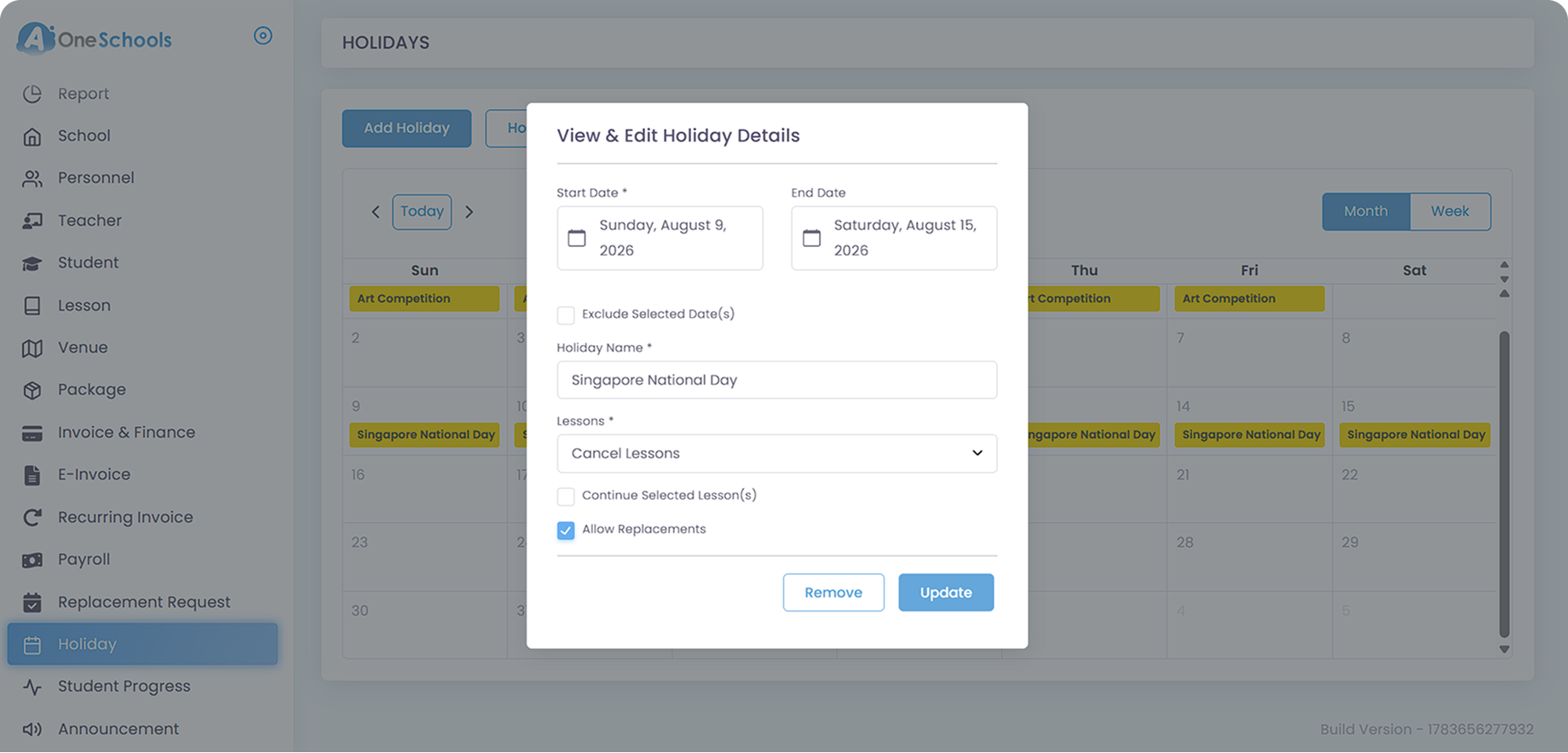
Class Replacement

Manage Holiday-Affected Replacement Classes

If replacement is allowed, holiday-canceled Lessons can be replaced through separate arrangements by admins. Teachers, students, and parents can also propose replacement schedules, subject to approval from Superadmin or Admins.

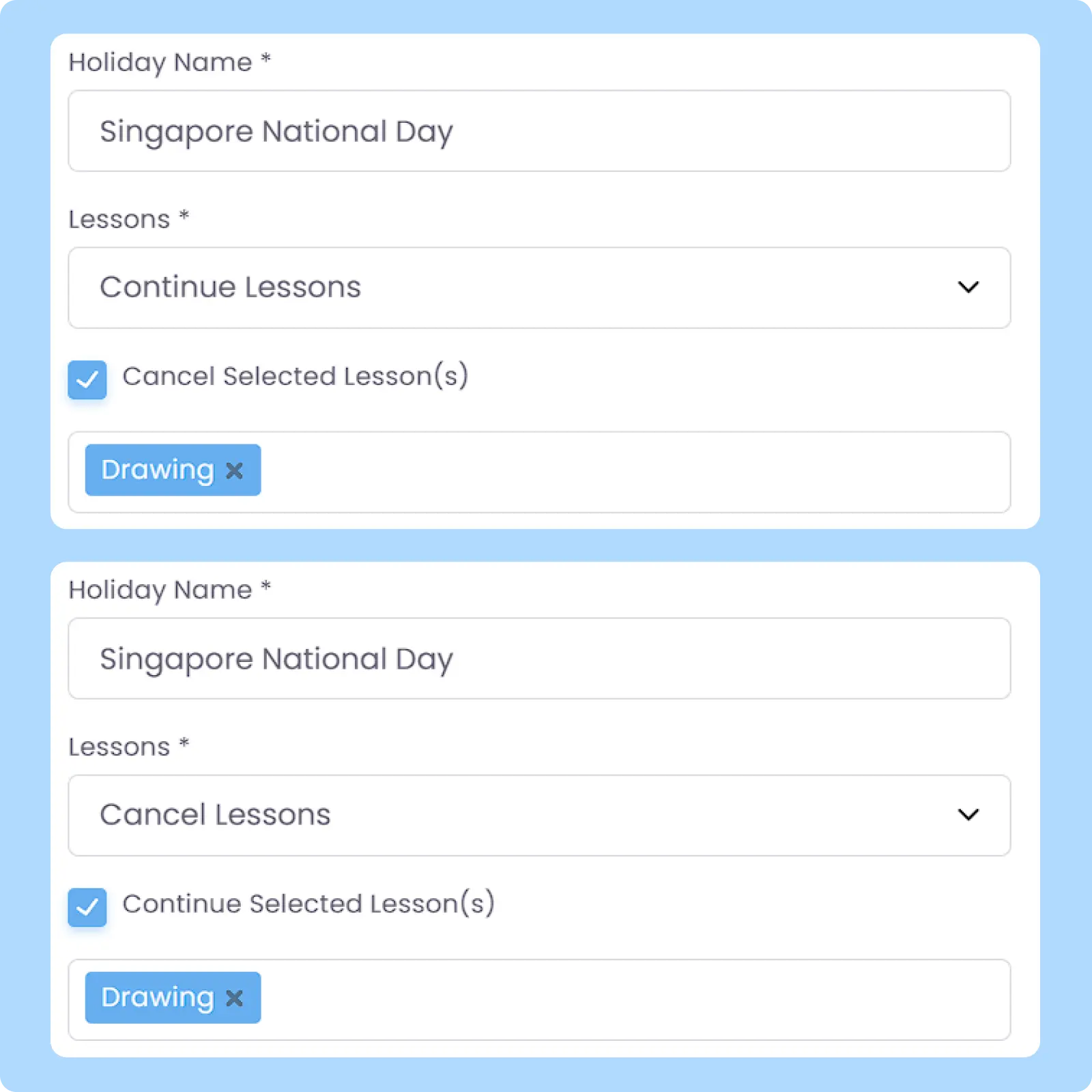
Flexible Class Adjustment

Customize Class Adjustments During Holidays

When creating a holiday, you can choose whether affected classes should continue or be cancelled, either for one, some, or all affected lessons. Auto-sync schedule and timetable updates to parents and teachers as per your customized arrangement.

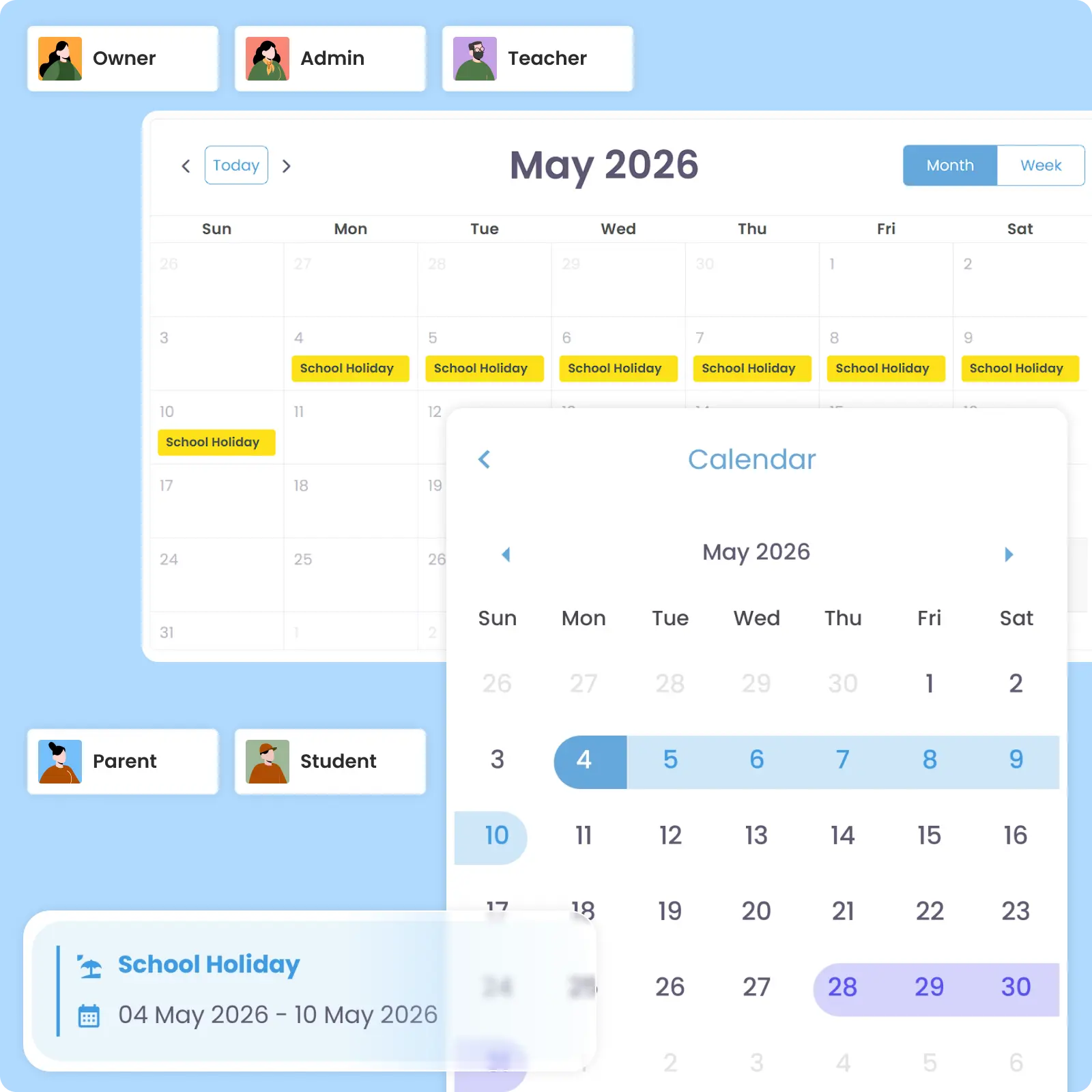
Holiday Visibility

View Holiday Schedules Clearly

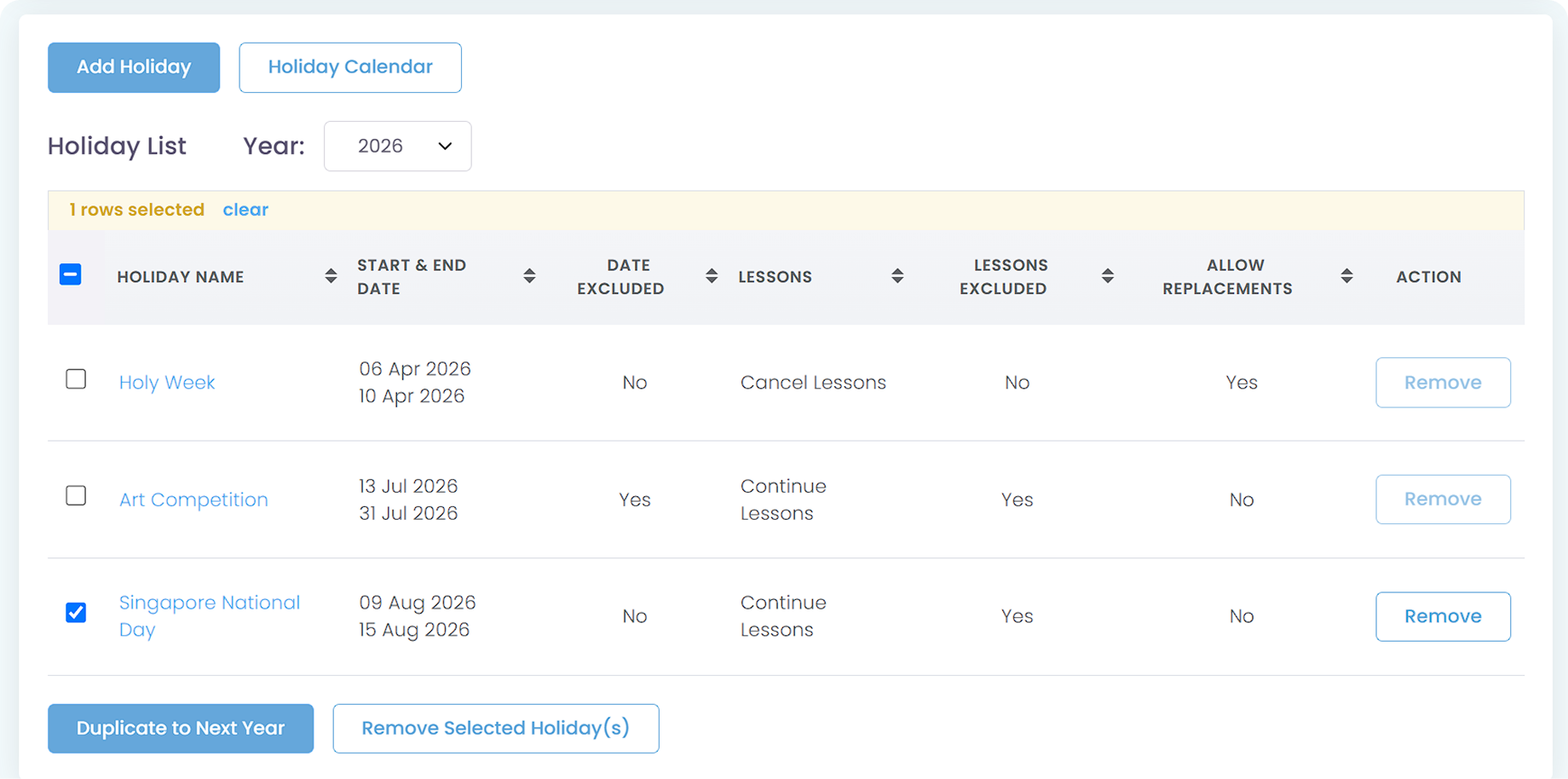
All scheduled holidays can be viewed in either List View or Calendar View for easier planning and operational visibility. The List View also allows you to duplicate the selected holiday to next year at the same date, useful for annually recurring holidays.

Calendar Sync

Synchronize Holidays Across Calendars

Scheduled holidays are automatically reflected on the calendars of affected parents, students, teachers, and staff. This provides clear visibility of holiday periods within the overall lesson schedule and helps reduce holiday-related confusion.

Why Everyone loves
AOne Learning Centre Holiday Management

Up to 70% fewer holiday-related confusion

Clearer communication for parents & teachers

Quick cancel or continue classes on holidays

and 4K+ other learning centres in Asia use AOne

Back then, we needed to order receipt books and there was a lot of paperwork daily, taking up a lot of our time.


After using AOne, it reduced our workload and is also environmental friendly because we no longer need to purchase a receipt book. We can issue receipts, and guardian students can check their invoices and receipts through the app.

Jenny
Founder of Jenzstyle Studio

Take the guesswork out of scheduling

A missed holiday setting creates a chain of scheduling issues. See how AOne helps you manage holidays centrally to align everyone, every time.

Frequently Asked Questions

Does a holiday period affect students on a Fixed Recurring Fee scheme?
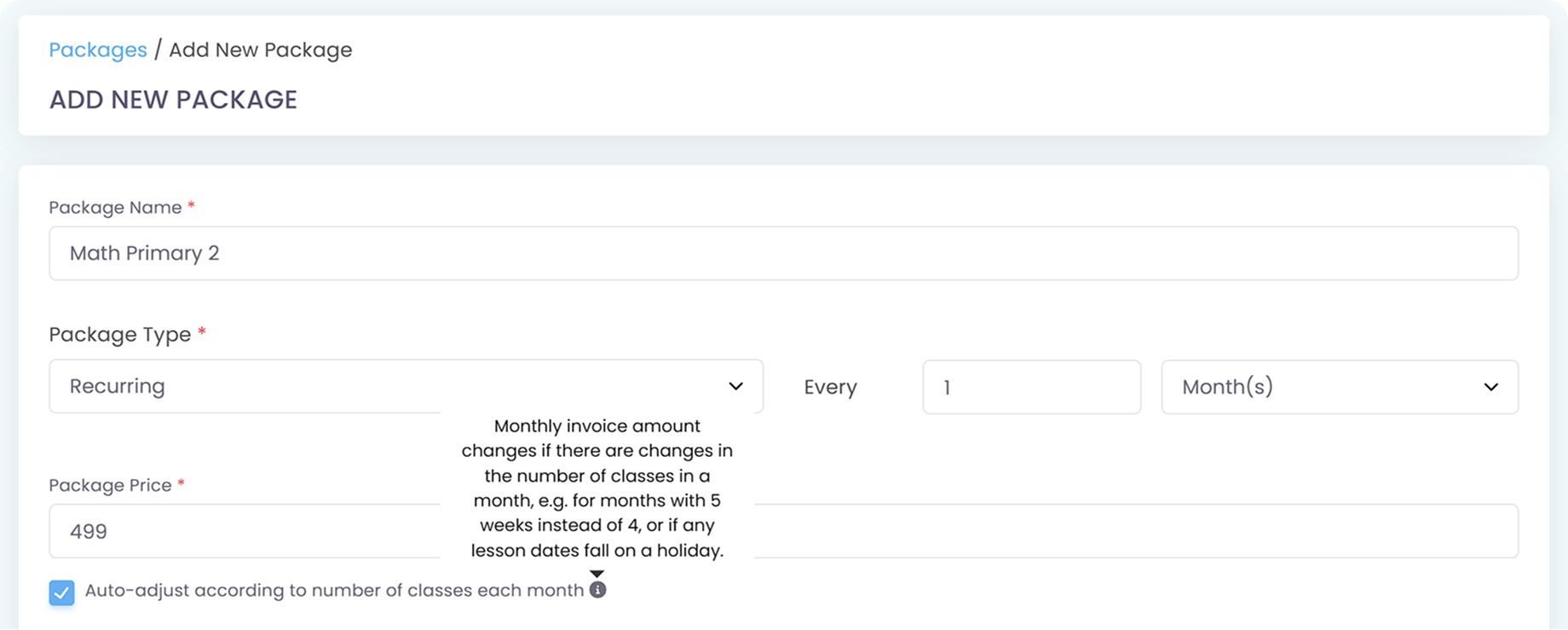
The billed amount for fixed recurring fees depends on your initial Package setup. If you enable auto-adjust based on number of classes, monthly invoice amount will change if the lesson dates fall on a holiday.

Click the image to enlarge it

If you don’t enable the auto-adjust feature, fixed recurring fees remain unchanged as they cover a flat monthly tuition. However, in case you want to make exception for certain holiday’s billing, you can adjust the amount of billing or add a discount to the affected invoice of the said period only.

Yes, you can adjust Credit validity periods via Student Profile for extended closures like a year-end or festive break.

Yes, parents can propose Replacement Classes via the mobile app, but only if you allow replacement requests while setting up your holiday period. To ensure that parents are fully aware of the sudden holiday period and that they can propose a replacement to affected classes, it is highly recommended that you also send out a center-wide Announcement or a broadcast via In-App Messaging.

Click the image to enlarge it

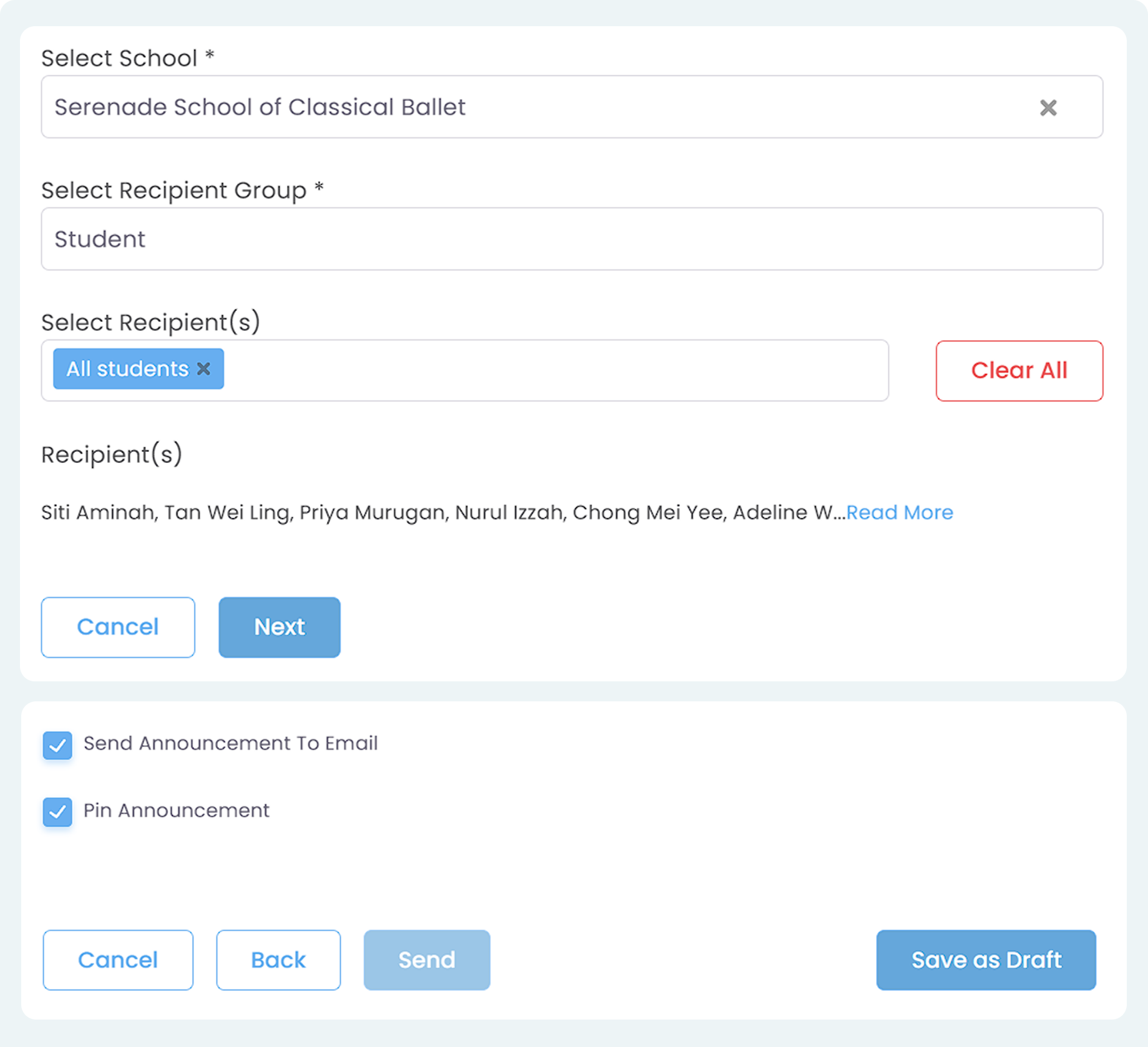
Yes, you can mass broadcast your Announcement as we also advise you to do so if there’s a holiday period affecting classes. AOne allows you to send announcements either to specific user roles (admins, teachers, students) or filter them directly by lessons to reach the exact classes affected. Additionally, you can also pin the announcement so that it stays on top of the notification tab in the recipients’ accounts, ensuring that they won’t miss the important updates.

Click the image to enlarge it

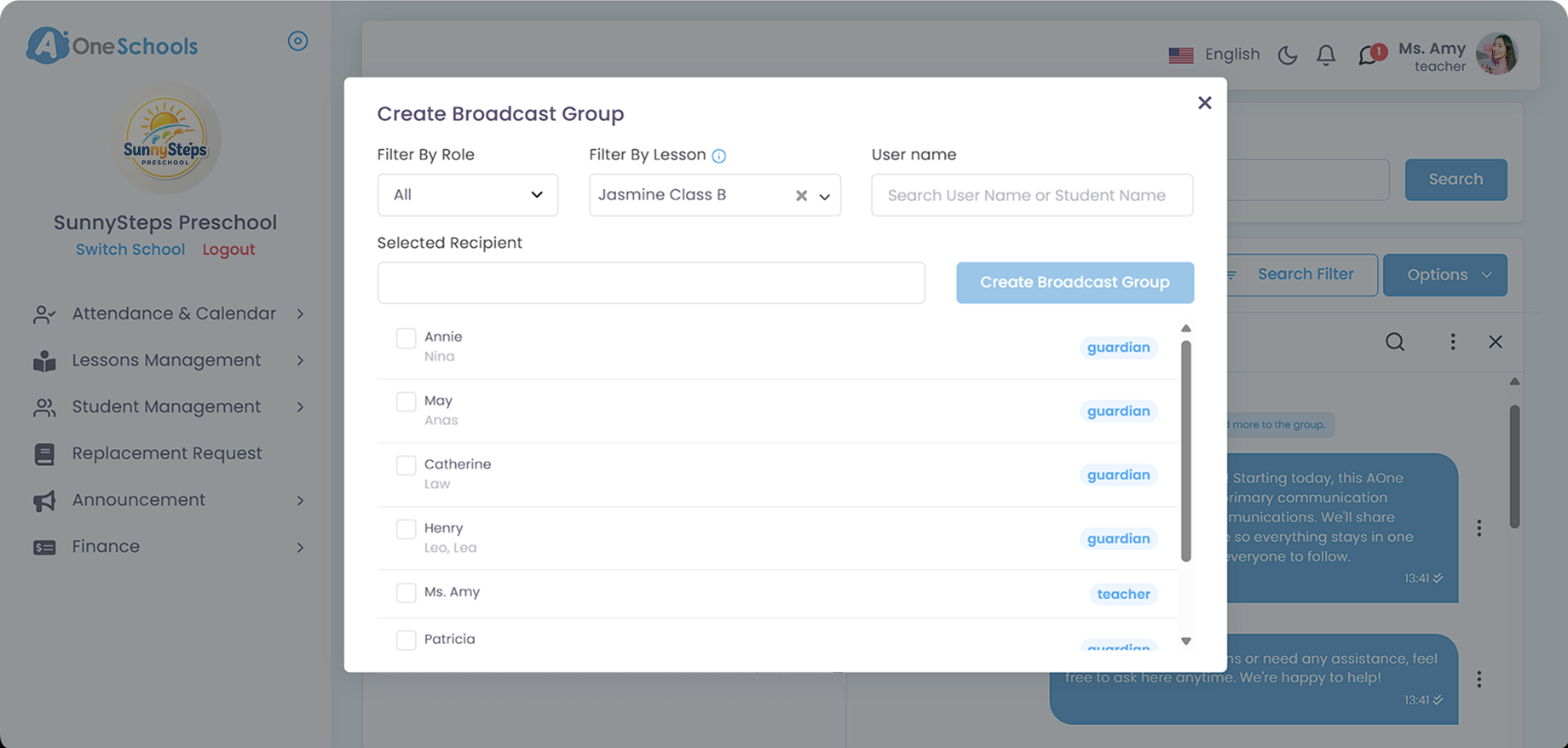
Another option is to use a broadcast feature within the In-App Messaging module. Similarly, you can also filter by Roles and Lesson, depending on your target recipients. Teacher and Admin, if given the Permissions, can make a broadcast or a broadcast group, while Superadmin by default can do so, unrestricted by permission modules.

Click the image to enlarge it

Yes, you can. Simply navigate to the holiday module and click Holiday List. From there, select any holiday you have created before and click Duplicate to Next Year to carry it over. Doing this will create the same holiday at the same date and duration in the following year.

Click the image to enlarge it

Move faster with AOne features

Billing

Invoices, tracking, reminders, and receipts: Automated

Student Management

All student data, organized and manageable in one place

Teacher Management

All teacher data, organized and manageable in one place

Lesson Management

All your lesson data, organized and manageable in one place

Schedule & Timetable

Clear schedules for every lesson for teachers and students

Finance Management

Track revenue, payment status, and performance in one place

Replacement

Manage teacher and class replacements effortlessly

Student Registration

Simple, digitized registration flow from form to student profile

Attendance

Real-time attendance with real-time parents notifications